
Disclosure: This article is published by Datamagnet. Vendor claims are self-reported unless otherwise noted.
Firmographic Data API: Fields, Sources and Freshness
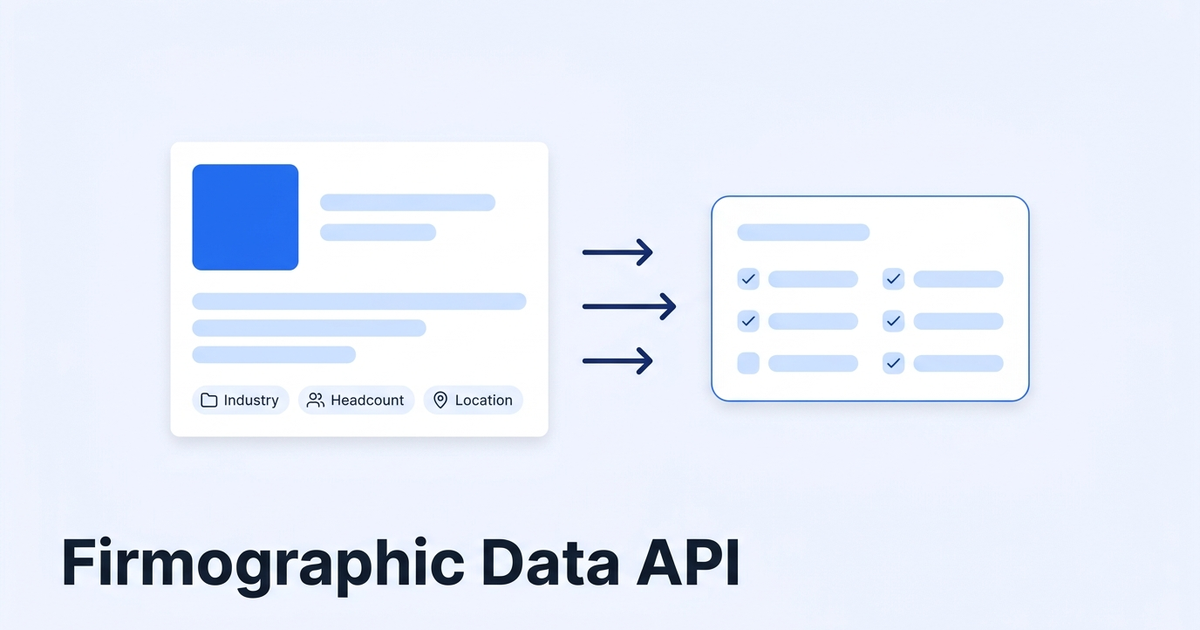
A firmographic data API takes a company identifier, like a LinkedIn company URL or a domain, and returns structured fields: industry, headcount, location, funding and more. In 2025, a Validity survey of 602 CRM users found that 76% say less than half of their organization's CRM data is accurate and complete. This guide shows which fields to pull, where they come from, and how to keep them fresh.
Key Takeaways
- Firmographics are company-level facts: industry, size, location, funding, specialties.
- 76% of CRM users say under half their organization's CRM data is accurate and complete (Validity via SalesTechStar, 2025).
- Pull live at the moment of use, then re-check records on a schedule.
- Use signals and webhooks for the fields that change fastest.
Ever opened a CRM account and found "Employees: 50" for a company that now has 900 people? That's what stale firmographics look like. If you're new to the topic, our guide to real-time B2B people enrichment covers the people side of the same problem.
What you'll need: a Datamagnet account (10 free credits), a list of company LinkedIn URLs or domains, and a CRM or spreadsheet to write results into. Time: about 45 minutes. Difficulty: beginner to intermediate.
What Is Firmographic Data, and Why Do Teams Pay for It?
Firmographic data describes a company the way demographics describe a person: what it does, how big it is, and where it sits. In HG Insights' 2026 account-scoring write-up, a firmographic and technographic "Customer Fit" score runs 0-100 and stays separate from a behavioral "Likelihood to Buy" score (HG Insights, Account scoring benchmarks: what predicts conversion, September 2026). Fit first, intent second.
Here's why that matters. Fit scoring only works if the inputs are right. Wrong headcount sends a 40-person startup to your enterprise team. Wrong industry puts a fintech in a healthcare sequence.
Teams use firmographics for three jobs:
- Segmentation. Tiering accounts by size and industry.
- Routing. Sending leads to the right rep or territory.
- ICP scoring. Ranking accounts against your ideal customer profile.
Which Firmographic Fields Should You Pull?
Start with the fields that change a decision. The U.S. Office of Management and Budget describes NAICS as "a system for classifying establishments (individual business locations) by type of economic activity," with five levels from 2-digit sector down to 6-digit national industry (OMB, Federal Register Vol. 86 No. 125, July 2021). That's the standard behind most industry fields. Not every API returns a NAICS code, though. Check the docs.
The table below shows what Datamagnet's company data covers. Each row links to its own source.
| Field | Why it matters | Source |
|---|---|---|
| Industry | Segmentation and messaging | Company Profile docs |
| Headcount | Size tiers and routing | Company Profile docs |
| Headquarters | Territory and time zone | Company Profile docs |
| Specialties | Sub-niche targeting | Company Profile docs |
| Funding rounds (amount, type, date) | Budget and timing signal | Funding Rounds docs |
| Headcount and hiring trends | Growth direction | July 2026 changelog |
| Recent company posts | Fresh talking points | Company Posts docs |
You can see the full list on the LinkedIn Company API page. Note what's missing: Datamagnet doesn't do email or phone lookup, and it doesn't search job listings. It reads job details by URL only. If you need contact info, plan a separate tool.
Most teams over-collect. A practical ICP score usually needs four fields: industry, headcount band, location and funding stage. Pull the rest only when a play needs it, since extra fields mean extra credits and extra decay to maintain.
Where Does Firmographic Data Come From?
Firmographic data comes from a few source types: public registries, company websites, public professional profiles, regulatory filings and funding databases. Each has a trade-off. Registries are authoritative but slow. Websites are current but unstructured. Public profile pages update fast and cover most companies. Datamagnet collects from public pages at request time, and its security page states the public-sources-only policy.
Two cautions apply to any provider.
Platform terms. LinkedIn's terms restrict automated collection, and accounts used for scraping can be restricted or banned. That's a platform-risk fact, not legal advice. Using an API that handles public-page collection means you never log in or run accounts yourself. Check with your own counsel on your use case.
Privacy rules. GDPR Recital 14 says the regulation doesn't cover processing of personal data concerning legal persons, including their name, legal form and contact details (GDPR Recital 14, Regulation 2016/679). Company-level facts sit on the easier side of that line. But data about individuals, like a founder's profile, can still be personal data. In California, law-firm commentary notes the B2B contact exemption in the CCPA was set to expire January 1, 2023, and was not extended (Maynard Nexsen, August 2022). Keep firmographics at the company level when you can.
Why Does Company Data Go Stale?
Companies hire, raise money, move offices and pivot. The data doesn't update itself. Validity's 2024 survey of 600+ CRM admins found 31% say poor data quality costs them at least 20% of annual revenue (Validity, The State of CRM Data Management in 2024). That's self-reported and vendor-sponsored, so treat it as directional. The 2025 edition, with 602 respondents in the US, UK and Australia, found 37% say they lose revenue directly because of data quality (SalesTechStar coverage of Validity's State of CRM Data Management in 2025, July 2025).
How fast does it decay? Honest answer: nobody has a clean number. Commonly cited estimates run from about 22% to 70% a year, and they come mostly from vendor content (Landbase, data decay statistics, January 2026). We couldn't trace them to a primary study, so we won't pin a single figure on your data.
What you can do is measure your own. Pull a random sample of 100 accounts, re-fetch them live, and count how many changed headcount band, industry or HQ. That percentage is your decay rate.
How to Set Up a Firmographic Data Pipeline in 6 Steps
A working firmographic pipeline takes six steps: define fields, get a key, build a list, enrich, write to your CRM, and refresh. With 76% of CRM users saying under half their CRM data is accurate and complete (Validity via SalesTechStar, 2025), the refresh step matters most.
Step 1: Define Your ICP Fields
By the end of this step, you'll have a short field list tied to decisions. Write down each field and the decision it drives (routing, tier, sequence). Cut anything without a decision. Four to six fields is plenty.
Verify: every field on your list maps to a rule in your CRM or scoring model.
Step 2: Get an API Key
Create an account and generate a key. The Quickstart walks you through it, and the Authentication docs cover bearer tokens and safe rotation. New accounts get 10 free credits, enough to test a handful of companies.
Verify: your first request returns a 200 response and a company record.
Step 3: Build Your Target Account List
If you don't have a list yet, search for one. The ICP Company Search endpoint filters by industry, headcount, technology and location using plain-English values, no IDs required. A search page costs 10 credits. The ICP Search API page has more detail.
Verify: you have a list of company URLs that match your ICP.
Step 4: Enrich Each Company
Send each company URL to the Company Profile endpoint. It costs 1 credit per profile. Add funding history only for accounts that pass your fit threshold, since Funding Rounds costs 5 credits.
Run the cheap call first and the expensive one second. Gating funding lookups behind a headcount and industry filter cuts the credit bill on a typical list, because most accounts never qualify.
Verify: each record has the fields from Step 1, and errors map to the Errors reference.
Step 5: Write Results to Your CRM
Map fields to CRM properties. Store a "last enriched" date on every record. You'll need it in Step 6. If you use HubSpot, see the HubSpot integration. Clay users can check the Clay integration.
Verify: ten random records show correct values and a fresh date.
Step 6: Keep It Fresh With Re-Checks and Signals
Pull live when a rep is about to act, then re-run a scheduled refresh on your top tier. For fast-changing facts, don't poll. Create a monitor with the Create Signal endpoint and receive updates through webhooks. The Signal API page lists the signal types.
Here's a simple refresh schedule:
| Tier | Refresh | Why |
|---|---|---|
| Tier 1 (active deals, top ICP) | Live fetch before outreach, plus monthly re-check | Highest cost of a wrong field |
| Tier 2 (ICP-fit, no deal) | Quarterly | Enough to catch headcount band shifts |
| Tier 3 (long tail) | Fetch on demand when the account becomes active | Don't pay to refresh dormant records |
That cadence is our recommendation, not an industry standard. Tune it with the sample test from the previous section.
What Does It Cost to Keep Company Data Fresh?
Credits make this easy to estimate. A company profile is 1 credit, a search or engagement page is 10, and funding rounds are 5 (Datamagnet pricing). Pay-as-you-go starts at $10 for a 200-credit pack, which works out to $0.05 per credit, and the plans are $39, $99 and $199. At the pay-as-you-go rate, re-fetching 10,000 company profiles is about $500. Subscription plans carry lower per-credit rates, so your exact cost depends on your plan.
Compare that with the alternative of static databases that refresh on their own schedule. For side-by-side detail, see our ZoomInfo alternative and Coresignal comparison pages. Those are vendor-authored, so read them with that in mind.
Common Mistakes to Avoid
Most firmographic problems come from process, not from the API. Teams refresh every field at the same pace, overwrite values without history, skip date stamps, and mix headcount definitions. Each habit quietly erodes trust in company records, and each is cheap to fix with the four rules below.
1. Treating every field as equally perishable. Industry rarely changes. Headcount and funding do. Refresh the fast movers more often.
2. Overwriting good data blindly. Keep the old value and the date. If a new fetch looks wrong, you can roll back.
3. Skipping the "last enriched" stamp. Without it you can't tell fresh from stale, and you'll refresh everything.
4. Mixing headcount sources. Different sources define "employees" differently. Standardize on one source per field. Datamagnet's May 2026 release standardized the employee_count field for this reason.
The most common failure isn't bad data. It's good data nobody trusts because there's no date on it.
What Success Looks Like
If it worked, you now have a CRM where every target account has an industry, size band, HQ and funding stage, each with a date. Your first win is routing: leads reach the right team without manual triage. Your stretch goal is automation. Combine fit scores with champion tracking so refreshes trigger on real events. Ready to try it? Pull your first 10 company profiles free.
Frequently Asked Questions
What is a firmographic data API?
A firmographic data API returns structured company facts, such as industry, headcount, headquarters and funding, when you send a company identifier. Teams use it to segment accounts, route leads and score fit against an ICP. Datamagnet's Company Profile endpoint does this live, at request time, for 1 credit per profile.
How often should I refresh firmographic data?
It depends on the field and the account. Industry rarely changes, while headcount and funding change often. A practical schedule is a live fetch before outreach, a monthly re-check for top accounts, and quarterly for the rest. Measure your own decay rate by re-fetching a sample of 100 records.
Does Datamagnet provide emails or phone numbers?
No. Datamagnet doesn't offer email or phone lookup, and it doesn't search job listings, though it reads job details by URL. It covers people and company profiles, post engagement, ICP search, funding rounds and signals. If you need contact details, pair it with a separate contact tool.
How much does firmographic enrichment cost?
A company profile costs 1 credit, a search page costs 10 credits, and funding rounds cost 5 credits. Pay-as-you-go starts at $10 for a 200-credit pack ($0.05 per credit), and plans are $39, $99 and $199. New accounts get 10 free credits. At the pay-as-you-go rate, 10,000 profile refreshes come to about $500; plans cost less per credit.
Sources
Retrieved 2026-11-10:
- Validity, The State of CRM Data Management in 2024, https://www.validity.com/resource-center/the-state-of-crm-data-management-in-2024/
- SalesTechStar, Validity State of CRM Data Management in 2025 coverage, https://salestechstar.com/predictive-ai-artificial-intelligence/validity-releases-state-of-crm-data-management-in-2025-report-revealing-disconnect-between-data-quality-and-ai-implementation/
- OMB, Federal Register Vol. 86 No. 125 (NAICS), https://www.govinfo.gov/content/pkg/FR-2021-07-02/html/2021-14249.htm
- GDPR Recital 14, https://gdpr-info.eu/recitals/no-14/
- Maynard Nexsen, HR and B2B Exemptions Under California Privacy Law Expiring, https://www.maynardnexsen.com/news-hr-and-b2b-exemptions-under-california-privacy-law-expiring-enforcement-heats-up
- HG Insights, Account scoring benchmarks: what predicts conversion, https://hginsights.com/blog/account-scoring-benchmarks-what-predicts-conversion/
- Landbase, data decay statistics, https://landbase.com/blog/data-decay-rate-statistics
