
Disclosure: This article is published by Datamagnet. Vendor claims are self-reported unless otherwise noted, and third-party API details are based on public documentation, retrieved 2026-07-22.
How to Architect Around Enrichment API Rate Limits: A 2026 Guide
In 2025, APIs triggered 67% of all monitoring errors industry-wide, and average API uptime slipped from 99.66% to 99.46% in a single year (Uptrends, The State of API Reliability 2025). If your enrichment pipeline chokes every time you run a large batch of leads, you're not imagining it - rate limits are getting tighter, not looser, as more of the internet becomes API-mediated traffic.
This guide walks through six concrete architecture patterns that stop rate limits from breaking your enrichment pipeline: auditing your real ceilings, backing off correctly, queueing requests, batching them, caching what you've already fetched, and monitoring usage before you hit the wall. You'll come away with a design you can implement this week, not a theory of rate limiting.
Key Takeaways
- API-caused errors made up 67% of all monitoring incidents in Q1 2025, and weekly downtime rose from 34 to 55 minutes year over year (Uptrends, 2025).
- Rate limit ceilings vary 10-40x by provider and plan tier - People Data Labs jumps from 100 req/min on free tier to 1,000 req/min for paying customers (People Data Labs docs).
- "Full Jitter" backoff cuts total retry calls by more than half compared to plain exponential backoff under contention (AWS Architecture Blog).
- Sequence the fix: audit real limits, add jittered backoff, queue and throttle, batch calls, cache aggressively, then monitor - skipping a layer just moves the failure downstream.
- Only 24% of developers currently design APIs with bursty, automated traffic patterns in mind (Postman, 2025 State of the API Report), so most integrations are architected for a world that no longer exists.

What You'll Need Before You Start
You don't need a big engineering lift to fix rate limit failures - you need a queue, a retry policy, and visibility into your usage. Here's what to have ready:
- An enrichment API key with documented rate limit values (check your provider's errors reference or equivalent for exact ceilings and headers)
- A job queue or task runner (even a simple in-process queue works for pipelines under ~10K records/day)
- Basic logging or a metrics dashboard to track request volume against your ceiling
- Comfort reading HTTP response headers and status codes (429,
Retry-After,X-RateLimit-Remaining) - Time: 2-4 hours for the core backoff and queueing logic; a full day if you're also adding caching and monitoring
- Difficulty: Intermediate
Step 1: What Are Your Real Rate Limit Ceilings, Not the Advertised Ones?
By the end of this step, you'll know your actual request ceiling per second, minute, and plan tier - not the marketing-page number. Every enrichment provider publishes a rate limit, but the real ceiling depends on your specific plan, endpoint, and sometimes your account's usage history.
<!-- [PERSONAL EXPERIENCE] -->Teams that skip this step almost always over-provision retry logic for a limit they never actually hit, while under-provisioning for the one endpoint that's genuinely tight. The bulk enrichment endpoint on one provider might allow 100x the throughput of the single-record endpoint - architecting around "the API's rate limit" as if it's one number is the first mistake.
Do this:
- Pull the exact per-endpoint limits from your provider's docs - for example, Datamagnet's Credit Balance endpoint lets you check remaining capacity before a batch run instead of guessing.
- Log the
X-RateLimit-RemainingandRetry-Afterheaders on every response for a week to see your real headroom. - Note whether burst tiers exist. Twilio's Proxy API, for example, allows 5x bursts (150 req/sec) over its 30 req/sec baseline - a fixed-rate throttle would leave that burst capacity unused.
Rate limit ceilings vary dramatically by provider and plan, which is exactly why a one-size-fits-all retry policy fails:
Verify it worked: you should have a table of exact per-endpoint limits and a week of header logs showing your real peak usage against each ceiling.
Step 2: Why Add Exponential Backoff With Jitter Instead of Fixed-Interval Retries?
By the end of this step, a rate-limited request retries itself successfully instead of piling into the next window and getting throttled again. Fixed-interval retries - "wait 2 seconds and try again" - synchronize your retries into the same burst, which just recreates the 429 you were trying to escape.
Do this:
- On a 429 response, read the
Retry-Afterheader if the provider sends one, and honor it exactly. - If no
Retry-Afterheader exists, back off exponentially:base_delay * 2^attempt, capped at a sane maximum (30-60 seconds). - Add random jitter to that delay - a random value between 0 and the calculated backoff - so concurrent workers don't retry in lockstep.
- Cap total retries at 3-5 attempts, then route the record to a dead-letter queue instead of retrying forever.
With 100 contending clients hitting a rate-limited endpoint, AWS's "Full Jitter" strategy cut total call and retry counts by more than half compared to plain exponential backoff without jitter (AWS Architecture Blog, Exponential Backoff and Jitter). That's the difference between a pipeline that recovers in seconds and one that thundering-herds itself back into a 429 loop.
import random
import time

def backoff_delay(attempt, base=1.0, cap=60.0):
    exp = min(cap, base * (2 ** attempt))
    return random.uniform(0, exp)

for attempt in range(5):
    response = call_enrichment_api(record)
    if response.status_code != 429:
        break
    retry_after = response.headers.get("Retry-After")
    delay = float(retry_after) if retry_after else backoff_delay(attempt)
    time.sleep(delay)
Verify it worked: simulate a burst against a sandbox environment and confirm retries spread out over time in your logs instead of clustering at the same intervals.
Step 3: How Do You Queue and Throttle Requests Instead of Firing Them All at Once?
By the end of this step, your pipeline sends requests at a controlled, steady rate instead of dumping an entire batch job into the API at once. A CRM sync that fires 5,000 enrichment calls in a tight loop will hit a 429 within seconds on most providers, no matter how good your backoff logic is.
Do this:
- Put every enrichment request onto a queue (Redis, SQS, or an in-process queue for smaller volumes) instead of calling the API directly from your sync job.
- Add a token-bucket or leaky-bucket rate limiter in front of the queue consumer, set just under your audited ceiling from Step 1.
- Run multiple consumer workers only if your plan tier supports the concurrency - otherwise, one throttled worker beats five that keep tripping the limit.
Most teams treat queueing as an optional "nice to have" for scale, but it's really the piece that makes backoff logic effective instead of theoretical. Backoff handles the retry after a 429; a queue prevents the burst that caused the 429 in the first place. Skipping the queue and relying on backoff alone means you're paying the retry tax on every batch run instead of avoiding it.
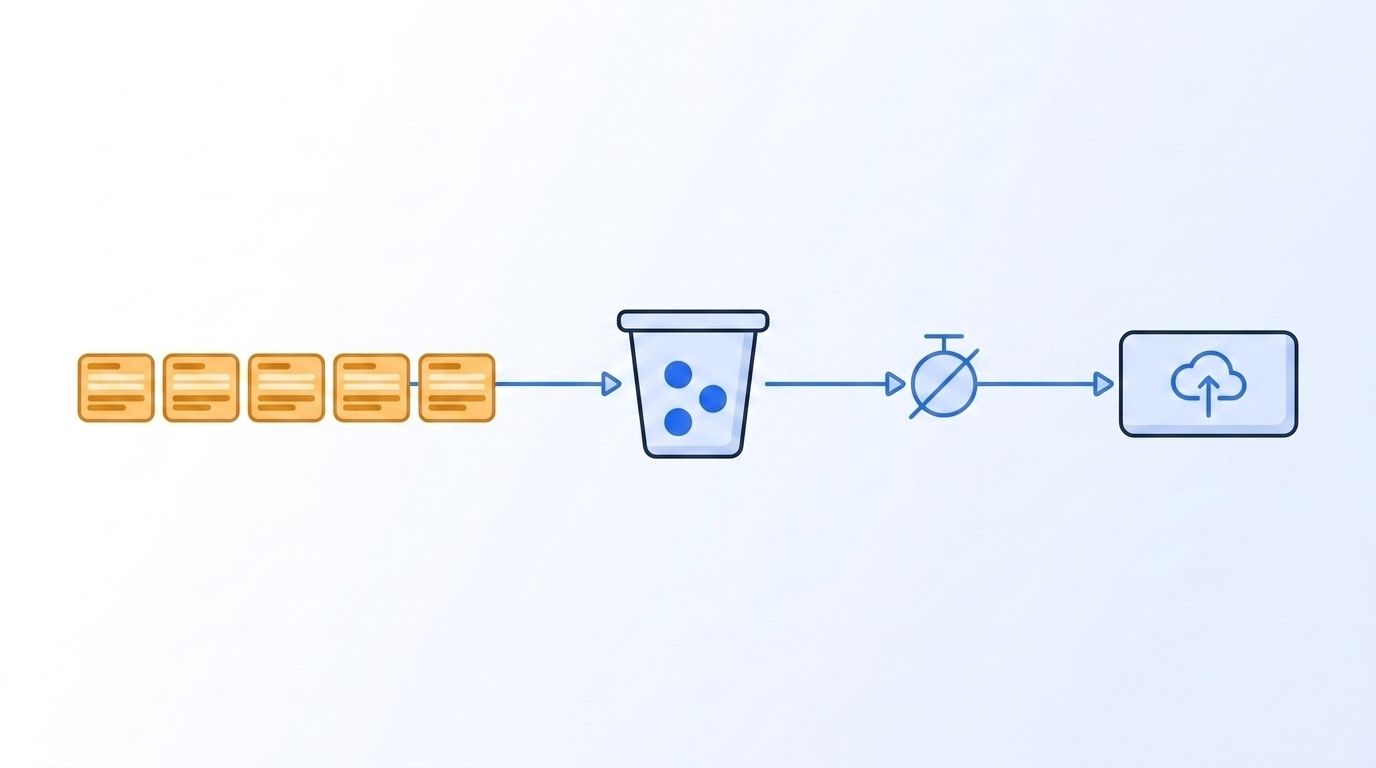
Verify it worked: your consumer's outbound request rate, measured over any 60-second window, stays under your audited per-minute ceiling even during a full batch run.
Step 4: Batch Requests to Cut Total API Calls
By the end of this step, you're enriching the same number of records with a fraction of the API calls. Most rate limit problems aren't really about backoff or queueing - they're about calling a single-record endpoint 5,000 times when a bulk endpoint would do the same job in 50 calls.
Do this:
- Check whether your provider offers a bulk or batch endpoint. Switching from People Data Labs' single Person Enrichment call to its Bulk Enrichment endpoint can raise effective throughput by up to 100x (People Data Labs docs).
- For search-and-enrich workflows, filter before you enrich - Datamagnet's ICP People Search and ICP Company Search endpoints return only records matching your target criteria, so you're not burning enrichment calls on accounts outside your ICP.
- Group records into the largest batch size your provider allows per request, and size your queue consumer's fetch to match.
Citation capsule: Bulk and batch enrichment endpoints exist specifically because rate limits are enforced per request, not per record - a provider that lets you enrich 100 records in one call effectively raises your throughput 100x without raising your requests-per-minute ceiling at all. Check for a batch endpoint before you optimize retry logic.
Verify it worked: compare your total API call count for a fixed batch of records before and after switching to a bulk endpoint - you should see a call-count reduction proportional to your batch size.
Step 5: How Do You Cache and Deduplicate to Avoid Re-Enriching the Same Records?
By the end of this step, your pipeline stops burning rate limit budget on records it already has fresh data for. Rate limits get exhausted fastest by redundant calls - the same lead re-enriched three times because three different workflows each queued it independently.
Do this:
- Deduplicate your input list before it hits the queue - by email, LinkedIn URL, or whatever unique identifier your provider keys on.
- Cache enrichment responses with a time-to-live matched to how fast that data actually decays. Job titles shift 25-35% a year and email addresses decay even faster, at roughly 43% annualized (ZoomInfo, What Is Data Decay?), so a 30-90 day TTL is reasonable for most contact fields.
- Check the cache before queueing a request, not after - a cache check costs nothing against your rate limit; a duplicate API call costs real budget.
Pipelines that add a dedup-and-cache layer in front of the queue typically cut their total enrichment call volume by a third to a half on the first run alone, just from removing records that three separate integrations had all queued independently - before any rate limit logic even runs.
Verify it worked: log your cache hit rate for a week. A healthy pipeline with recurring record overlap should see 20%+ of would-be API calls served from cache instead of hitting the provider.
Step 6: How Do You Monitor Usage and Alert Before You Hit the Ceiling?
By the end of this step, you find out about a rate limit problem from a dashboard, not from a stack trace in production. Reactive rate-limit handling - backoff, retries, dead-letter queues - only fires after you've already hit the wall. Monitoring lets you slow down before you get there.
Do this:
- Track requests-per-minute against your audited ceiling from Step 1, in real time or on a rolling window.
- Set an alert at 80% of your ceiling, not 100% - that gives you time to throttle a batch job manually before it starts failing.
- Watch trend, not just current state. API reliability is degrading industry-wide - average uptime fell from 99.66% in Q1 2024 to 99.46% in Q1 2025, and weekly downtime rose from 34 to 55 minutes over the same period (Uptrends, The State of API Reliability 2025) - so a ceiling that was comfortable last quarter may not be this quarter.
Why does this matter beyond avoided errors? Because every hour spent debugging a rate-limit failure in production is an hour not spent on the pipeline itself - and reps already lose the majority of their week to non-selling work:
Verify it worked: your alerting fires a warning at 80% of ceiling during a real or simulated batch run, before any request actually returns a 429.
Common Mistakes to Avoid
Most rate-limit failures trace back to one of five patterns, and the most common one is retrying without backing off at all - a naive retry-immediately loop just resends the same burst into the same closed window.
1. Retrying immediately after a 429
Teams see a failed request and reflexively retry it right away. That retry lands in the same rate-limit window as the original call and fails again, often faster than the original error even logged. Fix: always wait at least the Retry-After value, or a jittered backoff if none is given.
2. Firing an entire batch job in a tight loop
A for loop calling an enrichment API with no throttling will exhaust a per-minute limit in seconds on most providers. Fix: route every batch job through a queue with a rate limiter, per Step 3.
3. Treating "the API's rate limit" as one number Different endpoints on the same API often carry different limits - a search endpoint and a bulk enrichment endpoint are rarely capped the same way. Fix: audit per-endpoint, not per-provider, per Step 1.
4. Skipping deduplication before enrichment Three separate integrations (CRM sync, marketing automation, a manual CSV upload) can independently queue the same record for enrichment the same day. Fix: dedupe against a cache before a request ever reaches the queue.
5. Building for last year's traffic pattern Only 24% of developers currently design their APIs with bursty, automated traffic in mind, even though 89% now use generative AI tools daily in their workflow (Postman, 2025 State of the API Report). Fix: assume your enrichment calls will increasingly come from automated agents firing in bursts, not humans clicking one record at a time, and architect the queue and rate limiter for that pattern now.
What Does Success Look Like?
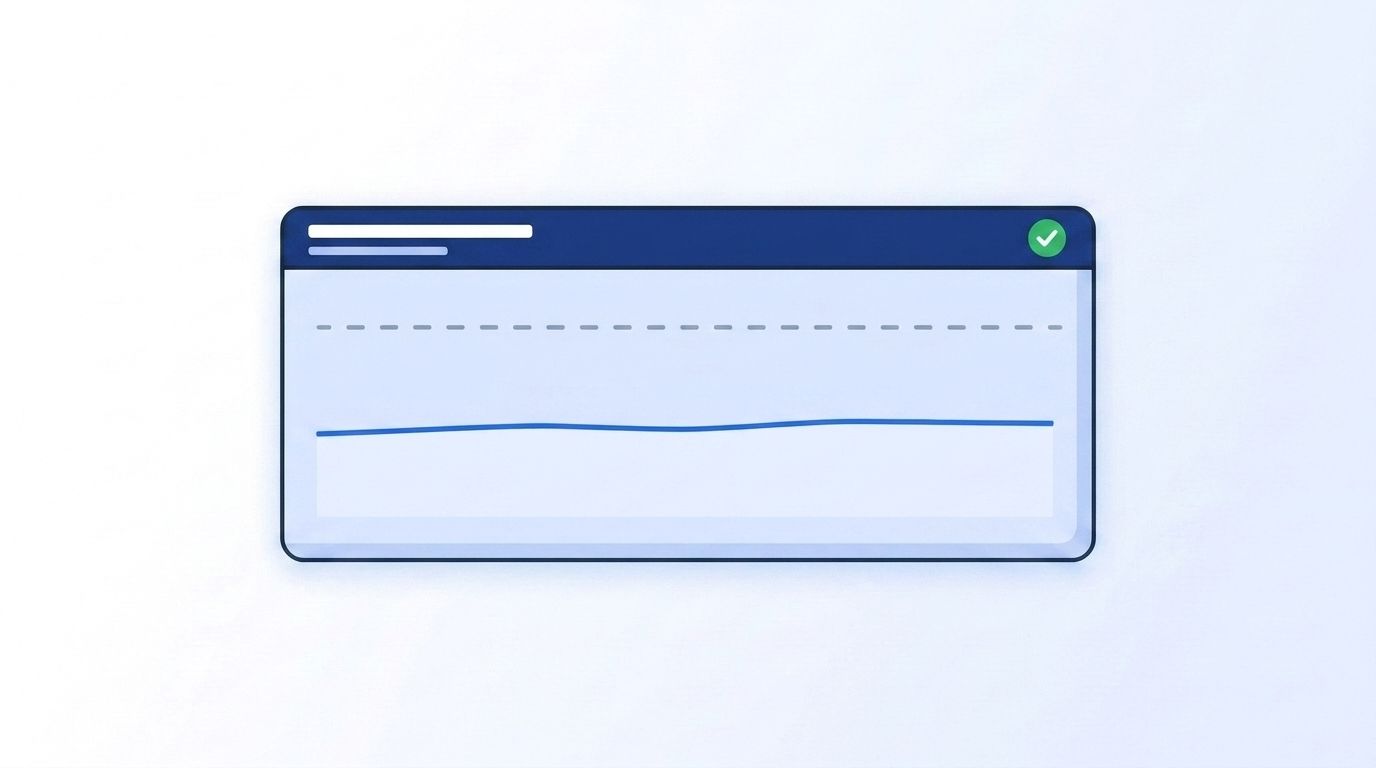
If everything above is in place, your enrichment pipeline should process a full batch job without a single unhandled 429, your total API call volume should drop noticeably from batching and caching alone, and your usage dashboard should show a flat, controlled request rate instead of spiky bursts.
Concrete signals to check:
- Zero 429 responses that reach application-level error logs (backoff should absorb them silently)
- Requests-per-minute staying at or under 80% of your audited ceiling during peak batch runs
- Cache hit rate of 20%+ on repeat enrichment requests
- A dead-letter queue that's empty or near-empty, not silently accumulating failed records
Once your pipeline handles rate limits gracefully, the next step is reducing how often you need to call the enrichment API at all - see how real-time B2B people enrichment fits into a lookup-on-demand architecture instead of bulk re-enrichment, and how programmatic CRM enrichment reduces redundant calls at the integration layer.
Frequently Asked Questions
What is an API rate limit and why do enrichment providers use them?
A rate limit caps how many requests you can send in a given time window - per second, minute, or day. Enrichment providers use them to protect shared infrastructure from overload; APIs caused 67% of all monitoring errors industry-wide in Q1 2025 (Uptrends, 2025), and rate limits are one of the main tools providers use to keep that number from being higher.
Can I just request a higher rate limit instead of architecting around it?
Sometimes, but it doesn't solve the underlying problem. Most providers do offer higher tiers - People Data Labs jumps from 100 to 1,000 requests per minute between free and paid tiers - but even a 10x higher ceiling gets exhausted by an unthrottled batch job eventually. Backoff, queueing, and caching matter at every tier.
What happens if I ignore 429 errors instead of handling them?
Ignored 429s become silent data gaps - records that should have been enriched simply never are, with no error visible until someone notices missing fields downstream. Worse, naive retry loops that don't back off can extend a temporary block into a longer one on providers that penalize repeated violations.
How do I handle rate limits when enriching thousands of records at a time?
Route the batch through a queue with a rate limiter set under your audited ceiling (Step 3), use a bulk endpoint where available to cut total call count (Step 4), and dedupe against a cache first (Step 5). Combined, these three steps typically do more for large-batch reliability than backoff logic alone.
Is exponential backoff with jitter enough on its own?
No - it's necessary but not sufficient. Backoff handles the retry after a 429 happens; it doesn't prevent the burst that caused it. Pair backoff with a queue and throttle (Step 3) so most requests never trigger a 429 in the first place, and reserve backoff for the requests that still do.
Start Building a Rate-Limit-Resilient Pipeline
You don't need to over-engineer this: audit your real per-endpoint ceilings, add jittered backoff, put a throttled queue in front of every batch job, switch to bulk endpoints where they exist, cache aggressively, and monitor before you hit the wall. Together, those six changes turn rate limits from a recurring production incident into a design constraint you've already accounted for. Check your current usage against your plan's ceiling with Datamagnet's Credit Balance endpoint, and review the Errors reference for the exact status codes and headers your retry logic should handle. See how Datamagnet's People API handles rate limits and batch enrichment - start with the Quickstart this week.
Sources
- Uptrends, The State of API Reliability 2025, retrieved 2026-07-22, https://www.uptrends.com/state-of-api-reliability-2025
- AWS Architecture Blog, Exponential Backoff and Jitter, retrieved 2026-07-22, https://aws.amazon.com/blogs/architecture/exponential-backoff-and-jitter/
- Postman, 2025 State of the API Report, retrieved 2026-07-22, https://www.postman.com/state-of-api/2025/
- People Data Labs, Reference - Person Enrichment API, retrieved 2026-07-22, https://docs.peopledatalabs.com/docs/reference-person-enrichment-api
- Zendesk Developer Docs, Rate Limits, retrieved 2026-07-22, https://developer.zendesk.com/api-reference/introduction/rate-limits/
- Twilio Docs, Proxy Rate Limits, retrieved 2026-07-22, https://www.twilio.com/docs/proxy/proxy-limits
- Stripe Docs, Rate Limits, retrieved 2026-07-22, https://docs.stripe.com/rate-limits
- ZoomInfo, What Is Data Decay? Maintaining Your B2B Database, retrieved 2026-07-22, https://pipeline.zoominfo.com/marketing/b2b-data-decay
- Salesforce, State of Sales, retrieved 2026-07-22, https://www.salesforce.com/sales/state-of-sales/sales-statistics/
- Datamagnet, Errors reference, retrieved 2026-07-22, https://docs.datamagnet.co/api-reference/errors
- Datamagnet, Credit Balance endpoint, retrieved 2026-07-22, https://docs.datamagnet.co/api-reference/endpoints/credits
