
Disclosure: This article is published by Datamagnet. Vendor claims are self-reported unless otherwise noted.
Does LinkedIn Have an API? What the Official API Returns in 2026, and What It Doesn't
Yes, LinkedIn has official APIs. But in 2026 only a thin slice is open to everyone, and none of them let you look up an arbitrary member or company by URL. LinkedIn's own docs say that "most permissions and partner programs require explicit approval" (LinkedIn, Getting Access to LinkedIn APIs, Microsoft Learn, 2026).
So the real question isn't "does it exist?" It's "does it return the data I need?" If you want profile, company, or post data for people who never signed into your app, the answer is usually no. That's the gap tools like the Datamagnet People API were built to fill.
This guide walks through each official program, what it returns, what it leaves out, and what your options are when it isn't enough. We pulled every LinkedIn claim from LinkedIn's own documentation on Microsoft Learn, retrieved 2026-11-18.
Key Takeaways
- LinkedIn's official APIs are relationship-based, and only Sign In with LinkedIn and Share on LinkedIn are open to every developer without approval.
- Sign-in returns data only about the member who authorizes your app. We found no documented lookup for other members (our reading of the docs).
- For public profile data on people outside your app, a third-party data API is the usual route.
So, does LinkedIn have an API?
LinkedIn runs several official APIs through its developer portal, documented on Microsoft Learn. Only "Open Permissions" are available to all developers without special approval, and LinkedIn lists just two: Sign In with LinkedIn and Share on LinkedIn (LinkedIn, Getting Access to LinkedIn APIs, Microsoft Learn, 2026). Everything else needs a review.
Here's the pattern you'll see across every program. LinkedIn builds each API around a relationship: a member who signs in, a company that owns a Page, an advertiser that owns an ad account, or a vetted partner. Data flows along those relationships. It doesn't flow to strangers.
That design makes sense for privacy. It also explains why so many developers hit a wall. You can't send a LinkedIn profile URL to an official endpoint and get that person's job history back.
In short: LinkedIn has official APIs, but they're relationship-based and mostly approval-gated. Only Sign In with LinkedIn and Share on LinkedIn are open to every developer, per LinkedIn's 2026 Getting Access page.
What does Sign In with LinkedIn (OpenID Connect) return?
Sign In with LinkedIn using OpenID Connect returns a small "lite profile" for the member who authorizes your app: a member ID, name, picture, locale, and optionally an email address (LinkedIn, Sign In with LinkedIn using OpenID Connect, Microsoft Learn, updated 2024). It's an authentication tool, not a data tool.
You request three scopes. LinkedIn's docs describe them like this:
openid: required to authenticate the member with OIDC.profile: "the member's lite profile including their id, name, and profile picture."email: the member's email address.
Your app calls the userinfo endpoint with that member's own access token. The response includes sub, name, given_name, family_name, picture, and locale. The email and email_verified fields are optional and "may not be included in all responses."
One more detail: LinkedIn states this sign-in "does not verify user identities and should not be marketed as such" (same page).
What it doesn't return: job history, education, skills, headcount, anything about other members, or anything about companies. The flow is member-authenticated, so you only see data from people who click "Allow" in your app. That's our reading of the OAuth model, not a LinkedIn quote.
Think of it as a login button. It's great for that. It's not a prospecting source.
What can the Community Management API do?
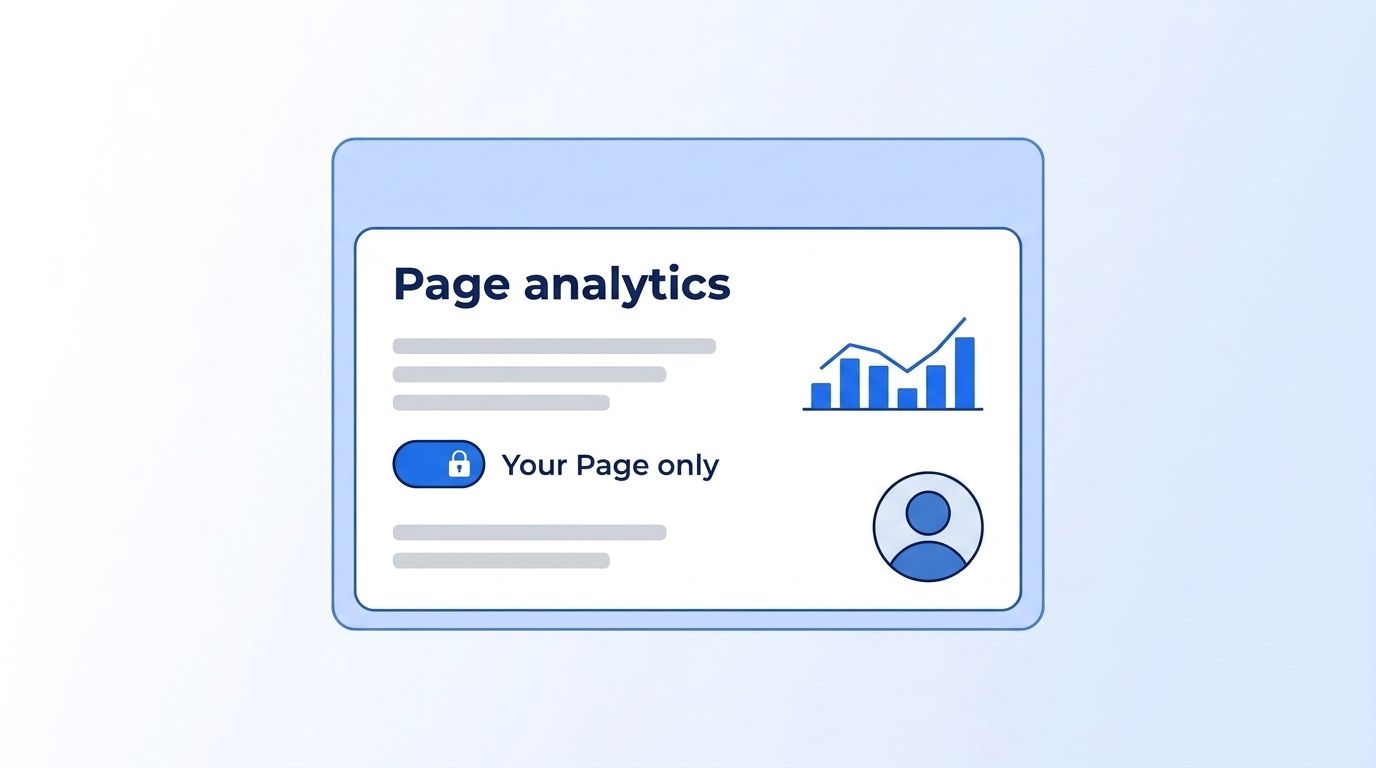
The Community Management API lets approved developers manage LinkedIn Pages for clients: posts, comments, reactions, followers, and page analytics (LinkedIn, Community Management Overview, Microsoft Learn, updated May 2026). It's built for social-media tools, not for researching accounts you don't manage.
LinkedIn describes it as enabling developers "to manage LinkedIn company pages for clients and access account details (admins, roles, followers) and analytics, including comments, reactions, and page activity."
Access comes in two tiers, according to the same page:
- Development Tier: initial approval with limited call volume.
- Standard Tier: full access, which requires an upgrade from the Development Tier.
LinkedIn's FAQ lists the Development Tier limits at 500 requests per app and 100 per member. The upgrade to Standard involves an access form, a screen recording of your app, and test credentials, per LinkedIn's Marketing API Quick Start (updated 2026).
What it doesn't return: data on Pages you don't administer. It's about managing your own (or your client's) presence. LinkedIn also notes that r_member_social is "a closed permission" and that it isn't accepting access requests for it.
What does the Marketing (Advertising) API cover?
The Advertising API connects ad accounts, campaigns, and audiences to your own tooling, and developers "must be approved" to use its permissions (LinkedIn, Getting Access to LinkedIn APIs, Microsoft Learn, 2026). It's for advertisers and ad-tech vendors managing campaigns, not for sourcing prospects.
A few facts from LinkedIn's Marketing Key Concepts page (updated 2026):
- The Development Tier allows up to 5 ad accounts, and you can't create new accounts through the API.
- Moving to the Standard tier requires a video demonstrating how your platform creates, edits, or optimizes campaigns.
- "The 2-legged client credentials flow is not available for any marketing use cases." Every call needs member consent.
- Access depends on the member's role on the Page or ad account.
Audiences permissions "may be applied for after becoming an approved Advertising API partner."
LinkedIn's Quick Start also notes that Lead Sync integrations need to meet integration requirements to become a "formally certified partner." We didn't verify the Lead Sync access page itself, so check it before you plan around it.
What it doesn't return: profile or company data for people outside your ad accounts and lead forms. You get your campaigns and your leads.
One date to note if you build here: LinkedIn says Marketing Version 202601 "will be sunset on January 15, 2027" (LinkedIn, Community Management Overview, Microsoft Learn, 2026).
What do the Talent Solutions APIs include?
Talent Solutions APIs (Recruiter System Connect, Apply Connect, Job Posting, and others) are for applicant tracking systems and recruiting software that LinkedIn has approved. LinkedIn says use of these APIs "is restricted to those developers approved by LinkedIn" (LinkedIn, Recruiter System Connect Overview, Microsoft Learn, April 2026).
The same page adds that you'll "need to meet certain criteria and sign an API agreement with data restrictions." The Talent Solutions overview (updated September 2026) lists Apply Connect, Apply with LinkedIn, Job Posting, CRM Connect, and Recruiter System Connect.
In practice, these let an ATS sync candidates and post jobs. They don't give a sourcing team an open way to search LinkedIn's member base from outside LinkedIn.
What it doesn't return: an open candidate search for your own tool. We couldn't verify the access rules for Job Posting and Apply Connect on their own pages, so treat those two as "check LinkedIn's Getting Access page."
If recruiting is your use case, our recruiting intelligence page covers what a real-time data approach looks like.
What is the Sales Navigator API (SNAP)?
The Sales Navigator Application Platform (SNAP) is a partner-only program for CRM and sales-tool vendors. LinkedIn's docs say: "We are not currently accepting new partners for access to the LinkedIn Sales Navigator API" (LinkedIn, Sales Navigator Application Platform Documentation, Microsoft Learn, 2025). That page was last updated in May 2025, so re-check it.
For approved partners, SNAP offers three kinds of services, per the same page:
- Display Services: modules for viewing profiles and accounts inside a partner's UI.
- Analytics Services: a bulk export of sales-team activity metadata.
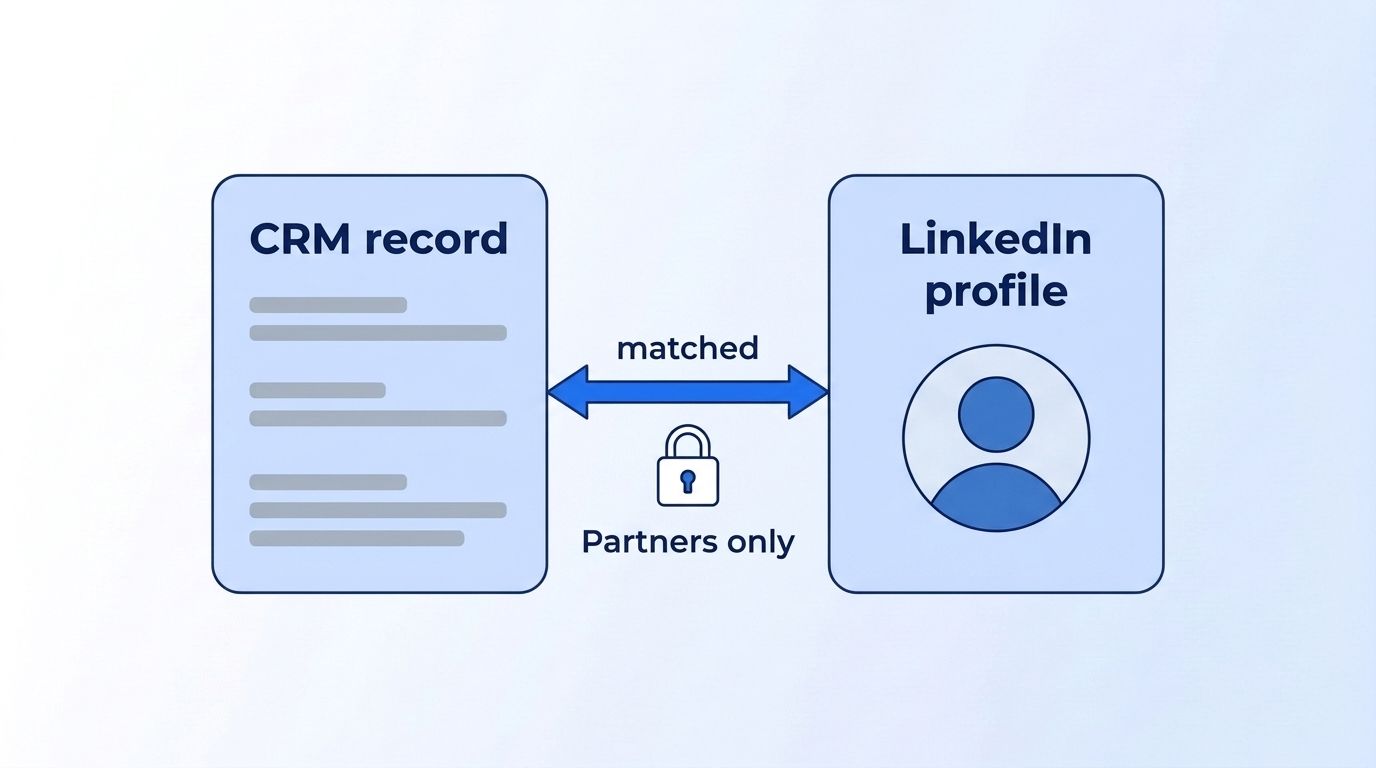
- Sync Services: APIs built on matches between CRM records and LinkedIn.
The r_sales_nav_profiles permission accesses endpoints that "present matched, publicly available member profile information." Notice the word matched. It works against records already in your CRM.
What it doesn't return: LinkedIn's docs describe matching and display, not arbitrary search. We found no direct "no open lookup" sentence, so that's our reading of what the docs describe.
If you only have a Sales Navigator search URL and want structured leads, the Sales Navigator API page explains the third-party route.
Is there a self-serve way to export your own LinkedIn data?
Yes, but only in one region. The Member Data Portability API lets a member's app fetch that member's own LinkedIn data. LinkedIn says "at this time, this feature is available only for LinkedIn members located in the European Economic Area and Switzerland" (LinkedIn, Member Data Portability (Member), Microsoft Learn, 2026).
LinkedIn built it in response to Digital Markets Act requirements. The Member Changelog API only lets you query events from the past 28 days, per the same page. The Member Snapshot API returns data such as account history, articles, and posts.
What it doesn't return: anyone else's data. It's a personal export, not a research tool.
How do the official programs compare?
Every official program ties data to a consenting member, an owned Page, an ad account, or an approved partner. The table below puts each next to what it returns and what it doesn't, with a source on every row.
| Program | Access | Returns | Does NOT return | Source |
|---|---|---|---|---|
| Sign In with LinkedIn (OIDC) | Open to all developers | Signed-in member's name, picture, locale, optional email | Other members, companies, job history | Microsoft Learn, Sign In with LinkedIn using OIDC, 2024 |
| Share on LinkedIn | Open to all developers | Lets a member post (w_member_social) | Any lookup data | Microsoft Learn, Getting Access, 2026 |
| Community Management | Vetted, two tiers | Page posts, comments, reactions, followers, analytics | Pages you don't administer | Microsoft Learn, Community Management Overview, 2026 |
| Advertising API | Approval required | Your ad accounts, campaigns, audiences | Profiles outside your accounts | Microsoft Learn, Marketing Key Concepts, 2026 |
| Talent Solutions | Approved partners, signed agreement | ATS sync, job posting integrations | Open candidate search | Microsoft Learn, Recruiter System Connect, 2026 |
| Sales Navigator (SNAP) | Partner-only, not accepting new partners per docs | Matched profiles, display modules, activity exports | Arbitrary search (our reading) | Microsoft Learn, SNAP documentation, 2025 |
| Member Data Portability | Self-serve, EEA and Switzerland only | The member's own data | Anyone else's data | Microsoft Learn, Member Data Portability, 2026 |
Look at the "Does NOT return" column. The same hole shows up in every row: there's no program where you hand LinkedIn a URL for someone who hasn't connected to your app and get their profile back. The official APIs solve integration problems. They don't solve data problems.
What can't the official API do?
LinkedIn's documented programs don't include a general profile lookup, a general company lookup, or an open post-engagement feed. LinkedIn's docs say that most permissions need approval, and the open ones are limited to sign-in and sharing (LinkedIn, Getting Access to LinkedIn APIs, Microsoft Learn, 2026). We found no single sentence stating "no general lookup," so this is an inference from that list.
Here's what GTM and recruiting teams usually want, and where the official route falls short:
- Profile enrichment from a URL. Not in the open permissions. Sign In returns only the signed-in member.
- Company firmographics for any company. Community Management covers Pages you administer.
- Prospect search by title, seniority, or industry. Talent and Sales Navigator programs are partner-gated.
- Who engaged with a post. Only available for your own content via approved programs.
- Job-change alerts on people outside your app. Nothing open covers this.
Ask yourself: does the person already log into my app, or manage a Page I run? If not, official access won't reach them.
Why is official API access so hard to get?
Approval takes real effort, and the rate limits aren't public. LinkedIn says "standard rate limits are not published in documentation" and are viewable per endpoint in the Developer Portal (LinkedIn, API Rate Limiting, Microsoft Learn, 2025). Plan for review time before you build anything.
A few more friction points from LinkedIn's docs:
- Limits apply "in a 24 hour period" and reset at midnight UTC.
- Throttled calls return HTTP 429.
- There are both application-level and member-level limits.
- Admins get alerts at 75% of application quota, with a delay of one to two hours.
- Standard tier upgrades need demo videos, access forms, or test credentials.
We couldn't find an official count of how many companies LinkedIn approves, so we won't guess. What we can say from the docs: approval is a gate, not a form you fill in over a coffee.
When teams ask us about LinkedIn data, the pattern repeats. They start with the official API because it sounds safest, find out what the permissions actually return, and then ask what else exists. This post is the answer we give.
What does the third-party category look like?
Third-party LinkedIn data APIs take a LinkedIn URL or search query and return structured JSON for public profile data. They don't use LinkedIn's approval programs. That's the main difference, and it comes with trade-offs worth weighing before you pick one.
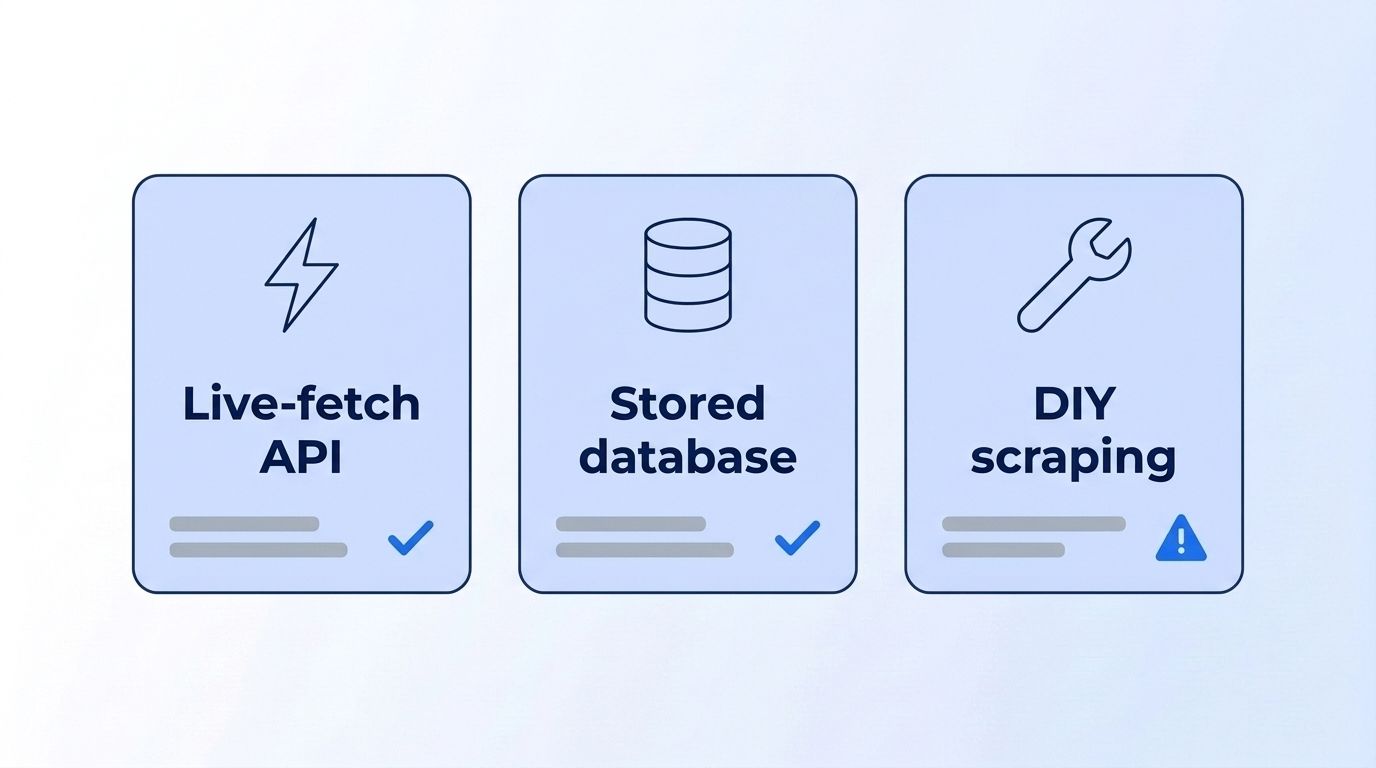
The category generally includes three styles:
- Live-fetch APIs. You send a URL, the provider collects the public page at request time, and you get JSON back.
- Pre-built database or dataset providers. You query a stored snapshot of records, refreshed on the provider's schedule.
- DIY scraping infrastructure. You run proxies, parsers, and maintenance yourself.
Compare them on these trade-offs:
| Trade-off | Why it matters | Source |
|---|---|---|
| Terms of service | LinkedIn's User Agreement prohibits using software, scripts, or bots to scrape or copy its services | LinkedIn, User Agreement, effective November 3, 2025 |
| Account risk | Members who use prohibited tools "risk having their accounts restricted or shut down" | LinkedIn Help, Prohibited software and extensions, retrieved 2026-11-18 |
| Tool reliability | Prohibited tools "may become non-operational without notice" | LinkedIn Help, Prohibited software and extensions, retrieved 2026-11-18 |
| Input and freshness | Providers differ on how they return data (stored records or collection at request time), so check each provider's docs. Datamagnet's People Profile endpoint takes a LinkedIn profile URL | Datamagnet, API introduction, retrieved 2026-11-18 ("Fetch a complete profile from a LinkedIn people URL.") |
We're not lawyers, and this isn't legal advice. These rows state what LinkedIn's own pages say. Read the terms yourself, and talk to counsel if your use case is high-stakes.
Two practical rules keep you on safer ground. First, stick to public profile data only. Second, never use a personal LinkedIn account for any of this. LinkedIn's help page is explicit that tools used on member accounts can lead to restrictions. A provider that works without your login keeps your own account out of the picture.
How does Datamagnet fit in?
Datamagnet is a third-party, live-fetch API for public LinkedIn profile, company, and post data. You send a LinkedIn URL and get structured JSON. Pricing is credit-based: 1 credit per profile, 10 credits per search or engagement page, and 5 credits for funding rounds, with 10 free credits to start (Datamagnet, Pricing, retrieved 2026-11-18).
Plans run $39, $99, and $199, and pay-as-you-go starts at $10 for 200 credits (same page). Compare that with the approval-gated programs above, where there's no public price list at all.
Here's what you can do with it, with the matching docs:
- Profile lookups from a URL: the People Profile endpoint returns name, headline, current role, experience, education, and skills.
- Prospect search: ICP People Search filters by job title, seniority, function, and location. See the ICP Search API page.
- Alerts: Create Signal monitors profiles for job changes, new posts, and engagement. The Signal API page covers the six signal types.
The People Profile docs also say the response can include contact info, and the enrichment flags cost extra credits per request. Check the People Profile endpoint for exactly which contact fields come back before you plan around them.
Datamagnet is also a third-party service, so the terms trade-offs in the table above apply to this category as a whole. Read LinkedIn's terms and decide for yourself.
Want to see the response shape before committing? The Quickstart walks you through the first request, and the Authentication docs cover bearer tokens. New accounts get 10 free credits, which is 10 profile lookups. See what the People API returns.
Which route should you pick?
Pick based on whose data you need. If it's your own users or your own Page, use the official API. If it's strangers' public profiles, you're looking at a third-party option. Here's a quick decision table, each row sourced.
| If you need... | Best-fit route | Source |
|---|---|---|
| "Log in with LinkedIn" for your app | Sign In with LinkedIn (OIDC) | Microsoft Learn, OIDC, 2024 |
| To schedule posts and read analytics for client Pages | Community Management API | Microsoft Learn, Community Management, 2026 |
| To automate ad campaigns | Advertising API | Microsoft Learn, Marketing Key Concepts, 2026 |
| To sync candidates into your ATS | Talent Solutions (approved partners) | Microsoft Learn, Recruiter System Connect, 2026 |
| Profile or company data for people not in your app | Third-party data API | Datamagnet, API introduction, retrieved 2026-11-18 |
| To give an AI agent LinkedIn data | An MCP connector | Datamagnet, API introduction, retrieved 2026-11-18 |
For cost comparisons across routes, see the Datamagnet pricing page. For the AI-agent route, start with the API documentation.
How do you get started this week?
Start by writing down whose data you need. That one answer decides your route. If it's your users, apply for the open permissions today. If it's outside prospects or candidates, test a data API with free credits before you build around it.
- Define the data. List the exact fields you need: title, company, headcount, posts.
- Check the open permissions. Read LinkedIn's Getting Access page to see if sign-in covers you.
- Test an alternative. Run 10 free-credit calls against the Datamagnet Quickstart and see whether the JSON matches your needs.
Most teams over-plan here. Ten real responses tell you more than a week of vendor comparison.
Frequently Asked Questions
Does LinkedIn have a public API?
Yes, but it isn't open to everyone. LinkedIn documents several official APIs, yet only Sign In with LinkedIn and Share on LinkedIn are open permissions available without special approval. Everything else, including Community Management, Advertising, Talent, and Sales Navigator, requires LinkedIn's approval or a partner agreement, per its 2026 Getting Access documentation.
Can I get any LinkedIn profile through the official API?
No. LinkedIn's open sign-in flow returns a lite profile only for the member who authorizes your app, such as their name, picture, and optional email. LinkedIn's documented programs don't include a lookup for arbitrary members by URL. That's our reading of the 2026 docs, since LinkedIn doesn't state it in one sentence.
Is the Sales Navigator API available to developers?
Not to new applicants, according to LinkedIn's docs. The Sales Navigator Application Platform page says LinkedIn is "not currently accepting new partners" for API access. That page was last updated in May 2025, so confirm the current status. Approved partners get display, analytics, and CRM sync services built around matched profiles.
What are the risks of using third-party LinkedIn tools?
LinkedIn's User Agreement prohibits using scripts, bots, or crawlers to scrape or copy its services. Its Help Center says members who use prohibited tools "risk having their accounts restricted or shut down," and the tools may stop working without notice. This isn't legal advice. Read LinkedIn's terms yourself, and use public profile data only.
How much does a LinkedIn data API cost?
Official programs don't publish a price list; access depends on approval. Datamagnet, a third-party option, charges 1 credit per profile and 10 credits per search page. Plans cost $39, $99, or $199, and pay-as-you-go starts at $10 for 200 credits. New accounts get 10 free credits, per Datamagnet's pricing page, retrieved 2026-11-18.
Conclusion
LinkedIn does have an API, but it's a set of relationship-based programs, not a data lookup service. You can sign members in, manage your Pages, run ads, or sync as an approved partner. You can't hand it a stranger's URL and get a profile back.
If your job needs that, a live-fetch third-party API is the usual route, with the trade-offs above. Try the People API with 10 free credits and see the JSON for yourself.
Continue Learning
- Sales Navigator API
- Datamagnet pricing
- Real-time B2B people enrichment API
- LinkedIn Scraper API: structured JSON
