
Disclosure: This article is published by Datamagnet. Vendor claims are self-reported unless otherwise noted.
How to Run a Data Quality Tabletop Exercise Before Your Next Migration
Your migration runbook probably has a rollback plan for servers, APIs, and permissions. It almost certainly doesn't have one for the 40,000 contact records where "Job Title" and "Company" got swapped three systems ago. A data quality tabletop exercise is a two-hour, no-code dry run that finds those problems on a whiteboard instead of during cutover weekend.
Key Takeaways
- In 2025, 76% of CRM users reported that less than half of their organization's CRM data was accurate and complete, and 37% said poor data quality directly cost them revenue (Validity, The State of CRM Data Management in 2025).
- Migration issues cost the average enterprise $315,000 per project in 2025, driven by timeline overruns and rework discovered too late (CloudBees, 2025 DevOps Migration Index).
- A tabletop exercise is a scripted, low-stakes walkthrough of your worst-case data scenarios, run with a sample dataset before the real migration starts — not a full audit and not a load test.
- Pair the exercise with a live enrichment check (via the Company Profile endpoint or People Profile endpoint) so you're testing against current data, not a stale export.

What Is a Data Quality Tabletop Exercise?
A data quality tabletop exercise is a scripted rehearsal where your team walks through a small, representative sample of migration data and manually resolves the failure scenarios you expect to hit at scale. It's the data-team equivalent of a disaster recovery tabletop: no production system touched, just people, a sample dataset, and a runbook.
The format borrows directly from incident-response training, where the evidence for its value is well established. In a peer-reviewed pilot study of tabletop-style emergency response training, participant knowledge scores rose from a mean of 41.72 to 77.96 after a single structured exercise (National Institutes of Health / PMC, Evaluating the Effectiveness of the C-MCIREM Training Module). That study covered mass-casualty response, not data migration — but the underlying mechanism is the same one you're borrowing: rehearsing a failure scenario in a low-stakes room measurably improves how a team performs when the real thing happens.
Most migration teams already run technical dry runs — a test cutover against a staging environment. A data quality tabletop is different because it's deliberately non-technical. You're not testing whether the pipeline runs; you're testing whether a human on your team can look at a messy record and say, correctly, what should happen to it before the pipeline ever sees it.
Why Run One Before a Migration, Not After?
In 2025, migration issues cost the average enterprise $315,000 per project in overruns, security gaps, and tool sprawl, according to CloudBees' 2025 DevOps Migration Index, a survey of more than 300 enterprise IT and technology leaders published in November 2025 (CIO Dive, Migration issues cost businesses $315K per project, study finds). Data quality problems discovered mid-cutover are a direct driver of that overrun, because fixing a mapping error after records have already loaded is a rollback, not a patch.
The CRM side of the ledger is worse. As of 2025, 76% of CRM users say less than half of their organization's CRM data is accurate and complete, and 37% report losing revenue directly because of poor data quality, per Validity's State of CRM Data Management 2025 report, based on a survey of 602 CRM users and stakeholders (Validity, The State of CRM Data Management in 2025). If three-quarters of teams already distrust their CRM data at rest, that same data does not get more trustworthy in transit. A tabletop exercise forces you to confront that gap on your terms, with a whiteboard and a coffee, rather than on the vendor's terms, during a support call at 2 a.m.
There's a governance angle too. As of 2024, 71% of organizations report having a data governance program in place, up from 60% in 2023, according to Precisely's 2025 Outlook: Data Integrity Trends and Insights, produced with Drexel University's LeBow College of Business from a survey of more than 550 data and analytics professionals (Precisely, 2025 Outlook: Data Integrity Trends and Insights). A tabletop exercise is one of the cheapest ways to make that program tangible instead of a policy document nobody reads before a migration. It also pairs naturally with the case for programmatic CRM enrichment: once you've found where your data breaks, an ongoing enrichment layer keeps it from breaking the same way again.
What Do You Need Before You Start?
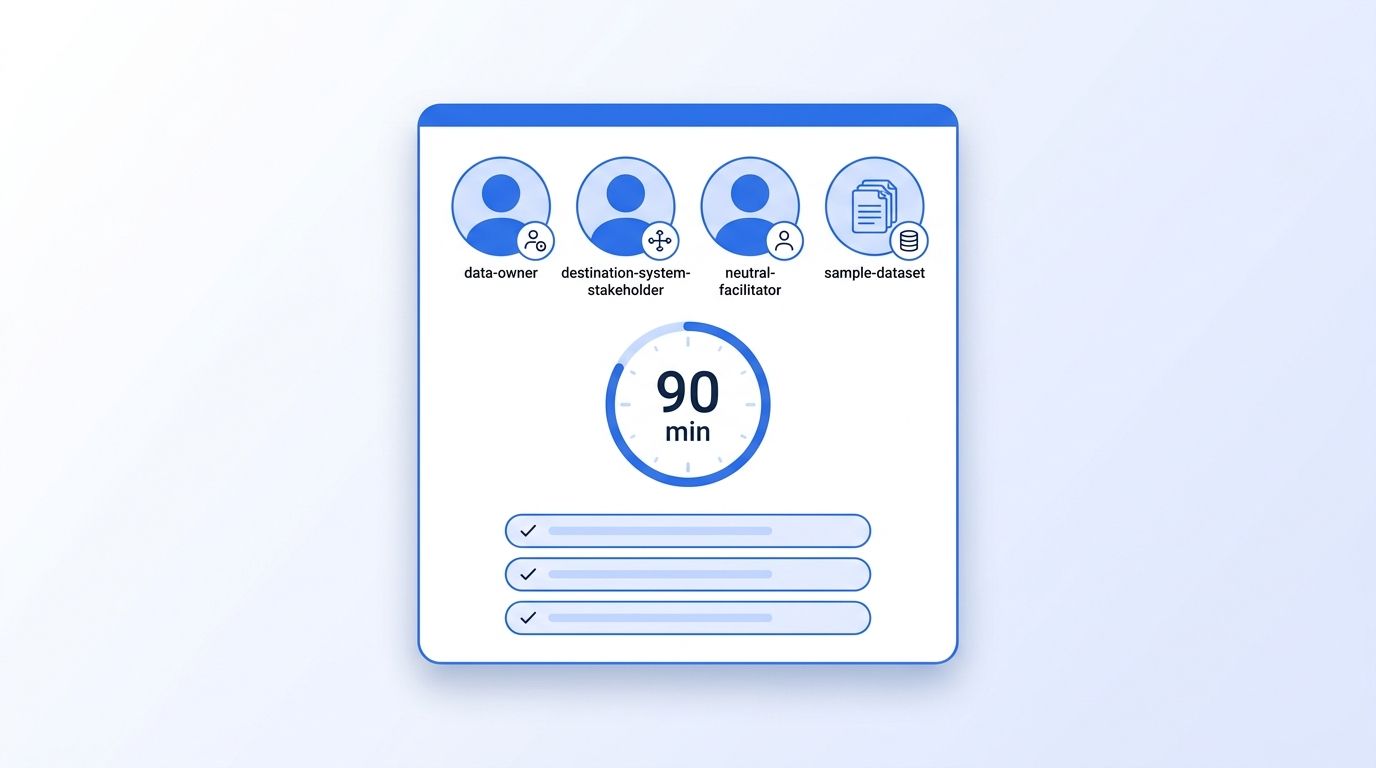
You need four things in the room, and none of them are code. First, a data owner from the source system who can explain why a field means what it means. Second, someone from the receiving system who knows what "valid" looks like on the other end. Third, a facilitator who isn't emotionally attached to either system. Fourth, a sample dataset — 150 to 300 records is plenty, pulled to represent your ugliest edge cases, not your cleanest ones.
You'll need:
- A stakeholder from the source system (CRM admin, RevOps, or data owner)
- A stakeholder from the destination system or migration vendor
- A neutral facilitator to run the scenario cards and keep time
- A sample export of 150-300 records, deliberately including duplicates, partial records, and old entries
- ~90 minutes for a first run; 45 minutes for repeat exercises later in the project
- Whiteboard, shared doc, or spreadsheet template to log findings live
Tested on: Any migration involving a CRM, ATS, or MAP system as source or destination — HubSpot, Salesforce, Greenhouse, and comparable platforms all produce the same failure patterns described below.
If your sample pull comes back looking suspiciously clean, that's a signal on its own. Pull again, this time filtering for records untouched in 18+ months — those are exactly the contacts most likely to have gone stale. Lusha's analysis of 140,964 US sales leaders found that 12.6% changed roles within a single 12-month window, rising to 25.7% over two years (Lusha, B2B Data Decay Rate: We Measured 12.6% a Year) — a reminder that "current" and "correct" are not the same property for a contact record, and your tabletop sample should include records old enough to have decayed.
Step 1: Pull a Representative Data Sample
In this step, you'll assemble the 150-300 record sample the whole exercise runs against, so every scenario in Step 2 has real data behind it instead of hypotheticals. Pull from three buckets: records updated in the last 30 days (your "healthy" baseline), records untouched for 18+ months (your decay risk), and any record your CRM already flags as a duplicate or incomplete. If your source system exposes an API, this is also the moment to cross-check a slice of the sample against a live source of truth — for example, running a batch of company domains through the Company Profile endpoint or a batch of names through the People Profile endpoint to see how far your stored records have drifted from what's publicly current today.
What just happened: You now have a sample that's biased toward failure on purpose, which is exactly what a tabletop exercise needs — a clean sample tells you nothing you didn't already believe.
Expected output: A spreadsheet or CSV of 150-300 records tagged by bucket (healthy / stale / flagged), ready to hand to the facilitator for Step 2.
Watch out: Don't let the source-system owner "clean up" the sample before the exercise. The point is to rehearse against the mess you actually have, not the mess you wish you had.
Step 2: Script the Failure Scenarios
In this step, you'll turn the sample into a deck of scenario cards, so the exercise has structure instead of turning into an unstructured data-quality complaint session. Write one card per failure pattern, each naming a real record from the sample, so Step 3 has something concrete to work through instead of a hypothetical:
| Scenario card | What it tests |
|---|---|
| Duplicate contact, two different job titles | Which record wins, and who decides |
| Company record with a merged/acquired parent | Whether your mapping handles org hierarchy changes |
| Contact with no verified email, only a name | Whether the migration halts, flags, or silently drops the record |
| Field values swapped (title in the company field) | Whether your validation rules catch a transposition error |
| Record last touched 2+ years ago | Whether stale records get migrated, archived, or re-verified first |
| Custom field with no destination-system equivalent | Where the data goes when there's nowhere for it to go |
[INFO-GAIN] Cap the deck at six to eight cards for a first run. Teams that script fifteen-plus scenarios in their first tabletop exercise run out of time before reaching the highest-risk cards, which almost always land near the bottom of an over-ambitious list.
Expected output: A finished scenario deck (six to eight cards) with a real record ID attached to each one, ready to work through in Step 3.
Step 3: Assign Roles and Run the Walkthrough
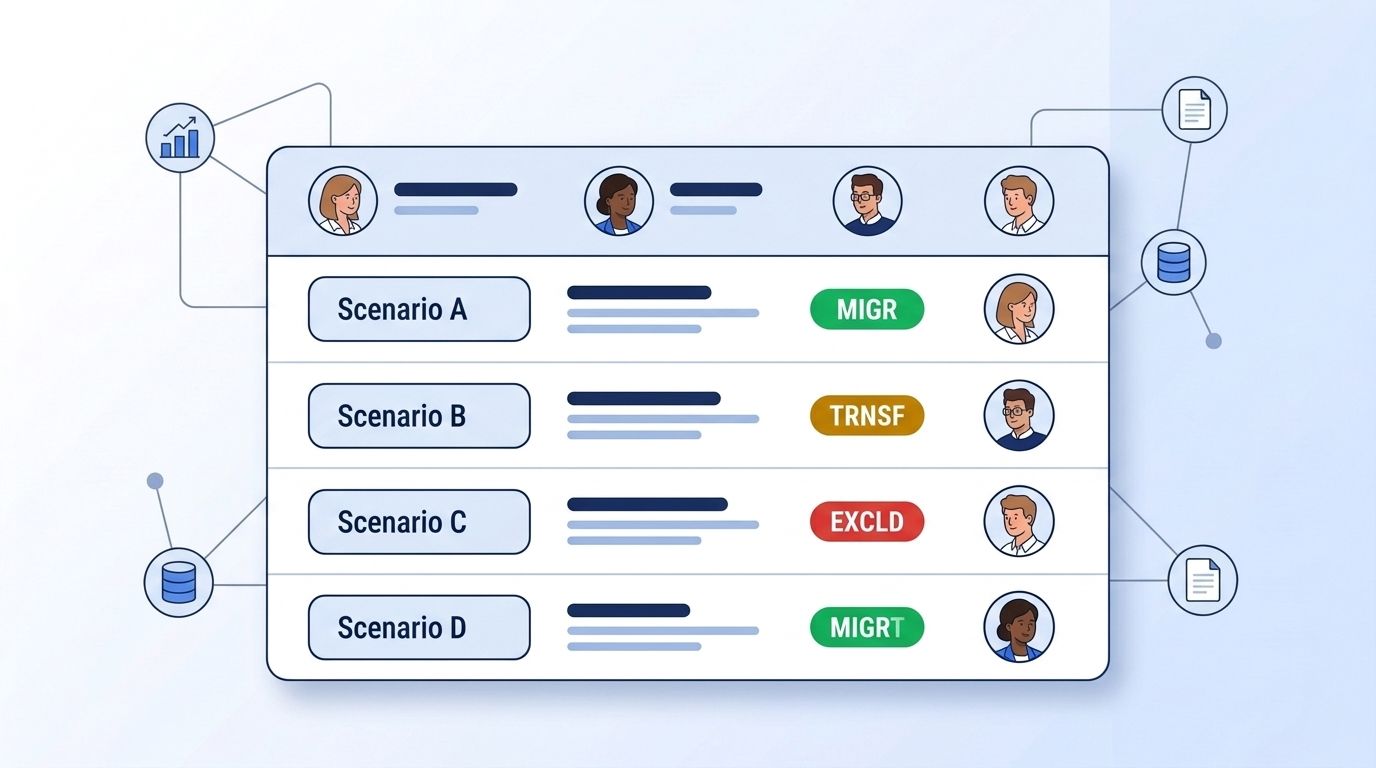
In this step, you'll work through the scenario deck live, so every failure pattern gets an explicit, documented decision instead of an assumption someone makes alone during cutover. The facilitator reads a card aloud. The source-system owner explains what the record currently looks like and why. The destination-system owner states what the receiving system needs to accept it. The group decides, out loud, on one of three outcomes: migrate as-is, migrate with a transformation rule, or exclude and handle manually. Log the decision and the reasoning next to the card — not just the verdict.
What just happened: Six to eight ambiguous data situations just became six to eight documented rules your migration team can build validation logic against, instead of six to eight surprises discovered mid-cutover.
Expected output: A completed decision log, one row per scenario card, with outcome + reasoning + owner recorded for each.
Watch out: If the group can't agree on a scenario within five minutes, don't force a decision in the room. Flag it as an open risk and escalate it — a documented disagreement is a far better outcome than a false consensus that unravels during the real migration.
Step 4: Does Your Runbook Already Cover This Scenario?
In this step, you'll check the decision log against your actual migration runbook, so gaps between "what we agreed in the room" and "what the migration tooling will actually do" surface before go-live, not after. For each scenario, ask: does an existing transformation rule or validation step in the runbook already produce this outcome? If yes, mark it verified. If no, that's a runbook gap, and it goes on the fix list from Step 5 — not into "we'll handle it manually during cutover," which is how small gaps become weekend-long support tickets.
Expected output: Every row in the decision log tagged either "covered by runbook" or "runbook gap," with gaps carried forward as action items. For gaps involving contact records, this is a good point to check them against a real-time B2B people enrichment API rather than trusting whatever the source system last recorded.
Step 5: Turn Findings Into Pre-Migration Fixes
In this step, you'll convert every runbook gap into an owned, dated fix, so the tabletop exercise produces a punch list instead of a meeting summary nobody acts on. Assign each gap an owner and a due date before the exercise ends — not "someone from data eng," a named person. For gaps tied to stale or unverifiable contact and company records, this is the natural point to run a live enrichment pass rather than migrating guesses: batch-check flagged company domains against the Company Profile endpoint or pull fresh firmographics from custom company datasets so the records entering your new system reflect what's true now, not what was true when the record was last touched.
Expected output: A dated punch list, each item mapped back to the scenario card that surfaced it, with a named owner and a re-test date before cutover.
What Mistakes Should You Avoid?
Here are the five most common mistakes teams make running their first data quality tabletop exercise, and they tend to repeat across every migration type covered in Steps 1 through 5 above. Most of them are easy to avoid once you know to watch for them, and each one has a quick fix you can apply before your next session.
| Problem | Symptom | Fix |
|---|---|---|
| Sample is too clean | Every scenario resolves easily, exercise ends in 20 minutes | Re-pull the sample filtering specifically for stale, duplicate, and flagged records |
| Too many scenario cards | Team never reaches the highest-risk cards before time runs out | Cap the first run at six to eight cards; save the rest for a second session |
| No neutral facilitator | Source and destination owners argue past each other, no decision gets logged | Bring in someone with no stake in either system to run the cards and enforce the five-minute rule |
| Findings live only in meeting notes | Punch list evaporates, same issues resurface during cutover | Convert every gap into a dated, owned action item before the room empties |
| Treating it as a one-time event | Runbook drifts from what was agreed as the migration timeline slips | Re-run a shorter 45-minute version before final cutover, using updated sample data |
The same discipline applies well beyond the migration itself. Teams building out account research infrastructure for AEs run into the same stale-record problem long after cutover, which is exactly why a tabletop-style check is worth repeating on a cadence, not just once.
What Are the Next Steps?
Now that you have a working tabletop exercise format, the next move is making it repeatable instead of a one-off event. The goal is to turn what you just ran once into a standing part of every migration your team touches, so the same six-to-eight scenario cards and the same decision log show up automatically next time, not as a special project someone has to remember to schedule.
Extend this process:
- Build your six-to-eight scenario cards into a standing template your team reuses for every future migration, not just this one
- Automate the "is this record still accurate" check using a live people or company API instead of relying on stale exports — see the People Profile endpoint and people datasets for options
- Fold the punch list from Step 5 into your broader data governance program, and set up a job-change signal monitor so contacts you just migrated don't quietly go stale again six months later
Related reading:
- Get hands-on with the Datamagnet API quickstart guide before your next enrichment pass
- Compare sourcing options in the Datamagnet Company Datasets overview if your gaps were mostly on the company side
Frequently Asked Questions
What is a data quality tabletop exercise?
A data quality tabletop exercise is a scripted, 60-to-90-minute walkthrough where a small cross-functional team resolves realistic data failure scenarios using a sample dataset, before a migration begins. It's modeled on disaster-recovery tabletop drills, and it exists to surface migration-breaking data problems on a whiteboard instead of during cutover.
How long should a data quality tabletop exercise take?
Budget about 90 minutes for a first run covering six to eight scenario cards, and 45 minutes for a follow-up run closer to cutover. Teams that script more than eight scenarios into a first session routinely run out of time before reaching their highest-risk cards, so a tighter deck beats a longer one.
Who should be in the room for a migration tabletop exercise?
You need a source-system data owner, a destination-system stakeholder, and a neutral facilitator who has no stake in either platform. Three to five people is typical. Larger groups slow down decision-making without meaningfully improving the outcome, since only the two system owners can actually resolve most scenario cards.
How is a tabletop exercise different from a full data quality audit?
A full audit inventories every field and record across an entire dataset, often taking weeks. A tabletop exercise is a fast, sample-based rehearsal — 150 to 300 records, one afternoon — designed to test decision-making on your worst-case scenarios, not to catalog every issue. Run the tabletop first; use its findings to scope whether a full audit is even necessary.
What's the biggest data quality risk in a CRM migration specifically?
Stale and duplicate contact records are the most common driver of migration rework. In 2025, 76% of CRM users reported that less than half of their CRM data was accurate and complete, and 37% said poor data quality had directly cost them revenue (Validity, The State of CRM Data Management in 2025). A tabletop exercise that specifically samples old and duplicate-flagged records catches this before it becomes a post-migration cleanup project.
