
LinkedIn Scraper Tools in 2026: 10 Compared With Pricing
Disclosure: This article is published by Datamagnet, which is one of the 10 tools below. Written by Jordan Ellis, an integrations engineer at Datamagnet; see About Datamagnet for who we are. Vendor prices come from each vendor's own pricing page or docs, checked between July and November 2026, and they change often. The tools are grouped by type, not ranked by quality.
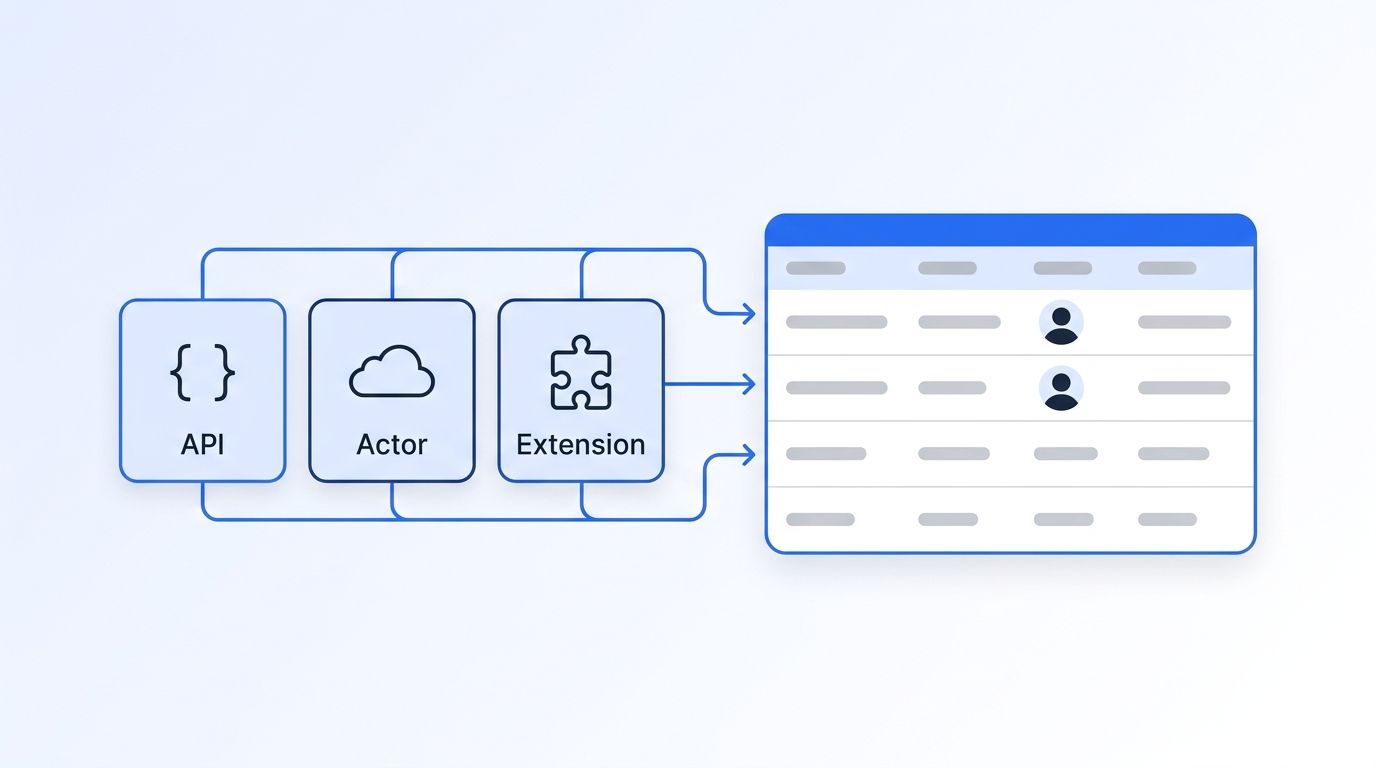
A LinkedIn scraper is any tool that turns LinkedIn pages into structured data, and in 2026 they come in three kinds. Browser extensions and automation tools run inside your own logged-in LinkedIn session. Scraping infrastructure and datasets give you hosted scrapers or bulk files to build on. Data APIs take a public URL and return JSON without touching your LinkedIn account. Which one fits depends on whether a person or a program does the work, and how much account risk you can carry.
This guide compares 10 tools across those three kinds, with each vendor's own starting price and a link to the page it came from. It covers public data only. It doesn't cover logging in with personal accounts, rotating accounts or getting around blocks.
Key Takeaways
- The three kinds differ most on one question: does the tool use your LinkedIn account? Extensions and session-based automation do. Data APIs and most scraping infrastructure don't.
- Bulk infrastructure is cheapest per record. Bright Data lists its LinkedIn Scraper API at $1.50 per 1,000 records (Bright Data, checked November 2026).
- Extensions price per seat or per exported lead. Evaboot starts at $9 a month for 100 credits, at 1 credit per lead (Evaboot, checked November 2026).
- Section 8.2 of LinkedIn's User Agreement lists scraping software, including "browser plugins and add-ons", among the things members agree not to use.
What Are the Three Kinds of LinkedIn Scraper?
LinkedIn scrapers fall into three kinds. Extensions and automation tools work inside your browser and your own LinkedIn session. Scraping infrastructure, such as hosted scraper APIs, Apify Store actors and bulk datasets, collects at scale for you to build on. Data APIs take a public URL and return JSON, with no LinkedIn account of yours involved.
1. Extensions and session-based automation. You install a Chrome extension or connect your LinkedIn account to a cloud tool, then export what you can already see, such as a Sales Navigator search. These suit reps and recruiters who work by hand. The work runs on your account.
2. Scraping infrastructure and datasets. You send URLs to a hosted scraper, run someone else's actor, or buy a stored dataset. Per-record prices are the lowest in the market. In return, you own the schema, scheduling and engineering, and stored records reflect when they were collected.
3. Data APIs. You send a public LinkedIn URL with an API key and get JSON back in the response. The vendor maintains collection and the schema. They cost more per record than bulk infrastructure and less in engineering time.
LinkedIn is a big target for all three. Its About page states "more than 1 billion members in more than 200 countries and territories worldwide," and LinkedIn's Q4 FY26 highlights, published July 29, 2026, report double-digit membership growth for the fifth consecutive year.
LinkedIn Scraper Comparison Table: 10 Tools
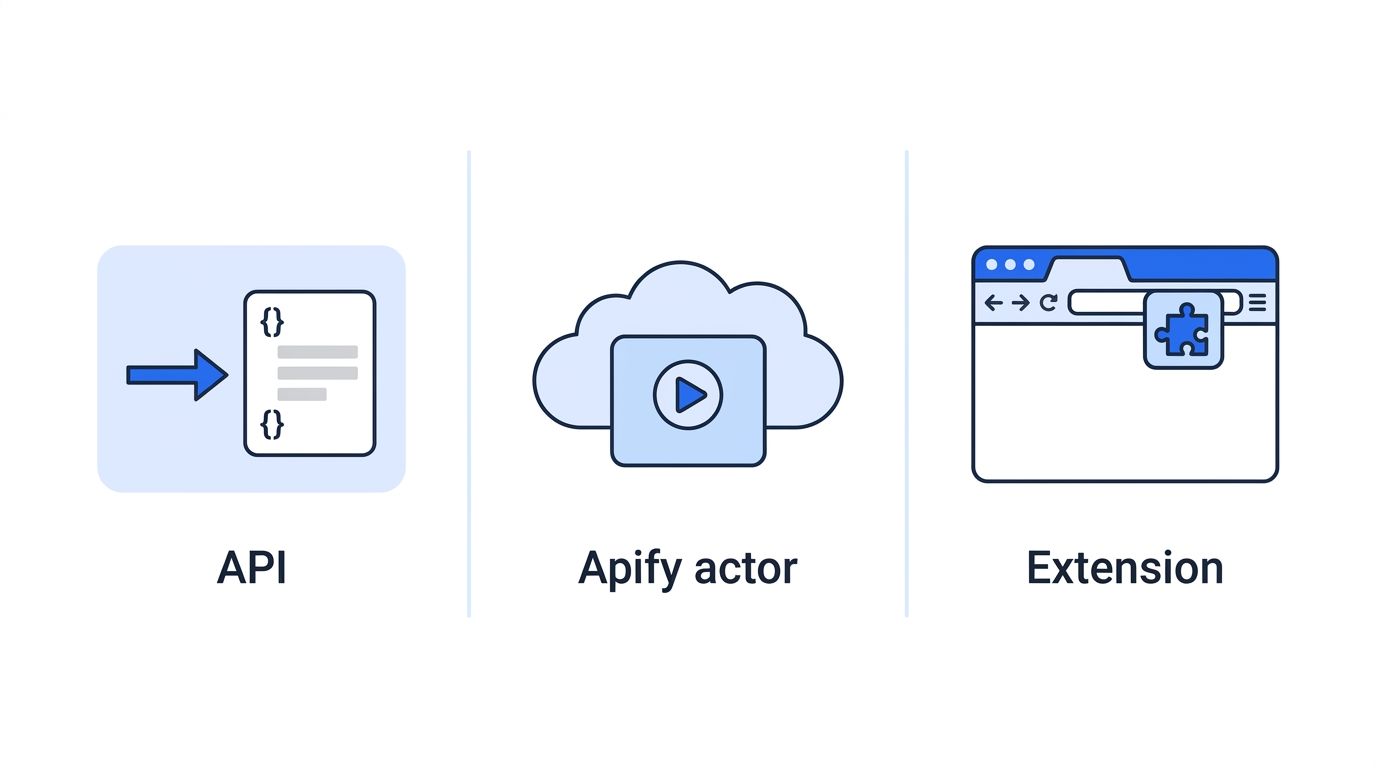
The table compares all 10 tools on type, whether they use your LinkedIn account, output and entry price in the vendor's own unit. Units differ, so starting prices aren't directly comparable: Bright Data prices per 1,000 records, Evaboot per lead, PhantomBuster per hour of runtime and Datamagnet per credit. A later section converts them to dollars per 1,000 profiles.
| Tool | Type | Uses your LinkedIn account? | Output | Starting price (vendor's unit) |
|---|---|---|---|---|
| Datamagnet | Data API | No | JSON: profiles, companies, posts, engagement | 10 free credits; $39/mo for 1,000 credits; pay-as-you-go from $0.02/credit; 1 credit per profile (pricing) |
| ScrapIn | Data API | No | JSON: profiles, companies, posts | $30 seven-day trial; pay-as-you-go from $500 (scrapin.io) or $100 (reversecontact.com) |
| Enrich Layer | Data API | No | JSON: profiles, companies, emails, phones | $10 for 100 credits; from $0.0216/credit (pricing) |
| Crustdata | Data API (database plus live add-on) | No | JSON: profiles, companies | $20 in free credits; paid tiers not priced publicly (pricing) |
| Bright Data | Scraper API and datasets | No | JSON, NDJSON or CSV | $1.50 per 1,000 records; 5,000 free records a month (LinkedIn Scraper API) |
| Apify Store actors | Hosted scrapers on a marketplace | Depends on the actor | Actor-defined dataset | Free plan with $5/mo usage; Starter $19/mo; each actor sets its own price (pricing) |
| Coresignal | Stored dataset and API | No | JSON records or bulk files | Free 2,000 credits; Mini $49/mo for 2,500 credits (pricing) |
| PhantomBuster | Cloud automation | Yes | CSV or JSON exports, CRM sync | 14-day trial; Start $69/mo for 20 hours of runtime (pricing) |
| Evaboot | Chrome extension for Sales Navigator | Yes (your Sales Navigator seat) | Lead lists with emails | $9/mo for 100 credits; 1 credit per lead (pricing) |
| Wiza | Chrome extension plus API | Extension: yes. API: no | Lead lists with emails and phones; JSON via API | Free tier; Starter $49/user/mo; API credits $0.025 each (pricing) |
These figures match our comparison pages. Bright Data, Apify, Crustdata and Evaboot were re-checked on November 17, 2026.
LinkedIn Scraper API vs Extension: Which Should You Use?
Use a LinkedIn scraper API when software consumes the data: a product feature, a CRM sync or a scheduled pipeline. Use an extension when a person builds one list by hand and already has the Sales Navigator seat. The deciding questions are who runs the job, how often it repeats, and whether it can run on a personal account.
| Question | Data API | Extension or session automation |
|---|---|---|
| Who runs it | Your code, on a schedule or on demand | A person, in a browser or cloud dashboard |
| LinkedIn account involved | None of yours | Yours, or your team's seats |
| Input | A public profile, company or post URL | A page or search you can see while logged in |
| Output | JSON in the HTTP response | A CSV export or CRM push |
| Pricing unit | Per request or per record | Per seat, per lead or per hour of runtime |
| Emails and phones | Some APIs yes; Datamagnet no | Common (Evaboot, Wiza) |
| When LinkedIn changes | The vendor fixes collection | Limits are tied to your account |
Pick an API when the same lookup repeats, the result feeds another system, or the job can't depend on one rep's login.
Pick an extension when the job is "export this Sales Navigator search to a CSV with emails" a few times a month. Evaboot and Wiza return contact data that Datamagnet doesn't.
Pick infrastructure or a dataset when you need millions of records, have engineers to own the pipeline, and can use data that's weeks old.
What Does LinkedIn's User Agreement Say About Scraping?
LinkedIn's User Agreement, effective November 3, 2025, lists in section 8.2 that members agree not to use software, scripts or "browser plugins and add-ons" to scrape the Services, or bots to add contacts or comment on and like posts. LinkedIn's Help Center says members using such tools risk account restriction. This is a factual summary, not legal advice.
The two relevant items in section 8.2 ("Don'ts") of the User Agreement say you agree not to:
- "Develop, support or use software, devices, scripts, robots or any other means or processes (such as crawlers, browser plugins and add-ons or any other technology) to scrape or copy the Services, including profiles and other data from the Services"
- "Use bots or other unauthorized automated methods to access the Services, add or download contacts, send or redirect messages, create, comment on, like, share, or re-share posts, or otherwise drive inauthentic engagement"
LinkedIn's Help Center adds that members who use prohibited software "risk having their accounts restricted or shut down," and that such tools "may become non-operational without notice." That risk lands on whoever's account the tool runs on. Read the terms yourself and ask your own counsel about your use case.
LinkedIn has also gone after vendors. It sued Proxycurl in January 2025, and Proxycurl shut down on July 4, 2025, per its founder's post. Our Proxycurl alternative guide maps the old endpoints.
Which LinkedIn Data APIs Work Without Your Account?
Four data APIs in this list take a public LinkedIn URL and return JSON without your LinkedIn account: Datamagnet, ScrapIn, Enrich Layer and Crustdata. They differ on freshness, contact data and how openly they price. Datamagnet and Enrich Layer publish per-credit prices; ScrapIn and Crustdata publish minimums or free credit but no per-credit dollar rate.
Datamagnet: profiles, companies and posts by URL
Datamagnet is a REST API: you POST a public profile, company or post URL and get structured JSON in the response. A person or company profile costs 1 credit, and a page of post comments, reactions, activity or search results costs 10, per the pricing page. You're charged only on successful profile and company requests.
Pricing: 10 free credits on signup, no card. Plans are $39 a month for 1,000 credits, $99 for 10,000 and $199 for 25,000. Pay-as-you-go runs from 200 credits for $10 down to $0.02 a credit at volume.
Freshness: requests sent with use_cache: "never" read the profile at the moment you call. By default the API may return a stored copy; for companies, that copy can be up to 30 days old.
Limits: Datamagnet has no email or phone lookup, no email verification and no technographics. The Professional Network Scraper API page lists every endpoint, the LinkedIn Scraper API page covers profile and company calls, and the People Profile and Company docs list the fields. Datamagnet states it uses public sources only (see Security).
ScrapIn: profile, company and activity endpoints
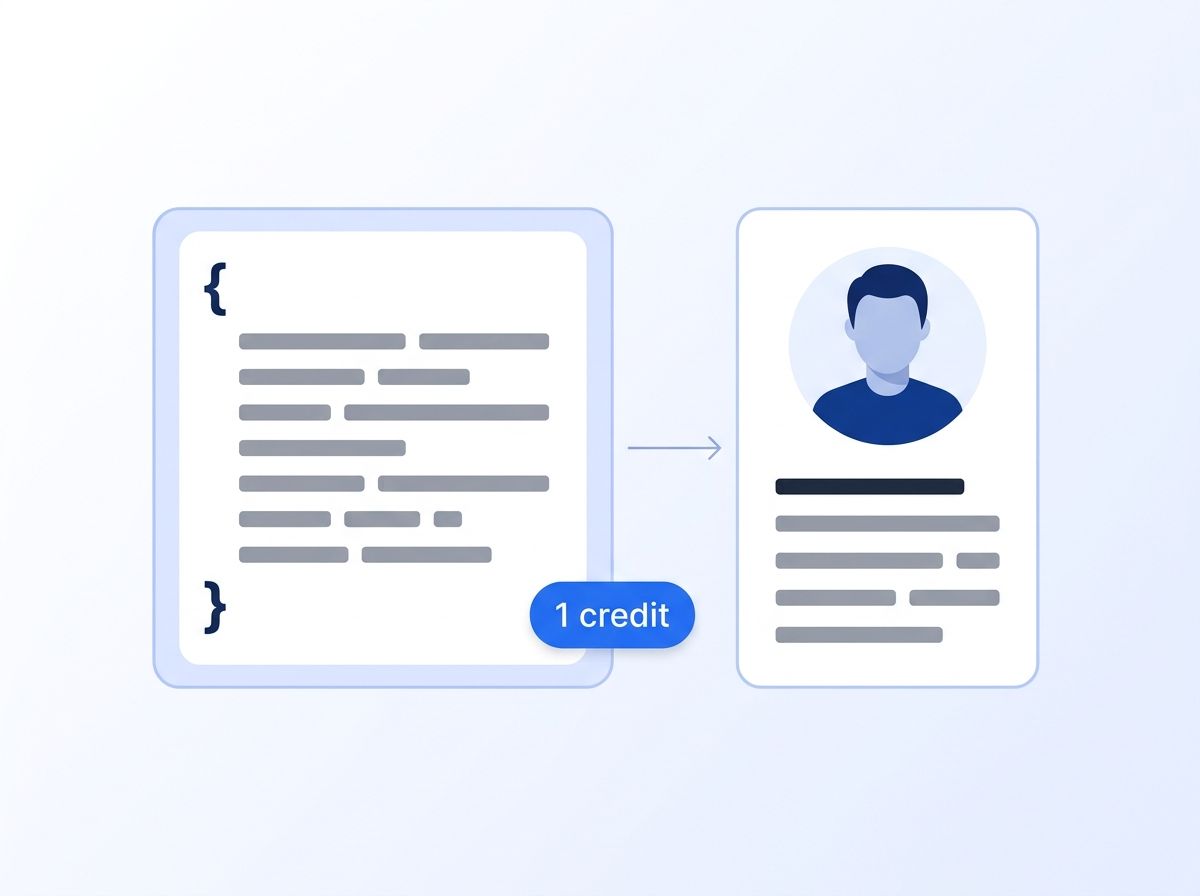
ScrapIn, which has joined Reverse Contact, documents person profile, person match, company and activity endpoints. Its Person Profile docs say "Each successful call consumes 1 credit." The two sites list different terms: scrapin.io shows a $30 seven-day trial and pay-as-you-go from $500, while reversecontact.com shows pay-as-you-go from $100. Credits last 12 months.
Neither page says how many credits a dollar buys. ScrapIn's strength is matching a person from partial data, such as a name and company. See Datamagnet vs ScrapIn.
Enrich Layer: the Proxycurl-style API, with contact data
Enrich Layer sells credits at $10 for 100, falling to $0.0216 a credit at the $1,000 pay-as-you-go tier, with annual plans from $588 on a 12-month commitment, per its pricing page. A person profile costs 1 credit from cache; forcing a live fetch adds 9 credits, per its cache docs.
At the best pay-as-you-go rate, that's about $0.02 for a cached profile and $0.22 for a forced-live one. Enrich Layer also offers email and phone lookup, which Datamagnet doesn't (see its homepage), and a Proxycurl transition guide. See Datamagnet vs Enrich Layer.
Crustdata: an indexed database with a live add-on
Crustdata serves most calls from an indexed database and sells live fetches as an add-on. Its credit pricing docs list person enrichment at 1 to 7 credits from the database, live person enrichment at 7 credits, and search at 0.03 credits a result. Its pricing page offers $20 in free credits and says enterprise plans start "from four figures a month."
The dollar value of a paid credit isn't listed. See Datamagnet vs Crustdata.
Which Scraping Infrastructure and Datasets Are Worth Considering?
Bright Data, Apify Store actors and Coresignal suit teams that need large volumes and can own the pipeline. Bright Data has the lowest listed per-record price at $1.50 per 1,000. Apify is a marketplace where each actor sets its own price. Coresignal sells stored records and bulk datasets, which are strong for history and weaker for current data.
Bright Data: LinkedIn Scraper API and datasets
Bright Data's LinkedIn Scraper API covers people profiles, companies, job listings, posts and people search, returning "clean, parsed LinkedIn data in JSON, NDJSON, or CSV." On November 17, 2026, the page listed 5,000 free records a month with no card, pay-as-you-go at $1.50 per 1,000 records ("Pay only for success"), and a $499 Scale plan with 384,000 records, then $1.30 per 1,000.
Stored LinkedIn datasets cost $250 for 100,000 records, about $0.0025 a record. Nothing else here comes close on unit price. What it doesn't include is the engineering around it: triggering jobs, the asynchronous mode for large batches and mapping the schema. See Datamagnet vs Bright Data for when each fits.
Apify Store actors: a marketplace of hosted scrapers
Apify runs hosted scrapers called actors, and its Store lists many community-built LinkedIn actors for profiles, companies, posts and search. Platform plans, per Apify's pricing page, run from a free plan with $5 of monthly usage to Starter at $19, Scale at $199 and Business at $999 a month.
The actor's price sits on top. Apify says "Every Actor in Apify Store uses one of two pricing models": pay-per-event, covering "the events the Actor's developer defines," or pay-per-usage, where you pay only for platform usage. Cost per profile and output schema depend on the actor you pick.
Check whether an actor needs a LinkedIn account of yours, how many reviews it has and when it was last updated, then run a small batch first.
Coresignal: stored records and bulk datasets
Coresignal serves stored employee and company records through APIs and bulk datasets. Its pricing page lists a free tier of 2,000 credits, Mini at $49 a month for 2,500 credits, Pro at $499 for 35,000 and plans up to $5,000 a month. A core record costs 10 credits and a full record 20.
That's about $0.20 per core record on Mini and $0.14 on Pro, falling on larger plans. It fits historical analysis and bulk enrichment. See our Coresignal pricing guide and Datamagnet vs Coresignal.
Which Extensions and Automation Tools Use Your Own Session?
PhantomBuster, Evaboot and Wiza's extension all work through a LinkedIn or Sales Navigator account you connect or browse with. They're the easiest route for a rep building lists by hand, and two of them return emails. Because they run on your account, section 8.2 and LinkedIn's Help Center warning about restricted accounts apply most directly here.
PhantomBuster: cloud automation priced by runtime
PhantomBuster runs ready-made automations, called Phantoms, in its cloud. Its pricing page lists Start at $69 a month, Grow at $159 and Scale at $439, or $56, $128 and $352 billed annually. Plans differ by execution hours (20, 80 or 300 a month), slots and bundled credits. A 14-day trial includes 2 hours of runtime, per its plan guide.
LinkedIn Phantoms need a connected LinkedIn account. The help page for its Post Commenter and Liker Scraper, for example, lists "A connected LinkedIn account" as a requirement and caps it at 8 posts a day. PhantomBuster also automates outreach, which Datamagnet doesn't. See Datamagnet vs PhantomBuster.
Evaboot: Sales Navigator exports with emails
Evaboot is a Chrome extension that exports your own Sales Navigator searches; its pricing page says "you need an active Sales Navigator seat." Plans run from $9 a month for 100 credits and $29 for 400, up to $299 for 15,000. One exported lead costs 1 credit, verified email included, and a lead with no email found still costs a credit.
That's $0.09 a lead on the entry plan and about $0.02 at 15,000. For Sales Navigator search results as JSON without an extension, see our Sales Navigator API.
Wiza: extension for lists, API for profiles
Wiza's Chrome extension exports Sales Navigator searches with verified emails and mobile numbers. Its pricing page lists a free tier with 20 valid emails, Starter at $49 per user a month, Email at $99 and Email + Phone at $199. API credits cost $0.025 each, with a 2,000-credit minimum.
Per Wiza's credit docs, a matched profile costs 1 credit, a valid email 2 and a phone number 5, charged only when data comes back. The extension runs in your browser session; the API takes a profile URL and a key. See Datamagnet vs Wiza.
How Much Does a LinkedIn Scraper Cost per 1,000 Profiles?
Converted to dollars per 1,000 profiles at listed rates, Bright Data's Scraper API is cheapest at $1.50, Datamagnet runs $7.96 to $39 on plans, Evaboot about $20 to $90 including an email, and Enrich Layer $21.60 to $1,000 depending on tier and live fetches. ScrapIn, Crustdata, Apify actors and PhantomBuster don't publish enough for one figure.
These are our calculations from listed prices, for a base profile only.
| Tool | Approx. cost per 1,000 profiles | How we got there |
|---|---|---|
| Bright Data Scraper API | $1.50 ($1.30 beyond Scale's allowance) | $1.50 per 1,000 records |
| Bright Data dataset | About $2.50 | $250 for 100,000 records |
| Datamagnet | $7.96 (Scale), $9.90 (Pro), $39 (Starter), $20 to $50 pay-as-you-go | 1 credit per profile at each plan's rate |
| Evaboot | About $20 to $90, email included | $299 for 15,000 leads; $9 for 100 |
| Wiza API | $25, emails extra | 1 credit at $0.025; 2 more per valid email |
| Enrich Layer | $21.60 to $100 cached; $216 to $1,000 forced live | 1 or 10 credits at $0.0216 to $0.10 |
| Coresignal | About $143 (Pro) to $196 (Mini) per 1,000 core records | 10 credits per core record |
Per-record price is rarely the whole cost. Add engineering time, empty records you pay for and cleanup when a schema changes.
How Should You Choose a LinkedIn Scraper?
Start with who consumes the data. If it's software, pick a data API or infrastructure. If it's a rep building a list, an extension is faster. Then check three things: cost per 1,000 records at your real volume, whether the vendor publishes its fields and prices, and whose LinkedIn account the tool depends on.
- Define the job. Live lookups and CRM sync point to a data API. Millions of records for analysis point to a dataset or Bright Data. A one-off Sales Navigator export with emails points to Evaboot or Wiza.
- Price it at your volume. Use the table above, then add engineering time for the infrastructure options.
- Test what comes back. Read the vendor's field list and run a small batch before buying a plan.
- Decide on account risk. If one restricted LinkedIn account would hurt your team, rule out tools that run on it.
Tools we left out. People Data Labs, in the previous version of this list, is a person-data API on a stored database, and its pricing page doesn't present it as a LinkedIn scraper. Two individual Apify actors were folded into the Apify Store entry.
To test Datamagnet, sign up for 10 free credits and follow the quickstart. For posts and engagement, the Company Posts and Post Comments endpoints return structured data, including commenter profiles.
Frequently Asked Questions
These are the questions buyers ask most when comparing LinkedIn scrapers: whether they're allowed, how APIs differ from extensions, the account risk, the cost and what Datamagnet returns. Each answer uses the same sources and figures as the tables above.
Is it legal to use a LinkedIn scraper?
We can't give legal advice. We can say that section 8.2 of LinkedIn's User Agreement, effective November 3, 2025, lists using software, scripts or browser plugins to scrape the Services as something members agree not to do, and LinkedIn's Help Center says such tools can lead to restricted or shut-down accounts. Read the terms and ask your own counsel.
What's the difference between a LinkedIn scraper API and an extension?
An API takes a public LinkedIn URL and returns JSON to your code, with no LinkedIn account of yours involved, and the vendor maintains collection. An extension runs in your browser on your own LinkedIn or Sales Navigator session and exports what you can see, usually to a CSV. APIs suit pipelines; extensions suit reps building lists by hand.
Can a LinkedIn scraper get my account banned?
Tools that run inside your own logged-in session can put that account at risk. LinkedIn's Help Center says members using prohibited software "risk having their accounts restricted or shut down." Data APIs and scraper APIs that don't use your account avoid that particular risk, though you should still review each vendor's data sources and LinkedIn's terms.
How much does a LinkedIn scraper cost?
It depends on the kind. Converted to dollars per 1,000 profiles at listed rates, Bright Data's Scraper API costs about $1.50, Datamagnet $7.96 to $39 on its plans, and Evaboot about $20 to $90 with an email included. Extensions also price per seat, and PhantomBuster prices by hours of runtime from $69 a month.
Does Datamagnet have email or phone lookup?
No. Datamagnet returns public profile, company and post data by URL, including post comments and reactions. It has no email or phone lookup and no email verification. Teams that need contact details pair it with a contact-data tool, or use an extension such as Evaboot or Wiza for the email step.
