
Disclosure: This article is published by Datamagnet. Vendor claims are self-reported unless otherwise noted.
Audit Conflicting Identifiers in Enrichment Data
When two enrichment tools return different domains, LinkedIn URLs, or headcounts for the same account, don't average them. Rank each field by how it was collected, let the most direct source win, and store the losers as aliases. This guide gives you the decision tree, the precedence table, and the SQL.
TL;DR
- Pick winners per field, not per vendor. Identity fields (domain, LinkedIn URL) beat descriptive fields (headcount, industry).
- Google asks senders to keep Postmaster Tools spam rates below 0.10%, so a wrong email domain isn't just untidy. It costs deliverability (Google, retrieved 2026-10-25).
- Keep every losing value in an alias table with its source and date.
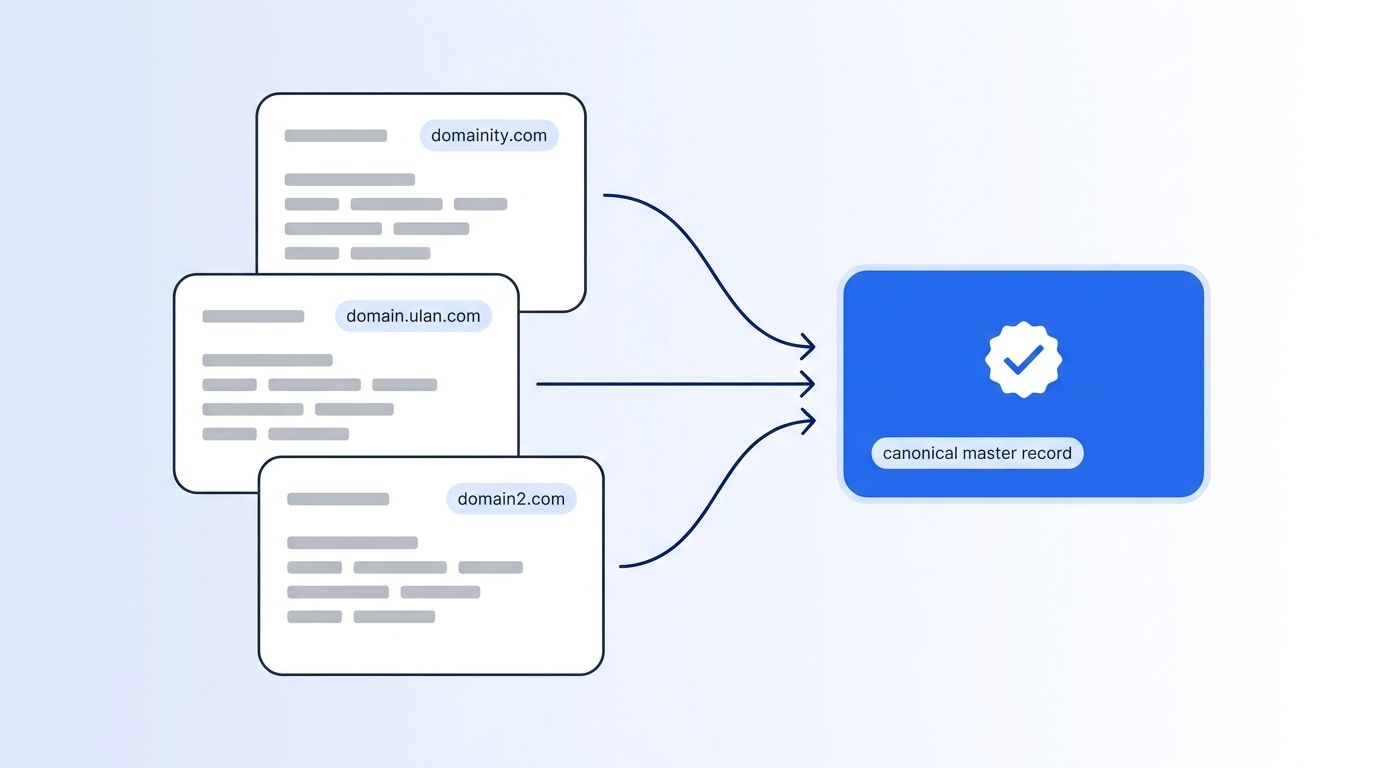
What Does "Conflicting Identifiers" Actually Mean?
An identifier is a field you use to decide two records describe the same real-world entity. For accounts, that's the domain and the LinkedIn company URL. For people, it's the LinkedIn profile URL and the work email. A conflict means two sources return different values for the same entity. Those conflicts split accounts in your CRM and send outreach to the wrong place.
Here is how conflicts usually show up. Check your own data against each row.
| Conflict type | Example | Usual cause | Risk if ignored |
|---|---|---|---|
| Domain mismatch | acmerobotics.com vs acme-robotics.io | Rebrand, vanity domain, redirect | Duplicate accounts, bounced email |
| LinkedIn URL mismatch | /company/acme-robotics vs /company/acme-robotics-inc | Old vs new Page, subsidiary | Wrong headcount and job data |
| Email pattern mismatch | j.rivera@ vs jrivera@ | Pattern guessed vs verified | Bounces |
| Employee count mismatch | 480 vs "201-500" vs 85 | Band vs exact; stale CRM value | Wrong segment and routing |
| Person-to-company mismatch | Contact still linked to old employer | Job change not caught | Outreach to the wrong company |
Why does this matter? People change jobs, companies rebrand, and domains get retired, so every record drifts out of date. Every fix below assumes that drift is steady, which makes the audit a recurring job, not a one-off cleanup.
Drift is why many teams move to programmatic CRM enrichment, where records refresh on a schedule instead of waiting for a cleanup project.
How Do You Choose an Authoritative Source When Tools Disagree?
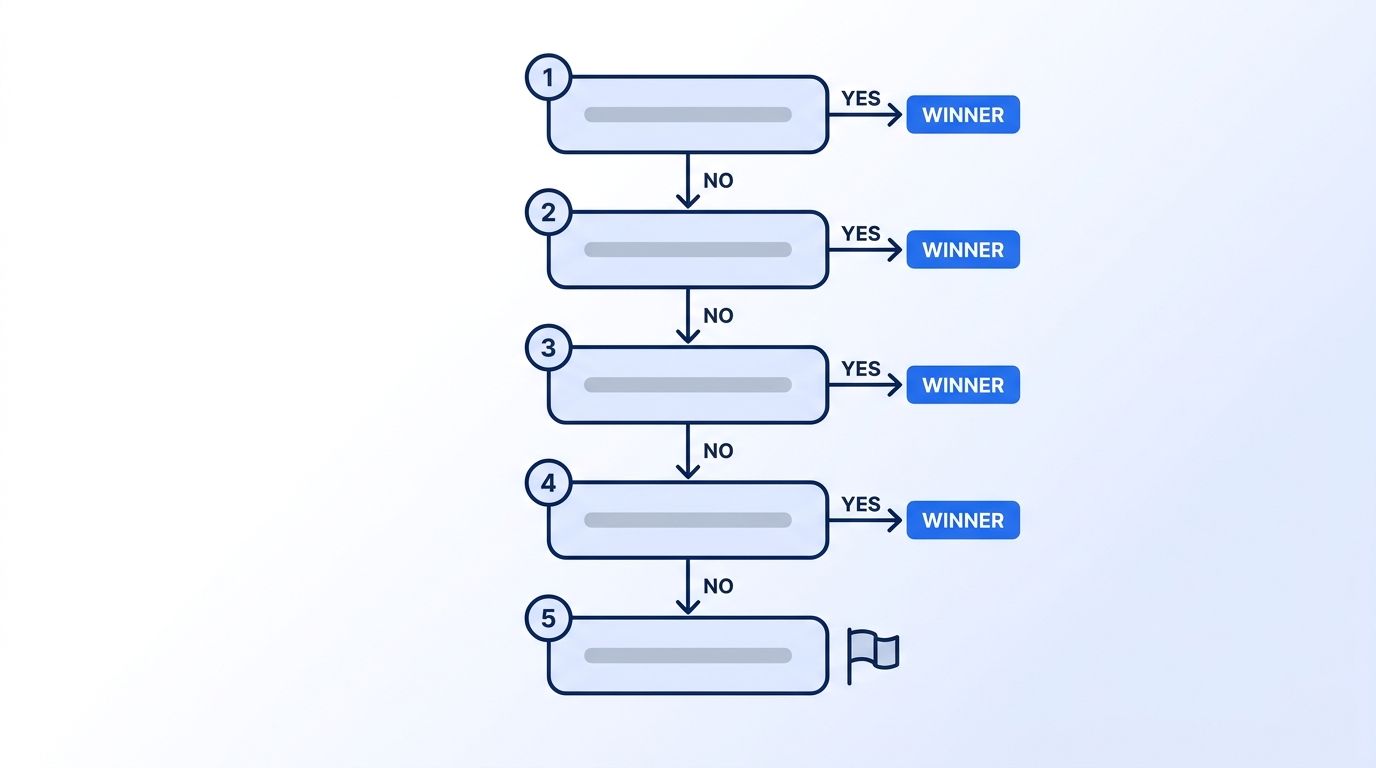
Use a five-step decision tree. Ask the questions in order and stop at the first one that gives a clear answer. The order moves from the strongest evidence (something you can check live) to the weakest (a CRM value nobody has touched since import).
START: two or more sources return different values for the same field

1. Can you verify the value live?
   (DNS/HTTP check for a domain, a live profile fetch for a LinkedIn URL)
   YES -> the verified value wins. Stop.
   NO  -> go to 2.

2. Does one source collect from the primary system?
   (LinkedIn Page for headcount, the company's own site for domain)
   YES -> primary-collection source wins. Stop.
   NO  -> go to 3.

3. Do two or more independent sources agree?
   YES -> the agreeing value wins (majority of independent vendors).
   NO  -> go to 4.

4. Do the values differ only in freshness?
   YES -> newest verified_at wins, if under your freshness limit.
   NO  -> go to 5.

5. Still tied?
   -> keep the existing canonical value, flag for human review,
      and log all candidates in the alias table.
Two details trip people up. First, "independent" means different underlying collection methods. Two vendors reselling the same upstream list count as one vote. Second, step 1 beats step 3. Three vendors agreeing on a dead domain still lose to one live check that says the domain doesn't resolve.
Which Source Should Win for Each Field? Precedence Rules
Precedence belongs on the field, not the vendor. A vendor that's best at work email can be the worst at headcount. Rank sources per field by collection method, then set a freshness limit so old values lose automatically. The table below shows the ranking we suggest for the fields most accounts carry.
| Field | Winner | Why | Freshness limit | Tiebreaker |
|---|---|---|---|---|
| Company domain | Live-verified domain (resolves, or redirects to a canonical one) | A dead domain breaks email and matching | 90 days since last check | Domain on the company's LinkedIn Page |
| LinkedIn company URL | Live profile fetch | It's the ID the data came from | 180 days | Existing CRM value |
| LinkedIn person URL | Live profile fetch | Same reason | 180 days | Most recent profile hit |
| Employee count | Live LinkedIn Page value | Directly observed, exact number | 30 days | Vendor value closest to it |
| Employee band | Derived from the winning count | Never store a band and a count separately | Recompute on change | None |
| Industry | LinkedIn Page category | One taxonomy across all accounts | 365 days | Vendor majority |
| Work email | Most recent verified result | Deliverability is time-sensitive | 90 days | Pattern that matches the domain |
| Job title / employer | Latest dated job-change evidence | People move often | 90 days | Live profile fetch |
The freshness limits are our suggested starting points, not industry standards. Tune them against your own bounce and wrong-account rates. Why a short window for email? Google asks senders to keep spam rates reported in Postmaster Tools below 0.10% and to avoid ever reaching 0.30% (Google, Email sender guidelines, retrieved 2026-10-25). Yahoo tells bulk senders to keep their spam rate below 0.3% (Yahoo, Sender Best Practices, retrieved 2026-10-25).
Store a band and a count in separate columns and they will drift apart within a quarter. Derive the band from the count on write. One source of truth, no drift.
For fields that come from LinkedIn, a live fetch from the Company Profile endpoint or People Profile endpoint gives you a dated, directly observed value to use as the tiebreaker. The Company API page covers what comes back for a company URL.
What Is a Canonical Master Record (and What Goes In It)?
A canonical master record is the single row you trust for an entity. It holds the winning value for each field, a pointer to where each value came from, and a link to every alias that lost. Everything downstream (routing, scoring, outreach) reads from this row and nothing else.
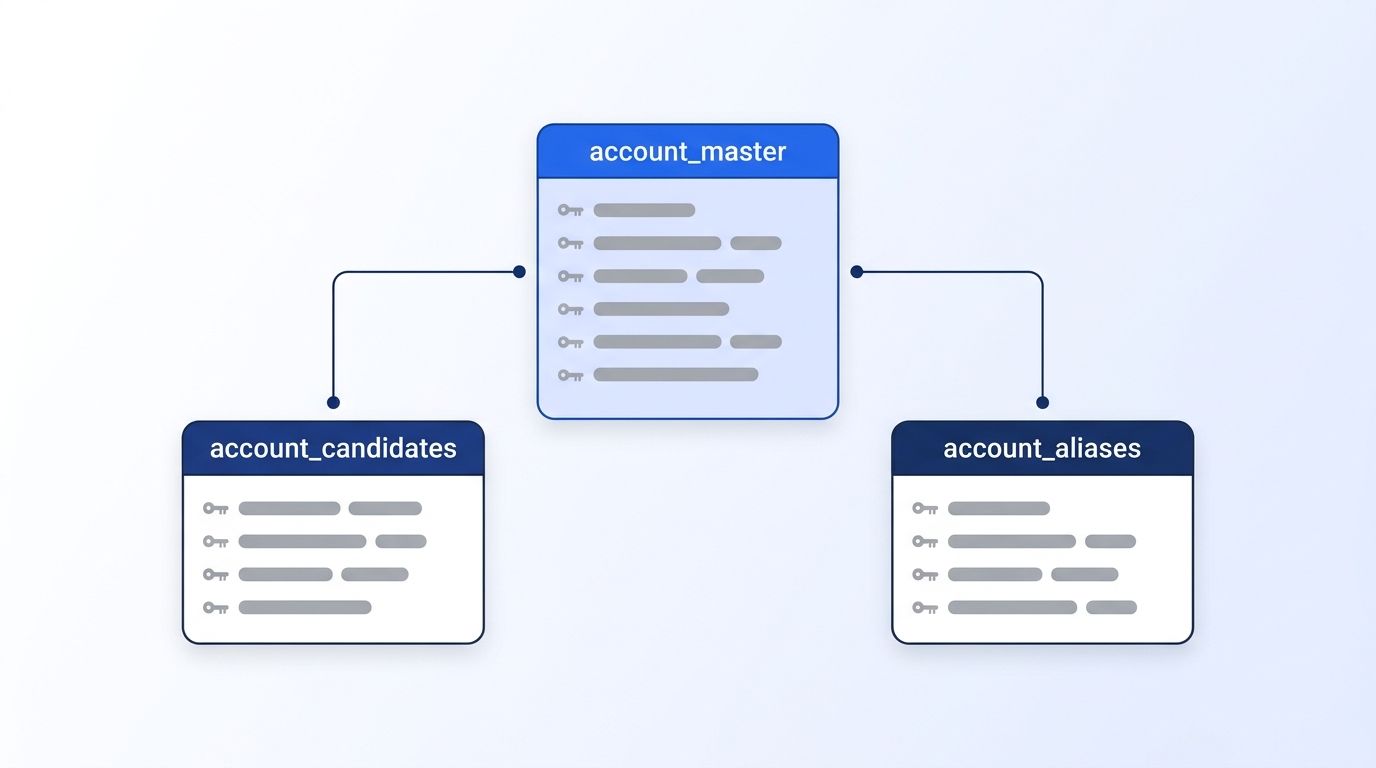
Keep three tables. The master stays small; the history lives beside it.
| Table | Purpose | Key columns |
|---|---|---|
account_master | One row per real company | account_id, domain, linkedin_url, employee_count, employee_band, industry, per-field *_source and *_verified_at |
account_candidates | Every value every tool returned | account_id, field, value, source, verified_at, method |
account_aliases | Losing identifiers that still point here | alias_value, alias_type, account_id, reason |
The alias table does the quiet work. When a contact arrives with acme-robotics.io, you look up the alias, find the master account, and attach the contact. No new duplicate account. If you only remember one rule from this guide, make it this: never delete a losing identifier, because it is the key that will arrive again next week from another tool.
How Do You Run a Waterfall Identity Without Creating New Conflicts?
A waterfall identity runs sources in a fixed order and stops when one returns a value that passes your checks. It's the same idea as waterfall enrichment, applied to identifiers. Clay describes its email waterfall as cascading across more than 100 email providers, and its 2025 work email benchmark found no single provider cleared both 95% quality and 90% coverage (Clay, Complete Guide to Waterfall Enrichment, retrieved 2026-10-25). Those figures are Clay's own, self-reported.
The risk is that every step adds a value that might disagree with the last. So each step needs a gate before the result is accepted.
| Step | Source type | Gate to accept | If the gate fails |
|---|---|---|---|
| 1 | Existing master record | Verified within the freshness limit | Continue |
| 2 | Live LinkedIn fetch | Returns a profile, URL matches or redirects to known one | Continue |
| 3 | Primary vendor | Domain resolves; value not on the blocklist | Continue |
| 4 | Secondary vendor | Same gate as step 3 | Continue |
| 5 | No match | None | Mark unresolved, don't guess |
Two rules keep a waterfall honest. Write every attempt to account_candidates, including the ones that failed a gate, so you can audit them later. And never let a lower step overwrite a higher step's value unless the higher value has expired. Without that second rule, a cheap tail-end vendor quietly rewrites your best data.
If you work inside Clay, the Clay integration lets you use live LinkedIn data as one step in a column waterfall.
The Merge: SQL for Picking Winners Per Field
This is the merge itself. It ranks candidates per field with a source priority and a freshness filter, then upserts the winner. The example is Postgres. Adapt the priority numbers to your own vendor list. Candidates outside their age limit are filtered out first, then priority, independent votes, and recency decide the winner, in that order.
-- 1. Source priority per field (lower = stronger)
CREATE TABLE source_priority (
  field    text,
  source   text,
  priority int,
  max_age_days int,
  PRIMARY KEY (field, source)
);

INSERT INTO source_priority VALUES
  ('domain',         'live_dns_check', 1,  90),
  ('domain',         'linkedin_page',  2, 180),
  ('domain',         'vendor_a',       3, 180),
  ('domain',         'vendor_b',       4, 180),
  ('domain',         'crm',            5, 365),
  ('employee_count', 'linkedin_page',  1,  30),
  ('employee_count', 'vendor_a',       2,  90),
  ('employee_count', 'vendor_b',       3,  90),
  ('employee_count', 'crm',            4, 365);

-- 2. Rank eligible candidates; agreement count breaks priority ties
WITH eligible AS (
  SELECT c.account_id, c.field, c.value, c.source, c.verified_at, p.priority
  FROM account_candidates c
  JOIN source_priority p
    ON p.field = c.field AND p.source = c.source
  WHERE c.verified_at >= now() - make_interval(days => p.max_age_days)
),
agreement AS (
  SELECT account_id, field, value, count(DISTINCT source) AS votes
  FROM eligible
  GROUP BY 1, 2, 3
),
ranked AS (
  SELECT e.*, a.votes,
         row_number() OVER (
           PARTITION BY e.account_id, e.field
           ORDER BY e.priority ASC, a.votes DESC, e.verified_at DESC
         ) AS rn
  FROM eligible e
  JOIN agreement a USING (account_id, field, value)
)
-- 3. Winners
SELECT account_id, field, value, source, verified_at
FROM ranked
WHERE rn = 1;
Then write the losers into the alias table so they keep resolving:
INSERT INTO account_aliases (alias_value, alias_type, account_id, reason)
SELECT r.value, r.field, r.account_id, 'lost_precedence'
FROM ranked r
WHERE r.rn > 1
  AND r.field IN ('domain', 'linkedin_url')
ON CONFLICT (alias_value, alias_type) DO NOTHING;
Prefer pseudocode? The logic is four lines:
for each account, for each field:
    candidates = values with age <= max_age_days for that source
    sort by (source_priority asc, independent_votes desc, verified_at desc)
    winner = first(candidates)
    save every other identifier-type value to aliases
    if no candidates: mark field unresolved (do not carry stale value)
Note the sort order: priority first, votes second, date third. That's deliberate. A vote count only breaks ties inside the same priority level, so a crowd of weak sources can't outvote a live check.
Worked Example: Three Conflicting Records, End to End
Here are three records for what turns out to be one company. The values are illustrative, built to show each rule firing. Today in the example is 2026-10-25. We walk through normalizing, resolving the domain, email, and headcount, and writing the final master row, so you can see which rule decides each field.
| Field | Record A (Vendor A) | Record B (Vendor B) | Record C (CRM) |
|---|---|---|---|
| Company name | Acme Robotics | Acme Robotics Inc. | ACME ROBOTICS |
| Domain | acmerobotics.com | acme-robotics.io | acmerobotics.com |
| LinkedIn URL | /company/acme-robotics | /company/acme-robotics | (blank) |
| Employees | 480 | "201-500" | 85 |
| Contact email | [email protected] | [email protected] | (blank) |
| Verified at | 2026-09-02 | 2026-03-11 | 2023-05-18 |
Step 1: Normalize. Lowercase everything, strip www., trailing slashes, and "Inc." from names. Records A and B now share a LinkedIn URL, so they link to one account. Record C has none, so match it by exact domain: acmerobotics.com matches A. All three attach to one account_id.
Step 2: Resolve the domain (decision tree, step 1). Run an HTTP check on both domains. acme-robotics.io returns a 301 redirect to acmerobotics.com. The verified canonical domain is acmerobotics.com. Vendor B's domain goes into account_aliases with reason redirects_to_canonical. A and C agreed anyway, which gives a second reason to trust the result.
Step 3: Resolve the email. Both addresses belong to the same pattern family, but B's sits on the alias domain and is 7+ months old. Record A's address is on the canonical domain and was verified 2026-09-02, inside the 90-day window. A wins. B's email is kept as a candidate, not promoted.
Step 4: Resolve employee count. The three values are not comparable as given: 480, a band, and 85. Apply the field rule. Fetch the Page value live, and suppose it returns 497. It is the strongest source with a 30-day window, so 497 wins. Record A's 480 is within 4% of it and stays as a candidate. Record B's band "201-500" is consistent with 497, so it is discarded as a stored value (the band is now derived). Record C's 85 is dated 2023-05-18, far past its 365-day limit, so it's ineligible.
Step 5: Write the master row.
| Field | Winner | Source | Reason |
|---|---|---|---|
domain | acmerobotics.com | live check | Redirect confirmed; A and C agree |
linkedin_url | /company/acme-robotics | live fetch | A and B agree; C was blank |
employee_count | 497 | live LinkedIn Page | Direct, 30-day rule |
employee_band | 201-500 | derived | Computed from 497 |
contact_email | [email protected] | Vendor A | Fresh, on canonical domain |
| Aliases created | acme-robotics.io | Vendor B | Redirects to canonical |
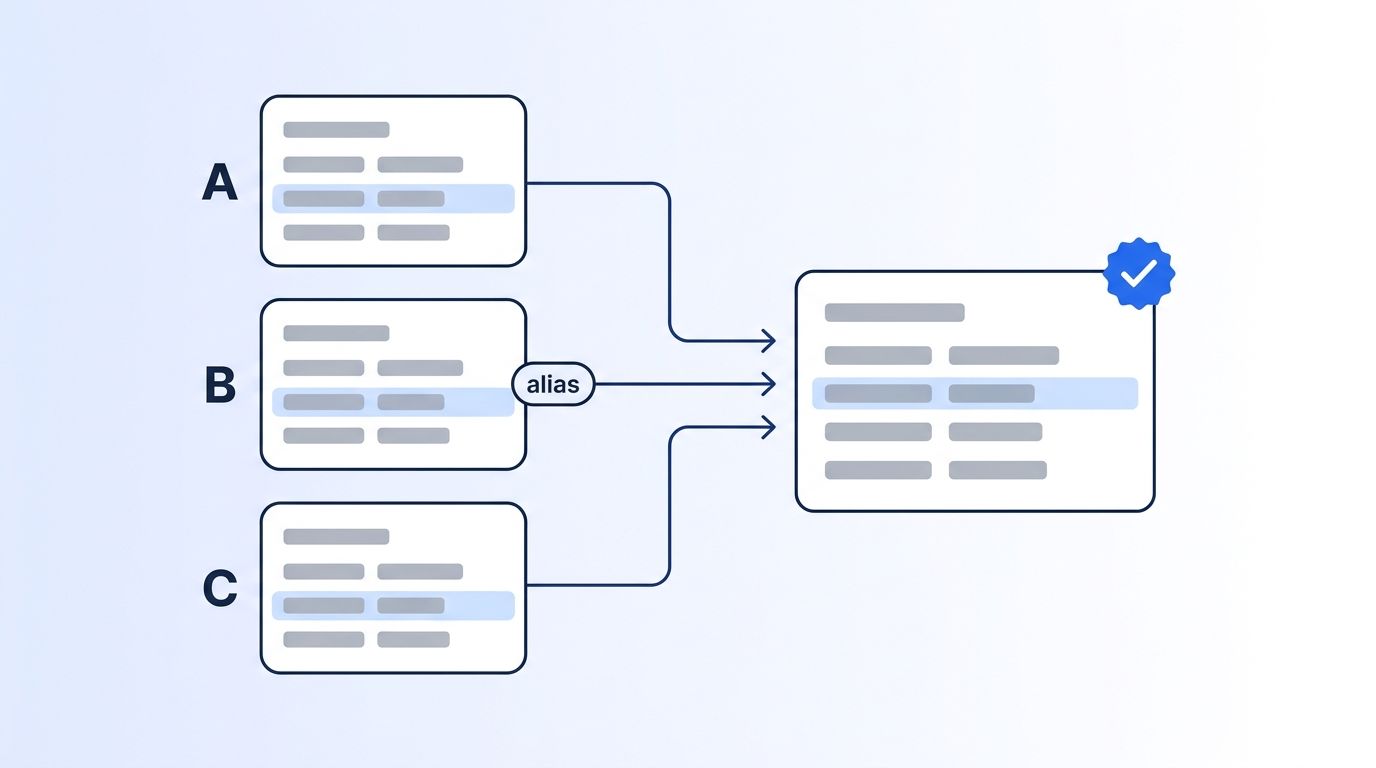
In our experience, the step teams skip is Step 2. They trust the two vendors that agree and never test the domain. The agreeing pair is sometimes both wrong, because they share an upstream list.
What Should You Do When Sources Disagree on Employee Count?
Employee counts disagree because vendors define "employee" differently, not because someone made a typo. LinkedIn's help pages say a Page displays the number of employees linked with the Page (LinkedIn Help, Use LinkedIn Pages as a member, retrieved 2026-10-25). For ad targeting, company size primarily uses Page admin input, and when none is entered it falls back to the number of member accounts associated with the Page (LinkedIn Help, company size targeting, retrieved 2026-10-25). So a headcount may be self-reported, member-linked, or a payroll figure from elsewhere.
Work through this table before you pick a number.
| Situation | What it usually means | Action |
|---|---|---|
| Exact counts within about 10% of each other | Different collection dates | Take the freshest; store the rest as candidates |
| Count vs band, count inside the band | Same data, different precision | Keep the count, derive the band |
| Count vs band, count outside the band | One source is stale or wrong | Live fetch; the live value wins |
| Counts differ by 2x or more | Parent/subsidiary mix-up, or wrong LinkedIn Page | Re-check the LinkedIn URL before touching headcount |
| Count is far below the rest and old | Stale CRM import | Drop it past the freshness limit |
| Every source is stale | Nothing trustworthy | Mark unresolved, refetch |
The 10% line is a working threshold, not a published standard. Tune it on your own audited sample.
Two habits help. Segment on the band, not the exact number, so a small swing doesn't flip routing. And add hysteresis: only change a band when the new count is outside it by a margin, say 5%, for two consecutive checks. Datamagnet's May 2026 changelog notes a standardized employee_count field, which makes comparing the live value against vendor values simpler. See also the Company Profile endpoint for the fields returned.
What Should You Do When Sources Disagree on Domain?
When domains disagree, test them before you vote on them. A domain is checkable: it resolves or it doesn't, it redirects or it doesn't. That makes it the most resolvable identifier you have. Run the five tests below in order, and most domain conflicts resolve without a human looking at them.
| Test | Pass looks like | Result |
|---|---|---|
| DNS resolves | An A or CNAME record exists | Candidate stays |
| HTTP follows redirects | 301/302 lands on another candidate | Redirect target wins; source becomes alias |
| MX record exists | Domain can receive mail | Eligible as email domain |
| Domain matches the LinkedIn Page website | Same hostname | Strong tiebreaker |
| Domain is a free-mail or parked domain | gmail.com, a parking page | Reject; never use as a company key |
If two live domains remain, don't merge. Companies run a marketing domain, a product domain, and an email domain. Store one as primary_domain, the rest as aliases with a domain_role (web, email, product). Use the email domain for email matching and the web domain for account matching, and the conflict goes away.
For people, the same logic holds with LinkedIn URLs. Treat the profile URL as the key, and the email as an attribute. If you track a champion across employers, a job-change signal is a watchlist: you supply the profile_urls you want monitored, and it doesn't discover people you haven't listed. Dates arrive at month-year granularity, so you can't order two events within the same month. Read the Create Signal docs for setup and the Champion Tracking page for the use case.
How Often Should You Re-Run the Audit?
Run a light audit on every write and a full audit monthly. A monthly pass catches drift before it compounds across your database. The full pass re-ranks every candidate and flags changes, and the cadence is a starting point to tune against your own bounce and wrong-account rates.
| Cadence | What runs | Output |
|---|---|---|
| On every write | Normalize, alias lookup, gate checks | Block new duplicates |
| Weekly | Domain DNS and redirect checks on accounts in active pipeline | Updated verified_at |
| Monthly | Full merge SQL, all fields | Changed winners, new aliases |
| Quarterly | Review the precedence table against bounce and wrong-account rates | Retuned priorities |
Track three numbers: duplicate accounts per 1,000, hard bounce rate on enriched contacts, and share of fields marked unresolved. If you can't measure them today, record a baseline from a 200-record sample before you change any rules.
To see how live data fits this workflow, read about a real-time B2B people enrichment API.
Want live LinkedIn values as your tiebreaker? See Datamagnet's pricing and start with the Quickstart.
Frequently Asked Questions
How do I decide between two enrichment tools that return different values?
Rank by collection method per field, not by vendor reputation. A live-verified value beats a vendor value, and a primary-source value beats a derived one. Only when priorities tie should you count independent agreement, then recency. Keep both values in a candidates table so you can review the choice later.
Should I average conflicting employee counts?
No. Counts come from different definitions and dates, so an average is a number nobody reported. Choose the freshest directly observed count, derive the band from it, and keep the others as candidates. For routing, use the band so small swings don't reassign accounts.
What is the difference between a canonical master record and a golden record?
In practice the terms are used interchangeably. Both mean the one trusted row per entity. The version in this guide adds per-field source and verified-at columns, plus an alias table, so you can see why each value won and reverse the decision.
How fast does enrichment data go stale?
Faster than most teams plan for, and the pace differs by field. Job titles, employers, and work emails change more often than industry or founding year. Published decay rates are mostly secondhand vendor figures, so measure your own bounce and wrong-account rates on a 200-record sample and set freshness limits from that.
Can a waterfall make identifier conflicts worse?
Yes, if each step can overwrite the last. Each added source is another chance for a mismatch. Gate every result (domain resolves, URL matches a known profile) and block lower-priority steps from overwriting unexpired higher-priority values. Log every attempt.
