
Disclosure: Datamagnet publishes this article. Product capabilities described below are based on public documentation, retrieved 2026-08-11.
How to Use Social Engagement Signals to Build LinkedIn Pipeline in 2026
Sales reps with a high LinkedIn Social Selling Index create 45% more opportunities and are 51% more likely to hit quota than reps who barely show up on the platform (LinkedIn Sales Solutions, retrieved 2026-08-11). Most teams still treat a like, comment, or repost as a vanity metric instead of what it actually is — a buyer raising their hand.
If you're only watching form fills and website visits, you're missing the earliest, cheapest signal in the funnel: the moment someone from a target account engages with a post before they've ever heard of your product. This guide walks through building a repeatable system that turns that activity into a scored, routed, personalized outreach motion.
<!-- [PERSONAL EXPERIENCE] -->We've watched sales teams pull engagement lists by hand from LinkedIn notifications, then lose the thread by the time someone actually reaches out three days later. Signals decay fast. This guide fixes that lag with a six-step workflow you can run this week.
TL;DR
- Reps with a high LinkedIn Social Selling Index create 45% more opportunities and are 51% more likely to hit quota than low-SSI reps (LinkedIn Sales Solutions, retrieved 2026-08-11).
- Social channels convert cold outreach at a 42% response rate, ahead of email (26%) and phone (23%) (HubSpot, 2025 State of Sales Report).
- Not every like is a buyer — score engagers against your ICP (title, seniority, company fit) before a rep ever sees the name.
- Signal value decays in hours, not days. Route qualified engagers into outreach the same day the engagement happens.
- The fastest systems layer four monitor types — person, company, industry, and keyword engagement — instead of watching one LinkedIn page by hand.
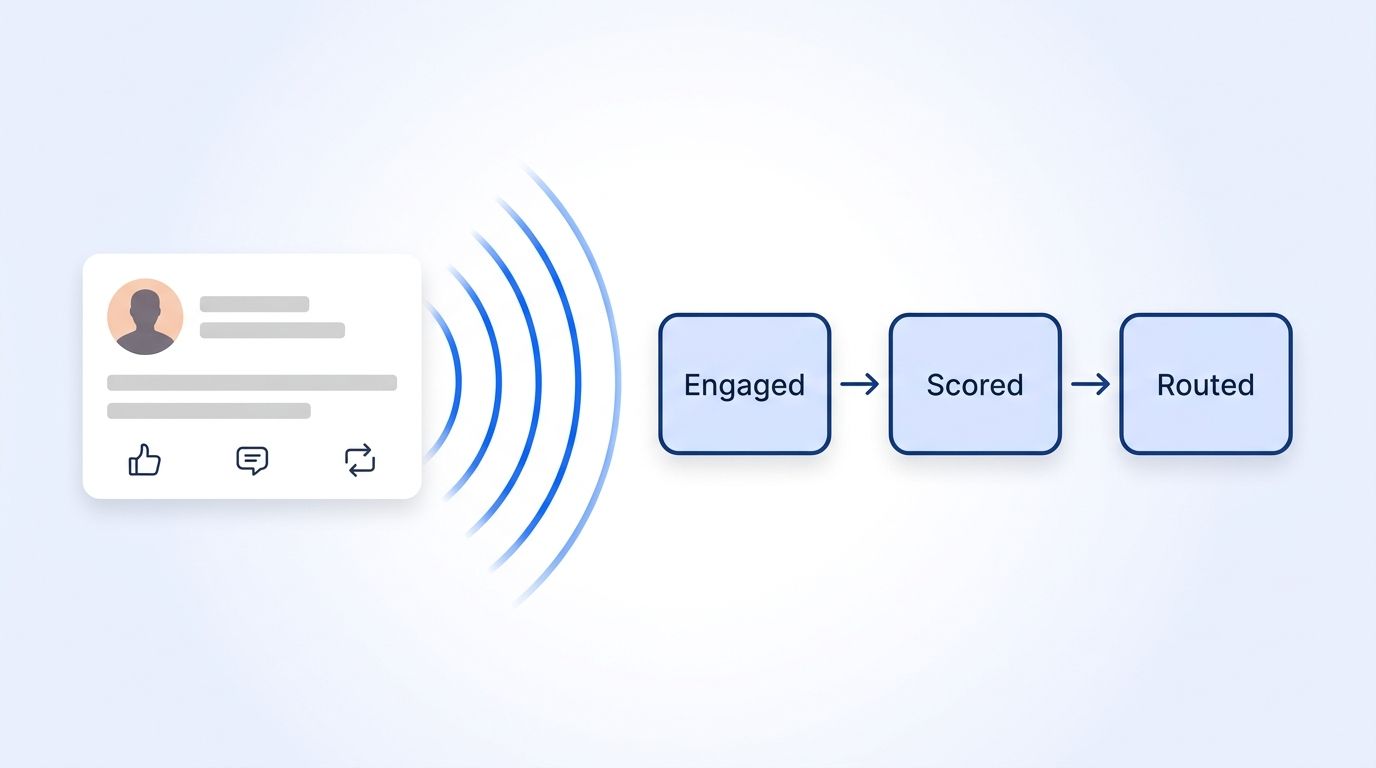
What Counts as a Social Engagement Signal?
A social engagement signal is any action a LinkedIn member takes on a post — liking, commenting, reposting, or publishing their own — that shows they're paying attention to a topic, a company, or a person relevant to your pipeline. Datamagnet's LinkedIn Signal API tracks four distinct types, and lumping them into one bucket is the fastest way to drown reps in noise.
- Person engagement — someone engages with a specific individual's posts, like an executive, champion, or competitor's spokesperson.
- Company engagement — someone engages with a target account's company page content.
- Industry engagement — someone engages with any post tagged to a target industry.
- Keyword engagement — someone engages with a post containing your defined buying-language keywords.
Most signal-based selling content treats "engagement" as a single monolithic score. In practice, the four types answer different questions: person engagement tells you who's paying attention to a specific champion, while keyword engagement tells you who's actively discussing a problem you solve, in public, right now. Blending them into one number erases that distinction and makes every alert look identical.
Sales reps with a high LinkedIn Social Selling Index create 45% more opportunities and are 51% more likely to hit quota than reps with a low score, according to LinkedIn's own research (LinkedIn Sales Solutions, retrieved 2026-08-11). That gap is the entire economic case for treating engagement as a pipeline signal instead of a vanity metric.
What Do You Need Before You Start?
Before you touch a signal monitor, you need four things in place: a defined ICP, API access to an engagement-monitoring tool, a CRM that accepts webhooks, and a keyword list tied to your buyers' language. Initial setup runs roughly 2-3 hours, and skipping any one of these four inputs is the most common reason signal programs stall before they route a single qualified lead.
- A defined ICP (job titles, seniority, industry, company size) to score engagers against
- API access to a LinkedIn signal or engagement-monitoring tool — create a signal monitor if you're using Datamagnet
- A CRM or sequencing tool that accepts inbound webhooks
- A short list of 10-20 keywords tied to the problem you solve, not your product category
- Time to set up: ~2-3 hours for initial monitor configuration
- Difficulty: Intermediate — no code required for monitor setup, light scripting for CRM routing
Step 1: How Do You Define Your ICP and Signal Sources?
By the end of this step, you'll have a written list of the accounts, people, industries, and keywords worth monitoring — the raw inputs every signal monitor needs. Skip it, and you'll end up watching engagement on posts that have nothing to do with your buyers.
Start narrow. A signal system watching everything produces the same noise as no system at all.
- List 20-50 target accounts you're already prioritizing in outbound or account-based plays.
- Name 5-10 people per account worth tracking individually — champions, economic buyers, or known LinkedIn-active executives.
- Pick 2-3 industries that match your ICP if you sell horizontally across accounts you haven't identified yet.
- Draft 10-20 keywords in the language your buyers actually use to describe the problem, not your product category.
Verification: You should end up with four short lists — accounts, people, industries, keywords — each specific enough that a monitor built from it wouldn't surface someone outside your ICP more than half the time.
Step 2: How Do You Set Up Engagement Monitors for the Signals That Matter?
By the end of this step, you'll have four live monitors running against the lists from Step 1: person, company, industry, and keyword engagement. Each pulls events automatically once configured, so nobody has to manually refresh LinkedIn notifications, and most monitors start returning events within 24-48 hours of setup.
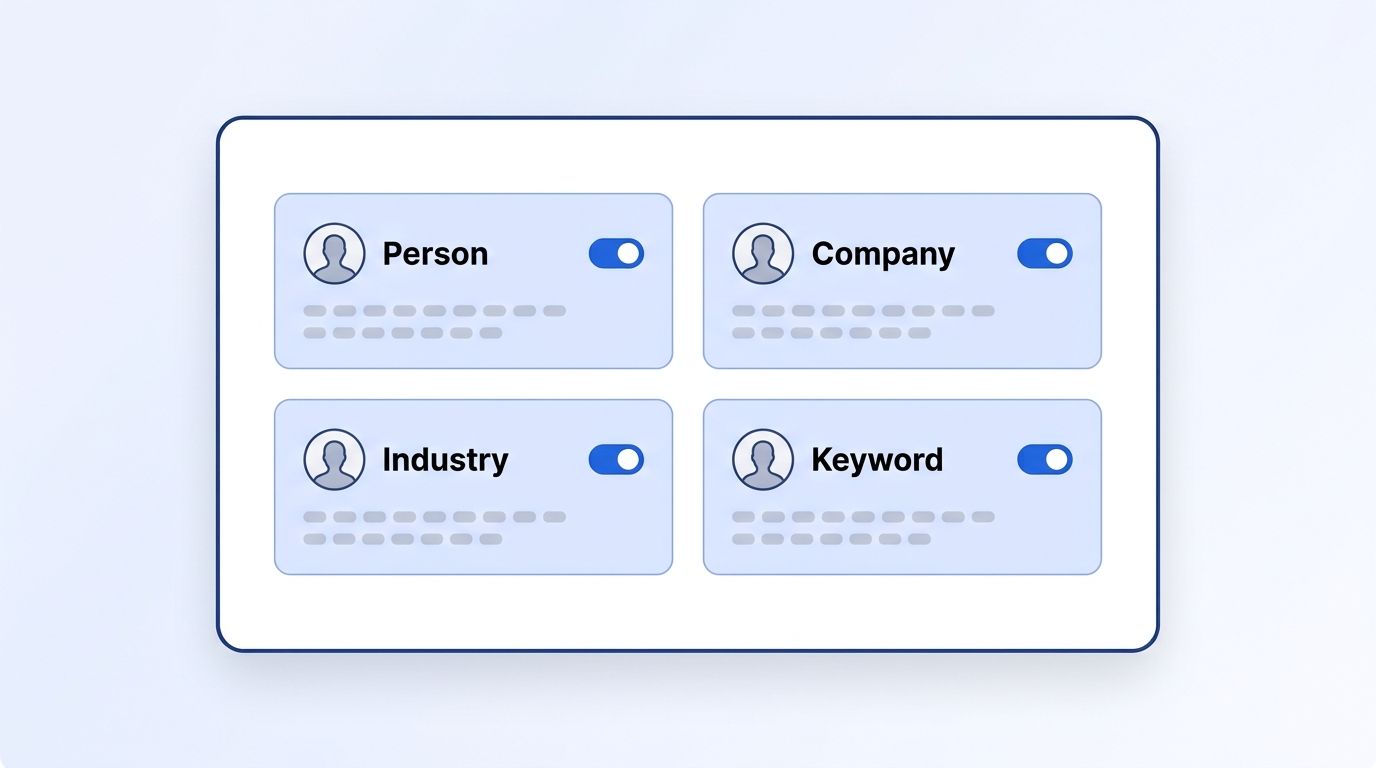
Each signal type needs its own monitor, because the event and the audience it catches are different:
- Person engagement — point a Person Engagement Signal monitor at each individual on your Step 1 list.
- Company engagement — point a Company Engagement Signal monitor at each target account's LinkedIn page.
- Industry engagement — configure an Industry Engagement Signal monitor for your 2-3 target industries.
- Keyword engagement — load your keyword list into a Keyword Engagement Signal monitor.
Verification: Check the signal list endpoint after setup. You should see four active monitors, each returning early events within 24-48 hours as engagement happens naturally on your tracked posts and pages.
Step 3: How Do You Score Engagers Against Your ICP?
By the end of this step, every raw engagement event gets a fit score before a human ever sees it, scored against title, seniority, company fit, and engagement type. That scoring layer is the difference between an alert queue reps trust and one they learn to ignore within a few weeks of launch.
Not every person who likes a post is a buyer. A student, a recruiter, or a competitor's employee can trigger the same event as your actual economic buyer, and without a scoring layer they all look identical in your queue.
- Pull the engager's profile against the profile URL the signal returns, using a people search endpoint.
- Score on title and seniority match — weight decision-makers and influencers higher than individual contributors outside your buying committee.
- Score on company fit — headcount, industry, and funding stage against your ICP definition, using ICP People Search filters.
- Weight by engagement type — a comment or repost usually signals more intent than a passive like, since it takes more effort.
Verification: Run a sample batch of 50 events through your scoring logic. If fewer than 30% clear your qualification threshold, your monitors are too broad — go back and tighten Step 1's keyword or industry lists.
Step 4: How Do You Route Qualified Engagers Into Your CRM Automatically?
By the end of this step, a qualified engagement event lands in your CRM or sequencing tool as a new lead or task within minutes of firing, not after someone remembers to check a spreadsheet three days later. The record arrives with the source post attached, so reps see exactly what the prospect engaged with before they write a single line of outreach.
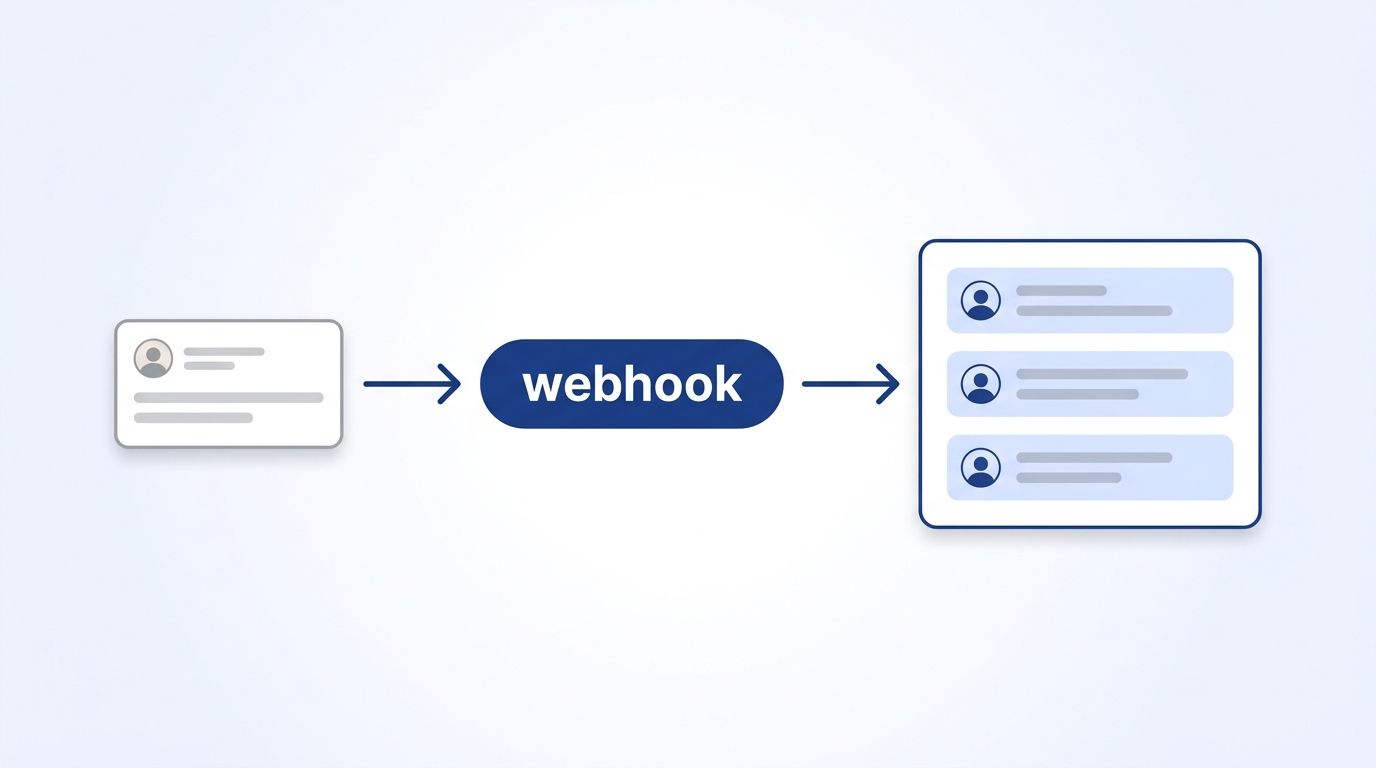
- Configure a webhook endpoint in your CRM or middleware layer to receive signal webhook payloads.
- Map the payload fields — engager name, profile URL, company, post content, engagement type — to your CRM's lead or contact object.
- Set a routing rule so qualified events above your scoring threshold create a task for the account owner, or a new lead for unowned accounts.
- Attach the source post URL to the record so the rep can see exactly what the person engaged with.
Verification: Trigger a test event, or wait for a live one, and confirm the record appears in your CRM within the webhook's stated delivery window, with the post content attached rather than just a bare name and company.
Step 5: Personalize Outreach Using the Actual Post Content
By the end of this step, every outreach message references the specific post the prospect engaged with instead of a generic opener — the single change that moves reply rates the most. A rep who opens with "saw you're active on LinkedIn" wastes the entire advantage a signal handed them for free, while a rep who quotes the exact comment or claim signals they actually read what the prospect said.
Customized outreach already outperforms generic messaging by a wide margin. Personalized InMail gets a 40% higher acceptance rate than templated outreach (LinkedIn Sales Solutions, retrieved 2026-08-11). Engagement signals hand you the personalization hook for free — you already know what the prospect stopped scrolling for.
- Pull the post content, and check whether they commented using Post Comments — a comment gives you their exact words to reference.
- Reference the specific claim or question from the post in your opening line, not the topic in general.
- Prioritize document and video engagers when you're choosing which signals to act on first — those formats earn the highest engagement rates, so the people reacting to them tend to be more actively scrolling and reading, not just skimming.
- Send within the same business day the event fires, while the post is still fresh in the prospect's mind.
Verification: Compare reply rates on signal-triggered outreach against your standard cold sequence after 2-3 weeks. Signal-triggered messages should outperform by a meaningful margin, given the trust deficit generic outreach already fights — 67% of B2B buyers now say they'd rather skip the rep entirely (Gartner, 2026).
Step 6: Measure Reply Rates and Iterate on Your Signal Weights
By the end of this step, you'll know which signal type and engagement action actually predicts a reply, broken out by person, company, industry, and keyword instead of one blended number. You'll have already adjusted your scoring weights to route reps more of what's converting and less of what's just generating noise.
- Track reply rate by signal type — person, company, industry, keyword — separately, not as one blended number.
- Track reply rate by engagement action — comment-triggered outreach versus like-triggered outreach.
- Re-weight your scoring model monthly based on which combinations produce replies and meetings, not just volume.
- Retire monitors that produce noise. If an industry or keyword monitor consistently scores below your qualification threshold, narrow or drop it.
Teams that treat this as a one-time setup instead of a monthly tuning cycle tend to see performance decay within a quarter, as the initial keyword and account lists drift out of date while buyer language and target accounts evolve. The system needs the same maintenance a lead-scoring model does — it isn't a "set it and forget it" project.
Verification: After a full month, you should be able to say which of your four monitor types produced the highest reply rate, and have already shifted rep attention or budget toward it.
What Are the Common Mistakes to Avoid When Scoring Engagement Signals?
The most common mistake is treating every engagement as equal intent, and it's why so many signal-based programs get abandoned within a few months of launch. A recruiter's like, a student's like, and a decision-maker's like all fire the same raw event, and a queue that can't tell them apart is a queue reps stop trusting fast.
1. No ICP filter on raw signals. Teams route every like straight to a rep's inbox. Reps stop trusting the queue within weeks and go back to cold lists. Fix: score before you route, every time.
2. Reacting too slowly. A comment that sits unrouted for three days has already lost most of its relevance — the prospect has moved on to five other things. Fix: route qualified events same-day.
3. Generic outreach that ignores the actual post. Opening with "I saw you're active on LinkedIn" instead of the specific claim they commented on wastes the entire advantage engagement signals give you. Fix: always pull the post content before writing the message.
4. Only watching your own posts. Person and company monitors on your own brand miss the much larger pool of prospects engaging with competitors' content or industry keywords. Fix: run a competitor engagement monitor alongside your own.
5. No feedback loop. Scoring weights set once at launch and never revisited drift out of alignment with what's actually converting, and nobody notices until pipeline dries up.
What Does a Working Signal-to-Pipeline System Look Like?
If everything's wired correctly, a qualified engagement event should turn into a CRM record with attached context in minutes, and a rep-sent, personalized message within the same business day. That's the entire system working end to end: scored before routed, routed before written, and written using what the prospect actually said, not a guess at what they might care about.
You should see reply rates on signal-triggered outreach beat your standard cold sequence, since social channels already convert cold outreach at a 42% response rate against 26% for email (HubSpot, 2025 State of Sales Report) — a signal-triggered message adds real personalization on top of an already-stronger channel.
As a stretch goal, add an executive-only monitor so you're notified the moment a high-value prospect posts, not just when someone else engages with existing content.
Ready to stop watching LinkedIn notifications by hand? Datamagnet's Signal API gets you 10 free credits, enough to test person, company, industry, and keyword monitors against a real account list this week.
Frequently Asked Questions
Here's what teams ask most often when they're standing up a signal-to-pipeline system for the first time — from tooling requirements and cost at scale, to what to do when a monitor starts surfacing engagers who have nothing to do with your ICP.
What are social engagement signals?
Social engagement signals are actions — likes, comments, reposts, or new posts — that a LinkedIn member takes, showing attention to a topic, person, or company relevant to your pipeline. Reps who act on these signals consistently build a higher Social Selling Index and create 45% more opportunities than low-engagement reps (LinkedIn Sales Solutions, retrieved 2026-08-11).
Can I track engagement signals without LinkedIn Sales Navigator?
Yes. Sales Navigator surfaces signals for your own saved leads and accounts, but a dedicated signal API can monitor person, company, industry, and keyword engagement across LinkedIn directly, then push qualified events to your CRM by webhook without a rep manually checking Navigator notifications.
What if my monitors surface too many irrelevant engagers?
Broad keyword or industry monitors are the most common cause. Narrow your keyword list to 10-20 buyer-specific terms, add an ICP score threshold before routing, and tighten the title, seniority, and headcount filters on your scoring layer using the ICP Search Filters reference.
How do I scale this across a whole sales team?
Move scoring and routing logic into shared middleware rather than per-rep spreadsheets, so every rep's monitors feed one qualification rule set. Assign monitor ownership by account or territory, and review reply rates by signal type monthly so the whole team benefits from what's working, not just the rep who built it first.
How much does it cost to monitor LinkedIn engagement signals at scale?
Cost scales with event volume. Datamagnet's Signal API runs on a credit-based model, so it's worth checking your current credit balance as you scale monitor count — broad keyword and industry monitors consume credits faster than narrow person or company monitors.
Conclusion
You now have a six-step system for turning LinkedIn likes, comments, and reposts into scored, routed, personalized pipeline instead of noise a rep scrolls past. The teams pulling ahead here aren't the ones running the most monitors — they're the ones who score before they route and personalize with the actual post content.
Start with one signal type this week, get the scoring and routing loop working end to end, then layer in the rest. For a related play built on the same signal infrastructure, see our guide to real-time intent signals for job changes.
