
Disclosure: Datamagnet publishes this article. Product capabilities described below are based on public documentation, retrieved August 31, 2026.
How to Build a Signal-to-CRM Task Workflow Without Overwhelming Reps
In 2026, sellers who feel overwhelmed by the number of tools and signals in their job are 45% less likely to attain quota than sellers who don't (Gartner, Gartner Sales Survey, 2024). That's the quiet failure mode of most signal-based selling programs: teams turn on job-change alerts, engagement tracking, and intent data, then dump every hit straight into the CRM as a task. Reps drown, tasks pile up unopened, and the signal program gets blamed for "not working."
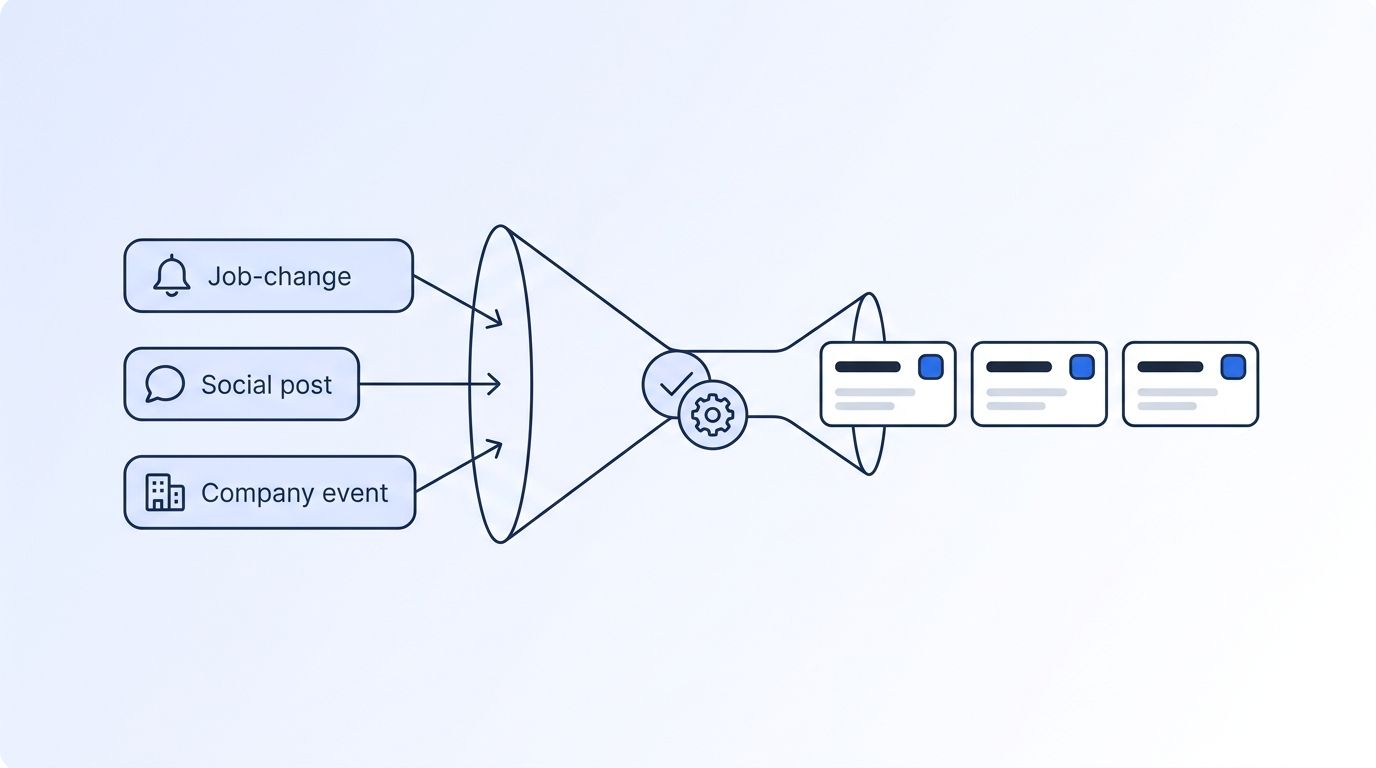
The fix isn't fewer signals. It's a workflow that filters, scores, and routes signals into a small number of specific, high-confidence tasks - the kind a rep actually wants to open. This guide walks through building that pipeline end to end, from deciding which signals earn a task to closing the loop with rep feedback so the system gets smarter over time.
TL;DR
- Overwhelmed sellers are 45% less likely to hit quota than sellers who aren't (Gartner, 2024) - flooding reps with raw signals actively hurts the number you're trying to move.
- Fewer than 5% of reps name lead scoring as a metric they rely on (HubSpot, 2025 State of Sales Report, 2025), which means most teams still route signals with no tiering layer at all.
- Leads contacted within 5 minutes convert to a qualified lead 21x more often than leads contacted after 30 minutes (Harvard Business Review, The Short Life of Online Sales Leads), so batch delivery quietly caps your ceiling before a rep ever sees the task.
- Build the pipeline in this order: filter to ICP, score and tier, map each signal type to one specific task, deliver in real time, suppress duplicates, then feed rep outcomes back into the scoring layer.
- A signal-to-CRM workflow is a system you tune continuously, not a Zapier connection you set up once and forget.
What You Need Before You Build This Workflow
You don't need a data engineering team to do this, but you do need a few pieces in place before you wire anything together.
What you'll need:
- A signal source that can detect job changes, LinkedIn engagement, or company-level events - for example, a signal monitor tied to your target accounts and people
- A CRM that supports task creation via API or native webhook (HubSpot, Salesforce, and most modern CRMs qualify)
- A defined ICP - job title, seniority, industry, headcount - so you can filter signals before they ever reach a rep
- Buy-in from at least one rep or manager on what "worth a task" actually means for your team
- Time: 2-3 weeks to design, test, and tune with a pilot group
- Difficulty: Intermediate
Step 1: Which Signals Are Actually Worth a Task?
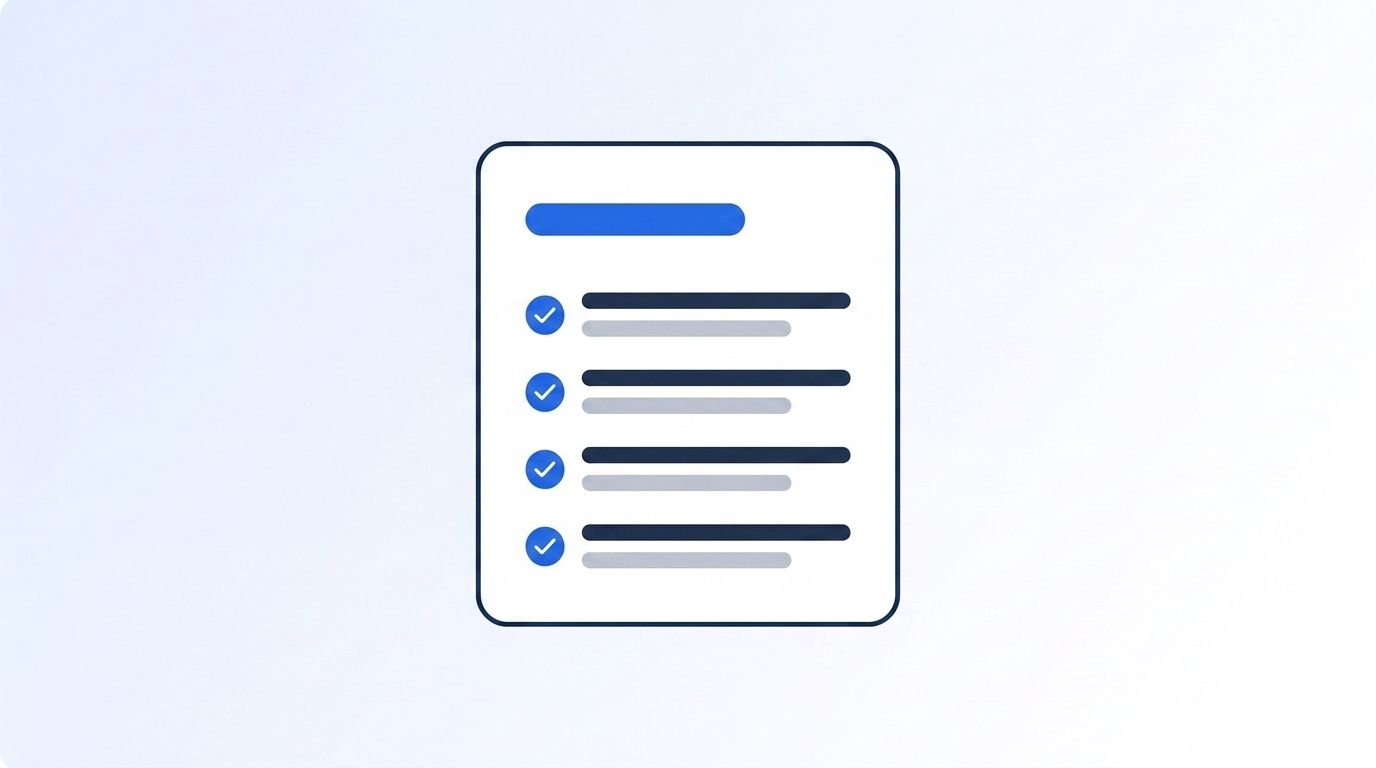
By the end of this step, you'll have a short, written list of the signal types that earn a CRM task - and, just as important, the ones that don't. Most teams skip this step entirely. Fewer than 5% of reps cite lead scoring as a metric they actually use (HubSpot, 2025 State of Sales Report, 2025), which tells you most signal programs are still routing everything with no filter at all.
Start by running every signal through your ICP before it's allowed anywhere near a task queue. A job change at a company that's nowhere near your ICP - wrong headcount, wrong industry, wrong region - shouldn't generate a task just because it fired. Use an ICP People Search or an ICP Company Search filter as the gate, not an afterthought applied after the alert already landed in someone's inbox.
<!-- [UNIQUE INSIGHT] -->It helps to stop treating "signal" and "task" as the same thing. A signal is a raw event - a person changed jobs, a company posted about hiring, someone liked a competitor's post. A task is a decision that this specific event, for this specific person, is worth five minutes of a rep's day right now. Most broken workflows skip that decision entirely and let every signal become a task by default.
1. List every signal type you currently track (job change, new post, company funding, keyword engagement). 2. For each type, write one sentence describing what makes it ICP-relevant. 3. Anything that doesn't clear the ICP bar gets logged, not tasked.
Step 2: How Do You Score and Tier Signals Before They Touch the CRM?
By the end of this step, every signal that survives Step 1 carries a priority tier - hot, warm, or cold - before it's anywhere near a rep's task list. This is the layer that separates a usable workflow from an alert firehose, and it's exactly what's missing when 50% of sellers say they feel overwhelmed by the number of tools and signals required for their job, with overwhelmed sellers landing 45% below quota-hitting peers (Gartner, 2024).
Score on three inputs: ICP fit (already filtered in Step 1), signal strength (a new VP hire signals more urgency than a like on a post), and recency. Weight recency heavily - a job change from six weeks ago is a different task than one from six hours ago. Use the full ICP Search filter reference to standardize scoring inputs across every signal type so "hot" means the same thing regardless of which signal triggered it.
Step 3: Map Each Signal Type to One Specific Task, Not a Generic "Follow Up" Alert
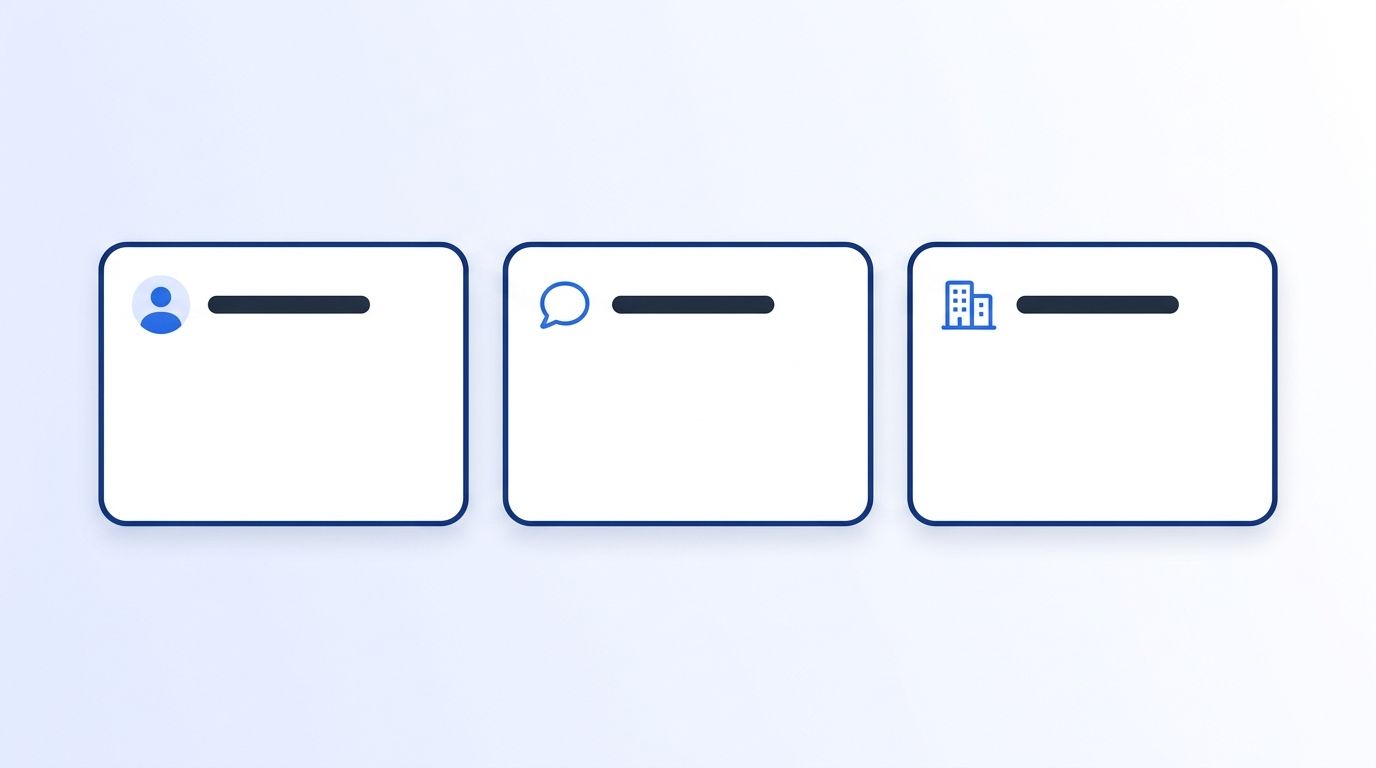
By the end of this step, every signal tier from Step 2 maps to one concrete, pre-written task type - not a generic "review this" notification. Generic alerts are exactly what reps learn to ignore. A job-change signal on a former champion should generate a "re-engage at new company" task. A keyword-engagement signal on a competitor's post should generate a "reply within the thread" task, not a vague "check this lead."
Build three or four task templates and stick to them: re-engage, first-touch outreach, account-plan review, and internal alert (for signals that matter to a manager, not a rep). Datamagnet's Champion Tracker cookbook and VIP Engagement Radar cookbook both show this pattern in practice - one signal type, one task template, one clear next action written into the task itself.
This is also where AI-assisted drafting earns its keep. Nearly all sellers now use some form of AI in their workflow - only 8% report using none at all (HubSpot, 2025 State of Sales Report, 2025) - and pre-filling the task's suggested opener from the signal's context (what changed, when, and why it matters) cuts the time between "task assigned" and "task completed."
Step 4: Why Deliver Tasks in Real Time Instead of on a Batch Schedule?
By the end of this step, tasks land in the CRM within seconds of a signal firing, not hours later in a nightly batch job. Speed matters more here than almost anything else in this workflow. Leads contacted within 5 minutes are 21x more likely to become a qualified lead than leads contacted after 30 minutes (Harvard Business Review, The Short Life of Online Sales Leads) - a gap that only widens with a batch-delivered signal, since the clock starts when the event happens, not when your export job runs.
<!-- [PERSONAL EXPERIENCE] -->Every time we've watched a team debug a signal-to-CRM workflow that "isn't converting," the root cause has been the same: signals were polling on a schedule instead of pushing on an event. A job-change signal detected at 9am and delivered to the rep at 6pm the same day is functionally a cold lead by the time anyone sees it.
Wire delivery through a webhook instead of polling an endpoint on a timer. Register the signal monitor once, point the webhook at your CRM's task-creation endpoint or an automation layer like n8n, and the task appears the moment the event fires - no cron job, no daily export.
Step 5: How Do You Stop One Signal From Becoming Five Tasks?
By the end of this step, no rep gets hit with duplicate or conflicting tasks from the same underlying event. This step matters more than it sounds like it should. In 2025, 76% of CRM users said less than half of their organization's data was accurate and complete, even though 90% called that same data operationally critical (Validity, State of CRM Data Management in 2025, 2025). Messy underlying records - duplicate contacts, stale employer fields - are exactly what causes the same real-world event to spawn multiple, slightly different tasks.
Build a suppression window into the workflow: if a task already exists for a given person and signal type within, say, 14 days, log the new signal against the existing task instead of creating a second one. Pair that with a hard daily cap per rep, and use Update Signal to pause or retune any signal that's producing more noise than value once you see the pattern in your task data.
Step 6: How Do You Close the Loop With Rep Feedback?
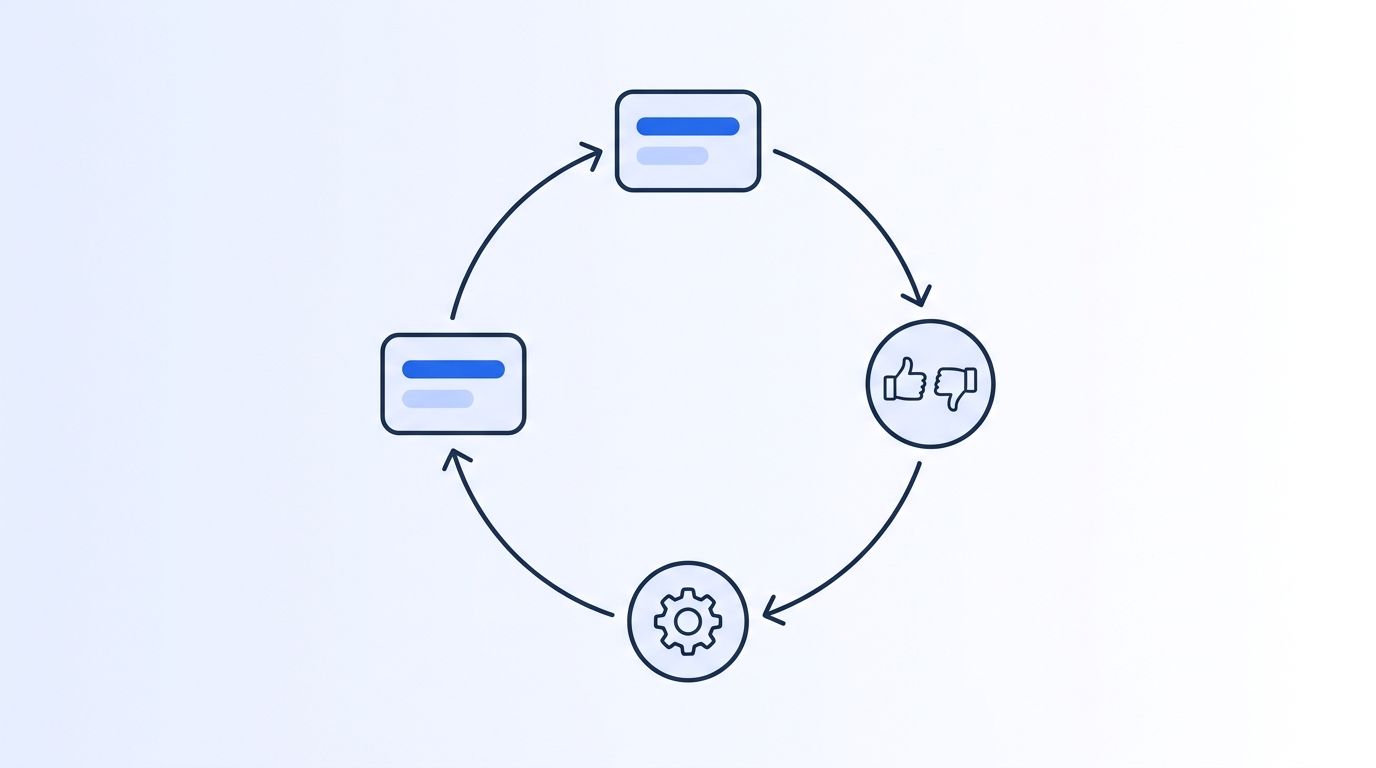
By the end of this step, every completed (or ignored) task feeds back into the scoring logic from Step 2, so the workflow gets sharper the longer it runs. This is the step most teams never build, and it's the reason so many signal programs plateau. Reps still lose roughly 60% of their week to non-selling work - CRM entry, tool switching, searching for information - versus about 40% actually selling (Salesforce, State of Sales, 2026). A feedback loop that reduces wasted, low-value tasks gives that time back directly.
Add one required field to every task at close: "was this worth my time?" (yes/no, plus an optional reason). Feed that field back into the scoring weights from Step 2 monthly. Signal types that consistently score "no" get down-weighted or cut; types that score "yes" get more of the daily task budget. Route the completed data through your HubSpot integration or equivalent CRM connection so the loop runs inside the tool reps already live in, not a separate dashboard nobody opens.
Common Mistakes to Avoid
Roughly half of sellers already say they're overwhelmed by the tools and signals in their job (Gartner, 2024), and most of that overwhelm traces back to one of these five setup mistakes.
1. Sending every signal straight to a task. This is the default behavior of most out-of-the-box signal tools, and it's the single fastest way to train reps to ignore the CRM entirely. Filter with ICP and scoring before anything becomes a task.
2. Using one SLA for every task type. A re-engagement task on a warm former customer isn't the same urgency as a first-touch task on a cold ICP match. Different task templates should carry different response-time expectations.
3. Skipping suppression logic. Without dedupe, one noisy account can generate a dozen near-identical tasks in a week, and reps stop trusting the queue.
<!-- [UNIQUE INSIGHT] -->4. Treating "no response" as success. A lot of teams measure this workflow by tasks created, not tasks completed or outcomes logged. That's backwards - a workflow that generates 200 tasks a week and gets 40 completed is worse than one that generates 60 and gets 55 completed, even though the first one looks more "active" on a dashboard.
5. Never revisiting the scoring weights. Signal quality drifts. A source that was reliable in Q1 can degrade by Q3. Without Step 6's feedback loop, teams keep trusting weights that stopped matching reality months ago.
What Does Success Look Like?
If this workflow is working, you should see three things within a month: task completion rates climbing (fewer tasks getting skipped or snoozed), median time-to-first-touch dropping toward single-digit minutes for hot-tier signals, and rep complaints about "too many alerts" dropping to near zero. None of that requires more signals - it requires better filtering of the ones you already have.
As a stretch goal once the core workflow is stable, start segmenting your feedback data by signal source. Some signal types will consistently outperform others for your specific ICP, and that data is worth more than any generic benchmark - it's built from your own reps working your own accounts. For a deeper look at the raw signal types available to build on, see 7 Best Real-Time Intent Signal APIs for Job Changes.
Frequently Asked Questions
What counts as a "signal" in a signal-to-CRM task workflow?
A signal is any trackable buyer or account event - a job change, a new LinkedIn post, engagement on a competitor's content, a funding round, or a keyword mention. On its own a signal is just data; it only becomes useful once it's filtered against your ICP and scored for urgency, which is what turns it into something worth a rep's time.
How many tasks per day is too many for a rep?
There's no universal number, but the warning sign is completion rate, not volume. If reps are completing fewer than 60-70% of assigned tasks, the queue is too noisy regardless of the raw count. Start with a hard daily cap - many teams land around 8-12 high-confidence tasks per rep per day - and adjust based on completion data.
Can I build this without an engineering team?
Mostly, yes. Low-code automation tools like n8n can handle signal ingestion, basic scoring logic, and CRM task creation without custom backend code. You'll still want someone to define the ICP filters and scoring weights, but the plumbing itself doesn't require a dedicated engineering team.
What's the difference between a signal and a raw notification?
A raw notification is unfiltered - it fires the moment an event happens, with no judgment about relevance. A signal, in the sense this guide uses it, has already passed through ICP filtering and scoring before it reaches a rep. Most "signal fatigue" complaints are actually raw-notification fatigue, because the filtering step was never built.
How do I know if my current workflow is overwhelming reps?
Watch completion rate and time-to-first-touch, not signal volume. Sellers who report feeling overwhelmed by their tools are 45% less likely to hit quota than sellers who don't (Gartner, 2024), so a quota dip alongside a growing, unread task backlog is a strong signal the workflow needs Step 1 and Step 2 revisited.
Sources
- Gartner, Gartner Sales Survey Reveals Sellers Who Partner With AI Are 3.7 Times More Likely to Meet Quota, retrieved 2026-08-31, https://www.gartner.com/en/newsroom/press-releases/2024-09-16-gartner-sales-survey-reveals-sellers-who-partner-with-ai-re-three-point-seven-times-more-likely-to-meet-quota
- Harvard Business Review, The Short Life of Online Sales Leads, retrieved 2026-08-31, https://hbr.org/2011/03/the-short-life-of-online-sales-leads
- Validity, State of CRM Data Management in 2025, retrieved 2026-08-31, https://www.prnewswire.com/news-releases/validity-releases-state-of-crm-data-management-in-2025-report-revealing-disconnect-between-data-quality-and-ai-implementation-302499899.html
- Salesforce, State of Sales, retrieved 2026-08-31, https://www.salesforce.com/sales/state-of-sales/sales-statistics/
- HubSpot, 2025 State of Sales Report, retrieved 2026-08-31, https://blog.hubspot.com/sales/hubspot-sales-strategy-report
- Datamagnet, Create Signal endpoint, retrieved 2026-08-31, https://docs.datamagnet.co/api-reference/endpoints/signal-create
- Datamagnet, Webhooks, retrieved 2026-08-31, https://docs.datamagnet.co/api-reference/webhooks
