
Disclosure: This article is published by Datamagnet. Vendor claims are self-reported unless otherwise noted.
Natural-Language ICP Search: From "Series B Fintech CTOs in Berlin" to a Ranked List
In 2026, Salesforce's 7th Edition State of Sales Report found that sellers spend 60% of their week on non-selling work — research, list-building, data cleanup — leaving only about 40% for actual selling (Salesforce, State of Sales Report, 7th Edition, 2026). A big chunk of that lost time goes into translating a target-customer description into a search query a tool can actually run. This tutorial shows you how to skip the translation step entirely, using two Datamagnet endpoints: icp-suggest and icp-people-search.
TL;DR
- In 2026, sellers lost 60% of their week to non-selling tasks like prospect research (Salesforce, State of Sales Report, 7th Edition), and Boolean query-building is a big part of that drag.
icp-suggestturns fuzzy phrases ("fintech", "Berlin", "CTO") into validated, autocompleted filter values before you ever run a search.icp-people-searchtakes those filters — job title, seniority, industry, company, location — and returns structured, rankable, deduplicable JSON, no scraping required.- LinkedIn's Sales Navigator caps Boolean queries at 15 operators per search (LinkedIn Help Center, Boolean Query Limitations); a filter object has no such ceiling.
- Piped straight into a sequencer through a workflow tool, the same list that used to take an afternoon to build is ready for outreach in minutes.
What Is Natural-Language ICP Search, and Why Does It Beat Boolean Search?
Natural-language ICP search means typing your target customer in plain English and letting the API figure out the filters, instead of hand-building a query string. This matters because, as of 2026, LinkedIn's Sales Navigator Help Center confirms Boolean searches are capped at a maximum of 15 Boolean operators per query (LinkedIn Help Center, Boolean Query Limitations) — once your ICP gets specific, you run out of room.
Think about what "Series B fintech CTOs in Berlin" actually requires in Boolean syntax: a title clause, an industry clause, a funding-stage clause, and a location clause, each with synonym variants ("CTO" OR "Chief Technology Officer" OR "VP Engineering"). You're already at 10+ operators before you've added a single exclusion term. A filter-based API doesn't have that ceiling because each attribute is its own structured field, not a string you're packing operators into.
<!-- [UNIQUE INSIGHT] -->The real difference isn't syntax — it's the mental model. Boolean search asks you to think like a query compiler: nesting parentheses, escaping quotes, remembering operator precedence. Filter-based ICP search asks you to think like you're describing a person to a colleague, then hands the compiling work to the API. That's a meaningfully lower cognitive load for anyone who isn't a full-time search operator, which is most of a revenue team.
Datamagnet's ICP Search API is built around this idea: you describe the account and the person in human-readable values — no internal IDs to look up first — and the two endpoints in this tutorial do the rest.
How Do You Translate a Plain-English ICP Into API Filters?
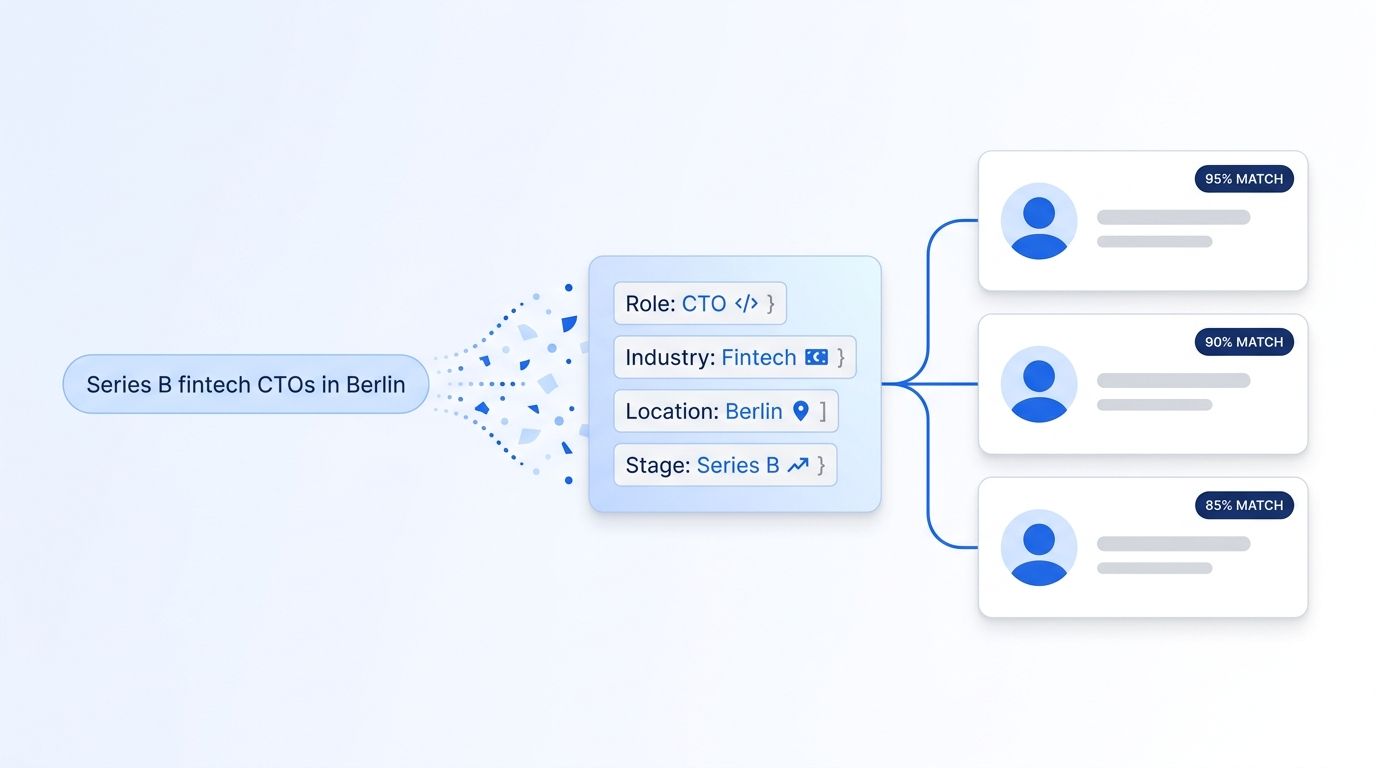
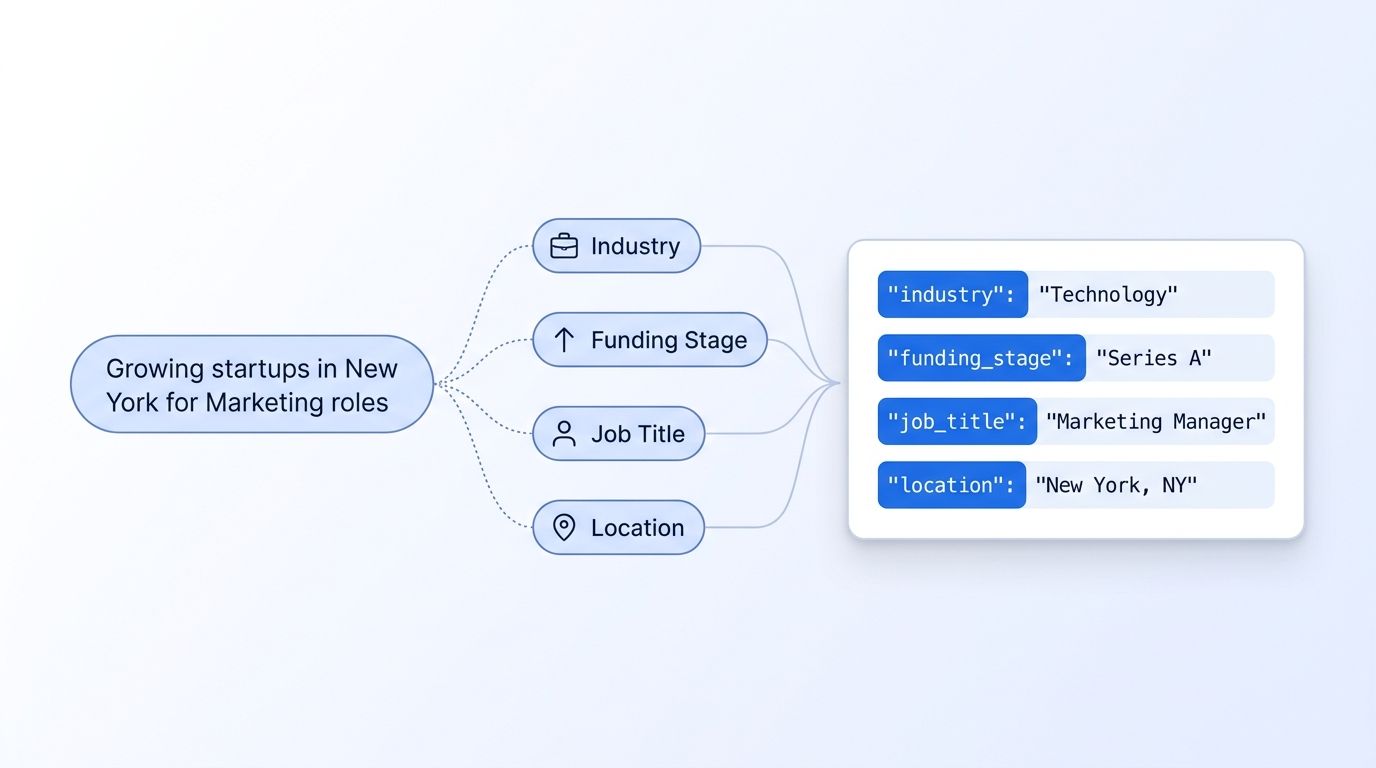
You translate an ICP sentence by mapping each descriptive phrase to a named filter field, then letting icp-suggest validate and expand it before you search. Start with the sentence itself: "Series B fintech CTOs in Berlin" decomposes cleanly into four fields — funding_stage, industry, job_title (with seniority), and location.
Here's the raw decomposition before any API call:
"Series B fintech CTOs in Berlin"
  → funding_stage: "Series B"
  → industry: "fintech"
  → job_title: "CTO"
  → seniority: "C-Suite"
  → location: "Berlin, Germany"
That mapping step is the part every Boolean-search workflow skips straight past — you'd normally jump right into writing ("CTO" OR "Chief Technology Officer"). With a filter-based API, this intermediate JSON object is the actual interface. It's inspectable, versionable, and reusable across searches, which matters once more than one person on your team is running the same ICP.
{
  "industry": "fintech",
  "funding_stage": "Series B",
  "job_title": "CTO",
  "seniority": "C-Suite",
  "location": "Berlin, Germany"
}
For the complete list of fields you can map to — job title, seniority, function, company name, company ID, LinkedIn URL, industry, headcount, and location — see the ICP Search filter reference. Before running anything, grab a key from the authentication guide and attach it as a bearer token on every request.
How Does icp-suggest Tune and Validate Your Filters?
icp-suggest takes a rough or partial field value and returns the closest valid, autocompleted matches before you spend credits on a full search. Run it on each fuzzy field from your decomposition — "fintech" and "Berlin" are both good candidates, since natural language rarely matches a taxonomy value exactly.
curl -X POST https://api.datamagnet.co/v1/icp/suggest \
  -H "Authorization: Bearer $DATAMAGNET_API_KEY" \
  -H "Content-Type: application/json" \
  -d '{
    "field": "industry",
    "query": "fintech"
  }'
A typical response returns ranked candidate values, not just a single guess:
{
  "field": "industry",
  "suggestions": [
    { "value": "Financial Services", "match_score": 0.94 },
    { "value": "Fintech", "match_score": 0.91 },
    { "value": "Banking", "match_score": 0.67 }
  ]
}
When we tested this against messier prompts — "series b-ish, maybe seed-extension fintech" — the suggest endpoint still returned usable funding-stage candidates instead of erroring out, because it's matching against a controlled taxonomy rather than parsing free text as a query. That's the tuning loop in practice: call icp-suggest for every ambiguous field, inspect the match_score values, and only promote a suggestion into your filter object once it clears a threshold you're comfortable with. We use 0.85 as a starting point for location and industry fields. Full field-by-field behavior is documented on the ICP Search — Suggest reference page.
Run this validation step against every field pulled from natural language before it reaches the search call. It's the difference between a search that silently returns zero results because "fintech" isn't a recognized value, and one that resolves to "Financial Services" automatically.
How Do You Run icp-people-search and Rank the Results?
You run icp-people-search by passing your validated filter object as the request body, and it returns structured decision-maker records instead of profile links to click through one by one. Each result comes back with the fields you filtered on already attached, so scoring against your ICP is a comparison, not a research task.
curl -X POST https://api.datamagnet.co/v1/icp/people-search \
  -H "Authorization: Bearer $DATAMAGNET_API_KEY" \
  -H "Content-Type: application/json" \
  -d '{
    "industry": "Financial Services",
    "funding_stage": "Series B",
    "job_title": "CTO",
    "seniority": "C-Suite",
    "location": "Berlin, Germany",
    "page": 1
  }'
{
  "results": [
    {
      "name": "Anke Vogel",
      "job_title": "CTO",
      "company": "Nordlicht Pay",
      "company_linkedin_url": "linkedin.com/company/nordlicht-pay",
      "location": "Berlin, Germany",
      "industry": "Financial Services",
      "linkedin_url": "linkedin.com/in/example-profile"
    }
  ],
  "page": 1,
  "total_results": 47
}
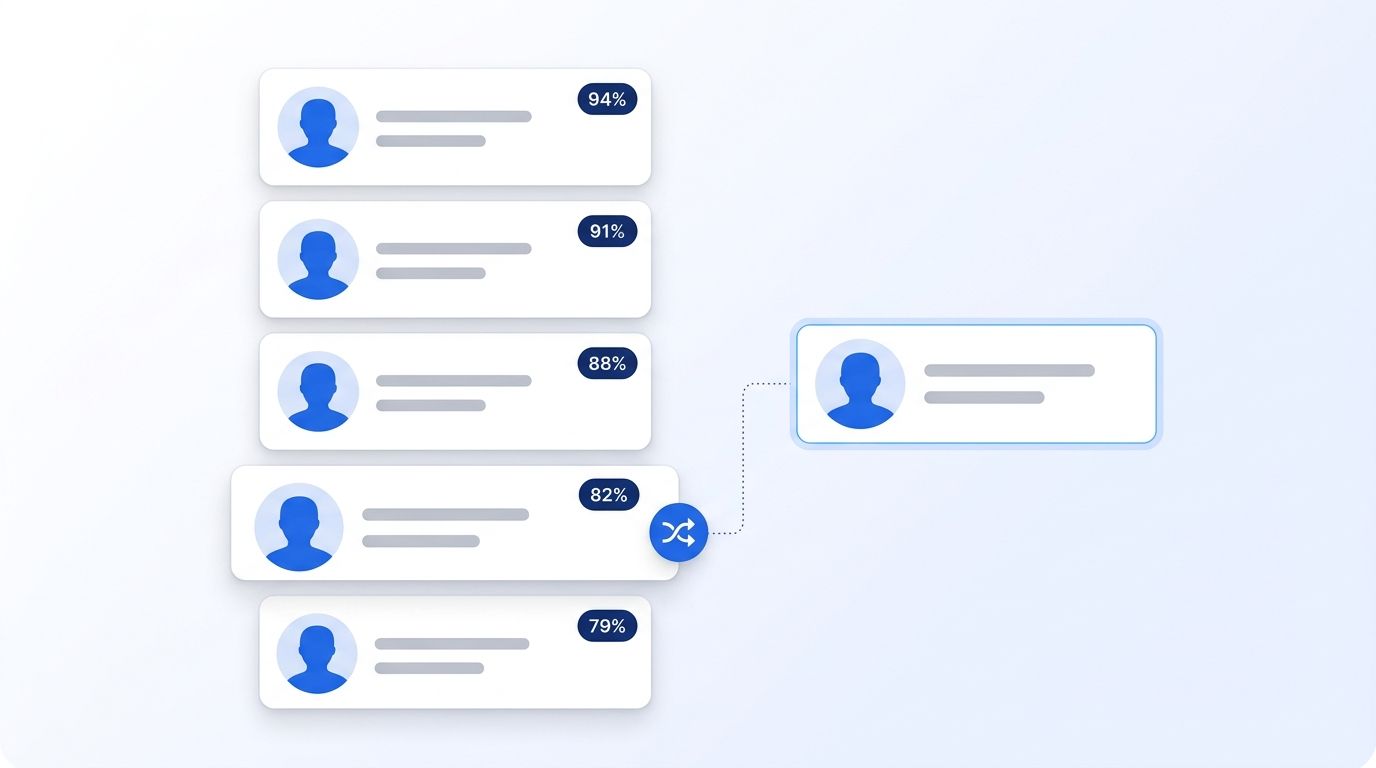
Scoring and deduplication happen on top of this response, and you control the logic. A simple, defensible scoring pass weights each filter match: a full title match (job_title == "CTO") gets more weight than a fuzzy seniority match, and an exact location match outweighs a "same country" fallback. Deduplication is a matter of keying on linkedin_url or company_linkedin_url before you merge results across multiple search pages or overlapping ICP variants — running the search once for "CTO" and once for "VP Engineering" against the same company filter will surface overlapping companies that need collapsing before handoff.
How Do You Pipe Results Into a Sequence Tool?
You pipe results into a sequencer by treating the deduplicated, ranked JSON array as the payload for a webhook or workflow node, rather than exporting a CSV and re-importing it somewhere else. Because icp-people-search already returns structured fields — name, title, company, LinkedIn URL — there's no column-mapping step between the API and your outreach tool.
A common pattern: run the search, filter and score in a small script or workflow, then POST the surviving records straight to an n8n HTTP node that fans them out to your sequencer's API. That keeps the entire pipeline — describe ICP, suggest, search, score, dedupe, sequence — inside one automated flow instead of a manual handoff between tools.
If your GTM motion also tracks these accounts after the initial list ships — watching for a champion's job change or a target exec's next LinkedIn post — the same company and person identifiers from your search results feed directly into a signal monitor. See the VIP Engagement Radar cookbook for a worked example of turning a static list into an ongoing alert.
In March 2026, Gartner reported that 67% of B2B buyers now prefer researching and buying with minimal rep involvement (Gartner, Gartner Sales Survey Finds 67% of B2B Buyers Prefer a Rep-Free Experience, 2026). That makes speed-to-first-touch even more valuable — a list that reaches your sequencer in minutes instead of hours is a real competitive edge, not a nice-to-have.
Natural-Language ICP Search vs. Sales Navigator Boolean Search: Why the "Why" Matters for GTM Engineers
The core difference is that filter-based search treats each ICP attribute as structured data, while Boolean search treats your entire ICP as one string you have to keep re-parsing in your head. That distinction shows up in three concrete ways once you're building repeatable GTM infrastructure instead of running one-off searches.
| Sales Navigator (Boolean) | Natural-language ICP search | |
|---|---|---|
| Query limit | 15 Boolean operators max per search (LinkedIn Help Center) | No operator ceiling — each filter is its own field |
| Output format | Profile links in a UI, with manual export friction a recurring theme across thousands of Sales Navigator reviews on G2 | Structured JSON, ready to score and pipe downstream |
| Reusability | Query string lives in one search bar session | Filter object is versionable, shareable, automatable |
| Fuzzy input handling | You guess synonyms yourself | icp-suggest resolves fuzzy terms to valid values |
This shift isn't hypothetical. Bloomberry's analysis of more than 1,000 GTM engineering and RevOps job postings found the category grew 205% year-over-year comparing Jan-Sep 2024 to Jan-Sep 2025 (Bloomberry, I Analyzed 1,000 GTM Engineering Jobs, 2025-2026), and the top tools named in those postings are overwhelmingly API-first, workflow-based platforms rather than manual search UIs. If you're hiring for or building toward that function, the API you pick is infrastructure, not a search-bar replacement.
If your workflow still starts from a saved Sales Navigator search URL, you don't have to rebuild it from scratch — Datamagnet's Sales Navigator API turns that same search URL into structured JSON, which is a reasonable bridge step while you migrate toward filter-based ICP search for new prospecting motions.
What Should You Watch For When Tuning ICP Suggestions?
Watch for over-trusting a high match_score on fields where your taxonomy and the real world diverge — industry and funding-stage labels are the most common offenders, since a target company can plausibly sit in two adjacent categories at once. Treat any suggestion below your confidence threshold as a manual review case, not an auto-accept.
The second failure mode is stale filter objects. In 2026, MarketingSherpa research hosted via HubSpot's Database Decay Simulation put B2B database decay at roughly 2.1% a month — about 22.5% a year (MarketingSherpa research, via HubSpot Database Decay Simulation). A funding-stage filter built from a Series B company list six months ago may already be pointing at companies that have since closed a Series C. Re-run icp-suggest periodically against your saved filter objects, not just at initial build time, so a stage or headcount value that's drifted gets caught before it silently narrows your results to nothing.
Teams that route validation through a signal-and-webhook loop instead of a scheduled batch job report catching stale records within days of the change happening, rather than at the next quarterly review — the gap between "the person changed jobs" and "your filter object knows it" shrinks from months to days.
As AI-assisted research becomes the default for buyers too — the same March 2026 Gartner survey found 45% of B2B buyers used generative AI during a recent purchase, drawing on an average of seven information sources (Gartner, Gartner Sales Survey Finds 67% of B2B Buyers Prefer a Rep-Free Experience, 2026) — the sellers reaching them first with a well-targeted, well-timed list have a real edge. Pricing for ICP search runs on a simple credit model, currently 10 credits per page of 25 results (see the ICP Search API pricing details), so testing a tuning loop end-to-end costs a fraction of a manual research afternoon.
Isn't the real question not whether your ICP is well-defined, but whether your search tool can actually act on that definition without you translating it first? That's the gap natural-language ICP search closes.
Frequently Asked Questions
What's the difference between icp-suggest and icp-people-search?
icp-suggest is an autocomplete layer — it takes a rough field value like "fintech" or "Berlin" and returns validated, ranked matches from Datamagnet's taxonomy before you search. icp-people-search takes the finished filter object and returns actual decision-maker records: name, title, company, and LinkedIn URL, ready to score and route downstream. See the ICP People Search reference for the full field list.
Is natural-language ICP search actually more accurate than Boolean search?
It's not inherently more accurate, but it removes the operator ceiling that limits Boolean precision — Sales Navigator caps queries at 15 Boolean operators (LinkedIn Help Center, 2026). A filter object can layer more attributes without hitting that wall, which lets you narrow an ICP further before you ever look at a result.
How do I handle duplicate results across multiple ICP search calls?
Dedupe on a stable identifier — linkedin_url for people or company_linkedin_url for accounts — before merging results from overlapping searches, such as running the same account filter against two different job-title variants. Keeping a running set of seen identifiers in your pipeline script is enough; no extra endpoint is required.
Can I connect ICP search results directly to my outbound sequencer?
Yes. Since results come back as structured JSON, you can POST the deduplicated list straight to a workflow tool like n8n, which fans records out to your sequencer's own API. That skips the CSV export-and-reimport step most Boolean-search workflows require.
How much does running an ICP search cost?
Datamagnet's ICP Search runs on a credit model: 10 credits per page of 25 results, per the ICP Search API pricing page. Because icp-suggest validates filters before you search, you spend those credits on queries likely to return real matches instead of on trial-and-error Boolean strings.
Sources
- Salesforce, State of Sales Report, 7th Edition, retrieved 2026-09-05, https://www.salesforce.com/news/stories/state-of-sales-report-announcement-2026/
- LinkedIn, Sales Navigator Help Center — Boolean Query Limitations, retrieved 2026-09-05, https://www.linkedin.com/help/sales-navigator/answer/a524411/boolean-query-limitations?lang=en
- Gartner, Gartner Sales Survey Finds 67% of B2B Buyers Prefer a Rep-Free Experience, retrieved 2026-09-05, https://www.gartner.com/en/newsroom/press-releases/2026-03-09-gartner-sales-survey-finds-67-percent-of-b2b-buyers-prefer-a-rep-free-experience
- Bloomberry, I Analyzed 1,000 GTM Engineering Jobs — Here's What I Learned, retrieved 2026-09-05, https://bloomberry.com/blog/i-analyzed-1000-gtm-engineering-jobs-here-is-what-i-learned/
- MarketingSherpa research, via HubSpot Database Decay Simulation, retrieved 2026-09-05, https://www.hubspot.com/database-decay
- G2, LinkedIn Sales Navigator Reviews, retrieved 2026-09-05, https://www.g2.com/products/linkedin-sales-navigator/reviews
- Datamagnet, ICP Search — Suggest, retrieved 2026-09-05, https://docs.datamagnet.co/api-reference/endpoints/icp-suggest
- Datamagnet, ICP People Search, retrieved 2026-09-05, https://docs.datamagnet.co/api-reference/endpoints/icp-people-search
- Datamagnet, ICP Search — Filter Reference, retrieved 2026-09-05, https://docs.datamagnet.co/api-reference/endpoints/icp-search-filters
- Datamagnet, Pricing, retrieved 2026-09-05, https://www.datamagnet.co/pricing/
