
Disclosure: This article is published by Datamagnet. Vendor claims are self-reported unless otherwise noted.
LinkedIn Scraper in Python: Why Scripts Break and What to Use Instead
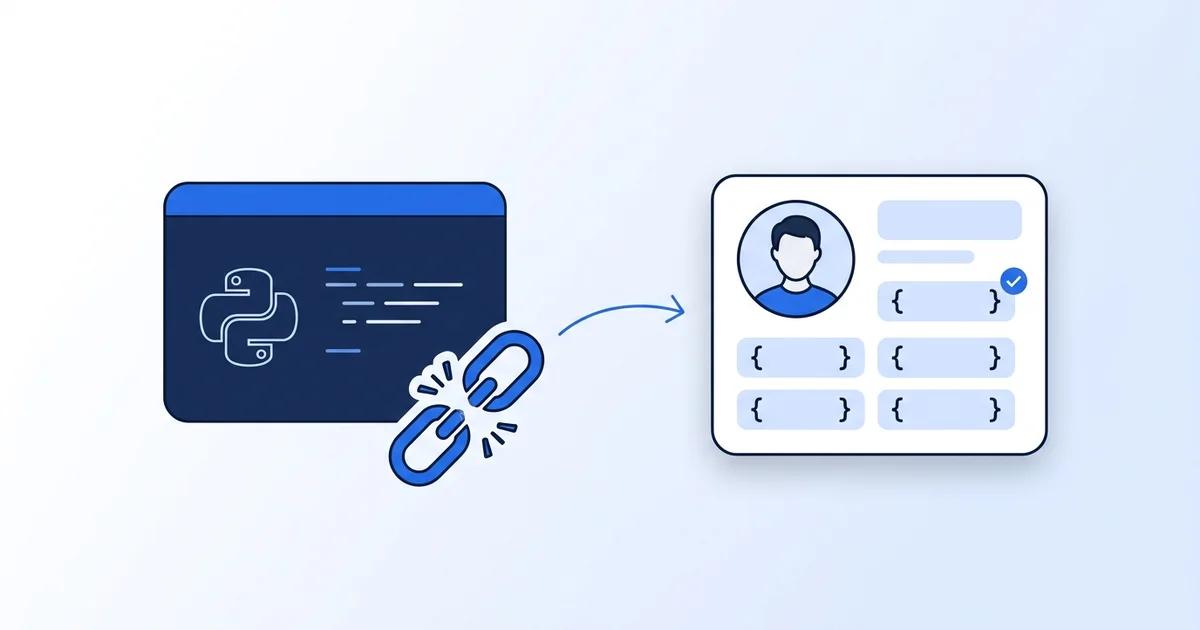
A LinkedIn scraper in Python looks easy for about an hour. Then the page returns a login wall, an odd status code, or a layout your parser has never seen. This tutorial shows why that happens, what LinkedIn's terms say, and how to get public profile data as JSON with a few lines of Python.
TL;DR
- Plain
requestsplus BeautifulSoup can't reliably read LinkedIn pages, and LinkedIn's User Agreement bars scripts that collect its data.- In 2026, over 62% of scraping professionals reported higher infrastructure spend, mostly from stronger anti-bot defenses (Apify, State of web scraping report 2026).
- A data API returns public profile fields as structured JSON. Datamagnet charges 1 credit per profile, with 10 free credits to start.
Why Does a LinkedIn Scraper in Python Break?
Most scripts fail because LinkedIn doesn't want automated traffic and builds defenses against it. In 2026, Apify's survey of scraping professionals found over 62% reported higher infrastructure spending, mostly attributed to stronger anti-bot protection (Apify, State of web scraping report 2026, January 2026). The survey is self-reported and not a full-industry sample, but the direction is clear.
Here's what usually goes wrong with a first script:
- A login wall instead of a profile. An anonymous request often gets a sign-in page, not the data.
- HTTP 999. It's not an official status code. According to http.dev's reference, LinkedIn uses it to refuse automated traffic.
- JavaScript-rendered content. Beautiful Soup parses the HTML you give it. It doesn't fetch pages or run scripts.
- Layout drift. Your CSS selectors work Monday and return
Noneon Friday.
So why does it feel so close to working? Because the first few requests sometimes succeed. Then volume rises and the failures start.
What Do LinkedIn's Terms Say About Scraping?
LinkedIn's User Agreement says members must not use scripts, robots or other automated means to collect data from the service. Its help center adds that members who use scraping or automation tools "risk having their accounts restricted or shut down" (LinkedIn, User Agreement, effective November 2025; LinkedIn Help, prohibited software and extensions).
That's the account-ban risk in LinkedIn's own words. Read both pages yourself before you build anything. This post doesn't give legal advice, and nothing here is a legal conclusion.
The courts have looked at scraping too. The hiQ v. LinkedIn case ran from 2017 to 2022. It ended in December 2022 with a consent judgment that reflected a confidential settlement (Proskauer, New Media and Technology Law Blog, December 2022). That's a procedural history, not a rulebook for your project.
For this tutorial, we stick to public profile data only. We won't log in, use personal accounts, or work around blocks. Those steps are off the table here. Datamagnet also documents its approach on its security and data practices page: public sources only, robots.txt respected.
What Do You Need Before You Start?
You need Python 3.9 or later, the requests library, and an API key. Setup takes about 10 minutes. Nothing else is required beyond basic Python.
You'll need:
- Python 3.9+ (python.org)
requests2.31 or later- A Datamagnet API key (10 free credits, see the pricing page)
- A public LinkedIn profile URL you're allowed to look up
- About 10 minutes
python -m venv .venv  # isolated environment
source .venv/bin/activate
pip install requests  # the one dependency
Step 1: Know What You're Replacing
You don't need to send a single request to LinkedIn to follow this tutorial, and we don't recommend it. The simple approach is a plain requests.get() on a profile page followed by an HTML parse. As the failure list above shows, the typical result is a non-200 status such as 999, or a short page that asks you to sign in. Either way, there's no structured profile in the response.
Watch out: The usual next move online is to add headers, proxies or cookies. We won't. That path leads straight into the terms problem above, and it's the maintenance trap behind that 62% spend figure.
Step 2: Call a Data API Instead
An API turns "parse a page" into "read JSON." Datamagnet's People endpoint takes a profile URL and returns name, headline, current role, experience, education and skills. Check the docs for the exact path and parameters, since they're the source of truth.
import os
import requests

BASE_URL = os.environ["DATAMAGNET_BASE_URL"]  # copy from the docs, not this post
API_KEY = os.environ["DATAMAGNET_API_KEY"]

def get_profile(profile_url: str) -> dict:
    resp = requests.get(
        f"{BASE_URL}/people",  # confirm path in the People docs
        params={"url": profile_url},
        headers={"Authorization": f"Bearer {API_KEY}"},
        timeout=30,
    )
    resp.raise_for_status()
    return resp.json()

if __name__ == "__main__":
    data = get_profile("https://www.linkedin.com/in/example-profile/")
    print(list(data.keys()))
Authentication uses a bearer token. The authentication docs cover key creation and rotation. One profile costs 1 credit.
Step 3: Handle Errors and Credits Properly
Real pipelines need error handling, because rate limits and bad URLs happen. The errors reference covers the 2xx, 4xx and 5xx response categories. A small retry wrapper is enough for most batch jobs.
import time
import requests
from fetch_profile import get_profile

def safe_profile(url, retries=3):
    for attempt in range(retries):
        try:
            return get_profile(url)
        except requests.HTTPError as err:
            code = err.response.status_code
            if code == 429 and attempt < retries - 1:
                time.sleep(2 ** attempt)  # back off, then retry
                continue
            print(f"Skipping {url}: HTTP {code}")
            return None

urls = [
    "https://www.linkedin.com/in/example-profile/",
]
results = [r for r in map(safe_profile, urls) if r]
print(f"Fetched {len(results)} profiles")
Check your balance with the credits endpoint before big runs. That way a batch doesn't stall halfway.
How Much Does It Cost Compared With Maintaining Scripts?
An API trades engineering hours for credits. Datamagnet plans run $39, $99 and $199 a month, and pay-as-you-go starts at $10 for 200 credits, or $0.05 per credit (Datamagnet pricing). One profile is 1 credit, and a search or engagement page is 10 credits.
Compare that with the hidden costs of a script. Proxy bills, selector fixes and a developer on call all add up. The Apify survey also found 65.8% of respondents reported increased proxy usage. The real cost of a scraper isn't the first build. It's the Friday-afternoon fix every few weeks, which never shows up in a budget line.
What won't an API do? Datamagnet has no job-listings endpoint. It's built for profile, company, post and signal data. Profile lookups also return email and phone where publicly available, per the People API page, so don't assume every profile has them. Coming from Proxycurl? See the Proxycurl alternative guide for endpoint mapping.
Why Does Fresh Data Matter So Much?
Profiles change constantly, so stale data quietly breaks outreach. In January 2026, median tenure with a current employer was 4.1 years for US wage and salary workers (U.S. Bureau of Labor Statistics, Employee Tenure Summary, September 2026). That means a large share of any list changes roles every few years.
Be careful with freshness, though. Per the People endpoint docs, the default response can be a cached profile of any age, so check the docs for how to request newer data before you rely on a title. For tracking job changes without polling, use the Signal API and its create signal endpoint.
If you're weighing build against buy for infrastructure, see the Datamagnet vs Bright Data comparison. For the product overview, visit the LinkedIn Scraper API page or the People API page.
Troubleshooting
| Problem | Symptom | Solution |
|---|---|---|
| Missing key | 4xx auth error (often 401) | Check DATAMAGNET_API_KEY is set in your shell |
| Bad profile URL | 4xx error on one row | Use the full public /in/ URL, no tracking parameters |
| Out of credits | Request refused | Check the credits endpoint, then top up |
| Rate limit | 4xx error (conventionally 429) | Back off and retry, as in batch.py |
| Wrong path | 4xx error (often 404) | Re-copy the endpoint path from the docs |
The errors reference documents the 2xx, 4xx and 5xx categories only. The specific codes above are standard HTTP conventions, so confirm them against real responses.
Next Steps
Once one profile works, extend it. Feed a list of URLs from your CRM into batch.py. Add ICP people search to find new prospects at 10 credits per page. Search stored profiles with the People Search Database, push enriched data into Clay, or set up champion tracking so your team hears about job moves automatically. Start with 10 free credits and run your first profile today.
Frequently Asked Questions
Can you scrape LinkedIn with Python?
Technically you can send requests, but plain scripts usually hit login walls or blocked responses. LinkedIn's User Agreement also bars scripts and bots that collect its data. A data API that returns public profile fields as JSON avoids building and maintaining a parser yourself.
Why does my LinkedIn scraper return HTTP 999?
HTTP 999 isn't an official status code. Per http.dev, LinkedIn uses it to refuse automated traffic, often for non-browser clients or high request rates. Retrying harder rarely fixes it. Switching to an API that fetches data for you removes the problem from your code.
Will LinkedIn ban my account for scraping?
LinkedIn's help center says members who use scraping or automation tools risk having their accounts restricted or shut down. That's why this tutorial uses no personal login at all. Check LinkedIn's current terms yourself, and ask a lawyer for legal questions.
How much does a LinkedIn data API cost?
Datamagnet charges 1 credit per profile and 10 credits per search or engagement page. New accounts get 10 free credits. Plans cost $39, $99 or $199 a month, and pay-as-you-go starts at $10 for 200 credits ($0.05 per credit). Profile lookups return email and phone where publicly available.
