
Disclosure: This article is published by Datamagnet. Vendor claims are self-reported unless otherwise noted.
LinkedIn Prospecting Tools: How to Turn Profiles Into CRM Records
Copying a LinkedIn profile into your CRM by hand takes about five minutes per contact. Multiply that by 50 prospects a week and you've burned over four hours on data entry alone. LinkedIn prospecting tools exist to close that gap — they pull structured profile data straight into CRM fields, so reps spend that time selling instead of typing.
This guide walks through what a real-time LinkedIn-to-CRM enrichment workflow actually looks like, how to evaluate the tools that build it, and how to stop those records from going stale the month after you create them.
TL;DR
- Sales reps spend 60% of their time on non-selling tasks like CRM data entry and research, not selling (Salesforce, State of Sales Report, 2026).
- Sales Navigator customers saw a 312% three-year ROI with under six months' payback, driven partly by cutting manual research time (Forrester Total Economic Impact study via LinkedIn, 2023).
- The median U.S. worker stays in a job 3.9 years, which means a chunk of your CRM's title and company fields are already out of date the day you save them (U.S. Bureau of Labor Statistics, 2024).
- Look for enrichment tools that pull data at request time, map directly into your CRM's native fields, and monitor for job changes after the initial sync.
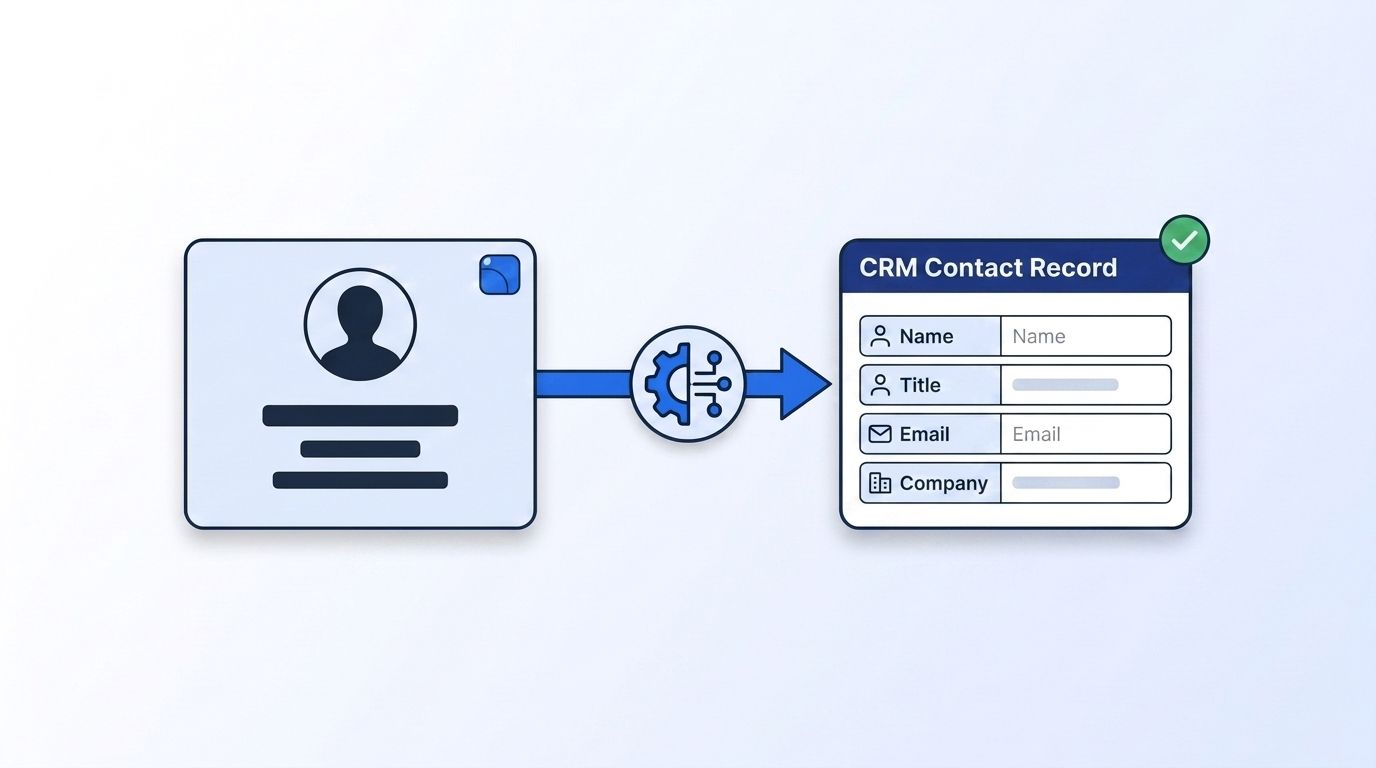
How Much Time Are Sales Teams Losing to Manual LinkedIn-to-CRM Work?
Sales reps spend 60% of their time on non-selling tasks — hunting for pitch decks, chasing internal approvals, and manually updating CRM records — according to Salesforce's 2026 State of Sales Report, based on a survey of more than 4,000 sales professionals worldwide. That leaves less than half the workday for actual selling.
Copy-pasting a LinkedIn profile into Salesforce or HubSpot isn't just slow, it's inconsistent. One rep grabs the job title, skips the company size. Another logs the LinkedIn URL but forgets the location field entirely. Multiply that across a 10-person team prospecting 40 accounts a week, and you get a CRM full of half-filled records that nobody trusts enough to build a sequence on.
That trust gap compounds fast. Reps who don't trust the data in the CRM start keeping their own spreadsheets on the side, which means the "system of record" stops being the actual system of record. Fixing that isn't a training problem — it's a data pipeline problem, and it's exactly what LinkedIn prospecting tools with built-in CRM enrichment are designed to solve.
According to Salesforce's 2026 research, non-selling work now outweighs selling work by a 3-to-2 margin across a 4,000-person global sample. That single number is the strongest business case for LinkedIn-to-CRM automation: every manual step you remove from prospecting gives that time back directly.
What Does a Real-Time LinkedIn-to-CRM Enrichment Workflow Look Like?
A real-time enrichment workflow captures a LinkedIn profile URL, pulls structured data through an API at the moment you need it, and writes that data into the matching CRM fields automatically. No spreadsheet in between, no stale export sitting in a CSV from three weeks ago.
The workflow typically has four steps:
- Capture the trigger. A rep pastes a LinkedIn profile or company URL, a form submission includes one, or an ICP search returns a list of matching profiles.
- Extract structured data. An enrichment API such as Datamagnet's People Profile endpoint fetches the current job title, employer, headline, experience history, and skills directly from the live profile — not from a months-old cached snapshot.
- Map fields to your CRM schema. Job title maps to
Title, current employer maps toCompany, LinkedIn URL maps to a custom field. This mapping step is where most manual workflows break down, because reps don't apply it consistently. - Write and deduplicate. The record is created or matched against an existing one, so the same prospect doesn't end up as three separate contacts because they used slightly different name spellings.
Tools like the Datamagnet integration for HubSpot or Datamagnet's Clay integration run this whole sequence inside the CRM or enrichment platform you already use, so nobody has to remember to run it manually.
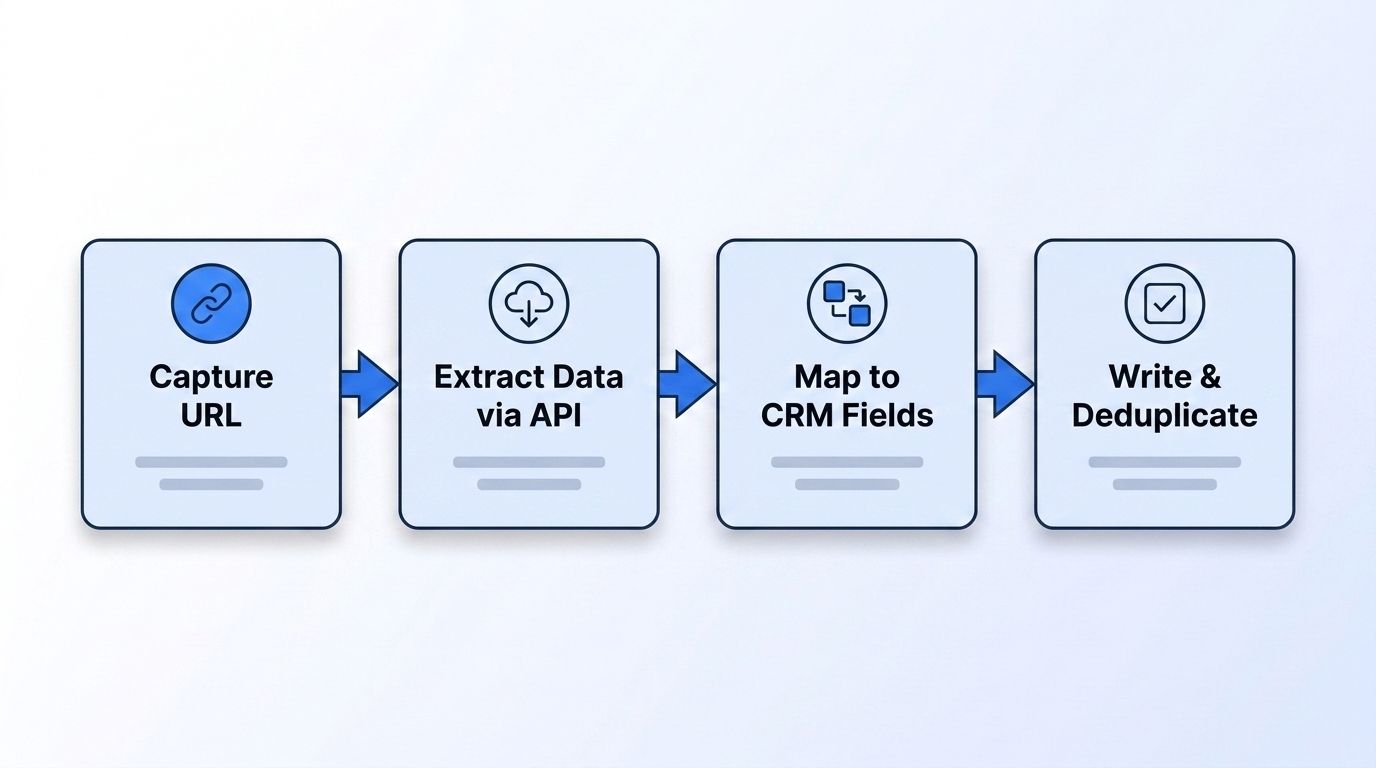
Teams that skip step 3 — field mapping — are the ones who end up with enrichment tools they eventually abandon. The extraction step almost always works fine; it's the unglamorous mapping and dedup logic that determines whether the data actually sticks in the CRM or silently drops into an unused custom field nobody checks.
Which LinkedIn Prospecting Tools Actually Create CRM Records?
Not every "LinkedIn prospecting tool" writes directly into your CRM. Some just help you find and message prospects on LinkedIn itself, while others handle the full extraction-to-CRM-record pipeline. Knowing which category a tool falls into before you buy saves a renegotiation six months later.
| Tool category | What it does | Writes to CRM directly? |
|---|---|---|
| LinkedIn search & outreach tools | Find prospects, send connection requests and messages on LinkedIn | Rarely — usually exports a CSV |
| Browser extensions / point enrichers | Pull a single profile's data when you're viewing it | Sometimes, via a manual "push" click |
| Enrichment APIs | Fetch structured people and company data at request time via API | Yes, when wired into a CRM workflow or integration platform |
| Native CRM add-ons | Live inside HubSpot, Salesforce, or a similar CRM as an app | Yes, by design |
A 2025 competitive review of the category (Reply.io's Best LinkedIn CRM Tools roundup) lists ten tools spanning all four of these buckets — from full CRMs like HubSpot and Salesforce to LinkedIn-specific point tools like Octopus CRM and folk. <!-- [UNIQUE INSIGHT] --> What that roundup doesn't cover is data freshness: none of the ten tools are compared on how current the underlying profile data is at extraction time, even though that's the variable that determines whether the CRM record is still accurate three months after you create it.
If your team is evaluating a switch from a static contact database, it's worth comparing how a request-time API differs from a stored-snapshot model — see how that plays out in a Datamagnet vs. ZoomInfo comparison.
What Should You Look for When Evaluating a LinkedIn Enrichment Tool?
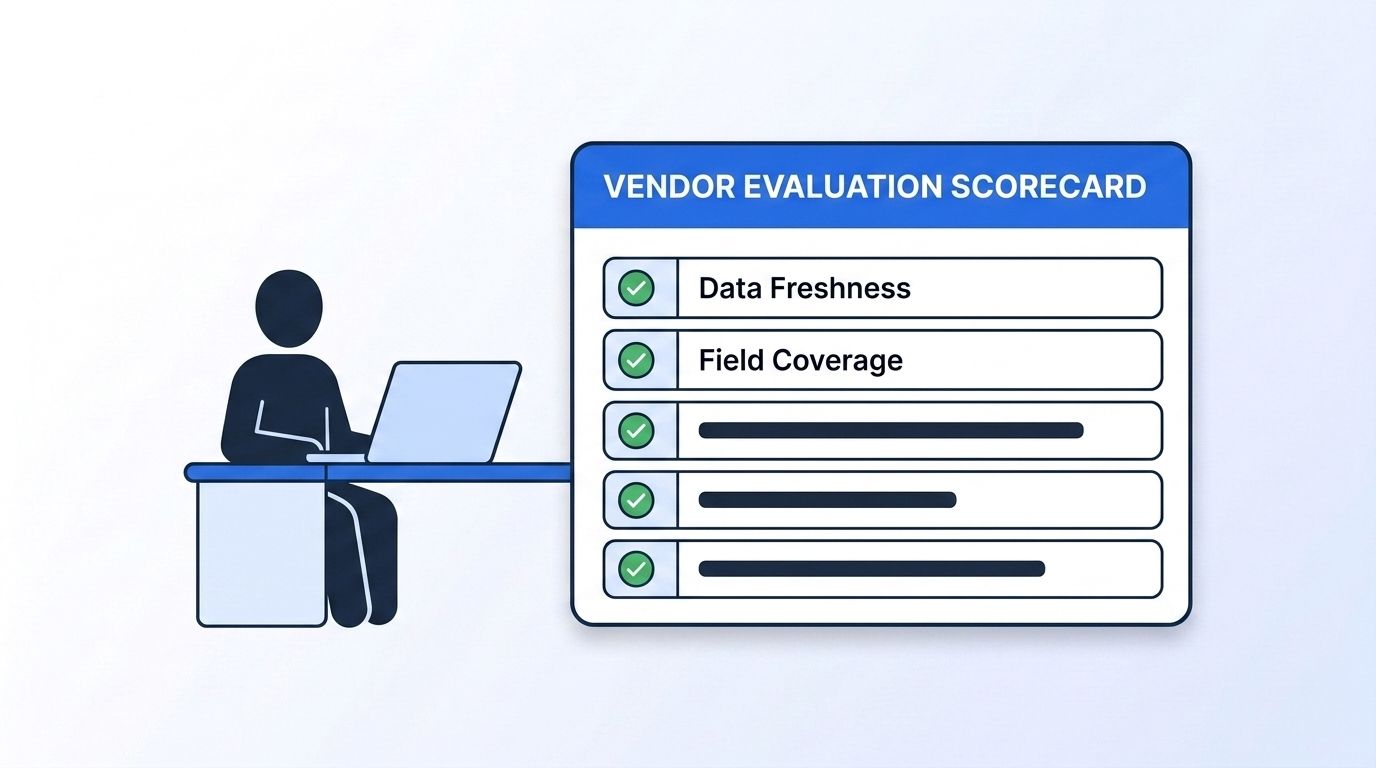
The right evaluation criteria for a LinkedIn enrichment tool come down to five things: data freshness, field coverage, CRM-native mapping, compliance posture, and cost per enriched record. Get these five right and the tool pays for itself in reclaimed selling time; get them wrong and you've just automated bad data at scale.
- Data freshness. Does the tool fetch data live at request time, or serve a cached snapshot that could be months old? Request-time APIs like the Datamagnet Company Profile endpoint pull current headcount, industry, and hiring signals instead of a static record.
- Field coverage. Can it return job history, education, skills, and company firmographics in one call, or do you need three separate tools stitched together?
- CRM-native mapping. Does it write into your CRM's actual fields, or dump everything into a single notes column you'll never query?
- Compliance posture. Does the vendor document how it collects public data, and does it respect robots.txt and platform terms? This matters more with every state privacy law that passes.
- Cost per enriched record. Per-credit or per-lookup pricing scales differently than flat monthly seats — model your actual monthly contact volume before comparing sticker prices.
Teams migrating off a legacy scraper-based setup should start with the Datamagnet API quickstart guide, which walks through generating a key and making the first People or Company request in the same session.
Does Sales Navigator Data Actually Move the Needle?
Yes — LinkedIn Sales Navigator customers saw a 312% return on investment over three years with a payback period of under six months, according to a Forrester Total Economic Impact study commissioned by LinkedIn in 2023. Revenue lift climbed from 5% in year one to 10% by year three as teams built enrichment and CRM workflows around the tool.
The same study found Sales Navigator use delivered a 15% boost to research efficiency, saved reps roughly 15 minutes a day from reduced tool-switching, and tripled the number of decision-maker connections reps made. Those numbers back up a pattern this guide keeps circling: the ROI isn't really about "more LinkedIn access," it's about how much manual research and re-typing gets removed from the rep's day.
How Do You Keep CRM Records From Going Stale After the Initial Enrichment?
CRM records go stale the moment a contact changes jobs, and the median U.S. worker holds a job for only 3.9 years, according to the Bureau of Labor Statistics' 2024 Employee Tenure Summary. At that turnover rate, a meaningful share of the titles and companies sitting in your CRM right now are already wrong.
A one-time enrichment pass fixes today's data but does nothing about next quarter's. That's why the more durable fix pairs enrichment with ongoing monitoring — a signal that fires when a tracked contact changes jobs, so the CRM record updates itself instead of quietly decaying. Datamagnet's job-change Signal API is built for exactly this: it watches a list of profiles and pushes a webhook the moment one of them moves companies.
This is also why re-engaging champions after they change jobs works so well as a pipeline source — the same signal that flags a stale record also flags a live opportunity at their new company. For a deeper look at building that motion, see the guide on programmatic CRM enrichment benefits.
What Does This Look Like in Practice?
Picture a 15-person SDR team running outbound against a target list of 2,000 accounts. Each week, reps pull 200 new LinkedIn profiles matching their ICP. Without enrichment automation, that's roughly 16 hours of manual copy-paste work across the team — nearly two full workdays spent typing instead of calling.
With a real-time enrichment workflow wired into HubSpot or Salesforce, that same 200-profile batch becomes an API call plus a field-mapping pass, both of which run in the background while reps work their existing pipeline. <!-- [UNIQUE INSIGHT] --> The time saved doesn't just get reallocated to more outbound volume — teams that make this switch tend to spend the reclaimed hours on account research instead, which is the step manual workflows usually skip entirely because there's no time left for it.
Frequently Asked Questions
What's the difference between LinkedIn enrichment and CRM data extraction?
LinkedIn enrichment is the act of pulling structured data — job title, company, experience — from a LinkedIn profile. CRM data extraction is the downstream step of writing that structured data into your CRM's actual fields. A complete workflow needs both; enrichment without the extraction step just leaves data sitting in an API response nobody imports.
Can I connect LinkedIn directly to my CRM without a third-party tool?
No. LinkedIn doesn't offer a native, direct CRM sync — every workflow that moves profile data into Salesforce, HubSpot, or another CRM relies on a third-party API, browser extension, or integration platform in between, per Reply.io's 2025 review of the LinkedIn CRM tool category.
How much does LinkedIn profile enrichment typically cost?
Pricing usually runs per-credit or per-lookup rather than a flat seat fee, since usage scales with how many contacts you're prospecting each month. Teams should model expected monthly contact volume against a vendor's credit pricing before comparing sticker prices, since a low per-seat cost can still be expensive at high volume.
How do I keep enriched CRM records from going stale?
Pair the initial enrichment with an ongoing job-change monitor. Given that median U.S. job tenure is only 3.9 years (Bureau of Labor Statistics, 2024), a static one-time enrichment will drift out of date within a few years at most, and often much sooner for fast-moving industries like tech and finance.
Is scraping LinkedIn profiles for CRM data legal?
Reputable providers collect only publicly visible profile data, respect robots.txt, and comply with GDPR and CCPA rather than scraping behind a login wall. Ask any vendor to document their collection method and compliance posture directly — this is one of the five criteria worth checking before signing a contract.
Getting Started
LinkedIn prospecting tools only pay off when the pipeline from profile to CRM record actually holds together end to end: live extraction, correct field mapping, dedup logic, and ongoing freshness monitoring. Skip any one of those and you're back to a CRM full of records nobody trusts.
- Sales reps lose 60% of their day to non-selling tasks like manual CRM entry (Salesforce, 2026).
- A request-time API beats a cached snapshot because median job tenure is just 3.9 years (BLS, 2024).
- Sales Navigator-driven workflows delivered 312% three-year ROI in independent research (Forrester/LinkedIn, 2023).
If you're ready to test what a live API-driven workflow looks like against your own contact list, the Datamagnet People Profile API includes 10 free credits to enrich your first batch of LinkedIn profiles.
