
LinkedIn Post Scraper API: Posts, Comments and Reactions (2026)
Disclosure: This article is published by Datamagnet, which sells the post endpoints described below. Vendor prices come from each vendor's own pricing page or docs, checked between July and November 2026, and they change often. Confirm them before you budget.
A LinkedIn post scraper API takes a public post URL, a keyword, a profile or a company page and returns posts as structured JSON: the text, author, publish time and engagement counts, plus the people who commented, reacted and reposted. You send one HTTP request with an API key and get data back, with no browser and no LinkedIn login of yours. On Datamagnet, a post costs 1 credit and each page of comments, reactions or reposts costs 10.
This guide covers what a post scraper returns, Datamagnet's seven post endpoints and their costs, working code, how five alternatives compare on price, and two use cases: engager lead lists and competitor monitoring. It covers public data only.
Key Takeaways
- A post holds four data layers: details, comments, reactions and reposts. Discovery adds three more ways in: keyword search, a person's activity and a company's posts.
- On Datamagnet, post details cost 1 credit; comments, reactions and reposts cost 10 credits a page each; post search costs 10 credits a search; person activity and company posts cost 10 credits a page (pricing).
- LinkedIn's average organic engagement rate was 5.20% in 2025, per Socialinsider's 2026 LinkedIn Benchmarks, so busy posts carry long lists of engagers.
- Section 8.2 of LinkedIn's User Agreement lists scraping software and bots among the things members agree not to use. Tools that run on your own account carry that risk directly.
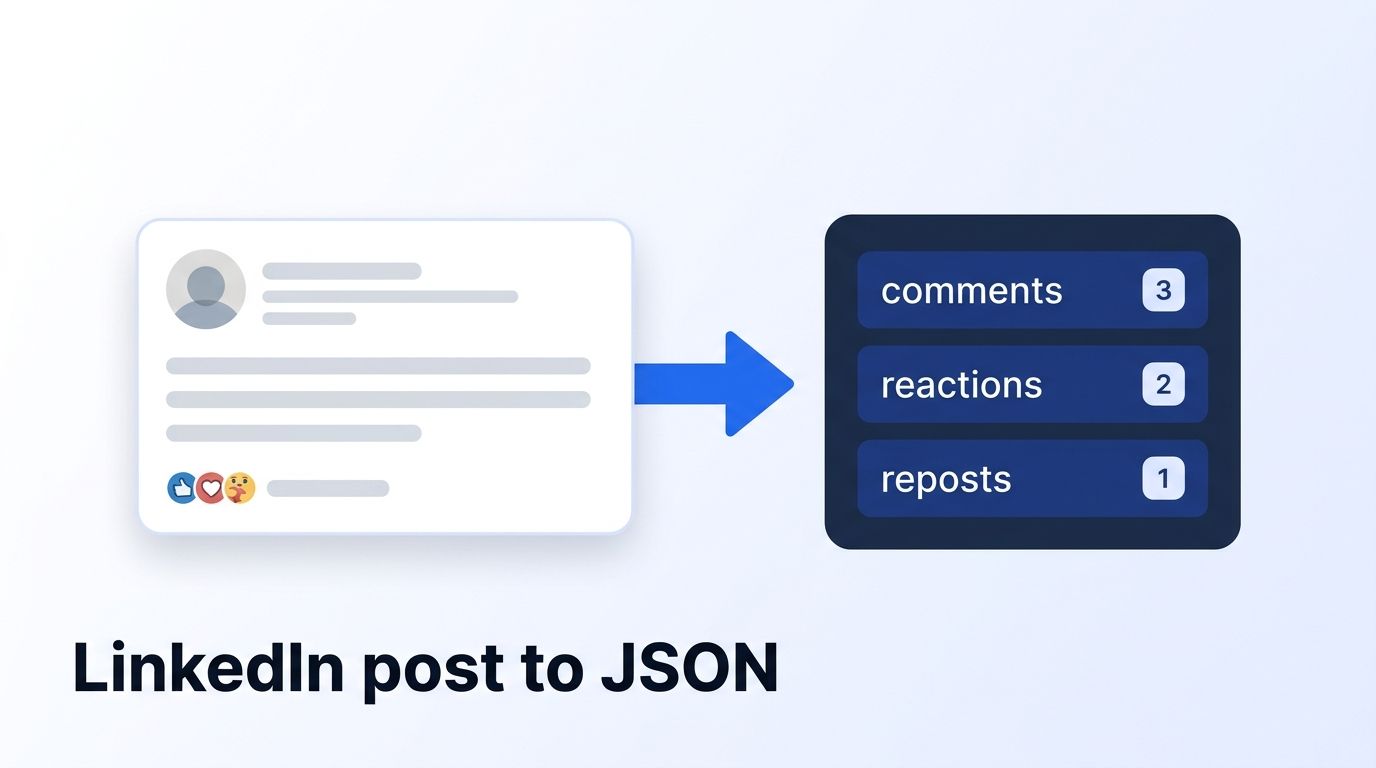
What Data Does a LinkedIn Post Scraper Return?
A LinkedIn post scraper returns four layers for a public post: post details, comments, reactions and reposts. Details give the text, author, media, publish time and counts. The other three give the people behind the engagement, with names, headlines and profile links. Those people are the reason most teams scrape posts at all.
Here is what each layer holds:
- Post details: author, text, media, publish time and engagement counts, with a breakdown by reaction type. On a repost, the original post comes attached.
- Comments: each commenter's name, headline and profile link, the comment text, its time, its reactions and the replies under it.
- Reactions: everyone who reacted, with name, headline, profile link and reaction type, such as LIKE, PRAISE or EMPATHY.
- Reposts: everyone who shared the post, plus any commentary they added.
Before you can pull those layers, you need post URLs. A post scraper finds them three ways: by keyword search, from a person's activity feed, or from a company page's posts.
Why does the engagement matter? Because the people in layers two to four raised their hand on a specific topic. According to Socialinsider's 2026 LinkedIn Benchmarks, organic posts averaged a 5.20% engagement rate in 2025, with documents highest at 7.00%.
Buffer measured it differently and found the same pattern. Its analysis put LinkedIn at a 6.50% average engagement rate, the highest of the eight platforms it studied (Buffer, "LinkedIn Leads in Engagement at 6.50%", April 2025). The two studies use different methods, so don't compare the numbers directly. Both say people act on LinkedIn posts.
Datamagnet's Post Endpoints and What They Cost
Datamagnet has seven post endpoints, all POST requests with a JSON body and a bearer token. Post details cost 1 credit per post. Comments, reactions and reposts cost 10 credits a page each. Post search costs 10 credits a search. Person activity and company posts cost 10 credits a page. Credits come from one balance, starting with 10 free.
| What you need | Endpoint | Input | Cost |
|---|---|---|---|
| Post details | POST /api/v1/post | Post URL | 1 credit per post |
| Post comments | POST /api/v1/post/comments | Post URL | 10 credits per page |
| Post reactions | POST /api/v1/post/reactions | Post URL | 10 credits per page |
| Post reposts | POST /api/v1/post/reposts | Post URL | 10 credits per page |
| Post search | POST /api/v1/post/search | Keyword and filters | 10 credits per search |
| Person activity | POST /api/v1/person/activity | Profile URL | 10 credits per page |
| Company posts | POST /api/v1/company/posts | Company page URL | 10 credits per page |
A few details from the endpoint pages that change how you build:
- Comments sort by
recent(the default) orrelevance. Theirtotalcounts top-level comments only; replies sit nested under each comment. - Post search filters by
date_posted(past-24h, past-week or past-month),content_type,author_titleandmentions_organization, and sorts by relevance or date. - Person activity takes a
typeof posts, comments, reactions or articles, so you can read the posts someone commented on, not just the ones they wrote. - Company posts go back about 12 months.
What it costs in dollars. Plans are $39 a month for 1,000 credits, $99 for 10,000 and $199 for 25,000, and pay-as-you-go starts at 200 credits for $10, falling to $0.02 a credit at volume (pricing). One post with a page of comments and a page of reactions is 21 credits. That's about $0.82 on the Starter plan and $0.17 on Scale.
What Datamagnet doesn't do: it has no email or phone lookup and no email verification. It returns public profile, company and post data. Check your balance before a large run with the Credit Balance endpoint. The LinkedIn Posts API page shows all seven endpoints together.
How Do You Scrape LinkedIn Posts With the API?
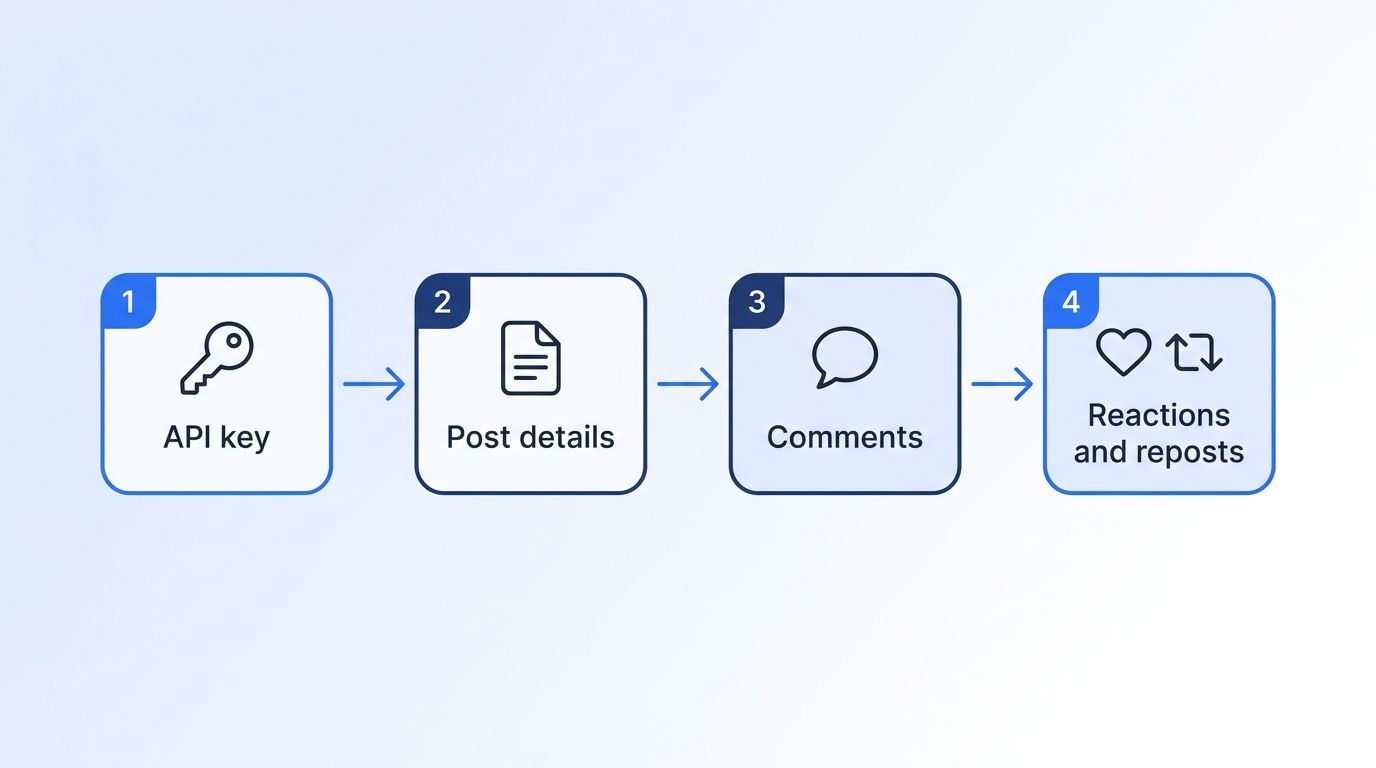
Scraping LinkedIn posts through an API takes four steps: get a key, pull the post details, pull the comments, then pull reactions and reposts. Each request is a POST with a JSON body and a bearer token. The engagement endpoints paginate: send the first request without page, then pass back the cursor until it comes back null.
Datamagnet's docs cover authentication with bearer tokens, so every request carries your API key in a header.
- Get a key. Sign up for 10 free credits. The quickstart walks through your first request.
- Pull the post. The Post Details endpoint returns author, content, media, engagement counts and publish time.
- Pull the comments. The Post Comments endpoint returns commenter profiles, text, timestamps and replies.
- Pull reactions and reposts. The Post Reactions and Post Reposts endpoints return each person with their reaction or share.
Here's a minimal Python sketch:
import os
import requests

API_KEY = os.environ["DATAMAGNET_API_KEY"]
BASE_URL = "https://api.datamagnet.co"
HEADERS = {"Authorization": f"Bearer {API_KEY}"}

post_url = "https://www.linkedin.com/posts/<public-post-url>"

def fetch(path: str, **body):
    resp = requests.post(f"{BASE_URL}{path}", headers=HEADERS, json=body, timeout=60)
    resp.raise_for_status()
    return resp.json()

post = fetch("/api/v1/post", url=post_url)                          # 1 credit

def fetch_pages(path: str, max_pages: int = 5, **extra):
    """First request without `page`; then send each response's cursor back as `page`."""
    pages, body = [], {"url": post_url, **extra}
    for _ in range(max_pages):          # page cap protects your credits
        data = fetch(path, **body)
        pages.append(data)
        cursor = data.get("cursor")
        if cursor is None:              # cursor is null: no more pages
            break
        body["page"] = cursor
    return pages

comments = fetch_pages("/api/v1/post/comments", sort="recent")   # 10 credits per page
reactions = fetch_pages("/api/v1/post/reactions")                # 10 credits per page
reposts = fetch_pages("/api/v1/post/reposts")                    # 10 credits per page
Our recommendation, not a measured industry stat: fetch the post first, then pull engagement only for posts that clear a threshold you choose, such as a minimum comment count. It ties the credit bill to the posts that matter.
Why Use an API Instead of Your Own Account or a Browser Script?
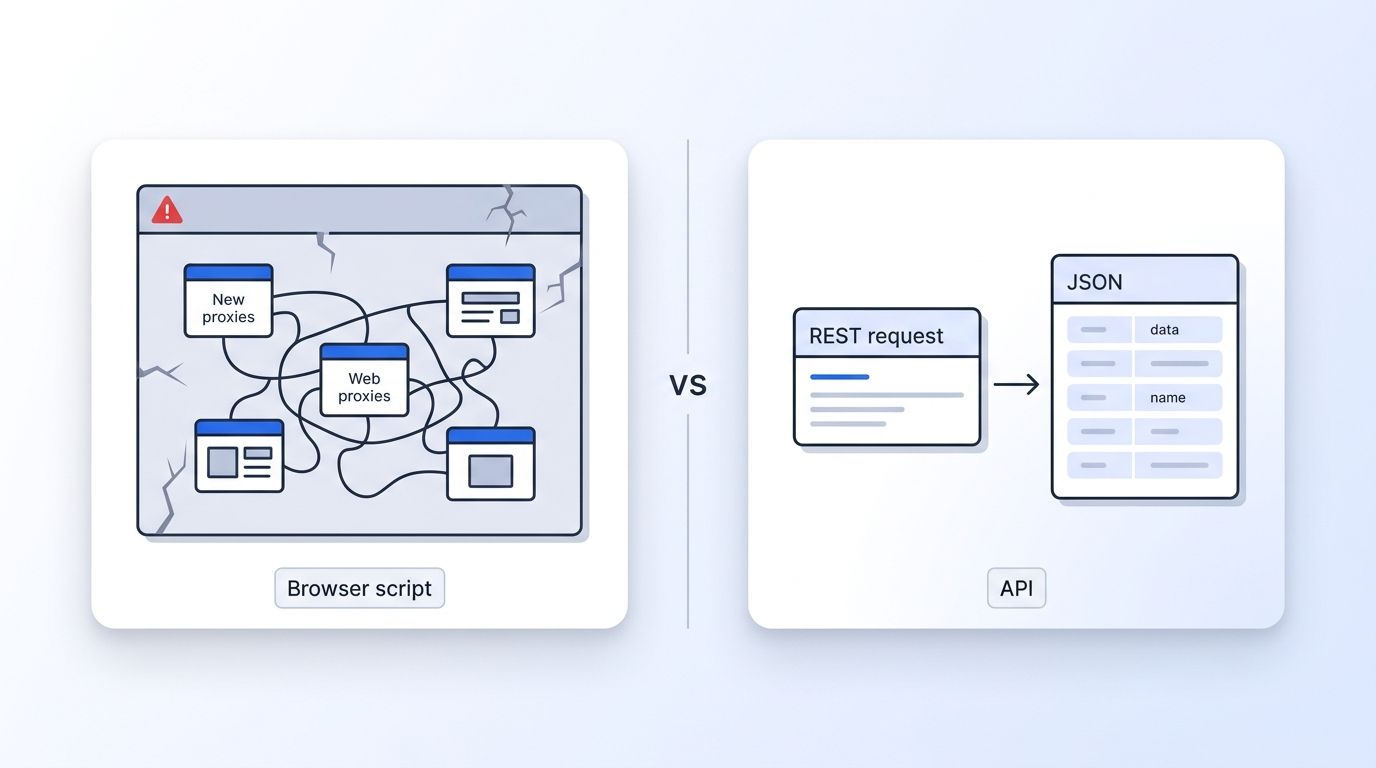
A browser script breaks when LinkedIn's layout changes and runs on whoever's account is logged in. LinkedIn's User Agreement, section 8.2, lists scraping software and bots that comment, like or share among the things members agree not to use. An API that collects public data on the vendor's side keeps your own account out of the workflow.
Here are LinkedIn's own words. Section 8.2 ("Don'ts") of the User Agreement, effective November 3, 2025, says members agree not to use "software, devices, scripts, robots or any other means or processes (such as crawlers, browser plugins and add-ons or any other technology) to scrape or copy the Services," or "bots or other unauthorized automated methods to access the Services." The Help Center says members using such tools "risk having their accounts restricted or shut down."
That's LinkedIn's stated position, not legal advice. Ask your own counsel about your use case.
The practical difference is whose account carries the risk. Session-based tools run on your login. An API such as Datamagnet's LinkedIn Scraper API takes a public URL and an API key; you never connect a LinkedIn login.
How Do LinkedIn Post Scraper Alternatives Compare?
Five alternatives cover most post scraping needs: Bright Data for bulk post records, ScrapIn for per-call activity endpoints, Coresignal for stored post data, PhantomBuster for session-based engager exports, and Apify Store actors for a la carte scrapers. They differ most on whether they return the people behind the engagement and whether they need your LinkedIn account.
| Tool | How it gets posts | Uses your LinkedIn account? | Engager data | Starting price |
|---|---|---|---|---|
| Datamagnet | Post URL, keyword search, person activity, company posts | No | Commenters, reactors and reposters, each with name, headline and profile link | 10 free credits; $39/mo for 1,000 credits (pricing) |
| Bright Data | Posts by URL; discovery by company or profile | No | Comments inside the post record | $1.50 per 1,000 records; 5,000 free a month (pricing) |
| ScrapIn | Company posts by page URL; comments, reactions and reposts by post ID | No | Author ID, name and public identifier per comment or reaction | 1 credit per call or page; pay-as-you-go from $100 to $500 (pricing) |
| Coresignal | Employee and company posts from stored data | No | Commenter identities on employee posts; reactions as counts only | 1 credit per post; Mini $49/mo for 2,500 credits (pricing) |
| PhantomBuster | One profile, company, post or post-search URL at a time | Yes | Name, profile URL, comment text, commented or liked | Start $69/mo; 14-day trial (pricing) |
| Apify Store actors | Varies by actor | Depends on the actor | Varies by actor | Free plan with $5/mo usage; Starter $19/mo, plus the actor's own price (pricing) |
Bright Data
Bright Data's LinkedIn Scraper API covers posts alongside profiles, companies, jobs and people search, at $1.50 per 1,000 records ("Pay only for success") with 5,000 free records a month. Its scraper docs describe post data as "Post content, engagement metrics, hashtags, comments," with discovery "by company or profile." That page doesn't describe a separate reactor list. It's the cheapest per record for bulk post collection. See Datamagnet vs Bright Data.
ScrapIn
ScrapIn's activity endpoints cover company posts, a single post, post comments, post reactions and post reposts, each at 1 credit per call or page. Each comment or reaction returns an author ID, name and public identifier. The catch is the dollar side: reversecontact.com lists pay-as-you-go from $100 and scrapin.io from $500, and neither publishes a per-credit rate. See Datamagnet vs ScrapIn.
Coresignal
Coresignal sells post data from its stored collection at 1 credit per social post, on plans from Mini at $49 a month for 2,500 credits (pricing). Its Employee Posts data includes commenter identities but reactions as counts only; its Company Posts data has reaction and reshare counts without reactor identities. Good for historical analysis, less so for reactor lists. See Datamagnet vs Coresignal.
PhantomBuster
PhantomBuster's Post Commenter and Liker Scraper returns each engager's name, profile URL, comment text and whether they commented or liked. It requires "A connected LinkedIn account," processes up to 8 posts a day and runs once daily. Plans start at $69 a month, or $56 billed annually (pricing). It suits a rep watching a few posts, not a pipeline. See Datamagnet vs PhantomBuster.
Apify Store actors
Apify's Store lists community-built LinkedIn post actors. Platform plans start with a free tier of $5 monthly usage and Starter at $19 a month, and each actor adds its own price: Apify says every Store actor uses pay-per-event, set by "the Actor's developer," or pay-per-usage (pricing). Output and account requirements vary by actor, so check the listing and run a small batch first.
How Do You Build a Lead List From Post Engagers?
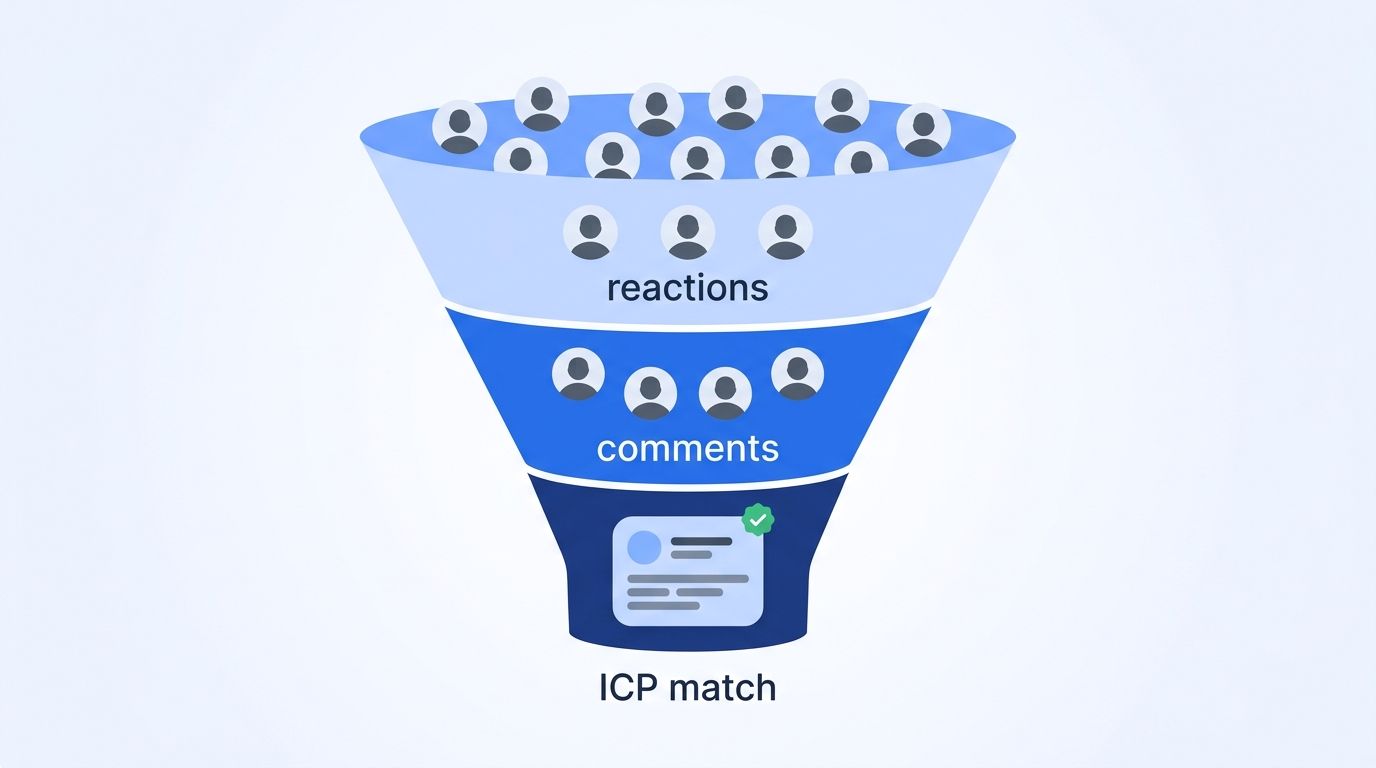
To build a lead list from post engagers, pull the commenters and reactors on posts your buyers care about, rank commenters above reactors, and keep only people who match your ICP. A comment takes more effort than a like, so it's a stronger signal. Then enrich the survivors with a profile lookup before any outreach.
The best source posts are usually a competitor's product posts, an analyst's post about your category, or a post from a leader your buyers follow. Post search finds them by keyword; filter to past-week to keep the list current.
A simple scoring pass works well:
- Commenter on a competitor post: highest priority, since they wrote something.
- Reactor on a competitor post: medium priority.
- Repeat engager across several posts: bump the score.
- Matches your ICP on title and company size: required before any outreach.
Timing matters too. In 6sense's 2025 Buyer Experience Report, the buyer-to-seller research split moved from 70/30 to 60/40, so sellers now engage earlier. A comment on a competitor's post is an early signal.
Enrich the profiles that pass with the People API at 1 credit each; send use_cache: "never" if you need the profile read at the moment you call. Datamagnet doesn't return emails or phone numbers, so add a contact-data step if your outreach needs one. The Competitor Hijack cookbook walks through the full play.
How Do You Monitor Competitors' LinkedIn Posts?
To monitor competitors, pull each competitor's company posts on a schedule, run a weekly post search for their name or product, and pull engagement only on the posts that perform. Company posts cost 10 credits a page and a search 10 credits. For ongoing alerts without polling, Datamagnet's Signal API is sales-led.
A weekly routine for five competitors might look like this:
- Company posts. Pull one page of company posts per competitor (10 credits each, 50 in total). Each post carries its text, type and engagement counts.
- Mentions. Run a post search with
mentions_organizationset to the competitors' company IDs anddate_postedset topast-week(10 credits a search). - Executives. Read their leaders' feeds with person activity (10 credits a page).
- Engagement on the top posts. For the two or three posts that stand out, pull comments and reactions to see who engaged.
Polling pays for every check, including the empty ones. If you'd rather have events pushed to you, Datamagnet's Signal API watches keywords, companies and people and delivers by email or signed webhooks. It's sales-led, so book a demo from that page. For a no-code pipeline, there's an n8n integration.
Which Mistakes Break a Post Scraping Workflow?
The most common post scraping failures are ignored pagination, missing error handling, hardcoded endpoint details, over-collection and treating every reaction as buying intent. Pagination matters most on viral posts, which have far more comments than one page returns. Set a page cap so one large thread can't drain your credits.
- Ignoring pagination. Loop until the cursor is null, with a page cap.
- Skipping error handling. Rate limits and validation errors happen. The errors reference lists every code.
- Hardcoding endpoint details. Read the changelog when something shifts.
- Collecting more than you need. Store only the fields your workflow uses.
- Treating reactions as intent. A like is a hint. Combine it with fit before you reach out.
When you're ready, start with 10 free credits and run the four calls above on one post.
Frequently Asked Questions
These answers cover what LinkedIn's terms say, what a post scraper returns, what comments and reactions cost on Datamagnet, whether it returns contact details, and how it compares with session-based tools. Figures match the endpoint table and pricing sources above.
Is it allowed to use a LinkedIn post scraper?
We can't give legal advice. Section 8.2 of LinkedIn's User Agreement, effective November 3, 2025, lists scraping software and bots that comment, like or share among the things members agree not to use, and LinkedIn's Help Center says members using such tools risk having accounts restricted or shut down. Read both pages and ask counsel about your use case.
What data can you get from a LinkedIn post scraper API?
Four layers per post: details (author, text, media, publish time and engagement counts), comments with commenter profiles and replies, reactions with each reactor's name, headline and reaction type, and reposts with any added commentary. Discovery endpoints add posts by keyword search, by a person's activity and by company page.
How much does it cost to scrape comments and reactions?
On Datamagnet, post details cost 1 credit, and each page of comments, reactions or reposts costs 10 credits. One post with a page of comments and a page of reactions is 21 credits, about $0.82 on the $39 Starter plan. New accounts get 10 free credits with no card.
Can the API return emails or phone numbers of commenters?
No. Datamagnet has no email or phone lookup and no email verification. For each commenter or reactor it returns public profile data such as name, headline and profile link, and the People API returns the full public profile for 1 credit. Teams that need contact details add a separate contact-data step.
Is a post scraper API better than PhantomBuster for engagers?
It depends on scale and account risk. PhantomBuster's Post Commenter and Liker Scraper needs a connected LinkedIn account and processes up to 8 posts a day, which suits a rep watching a few posts. An API runs without your account and bills per page of results, which suits pipelines and monitoring.
