
Disclosure: Datamagnet publishes this article. Product capabilities described below are based on public documentation, retrieved 2026-07-30.
Intent Data Decay: How Long Is a Buying Signal Actually Useful?
A job change alert, a funding announcement, a LinkedIn comment on a competitor's post - every one of these buying signals starts losing value the moment it fires. In 2011, Harvard Business Review found that firms contacting a lead within an hour were nearly 7 times more likely to qualify it than firms that waited even one hour longer, and more than 60 times more likely than firms that waited a full day (Harvard Business Review, "The Short Life of Online Sales Leads," 2011). This guide breaks down how long different intent signals actually stay useful, why they decay at different speeds, and how to build a workflow that acts before a signal goes cold.
If you're new to this space, our guide to real-time job-change intent APIs covers the fastest-growing structural signal type in more depth.
TL;DR
- Buying signals don't decay at the same rate: structural signals like a job change or funding round stay relevant for weeks, while behavioral signals like a LinkedIn like or a single page view fade within days.
- In 2011, Harvard Business Review found leads contacted within an hour were nearly 7 times more likely to qualify, and 60 times more likely, than leads contacted a full day later (Harvard Business Review, 2011).
- Gartner's B2B buying journey research (building on CEB's original work) has found buyers complete a majority of their purchase decision before ever contacting a supplier directly (Gartner, retrieved 2026-07-30).
- Give every signal type an expiration window instead of one blanket "still valid" rule, and set response SLAs that match each window instead of treating every alert the same.
- Route signals through webhooks instead of a manual dashboard check, so a rep sees the alert while it's still fresh enough to act on.

What Is Intent Data Decay, and Why Should You Care?
Intent data decay is the loss of usefulness a buying signal experiences the longer it sits unacted on. A job change, a funding round, or a spike in LinkedIn engagement all suggest that a person or company might be ready to buy - but that readiness has a shelf life, not a permanent one. In 2012, CEB's widely cited research (now folded into Gartner's ongoing B2B buying journey work) found that buyers complete a majority of their purchase decision before ever contacting a supplier directly (Gartner, citing CEB research, retrieved 2026-07-30).
Citation capsule: Buyers do most of their research and internal deliberation before a supplier's sales team ever hears from them, which means the visible signal your team sees - a page visit, a download, a job change - already represents someone who's further along than the interaction itself suggests. Waiting to confirm intent burns the exact window where outreach still lands early.
<!-- [UNIQUE INSIGHT] -->Most sales teams score intent signals as present or absent, with no sense of how much runway is left before the moment expires. A signal isn't a light switch - it's closer to a battery that drains at a different rate depending on what triggered it. Treating a four-month-old job-change alert the same as a same-day LinkedIn comment means you're either overreacting to stale signals or under-reacting to fresh ones.
To confirm a signal is still current before you act on it, check the person's current LinkedIn profile directly rather than trusting whatever triggered the alert days or weeks ago.
Why Does Response Speed Matter So Much for Buying Signals?
Response speed matters because a buying signal's value curve is steepest in the first hour, not the first week. In 2011, Harvard Business Review found that firms contacting a lead within an hour of a signal were nearly 7 times more likely to qualify it than firms that waited even one additional hour, and more than 60 times more likely than firms that waited 24 hours or longer (Harvard Business Review, "The Short Life of Online Sales Leads," 2011).
Citation capsule: Firms that contact a lead within an hour of a signal are nearly 7 times more likely to qualify it than firms that wait just one additional hour, and more than 60 times more likely than firms that wait a full day (Harvard Business Review, "The Short Life of Online Sales Leads," 2011).
That research is more than a decade old, but the underlying mechanic hasn't changed - a prospect's attention window is short, and every hour a signal sits in a queue is an hour closer to irrelevance. The fix isn't hiring more reps to check dashboards faster. It's routing signals so a rep sees them the moment they fire. Create a signal monitor that tracks job changes, new posts, or engagement events for a target list, then pair it with a webhook so the alert reaches your CRM or Slack channel in real time instead of waiting for someone to refresh a dashboard.
How Fast Do Different Buying Signals Decay?
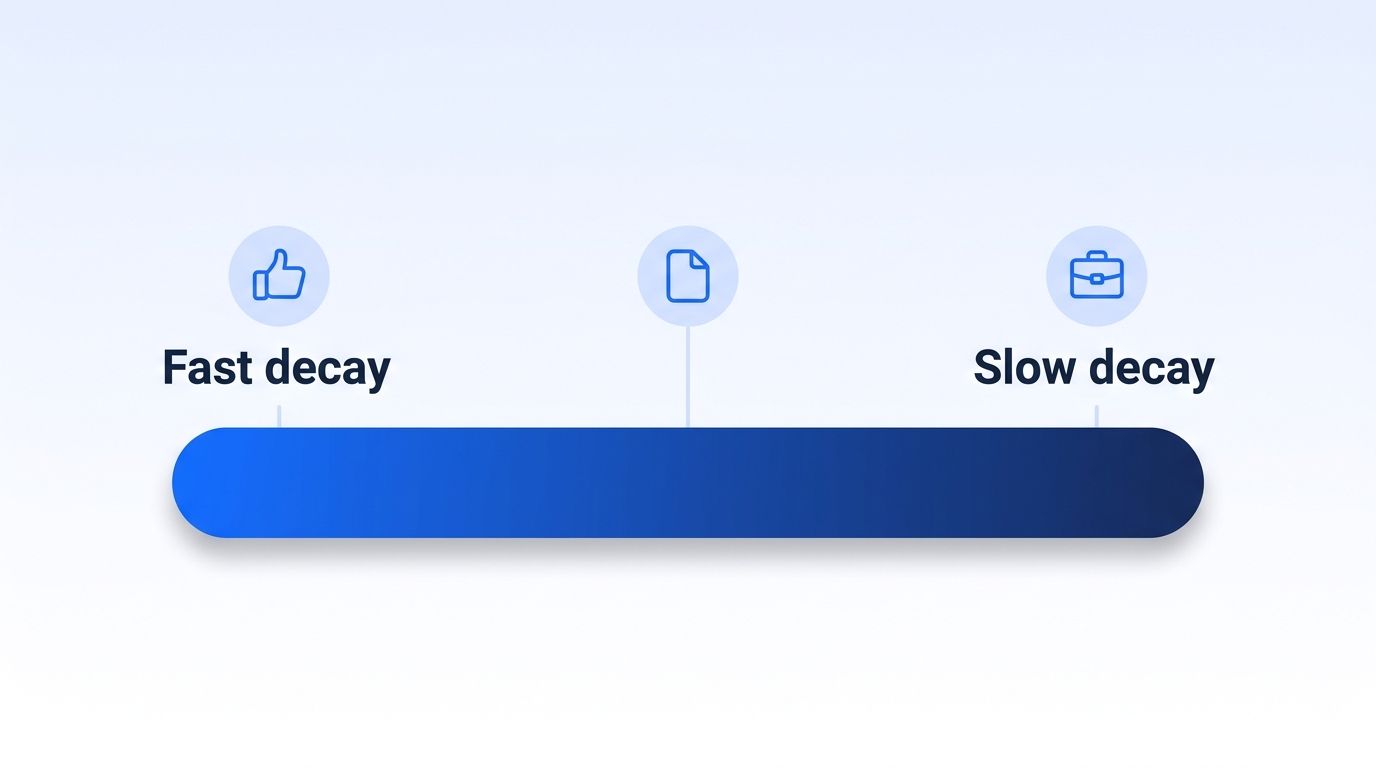
Different signal types decay at meaningfully different speeds, and lumping them into one intent score hides that difference. Structural signals - a job change, a funding round, a hiring surge - describe a change in someone's role or company that stays true for weeks or months. Behavioral signals - a LinkedIn like, a single content download, a one-off page visit - describe a moment of attention that fades within days, since attention shifts far faster than a role or a company's structure changes.
<!-- [UNIQUE INSIGHT] -->Think about what each signal actually measures. A job-change signal says "this person now has budget authority and a mandate to prove value fast" - a condition that holds for the first few months in a new seat, which is why champion-tracking programs built around job changes stay useful long after the alert first fires. A single post-like signal says "this person looked at something for a few seconds" - a condition that can be true one day and gone the next.
Third-party topic-intent providers, such as Bombora and 6sense, score companies on a rolling multi-week observation window across their data co-op, then let that score fade once a company's research activity on a given topic cools off. That's a reasonable middle ground - faster to expire than a job change, slower than a single engagement event - but it's still an aggregate company-level signal, not a specific decision-maker you can act on directly.
Monitor company-level engagement signals to catch that medium-decay research activity before it disappears into a topic-intent aggregate score with no named individual attached.
How Do You Build a Signal-Freshness Workflow?
Building a signal-freshness workflow means matching your response process to each signal's decay speed instead of running every alert through the same queue. Here's how to set it up in four steps.
Step 1: Segment Signals by Decay Speed, Not by Source
By the end of this step, every incoming signal carries an expected "useful window," not just a type label. Group your signal types into three speed tiers: fast (social engagement, single page visits - useful for a few days), medium (content downloads, topic-intent scores - useful for one to two weeks), and slow (job changes, funding rounds, hiring surges - useful for a month or more while the underlying condition holds). Tag each incoming signal with its tier in your CRM or routing tool. You'll know this step worked when a rep can look at any signal and immediately see how much runway is left, not just what happened.
Step 2: Set Response SLAs That Match Each Tier
By the end of this step, fast-decaying signals get same-day response commitments, and slow-decaying ones get a realistic window instead of a false-urgency alert. Given the Harvard Business Review finding that qualification odds drop off within the first hour, treat fast-tier signals - a like, a page visit - as same-day-or-never. Slow-tier signals, like a job-change alert, can carry a two-to-four-week SLA, since the underlying condition - new role, new budget - doesn't disappear overnight.
Step 3: Automate Capture and Routing With Signals and Webhooks
By the end of this step, a fast-tier signal reaches a rep within minutes of firing, without anyone checking a dashboard. Register company-level and person-level engagement signals for your target accounts, then deliver every alert through a webhook straight into your CRM or Slack channel.
<!-- [PERSONAL EXPERIENCE] -->Watching teams route every signal type - a funding alert and a single post-like - into the same generic "new lead" queue is a common failure mode. Reps triage by gut feel, fast-decaying signals go stale waiting behind slower ones, and by the time anyone gets to them the moment has passed.
Step 4: Expire and Re-Score Stale Signals Instead of Letting Them Linger
By the end of this step, a signal that's outlived its useful window drops out of active outreach instead of quietly sitting in a rep's list. Re-run your target list through ICP People Search on a schedule that matches your slowest tier, so a role that's changed again or a company that no longer fits your ICP gets flagged and removed instead of staying in rotation on outdated grounds.
Common Mistakes Teams Make With Aging Buying Signals
The most common mistake is treating every signal as equally fresh the moment it lands in a CRM, with no sense of how much runway is left before it stops being useful.
1. No expiration window on signal-based lead scores. Most lead-scoring models add points when a signal fires but never subtract them as the signal ages. A job-change alert from four months ago still carries the same score as one from this morning, even though the "new in role, ready to buy" window has likely closed.
2. Routing every signal through the same queue. When a fast-decaying social-engagement signal and a slow-decaying funding-round signal land in the same generic queue, reps can't tell which one needs same-day action and which one can wait a week. Segment by decay tier before routing, not after.
3. Confusing "recent" with "relevant." A signal that fired yesterday isn't automatically more useful than one from two weeks ago if the older one is a slower-decaying type. Recency and relevance move together for fast signals, but they diverge for structural ones like a job change or a new funding round.
What Should You Do When a Signal Goes Cold?
When a signal goes cold, don't delete the record - downgrade it and keep watching, since the same account or person often produces a fresh signal later. A job-change alert that's aged past its useful window for outbound is exactly the kind of contact worth adding to a champion-tracking list, so the next time that person changes roles again, you catch it immediately instead of starting from zero.
The same logic applies to competitor engagement. Someone who liked a competitor's post six weeks ago has cooled off as an active outbound target, but the underlying category interest hasn't necessarily disappeared - it's worth re-checking with a Competitor Hijack-style monitor rather than writing the account off entirely.
Frequently Asked Questions
How long does a job-change signal stay useful?
A job-change signal typically stays useful for four to eight weeks after it fires, since a person's new-role urgency and budget authority don't disappear overnight the way a single content download does. Reset the clock if that person's responsibilities or team change again during the window.
Is a website visit a stronger signal than a LinkedIn engagement?
Neither is inherently stronger - both are fast-decaying behavioral signals, useful for a matter of days rather than weeks. What matters more is pairing either one with a structural signal, like a job change or a funding round, to confirm the interest is backed by actual buying authority.
Why does a lead-response study from 2011 still matter today?
Because the underlying mechanic - attention fades fast, and the first hour matters more than any hour after it - hasn't changed even as the channels have. Harvard Business Review found firms contacting a lead within an hour were nearly 7 times more likely to qualify it, and more than 60 times more likely, than firms that waited a full day (Harvard Business Review, "The Short Life of Online Sales Leads," 2011).
Can intent data decay be automated away entirely?
Most of the routing and expiration logic can be. Registering signal monitors with webhook delivery gets a fast-tier alert to a rep within minutes, and scheduling ICP People Search re-runs handles expiration. Judging which signal actually indicates buying intent for your specific ICP still benefits from a human check.
What's the fastest-decaying buying signal type?
Single-moment social engagement - a like, a comment, a one-off page visit - decays fastest, typically useful for only a few days, since it reflects a brief moment of attention rather than a lasting change in role, budget, or company structure.
Ready to Stop Chasing Cold Signals?
Buying signals aren't binary - they don't stay "hot" until you check them and "dead" the moment you don't. They decay on a curve that depends on what triggered them, from a same-day social engagement to a job change that stays relevant for weeks. Segment your signals by decay speed, set SLAs that match each tier, and automate routing so a rep sees a signal while it's still worth acting on. See how Datamagnet's Signal API tracks job changes, engagement, and company activity in real time - and start scoring signals by how much runway they have left, not just whether they fired.
Sources
- Harvard Business Review, The Short Life of Online Sales Leads, retrieved 2026-07-30, https://hbr.org/2011/03/the-short-life-of-online-sales-leads
- Gartner, B2B Buying Journey (citing CEB research), retrieved 2026-07-30, https://www.gartner.com/en/sales/insights/b2b-buying-journey
- Datamagnet, Create Signal endpoint, retrieved 2026-07-30, https://docs.datamagnet.co/api-reference/endpoints/signal-create
- Datamagnet, Webhooks, retrieved 2026-07-30, https://docs.datamagnet.co/api-reference/webhooks
- Datamagnet, ICP People Search endpoint, retrieved 2026-07-30, https://docs.datamagnet.co/api-reference/endpoints/icp-people-search
- Datamagnet, People Profile endpoint, retrieved 2026-07-30, https://docs.datamagnet.co/api-reference/endpoints/people
