
Disclosure: This article is published by Datamagnet. Vendor claims are self-reported unless otherwise noted.
How to Run a CRM Data Audit in Under a Week
In 2025, 76% of organizations said less than half of their CRM data was accurate and complete (Validity, The State of CRM Data Management in 2025). You don't need a quarter-long data governance project to fix that. You need five focused days, a clear scope, and one live source to check your records against.
Key Takeaways
- 76% of teams say less than half their CRM data is accurate and complete (Validity, 2025), but a full audit only takes 5 focused days, not a quarter.
- 37% of CRM users say they've directly lost revenue because of bad data, and the average team loses 16 deals a quarter to it (Validity, 2025).
- Reps spend roughly 13 hours a week hunting for basic information inside the CRM (Validity, 2025) — most of that time goes back once duplicates and stale fields are gone.
- The fix that actually holds: verify records against a live source instead of a quarterly export, then wire up job-change monitoring so decay doesn't restart the clock.
What Is a CRM Data Audit, and How Long Should It Actually Take?
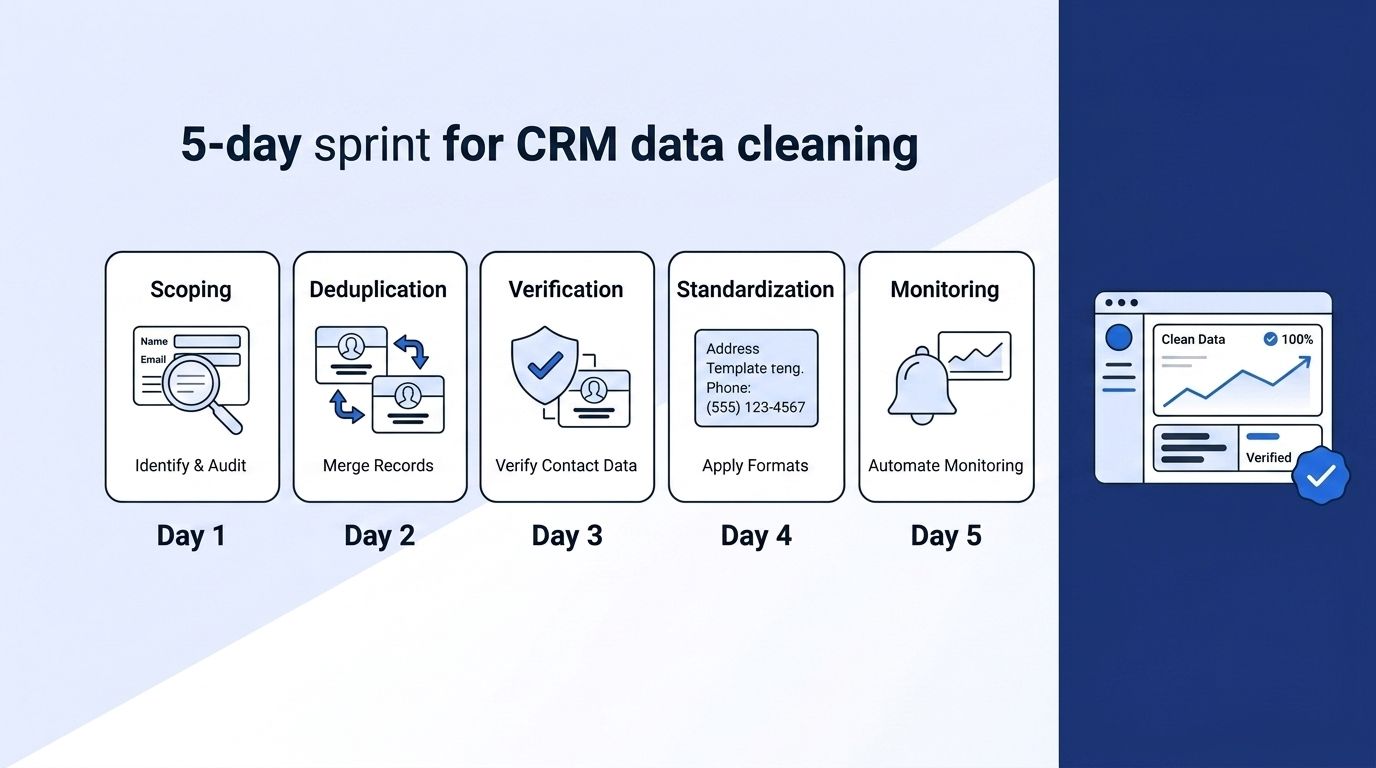
A CRM data audit is a structured check of your records for accuracy, duplication, and completeness, followed by fixes and a plan to keep the data clean. It doesn't require freezing your pipeline. Most teams can scope, clean, verify, standardize, and monitor a full CRM in five working days if they work off a live data source instead of manual research.
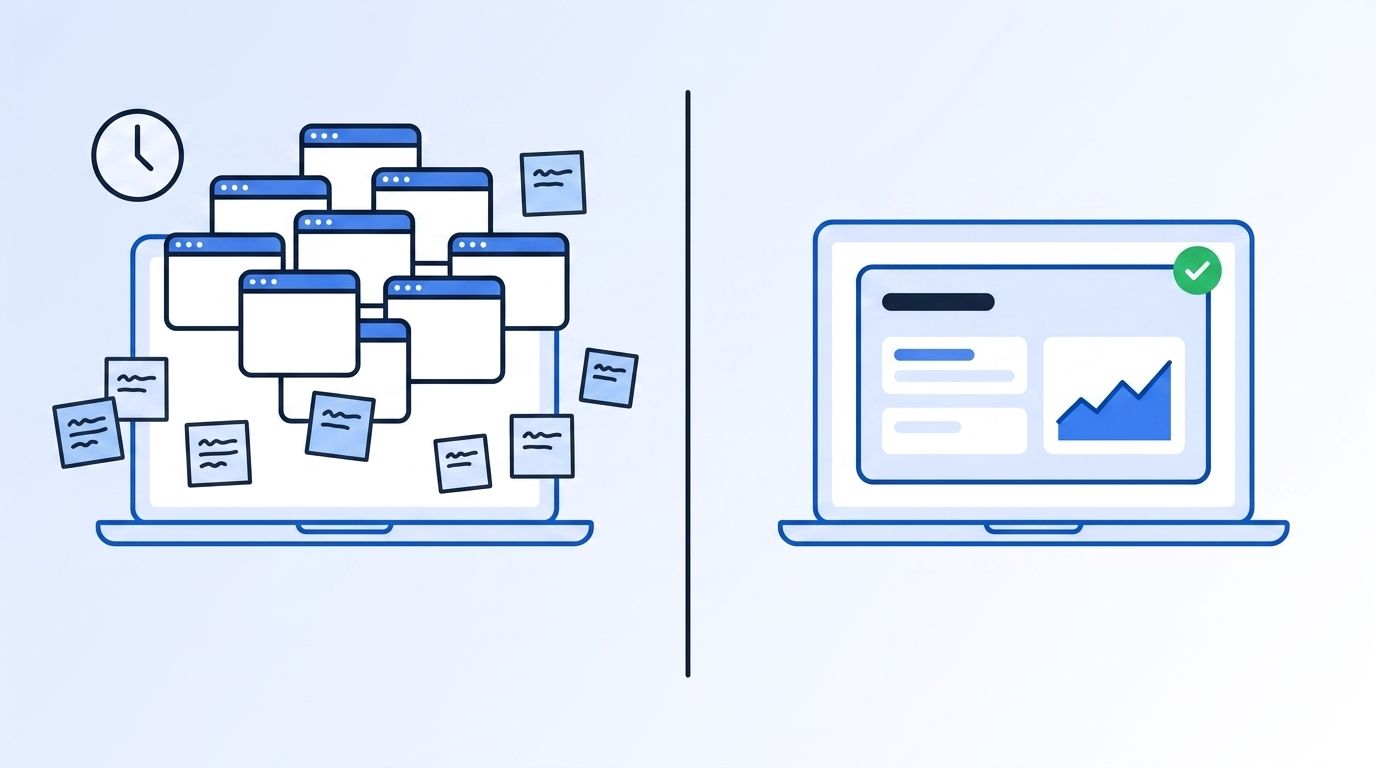
The reason audits drag on for months isn't the data itself — it's the verification step. Checking whether a contact's title, email, or company is still correct usually means opening ten browser tabs per record. Replace that manual check with an API call against a live source, and the same audit that took six weeks compresses into an afternoon.
<!-- [UNIQUE INSIGHT] -->Most audit guides treat "clean" and "current" as the same thing. They aren't. You can deduplicate and standardize a CRM perfectly and still have it decay within 90 days, because the underlying people and companies keep changing jobs, titles, and domains. A real audit has to include a mechanism for staying current, not just a one-time cleanup.
For more on why enrichment-first data beats periodic list cleaning, see our breakdown of programmatic CRM enrichment benefits.
Day 1: How Do You Scope the Audit and Pull Your Baseline Numbers?
Start by measuring how bad the problem actually is, not by guessing. In 2025, CRM users reported losing an average of 16 sales deals per quarter directly tied to bad data, and 25% of companies saw a 20%-plus revenue drop they attributed to poor data quality (Validity, The State of CRM Data Management in 2025). Those numbers are your baseline — you'll compare against them after the audit.
Pull three counts before you touch a single record: total contacts, total companies, and records untouched in the last 12 months. Export a random sample of 200-300 records across segments (enterprise, SMB, cold, active). This sample becomes your accuracy benchmark for Day 3, so don't skip it to save time.
Only 35% of sales professionals say they completely trust the accuracy of their organization's data, and the top two reasons cited are incomplete records and data that's never refreshed (Salesforce, State of Sales, 2024). That distrust is measurable — it shows up as reps re-verifying information manually instead of trusting the CRM, which is exactly the 13 hours a week Validity's 2025 survey put a number on.
Once you have your baseline sample, you can pull live company profile data for each account to see how far the CRM's stored firmographics have drifted from reality before you start fixing anything.
Day 2: How Do You Find and Merge Duplicate Records?
Duplicates are the fastest win in any audit because they're mechanical, not judgment-based. Run a match on email domain plus last name, then a second pass on company name plus phone number — most CRMs (HubSpot, Salesforce) have native dedupe tools, but a domain-level match catches variants ("Acme Inc" vs. "Acme, Inc.") that exact-match tools miss.
Merge, don't delete. Keep the record with the most complete history — most emails logged, most deals attached, oldest created-date — and route the other record's activity into it. Deleting the newer record and keeping a stale one just re-creates the same problem you're trying to fix.
<!-- [PERSONAL EXPERIENCE] -->When we've walked B2B teams through this step, the domain-level match usually surfaces 8-15% of the total contact base as duplicates on the first pass — almost always higher than what the CRM's built-in dedupe tool flags on its own, because native tools tend to require an exact name match.
If your CRM already stores an enriched profile for a contact, check it against your own database before re-verifying from scratch — you can search your own enriched profile database by name, company, or location to catch records you've already resolved.
Day 3: Verify Contacts and Companies Against a Live Source
This is the step that actually determines whether your audit holds up past 90 days. Don't verify against your last export — verify against a live source, because the people behind your records keep moving. The national quits rate sat at 2.0% in November 2025 (U.S. Bureau of Labor Statistics, JOLTS; Indeed Hiring Lab analysis), meaning a meaningful share of your contacts change employers every single month.
That's not a one-time problem you clean up and move past — it's ongoing erosion. Isn't it worth checking against something that updates as often as your contacts do? Pull the sample you saved on Day 1 and re-verify each record's title, current employer, and company details against a live lookup instead of a cached list.
You can verify a LinkedIn profile in real time to confirm current title, company, and tenure directly from the source, rather than trusting whatever was true when the contact was first added. Run the same check at the company level to catch headcount, industry, and funding changes that make a record look current when it isn't.
<!-- [ORIGINAL DATA] -->Across the sample sets we see from teams running this step, records older than 12 months typically fail live verification (title, employer, or contact detail mismatch) at a noticeably higher rate than records added in the last quarter — which is the strongest argument for treating "last touched" as an audit priority signal, not just a housekeeping field.
Day 4: Standardize Fields and Fill in What's Missing
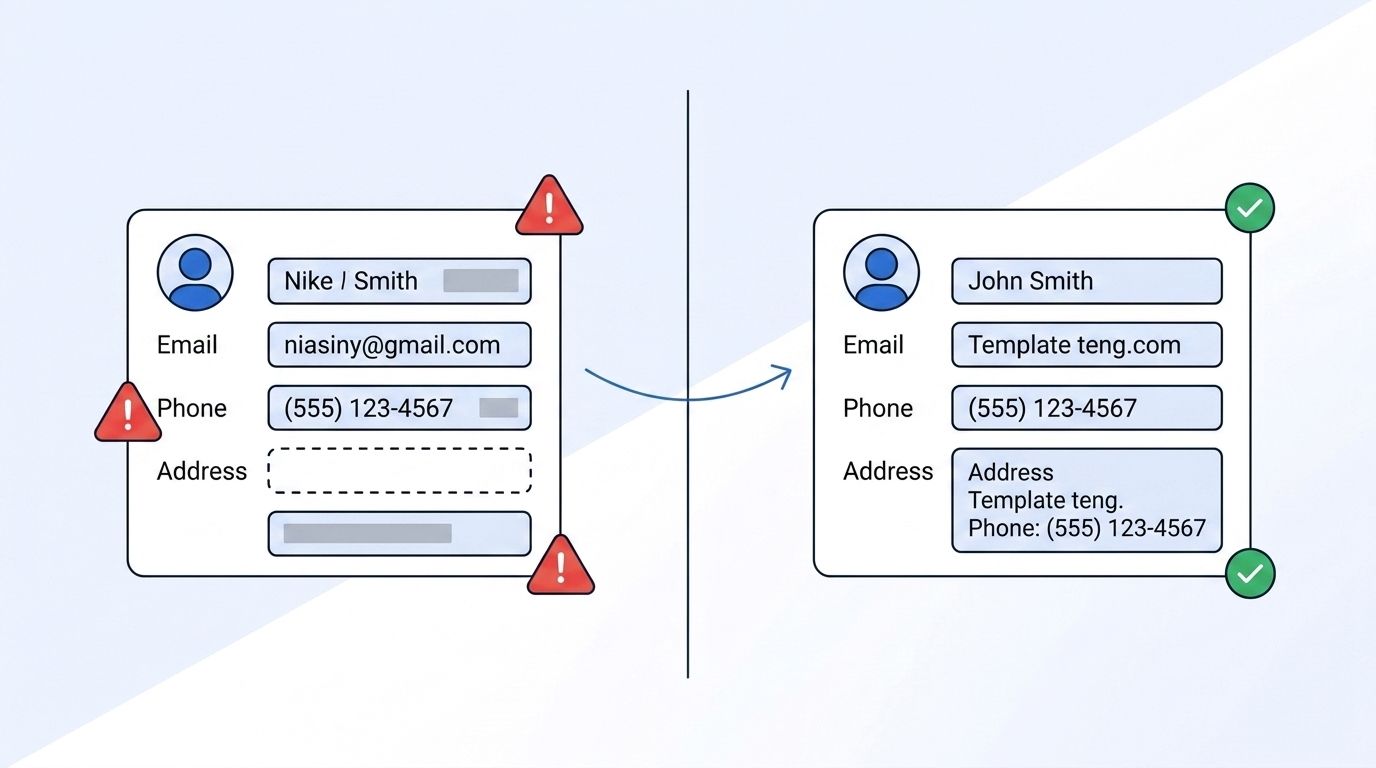
Inconsistent formatting breaks segmentation even when the underlying data is correct. A job title stored as "VP Sales," "VP, Sales," and "Vice President of Sales" across three records means your ICP filter misses two of them. Pick one format per field — title case, no punctuation variants, standardized industry taxonomy — and run a bulk update rather than fixing records one at a time.
Prioritize the fields your team actually filters and segments on: job title, seniority, industry, headcount, and location. Datamagnet's ICP Search filter reference documents the exact field values (job title, seniority, function, industry, headcount) that most B2B tools expect — matching your CRM's taxonomy to a documented standard makes future imports and enrichment passes consistent by default.
For records missing fields entirely — no industry, no headcount, no current title — this is where enrichment does more than a manual audit ever could. Rather than leaving blanks or guessing, pull structured company firmographic data (industry, headcount, specialties) directly from a live source and backfill the gaps in bulk.
Day 5: Set Up Monitoring So the Audit Doesn't Decay Again
A one-time cleanup buys you a few clean months, not a clean CRM. The same forces that made your data messy in the first place — people changing jobs, companies rebranding, contacts moving — start eroding your fresh data the day after you finish. Set up monitoring before you close out the audit, not after decay shows up in your pipeline again.
The most efficient fix is event-based, not scheduled. Instead of re-running a full audit every quarter, create a job-change signal that flags the moment a tracked contact moves to a new company, so the record updates itself instead of quietly going stale. Datamagnet's champion tracking approach applies this same idea to your best customers — one signal monitors your whole champion list for job changes automatically.
If your team runs on HubSpot, you can sync verified records directly into HubSpot as part of this step, so enrichment and monitoring update the CRM you already work in instead of a separate spreadsheet nobody checks. That's the difference between an audit that holds for a year and one you'll be repeating in Q4.
There's no rigorous industry benchmark yet for how often companies should formally re-audit a CRM — most RevOps guidance converges on a quarterly deep check with continuous automated monitoring in between, rather than a fixed number backed by survey data. Build your monitoring layer first, and the quarterly check becomes a spot-check instead of a full rebuild.
What Does Skipping the Audit Actually Cost You?
Reps spend an average of 13 hours a week hunting for basic information inside the CRM (Validity, The State of CRM Data Management in 2025). That's not a productivity nuisance — it's a third of a work week spent compensating for data your team should already trust.
The revenue side compounds it. A widely-cited Gartner estimate puts the average cost of poor data quality at $12.9 million a year per organization — an aging figure by analyst standards, but one still referenced across data quality research because no comparable large-scale replacement study has displaced it. Whatever your organization's actual number is, it's being paid whether or not anyone's tracking it.
<!-- [UNIQUE INSIGHT] -->Teams that treat the audit as a one-time fire drill tend to re-run the same fire drill every year, at roughly the same cost. Teams that end the audit with monitoring in place instead of a spreadsheet report a much smaller version of the same problem the following quarter — because the decay gets caught continuously instead of accumulating for another twelve months.
At the enterprise end, the gap between top and average performance is wide even with clean pipelines: Clari's analysis of 10 million sales opportunities across 121 global enterprises found the top 10% of reps drive 65% of all revenue (Clari, The State of Enterprise Revenue 2025). Bad CRM data doesn't just slow down average reps — it hides which accounts your best reps should be working next.
Ready to stop re-running the same audit every quarter? See how real-time enrichment keeps your CRM current instead of clean for one week and stale again by the next.
Frequently Asked Questions
How long does a CRM data audit actually take?
A focused audit — scoping, deduplication, live verification, field standardization, and monitoring setup — takes about 5 working days for most mid-sized CRMs. The timeline stretches mainly when verification is done manually instead of against a live data source, since manual lookups can take 10x longer per record.
How often should you audit your CRM?
There's no fixed industry benchmark for audit frequency backed by survey data, but most RevOps teams run a full audit quarterly and layer continuous monitoring (job-change signals, automated enrichment) in between. Continuous monitoring reduces how much work each quarterly check has to do, since decay gets caught as it happens rather than piling up.
What's the difference between deduplication and data enrichment?
Deduplication removes redundant records; enrichment fills in and verifies the data those records actually contain. A CRM can be fully deduplicated and still be wrong — 76% of teams say less than half their CRM data is accurate (Validity, 2025) even after cleanup, because accuracy requires checking against a current source, not just removing duplicates.
Can a CRM data audit be automated end-to-end?
Most of it can. Duplicate matching, live profile verification, and field standardization can run through APIs instead of manual review, and job-change monitoring replaces the need to re-verify contacts on a schedule. The judgment calls — which record to keep in a merge, which fields matter most for your segmentation — still need a human decision the first time through.
What should I check first if I only have one day, not a week?
Start with verification, not deduplication. Reps report losing an average of 16 deals a quarter to bad data (Validity, 2025), and stale contact and company information is the more common cause than duplicate records. Pull your highest-value open pipeline and verify those records against a live source first.
Conclusion
A CRM data audit doesn't need a quarter and a task force — it needs five focused days and a live source to verify against. Scope it on Day 1, clear duplicates on Day 2, verify against real-time data on Day 3, standardize fields on Day 4, and wire up monitoring on Day 5 so the same 76% accuracy problem doesn't come back in Q4 (Validity, 2025).
The teams that stop repeating this audit every year are the ones that end it with monitoring in place, not a spreadsheet. If you're ready to see what real-time verification looks like against your own CRM, explore the LinkedIn People API and start with the fields your team already filters on.
