
Disclosure: This article is published by Datamagnet. Vendor claims are self-reported unless otherwise noted.
People Activity API Tutorial: Build an Executive-Move Intelligence Feed in 2026
Here's a workflow most GTM and recruiting teams still run by hand: someone checks a target account's leadership page every few weeks, notices a new CRO or a departed VP, and forwards a screenshot to Slack. By the time that happens, the deal has already been reassigned or the seat has already been filled by an internal promotion nobody outside the company saw coming.
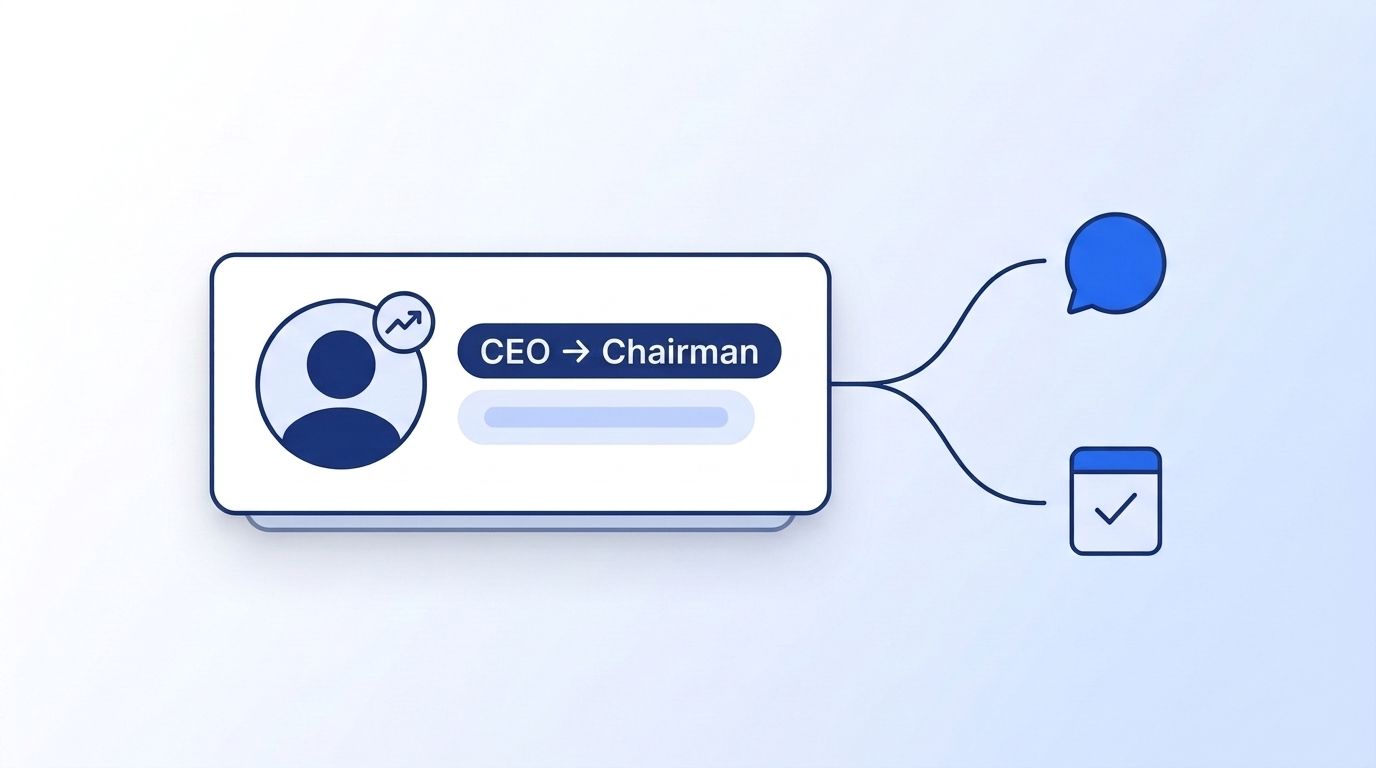
This tutorial builds the automated version. You'll watch a list of target accounts for leadership changes, catch new-executive announcements and departures as they happen, and push each event straight into Slack or your CRM — using Datamagnet's People Activity endpoint alongside its Signal API for structural job changes.
Key Takeaways
- In 2025, public-company CEO exits hit a record 446, even as total CEO departures fell 9% to 2,032 (Challenger, Gray & Christmas, 2025).
- CRO tenure averages just 25 months — the shortest of any C-suite role, versus 4.3 years for CMOs (Harvard Business Review, 2024; Spencer Stuart, 2025).
- A
job_changesignal monitor catches structural title/employer changes via webhook; the People Activity endpoint catches the "excited to announce" post that often surfaces days earlier — you need both, not one or the other.- Route the same event two ways: sales gets a reopened-deal alert, recruiting gets an open-role alert, from a single feed.
What Will You Build?
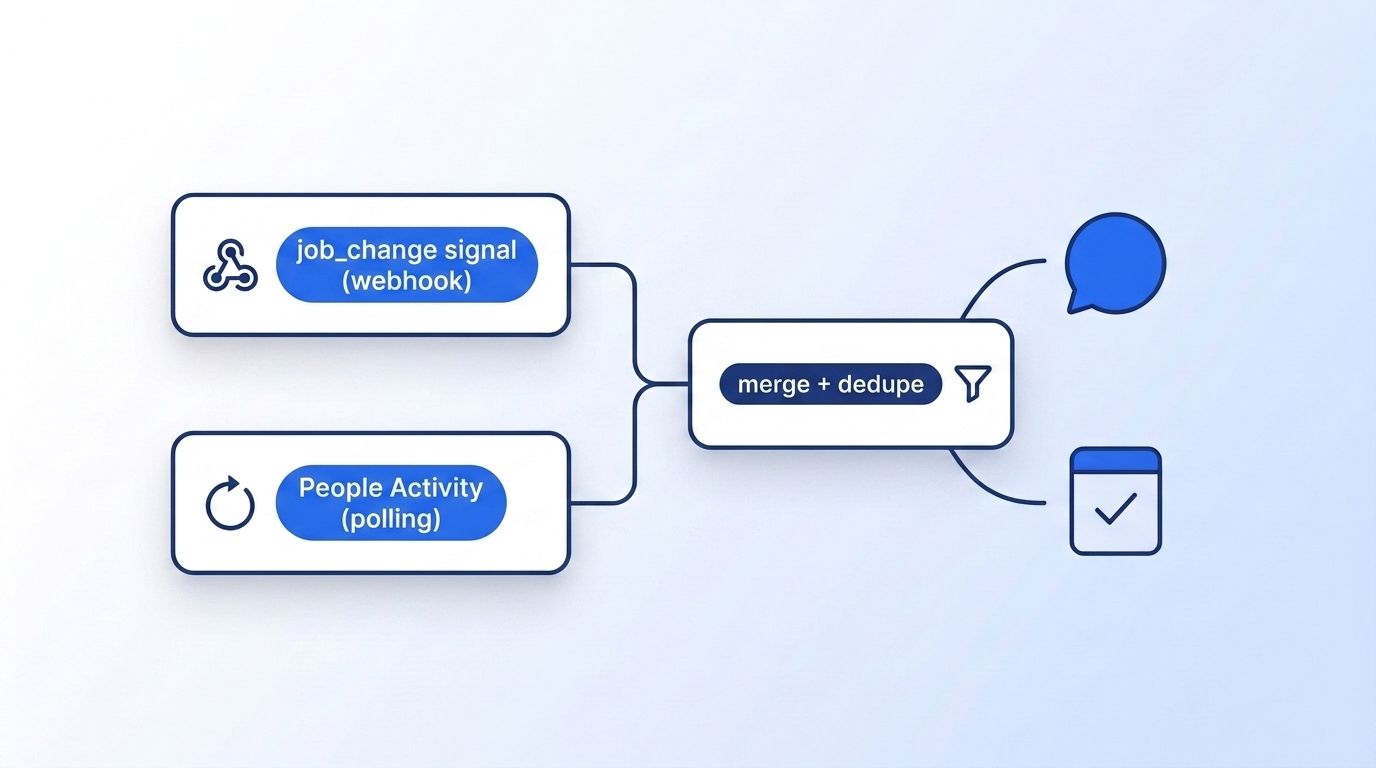
By the end of this tutorial, you'll have a small service that watches a list of LinkedIn profile URLs — your target accounts' executives — and emits a normalized event the moment one of them changes jobs, announces a move, or gets promoted. Two input lanes feed one merge step, which fans out to Slack and your CRM.
What it does:
- Registers a
job_changesignal monitor on your watchlist so structural profile changes (new employer, new title) push a webhook the instant Datamagnet detects them - Polls the People Activity endpoint on a schedule to catch announcement posts — "thrilled to join," "next chapter," "excited to announce" — often before the structured profile field updates
- Deduplicates both sources into one event stream, tagged by account and by whether it's a departure or an arrival
- Pushes a formatted alert to a Slack channel and writes a note to the matching CRM record
Why Are Executive Moves a High-Value Signal for Both Sales and Recruiting?
A new decision-maker at a target account often means a stalled deal is worth reopening, while a departure at that same account usually means a leadership seat just opened up — and both read off the same event. In 2025, public-company CEO exits hit an all-time high of 446, up from 373 the year before, even as total CEO departures across all organizations fell 9% to 2,032 (Challenger, Gray & Christmas, 2025 CEO Turnover Report, 2025). Turnover below the CEO seat is moving just as fast, if not faster.
Citation capsule: CRO tenure now averages just 25 months — among the shortest of any C-suite role — and 62% of companies see revenue growth decline or stay flat in the fiscal year after a CRO transition (Harvard Business Review, The High Costs of Chief Revenue Officer Turnover, 2024). CMOs last longer, at 4.3 years on average, but that's still a fraction of a typical multi-year enterprise deal cycle (Spencer Stuart, CMO Tenure Study 2025, 2025).
On the recruiting side, a departure at a target company creates the open req before it's ever posted publicly, and it isn't cheap to fill: executive hires cost roughly seven times more to source than nonexecutive ones, averaging $35,879 per hire versus $5,475 (SHRM, 2025 Benchmarking Reports, 2025). Roughly 86% of B2B purchases also stall at some point in the buying cycle (Forrester, The State Of Business Buying, 2024), and a leadership change is one of the few events reliably shown to restart a stalled one — which is exactly why both teams want the same alert, routed differently.
Prerequisites
You'll need a Datamagnet API key, a place to receive webhook events, and a scheduler for polling. None of this requires more than basic REST API familiarity.
You'll need:
- A Datamagnet API key (authentication guide)
- Node.js 18+ or Python 3.10+ (examples below use Node)
- A public HTTPS endpoint to receive webhooks (a serverless function or a small Express app behind a reverse proxy both work)
- A cron scheduler (a hosted cron service or a simple
node-cronjob) for the polling lane - A Slack incoming webhook URL and/or a CRM API key
- ~45 minutes to complete
Tested on: Node.js 20, macOS and Linux.
Step 1: How Do You Build Your Target-Account Watchlist?
In this step, you'll assemble the list of LinkedIn profile URLs the rest of the pipeline will monitor, so every downstream signal has a known set of people to check against. Start with the executives at accounts you already sell into or recruit against — champions, economic buyers, and department heads at companies on your target list.
If you don't have named contacts yet, pull them with a filtered search instead of guessing:
curl -G https://api.datamagnet.co/api/v1/icp-people-search \
  -H "Authorization: Bearer $DATAMAGNET_API_KEY" \
  --data-urlencode "job_title=VP Sales,Chief Revenue Officer,VP Engineering,Chief Technology Officer" \
  --data-urlencode "company_name=Acme Corp,Globex,Initech" \
  --data-urlencode "seniority=VP,C-Level"
Expected output:
{
  "results": [
    {
      "name": "Jordan Reyes",
      "title": "VP Sales",
      "company": "Acme Corp",
      "profile_url": "https://www.linkedin.com/in/jordan-reyes-example"
    }
  ],
  "page": 1,
  "total_results": 14
}
Store each profile_url in a watchlist table alongside the account name and a tag (sales or recruiting, or both) so later steps know how to route the alert. The ICP Search filter reference documents every filter available if you need to narrow this list further.
Step 2: How Do You Catch Structural Job Changes With a job_change Signal Monitor?
This step catches the clean case — someone's employer or title field on LinkedIn actually changes — and delivers it to you as a webhook the moment Datamagnet detects it, so you're not the one polling for it. Register one signal monitor against your entire watchlist rather than one per person.
curl -X POST https://api.datamagnet.co/api/v1/signal/create \
  -H "Authorization: Bearer $DATAMAGNET_API_KEY" \
  -H "Content-Type: application/json" \
  -d '{
    "signal_type": "job_change",
    "profile_urls": [
      "https://www.linkedin.com/in/jordan-reyes-example",
      "https://www.linkedin.com/in/priya-menon-example"
    ],
    "webhook_url": "https://yourapp.com/webhooks/datamagnet",
    "webhook_secret": "a-long-random-string-you-generate"
  }'
What just happened: Datamagnet now checks every profile in profile_urls on an ongoing basis and fires a webhook, signed with your webhook_secret, to webhook_url the moment a tracked profile's employer or title changes — no cron job of your own required for this half of the pipeline. The Create Signal endpoint documents the full request schema, and the webhooks reference covers payload format, retry behavior, and HMAC signature verification.
Watch out: verify the
X-Datamagnet-Signatureheader (an HMAC-SHA256 of the raw request body) on every webhook before you trust the payload, using a timing-safe comparison like Node'scrypto.timingSafeEqualor Python'shmac.compare_digest. Skipping this step means anyone who guesses your endpoint URL can inject fake departure events into your feed.
Datamagnet's Champion Tracker cookbook walks through a full job_change signal reference implementation if you want to see this step wired into a complete account-monitoring setup.
A monitor like this earns its keep because the underlying churn rate keeps climbing. In 2025, public-company CEO exits reached 446 — a record high — while total CEO departures across all organizations dipped to 2,032 (Challenger, Gray & Christmas, 2025 CEO Turnover Report, 2025) — a one-time manual check of your account list simply can't keep pace with that rate of change, and it completely misses departures at the private and mid-market companies most sales and recruiting teams actually track.
Step 3: How Do You Catch Early Announcements With the People Activity Endpoint?
A structural profile update can lag behind reality by days — the person's own announcement post is usually the earliest signal you'll get, and this step is how you catch it. Poll the People Activity endpoint on a schedule for each profile in your watchlist and scan recent posts for announcement language.
curl -G https://api.datamagnet.co/api/v1/people/activity \
  -H "Authorization: Bearer $DATAMAGNET_API_KEY" \
  --data-urlencode "url=https://www.linkedin.com/in/jordan-reyes-example" \
  --data-urlencode "type=posts"
Expected output:
{
  "cursor": "eyJvZmZzZXQiOjEwfQ==",
  "message": [
    {
      "activity_type": "post",
      "text": "Thrilled to announce I'm joining Globex as Chief Revenue Officer...",
      "created_at": "2026-09-01T14:22:00Z",
      "url": "https://www.linkedin.com/feed/update/example-post-id",
      "is_repost": false,
      "author": {
        "title": "Jordan Reyes",
        "occupation": "Chief Revenue Officer at Globex",
        "public_identifier": "jordan-reyes-example"
      }
    }
  ]
}
Each call to this endpoint costs 10 credits, so factor that into your poll frequency once your watchlist grows past a couple hundred profiles.
// poll-activity.js
const ANNOUNCEMENT_PHRASES = [
  "excited to announce", "thrilled to join", "next chapter",
  "new role", "stepping into", "excited to share"
];

async function checkActivity(profileUrl) {
  const res = await fetch(
    `https://api.datamagnet.co/api/v1/people/activity?url=${encodeURIComponent(profileUrl)}&type=posts`,
    { headers: { Authorization: `Bearer ${process.env.DATAMAGNET_API_KEY}` } }
  );
  const { message: activity } = await res.json();

  return activity.filter((item) =>
    ANNOUNCEMENT_PHRASES.some((phrase) =>
      item.text?.toLowerCase().includes(phrase)
    )
  );
}
// Run this against every watchlist profile once per polling cycle,
// then hand any matches to the merge step in Step 4.
What just happened: the function fetches a profile's recent posts and flags any that use common move-announcement phrasing, so you catch the move even before LinkedIn's structured employer field updates. This is also useful year-round beyond move detection.
Our own product analytics show this is Datamagnet's fourth most-read docs page site-wide — ahead of most of the company and search endpoints — because teams already default to it for a simpler job than move detection: checking whether a contact is still active before a rep spends time on outreach.
Most job-change tooling treats the structured profile field as the source of truth and misses that the announcement post is usually the earlier and higher-intent event — the person is telling their network before LinkedIn's own system reflects it. Polling for that language, even on a modest interval, routinely surfaces a move a day or two before a webhook fires on the structured field.

Step 4: Merge Both Signals Into One Deduplicated Feed
By the end of this step, webhook events from Step 2 and polling results from Step 3 land in one normalized table instead of two separate, uncoordinated streams. Normalize every event into the same shape so downstream routing logic doesn't need special cases per source.
// normalize.js
function normalizeEvent(raw, source) {
  return {
    profile_url: raw.profile_url,
    account_tag: raw.account_tag,      // "sales", "recruiting", or both
    event_type: source === "signal" ? raw.change_type : "announcement",
    detected_via: source,               // "signal" or "activity_poll"
    occurred_at: raw.detected_at || raw.posted_at,
  };
}

// Dedupe on (profile_url, event_type) within a 7-day window so a
// signal-confirmed job change doesn't also fire a duplicate
// announcement alert for the same move.
function isDuplicate(event, recentEvents) {
  return recentEvents.some(
    (e) =>
      e.profile_url === event.profile_url &&
      e.event_type === event.event_type &&
      Math.abs(new Date(e.occurred_at) - new Date(event.occurred_at)) < 7 * 86400000
  );
}
Verify it worked: send one test webhook payload and one test polling match through this function; you should see a single row per real-world move in your events table, not two rows for the same person within the same week.
Step 5: How Do You Push Alerts to Slack and Your CRM?
This step turns a normalized event into something a rep or recruiter actually sees, routed to the right channel and written to the right record. Push to Slack for immediate visibility and to your CRM so the history sticks to the account.
// notify.js
async function sendAlert(event) {
  const label = event.event_type === "job_change" ? "moved" : "announced a move";
  const text = `🔔 *${event.account_tag.toUpperCase()}*: A tracked contact ${label} — <${event.profile_url}|view profile>`;

  await fetch(process.env.SLACK_WEBHOOK_URL, {
    method: "POST",
    headers: { "Content-Type": "application/json" },
    body: JSON.stringify({ text }),
  });

  // Write a timeline note to the matching CRM record; see the
  // Datamagnet HubSpot integration for a managed version of this step.
  await fetch(`${process.env.CRM_BASE_URL}/notes`, {
    method: "POST",
    headers: { Authorization: `Bearer ${process.env.CRM_API_KEY}` },
    body: JSON.stringify({
      contact_url: event.profile_url,
      note: `Executive move detected via ${event.detected_via} on ${event.occurred_at}`,
    }),
  });
}
Teams that don't want to maintain this last mile themselves can wire the same events straight into HubSpot with the Datamagnet HubSpot integration, which updates contact and company records automatically when a signal fires instead of requiring a rep to log it by hand.
The teams that get the most out of this pipeline are the ones that resist the urge to route every event to a single #signals channel. A firehose of "someone changed jobs" alerts gets muted within a week. Splitting the same feed into #sales-reopened-accounts and #recruiting-open-seats keeps each alert relevant to the person reading it.
Polling vs. Webhooks: Which Should Drive Your Alerts?
Neither approach alone covers this use case completely, which is why Steps 2 and 3 use different delivery models for different kinds of evidence. Here's the trade-off in practice:
job_change Signal (webhook) | People Activity (polling) | |
|---|---|---|
| Delivery model | Push — Datamagnet calls your endpoint | Pull — your job calls the endpoint on a schedule |
| Typical latency | Minutes after the structured field changes | Bounded by your polling interval (hourly to daily is typical) |
| What it catches | New employer, new title — a confirmed structural change | Announcement language, often before the structured field updates |
| Cost pattern | Billed against detected events | Billed per API call, whether or not anything changed |
| Infrastructure you own | A public HTTPS endpoint that verifies the HMAC signature | A scheduler and a store of the last-seen state per profile |
| Main failure mode | A missed delivery if your endpoint is down without retry handling | A missed detection if your polling interval is wider than how often the person posts |
A daily poll is a reasonable default for the activity lane on a watchlist of a few hundred people — tighten it to hourly only for your highest-priority accounts, since every poll costs a call whether or not it finds anything new. Datamagnet's VIP Engagement Radar cookbook covers the same polling-versus-webhook trade-off for a narrower list of high-value prospects you want to react to within minutes.
How Do You Route the Same Alert Differently for Sales and Recruiting?
The event itself doesn't change between teams — only what you do with it does, so the account_tag field from Step 4 is what decides the routing, not a separate pipeline. A departure at a target account tells sales the deal may be back in play and tells recruiting a leadership seat just opened.
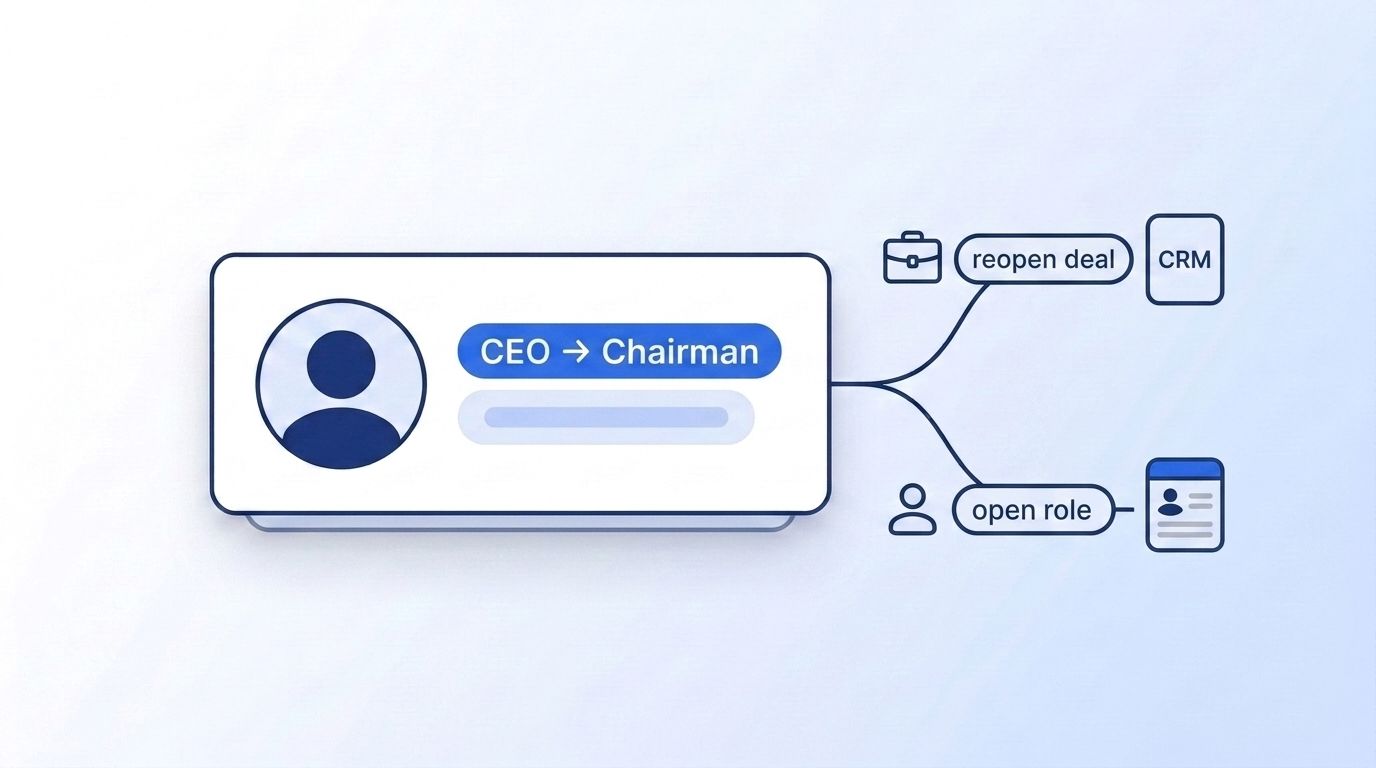
For sales: tag the account as sales if it's a current or past opportunity, and route arrival events (a new decision-maker showing up) to the original rep or account owner, since they already have the relationship history.
For recruiting: tag the account as recruiting if it's a sourcing target, and route departure events straight to a sourcer, since the departing exec's old team is now the most reachable pool of candidates for the resulting opening — many of whom haven't updated their own profiles yet either. Datamagnet's Recruiting Intelligence page and Sales Intelligence page both cover how each team builds on the same underlying signal data.
Testing and Troubleshooting Your Feed
Run these checks before you trust the pipeline with real accounts.
Manual verification checklist:
- Send a test webhook payload with a known signature and confirm your endpoint accepts it
- Manually trigger one polling cycle against a profile with a recent public post and confirm it returns activity
- Submit the same event twice and confirm the dedupe logic in Step 4 collapses it to one row
- Confirm a Slack message and a CRM note both land for a single test event
| Problem | Symptom | Fix |
|---|---|---|
| Webhook never arrives | No rows appear from the signal source | Confirm your webhook_url is publicly reachable and returns a 2xx status quickly; slow responses can trigger retries that look like duplicates |
| Signature check fails | Your endpoint rejects every payload | Recompute the HMAC using the raw request body, not a re-serialized JSON object — re-serialization can change byte order and break the signature match |
| Activity poll returns an empty array | No announcement matches ever appear | The profile may be private or inactive; treat repeated empty results as a low-priority profile rather than a broken integration |
| Same move alerted twice | Duplicate Slack messages for one person | Check your dedupe window in Step 4 — a signal firing on day 1 and a poll match on day 3 should collapse into one event if the window is wide enough |
| CRM note fails silently | Slack alert lands but no CRM record updates | Log the CRM API response code separately from the Slack response; a shared try/catch block can swallow a CRM failure that a Slack success masks |
Next Steps
Now that alerts are flowing, the next improvement is usually tightening who's on the watchlist rather than adding more signal types. Two extensions are worth prioritizing:
- Score priority by account value, so a departure at your top-tier account pages someone immediately while a mid-tier one waits for the next digest
- Widen the watchlist with a scheduled ICP query instead of a fixed list, so new decision-makers you haven't met yet still surface, using the same filters from Step 1
Datamagnet's Signal API also supports five other signal types beyond job_change — engagement and keyword signals are natural next additions once this feed is running.
Frequently Asked Questions
What's the difference between the People Activity endpoint and a job_change signal?
A job_change signal watches for a structural change to someone's employer or title field and pushes a webhook the moment it's detected. The People Activity endpoint returns recent posts and engagement, which you poll to catch announcement language — often earlier, but requiring your own scheduler.
How often should I poll the People Activity endpoint?
Daily is a reasonable default for most watchlists, since polling more often than someone typically posts just adds cost without adding coverage. Reserve hourly polling for a short list of your highest-priority accounts, where an extra day of latency has a real cost.
Can the same feed serve both sales and recruiting alerts?
Yes — tag each watchlist entry with sales, recruiting, or both, and route the normalized event from Step 4 accordingly. The underlying data doesn't change; only the destination channel and the framing of the alert (reopened deal vs. open role) differ.
Do I need a public webhook endpoint, or can I run this on polling alone?
You can run the whole pipeline on polling if you don't want to stand up a public endpoint yet, but you'll miss the faster, push-based detection the job_change signal provides and add unnecessary API calls checking profiles that haven't changed. Most teams add the webhook lane once the polling-only version proves the use case.
Sources
- Challenger, Gray & Christmas, 2025 CEO Turnover Report: CEO Exits Fall From 2024; Public CEO Exits Break Record, retrieved 2026-09-05, https://www.challengergray.com/blog/2025-ceo-turnover-report-ceo-exits-fall-from-2024-public-ceo-exits-break-record/
- Harvard Business Review, The High Costs of Chief Revenue Officer Turnover, retrieved 2026-09-05, https://hbr.org/2024/10/the-high-costs-of-chief-revenue-officer-turnover
- Spencer Stuart, CMO Tenure Study 2025: The Evolution of Marketing Leadership, retrieved 2026-09-05, https://www.spencerstuart.com/research-and-insight/cmo-tenure-study-2025-the-evolution-of-marketing-leadership
- SHRM, SHRM Releases 2025 Benchmarking Reports, retrieved 2026-09-05, https://www.shrm.org/about/press-room/shrm-releases-2025-benchmarking-reports--how-does-your-organizat
- Forrester, The State Of Business Buying, 2024, retrieved 2026-09-05, https://www.forrester.com/press-newsroom/forrester-the-state-of-business-buying-2024/
- Datamagnet, Person Activity - Datamagnet API, retrieved 2026-09-05, https://docs.datamagnet.co/api-reference/endpoints/people-activity
