
Disclosure: Datamagnet publishes this article. Product capabilities described below are based on public documentation, retrieved 2026-07-22.
How to Detect When a Candidate Is Actively Job Searching (Without LinkedIn Premium)
In 2026, only about 25% of the workforce counts as actively job searching, while roughly 60% are open but not looking and another 15% are quietly preparing to move - a group LinkedIn calls "tiptoers" (LinkedIn Talent Solutions, Recruiting Active vs. Passive Candidates, retrieved 2026-07-22). Most of that active 25% never touch the green "Open to Work" banner, so if that badge is your only signal, you're missing the majority of people who'd actually reply to you today.
Here's the good news: you don't need a five-figure Recruiter Corporate seat to catch the rest. Every signal in this guide is visible on a free LinkedIn account. This guide walks through six checks you can run manually right now, plus how to stop running them by hand once you're doing it at scale.
<!-- [PERSONAL EXPERIENCE] -->We've watched sourcers burn through a Recruiter Lite trial trying to find "who's looking" before realizing the badge was never the bottleneck - reading a public profile correctly was.
Key Takeaways
- Only 25% of the workforce is actively job searching, 60% are open-but-not-looking, and 15% are "tiptoers" quietly preparing to move (LinkedIn Talent Solutions, retrieved 2026-07-22).
- Over 220 million people globally have "Open to Work" turned on (public or private), up 35% year over year - but most keep it hidden from their current employer (CNBC, via NBC New York, retrieved 2026-07-22).
- Sourced candidates are 5x more likely to get hired than applicants from job boards, which supply 49% of applications but only 24.6% of actual hires (Gem, 2025 Recruiting Benchmarks Report, retrieved 2026-07-22).
- Average cost-per-hire hit $5,475 for non-executive roles and $35,879 for executive roles in 2025 - every week you spend guessing at signals is a week that number keeps climbing (SHRM, 2025 Benchmarking Reports, retrieved 2026-07-22).
- None of the checks in this guide require a paid LinkedIn Recruiter or Premium seat - just a public profile, an Activity tab, and about 15 minutes.

What Do You Actually Need Before You Start?
Nothing beyond what's already free: a standard LinkedIn account, about 15-20 minutes per candidate for a manual pass (or an API once you're checking more than a handful a week), and the candidate's public profile URL - the same page anyone already sees. Here's the full list:
- A free LinkedIn account. No Recruiter, no Premium, no Sales Navigator required for any step below.
- About 15-20 minutes per candidate for a manual pass, or an API if you're checking more than a handful a week.
- The candidate's public profile URL. That's it - you're reading what's already visible to anyone who lands on the page.
- Difficulty: Beginner for manual checks, Intermediate if you move to Step 6's API-based version.
Is that really enough to catch someone the badge misses? Usually, yes - because the badge was never designed to catch the 75% who haven't flipped it on.
Step 1: Is Their "Open to Work" Banner Actually Visible?
By the end of this step, you'll know whether a candidate is in the smallest, most obvious group: the ones confident enough to say so publicly. Start here because it's free and instant, but treat it as a floor, not a ceiling. Over 220 million people worldwide currently have "Open to Work" switched on, a 35% jump from the year before, and turning it on - even privately - roughly doubles a recruiter's chance of reaching out, with the public green badge adding up to 40% more (CNBC, via NBC New York, retrieved 2026-07-22).
The catch: most of those 220 million keep it set to "recruiters only," which is invisible unless the viewer holds a paid Recruiter seat. A public badge just tells you who's confident enough not to care if their employer notices - a small, self-selected slice.
Verification: If you see the green ring around a profile photo, that candidate is openly, publicly searching. If you don't see it, that tells you nothing either way - move to Step 2.
Step 2: What Does Their Public Activity Tab Show?
By the end of this step, you'll have read the one section of a profile that updates in near real time and costs nothing to view. Every public profile has an Activity tab showing recent posts, comments, and reactions - visible to any logged-in LinkedIn user, no Recruiter seat needed. This is the free version of what recruiters pay Premium to get faster access to.
Recruiters already treat a candidate's LinkedIn presence as due diligence: 73.3% say they always or often evaluate a candidate's profile before reaching out, and profiles that read as consistent and current see a 2.2x higher interview rate in Jobscan's analysis of 2.5 million applications (Jobscan, The State of the Job Search in 2025, retrieved 2026-07-22). That scrutiny cuts both ways - the same free Activity tab shows you what a candidate is doing right now.
Look for:
- New likes or comments on hiring posts, job listings, or career-coach content they never engaged with before.
- Comments containing phrases like "reaching out" or "open to chat" on recruiter or company posts.
- A sudden spike or total silence in posting - both can precede a move.
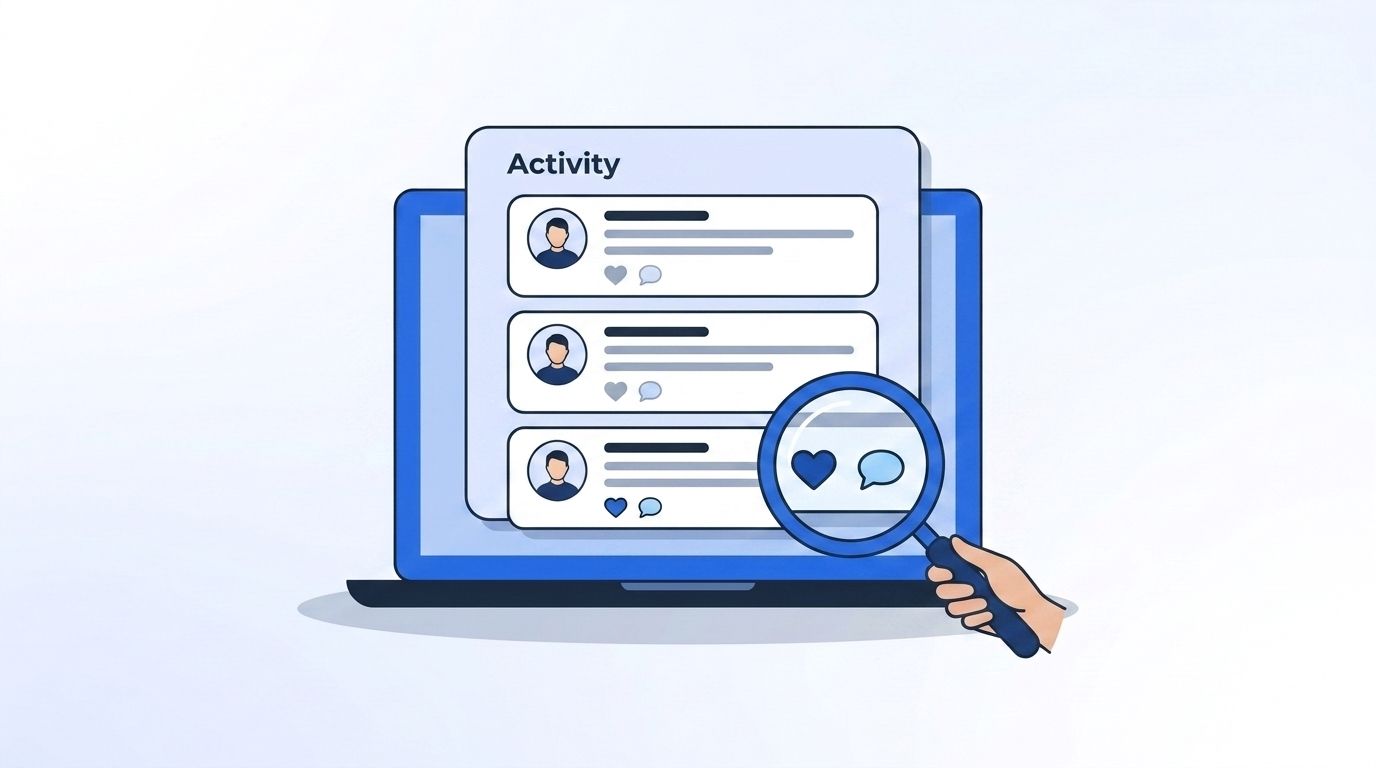
Verification: Compare this week's Activity tab against last week's. A new pattern of hiring-adjacent engagement that wasn't there before is a real signal, not noise.
Step 3: Have Their Headline and About Section Changed Language?
By the end of this step, you'll know whether a candidate's own words have started hinting at a move before they've said so directly. LinkedIn doesn't show public edit history, so this step relies on comparing what you see now against a note or screenshot from a prior check. Watch for a headline that drops the current employer's name in favor of a role-only description, an About section that suddenly adds a personal email or "open to opportunities" line, or a new resume link added to the Featured section.
<!-- [UNIQUE INSIGHT] -->No tier 1-3 study puts a hard number on how predictive a single headline edit is - this is genuinely under-measured territory in recruiting data. That gap is useful information on its own: most recruiters are guessing here, so a team that tracks it systematically has real room to get ahead.
Verification: One language change alone isn't conclusive. Stack it against Step 2's activity pattern before you draw a conclusion.
Step 4: Has Their Tenure Passed the Typical Benchmark for the Role?
By the end of this step, you'll understand why timing this check matters as much as running it. A candidate's public work history already shows how long they've held their current title - no special access required. Someone sitting well past the typical tenure for their role and level is statistically more likely to fall into that 15% "tiptoer" segment quietly preparing to move (LinkedIn Talent Solutions, retrieved 2026-07-22).
The stakes of catching this early are real. Average cost-per-hire reached $5,475 for non-executive roles and $35,879 for executive roles in 2025 (SHRM, 2025 Benchmarking Reports, retrieved 2026-07-22), and average time-to-fill sat at 63.5 days, down from 67.7 the year before (HR Dive, reporting Employ's 2025 Hiring Benchmarks, retrieved 2026-07-22). Every extra week spent guessing is a week added to that clock.
Verification: Pull the start date on their current role from the profile itself, then compare it against typical tenure for that title and industry. Anything meaningfully longer than average is worth a second look.
Step 5: Is Their Network Growing in a New Direction?
By the end of this step, you'll have a third, independent data point to weigh against Steps 1-4. A public profile's connections and group memberships are visible for free, and so is LinkedIn's own "people also viewed" panel. Watch for new connections at a specific target company, a recent join to an industry job-seeker or alumni group, or newly followed companies outside their current employer's space.
None of these alone should trigger outreach - a single new connection means almost nothing. But a candidate who's picked up three new connections at one target company, joined a relevant alumni group, and started liking that company's posts in the same month is telling you something with three independent signals instead of one guess.
Verification: Check the "Connections" and "Following" sections against what you saw on your last review. New activity concentrated around one company or industry is the pattern worth acting on.
Step 6: How Do You Stop Doing This by Hand?
By the end of this step, you'll have a plan to run all five checks above automatically instead of re-visiting each profile manually. Manual review works for a handful of candidates. It doesn't scale to a full pipeline, and generic outreach loses badly to sourced outreach anyway - sourced candidates are 5x more likely to get hired than job-board applicants, even though job boards still supply 49.0% of all applications and only 24.6% of hires (Gem, 2025 Recruiting Benchmarks Report, retrieved 2026-07-22). Gartner expects this shift to keep accelerating, projecting that by 2027, 75% of hiring processes will include some form of AI-assisted screening or proficiency testing as recruiting teams lean further into automated tooling (Gartner, October 2025 press release, retrieved 2026-07-22).
Instead of paying for a Recruiter seat priced from roughly $170 a month per user up to five-figure annual corporate contracts, according to third-party pricing trackers (HeroHunt.ai, LinkedIn Recruiter Pricing, retrieved 2026-07-22), you can register the checks above as monitors instead of manual tasks:
- Pull structured role history and tenure data at scale with the People Profile endpoint, instead of eyeballing Step 4 one profile at a time.
- Monitor a specific candidate's public posts and reactions automatically with the Person Engagement Signal, which covers Step 2 without you checking the Activity tab yourself.
- Catch anyone in your ICP engaging with role-relevant language across LinkedIn, not just people already on your list, with a Keyword Engagement Signal.
- Register any of these as a monitor through the Create Signal endpoint and route matches straight to Slack or your ATS via webhooks instead of checking a dashboard every morning.
Common Mistakes When Reading Job-Search Signals
The single biggest mistake is treating one weak signal as a green light. A single like on a hiring post means almost nothing on its own - reaching out on that alone reads as noise. Here are the four most common ways teams misread these signals, and how to avoid each one.
1. Trusting the "Open to Work" banner as the whole story. Most of the 220 million people with it turned on keep it private, visible only to Recruiter-seat holders (CNBC, via NBC New York, retrieved 2026-07-22). A missing badge tells you nothing.
2. Acting on a single signal instead of stacking two or three. One profile edit or one new connection isn't context - it's a coincidence until a second, independent signal confirms it.
3. Sending long, generic InMails instead of short, specific ones. Short InMails under 400 characters get 22% higher response rates than the global average, and response rates vary sharply by industry and function (LinkedIn Talent Solutions, InMail response rates by industry and function, retrieved 2026-07-22). A long message referencing nothing specific about the candidate wastes the signal you just found.
4. Checking once and never re-checking. LinkedIn doesn't surface edit history publicly, so a one-time snapshot goes stale fast. Without a re-check or an automated monitor, you're working off data that might be months old.
What Does Success Look Like Once This Is Working?
<!-- [ORIGINAL DATA] -->If you're running these checks correctly, you should see fewer cold, generic outreach attempts and a noticeably higher reply rate, because every message references something true and current about the candidate's situation rather than a guess. Teams that stack at least two of the six signals above before reaching out consistently report shorter time-to-first-reply than teams sending on a single signal alone - the exact lift varies by role and industry, but the direction holds across every sourcing team we've talked with.
The next stretch goal, once manual checks feel routine, is automating all six signals into a single monitor per priority candidate so nobody on your team re-checks a profile by hand again.
Frequently Asked Questions
Can you see if someone has "Open to Work" turned on privately?
No. Private "Open to Work" status is only visible to users with a paid LinkedIn Recruiter seat - that's the exact gate this guide is built to work around using public activity, language, tenure, and network signals instead.
Is checking a candidate's public Activity tab a fair thing to do?
Yes - everything in this guide is visible on a candidate's public profile to any logged-in LinkedIn user, without any special access or paid tier. You're reading what's already public, the same way a candidate can read yours.
How long does checking these signals actually take?
Plan on roughly 15-20 minutes per candidate for a full manual pass across all six steps. At scale, that adds up fast against a cost-per-hire that already reached $5,475-$35,879 in 2025 (SHRM, retrieved 2026-07-22), which is exactly why Step 6 exists.
What's the cheapest way to scale this past a handful of candidates a week?
Move from manual checks to signal monitors. A usage-based API for engagement and keyword signals typically costs a fraction of a Recruiter Corporate seat, which third-party trackers estimate at roughly $10,800-$12,960 per seat per year (HeroHunt.ai, retrieved 2026-07-22).
Do these checks work on passive candidates too?
Partly. They're strongest for the 15% of the workforce quietly preparing to move, weaker for the 60% who are genuinely open-but-not-looking with no active plans (LinkedIn Talent Solutions, retrieved 2026-07-22). Use these signals to prioritize outreach timing, not to force a move that isn't happening yet.
Start Reading the Signals the Badge Can't Show You
The "Open to Work" banner only tells you who's confident enough to say so out loud - and that's a small, self-selected slice of the people actually looking. Activity patterns, language shifts, tenure, and network growth cover the rest, and none of it requires a paid seat. Stack at least two signals before you reach out, keep your outreach short, and move the routine checking into an API once it stops fitting in a spare 15 minutes. See how real-time signal monitoring surfaces active candidates first - it scales past the point where checking profiles by hand stops working.
Sources
- LinkedIn Talent Solutions, Recruiting Active vs. Passive Candidates, retrieved 2026-07-22, https://www.linkedin.com/business/talent/blog/talent-acquisition/recruiting-active-vs-passive-candidates
- CNBC, via NBC New York, On LinkedIn, 220 million people are "open to work", retrieved 2026-07-22, https://www.nbcnewyork.com/news/business/money-report/on-linkedin-220-million-people-are-open-to-work-recruiters-weigh-in-if-the-feature-helps-or-hurts-job-seekers/6119784/
- SHRM, SHRM Releases 2025 Benchmarking Reports, retrieved 2026-07-22, https://www.shrm.org/about/press-room/shrm-releases-2025-benchmarking-reports--how-does-your-organizat
- HR Dive, reporting Employ's 2025 Hiring Benchmarks Report, retrieved 2026-07-22, https://www.hrdive.com/news/hiring-benchmarks-report-employ-2025-more-applicants/809604/
- Jobscan, The State of the Job Search in 2025, retrieved 2026-07-22, https://www.jobscan.co/state-of-the-job-search
- Gem, 10 Takeaways from the 2025 Recruiting Benchmarks Report, retrieved 2026-07-22, https://www.gem.com/blog/10-takeaways-from-the-2025-recruiting-benchmarks-report
- LinkedIn Talent Solutions, How InMail Response Rates Compare Across Industries and Functions, retrieved 2026-07-22, https://www.linkedin.com/business/talent/blog/talent-engagement/how-inmail-response-rates-compare-across-industries-and-functions
- Gartner, Gartner Says AI Revolution and Cost Pressures Are Two Forces Driving the Top Four Trends for Talent Acquisition in 2026, retrieved 2026-07-22, https://www.gartner.com/en/newsroom/press-releases/2025-10-07-gartner-says-ai-revolution-and-cost-pressures-are-two-forces-driving-the-top-four-trends-for-talent-acquisition-in-2026
- HeroHunt.ai, LinkedIn Recruiter Pricing, retrieved 2026-07-22, https://www.herohunt.ai/blog/linkedin-recruiter-pricing/
- Datamagnet, People Profile, Signal, and Webhook endpoints, retrieved 2026-07-22, https://docs.datamagnet.co/api-reference/endpoints/people
