
Disclosure: This article is published by Datamagnet. Vendor claims are self-reported unless otherwise noted.
Data Enrichment vs. Data Cleansing: What's the Difference and Do You Need Both?
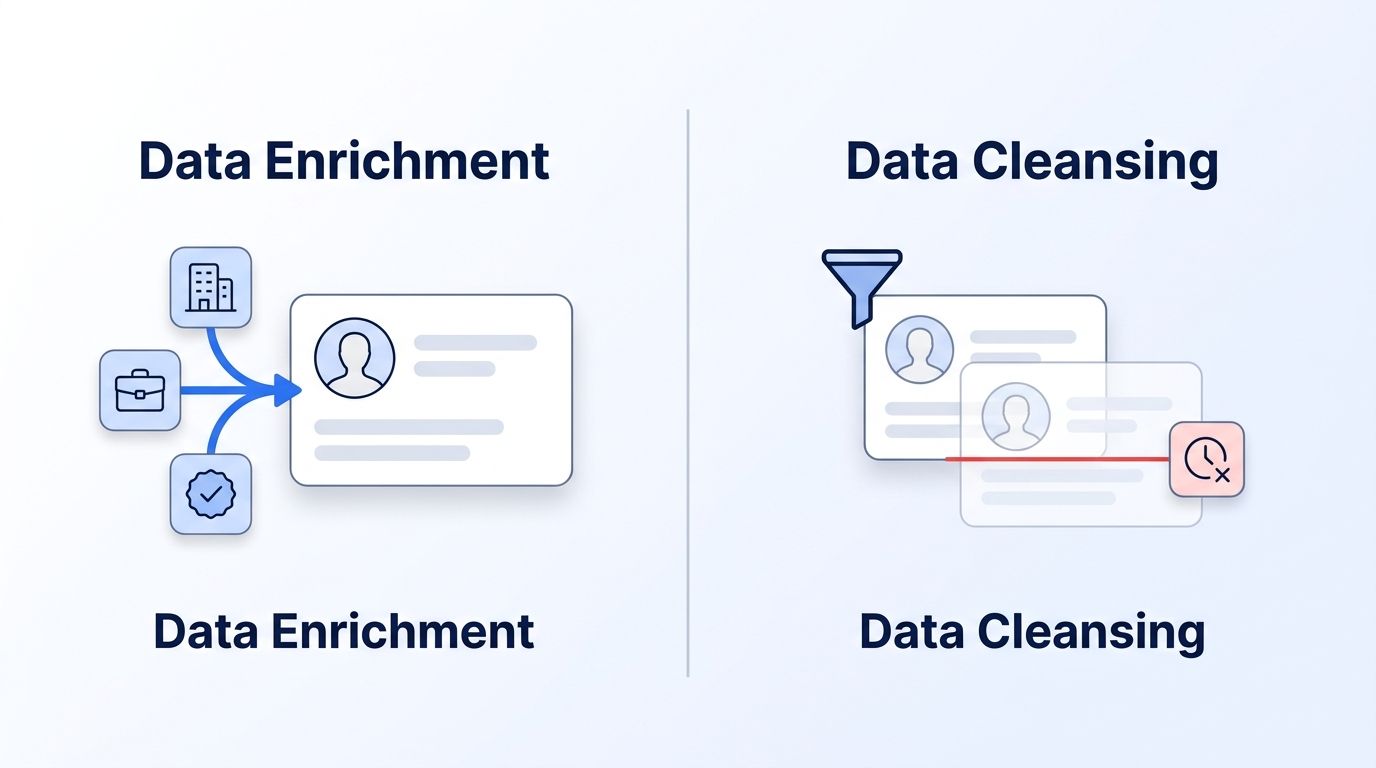
Data enrichment adds information you don't have. Data cleansing fixes information you already have but got wrong. They sound similar in a sales pitch, and that's exactly why so many RevOps teams buy one and assume it covers the other.
It doesn't. In 2026, poor data quality still costs the average organization $12.9 million per year (Gartner, 2021), and that figure hasn't budged because most teams are solving half the problem. This guide breaks down what each process actually does, where they overlap, and how to decide which one to run first.
Key Takeaways
- Data enrichment adds new fields (firmographics, job titles, verified emails); data cleansing fixes existing fields (duplicates, typos, dead contacts). They solve different failure modes.
- B2B contact databases decay at roughly 2.1% per month, compounding to 22.5% per year (HubSpot, 2025) — cleansing alone can't outrun that if nothing is enriching records with fresh signals.
- Personalization built on enriched data drives a 5-15% revenue lift, with top performers seeing up to 40% more revenue than average (McKinsey, 2025) — but only if the underlying records are clean enough to trust.
- Most mature RevOps stacks run both as a continuous loop: cleanse to remove noise, enrich to fill gaps, repeat monthly.
What's the Actual Difference Between Enrichment and Cleansing?
Data enrichment adds new information to a record; data cleansing corrects or removes information already there. Enrichment takes a bare LinkedIn URL or an email address and appends job title, company size, industry, and verified contact details. Cleansing takes an existing CRM record and removes duplicates, fixes formatting errors, and flags contacts who've gone stale.
Think of it as input versus maintenance. Enrichment is how a record gets richer over time — turning "[email protected]" into a full profile with seniority, department, and firmographic context. Cleansing is how a record stays accurate over time — catching the fact that "[email protected]" bounced last month because Jane changed jobs.
Neither process replaces the other, and treating them as interchangeable is where most data quality budgets go to waste. A record can be perfectly clean (no duplicates, correctly formatted, no typos) and still be nearly useless if it's missing the firmographic data a rep needs to qualify the account. It can also be richly enriched and still actively harmful if the underlying email address bounces and drags down sender reputation.
Quick Comparison Table
| Category | Data Enrichment | Data Cleansing |
|---|---|---|
| Primary Job | Adds missing fields (firmographics, contact details, intent signals) | Fixes existing fields (duplicates, typos, dead records) |
| Best For | Filling gaps in thin or bare-minimum records | Removing noise from records you already collected |
| Typical Trigger | New lead capture, list import, account creation | Scheduled maintenance, CRM audit, deliverability drop |
| Market Size (2025) | $2.88B, growing at 12.4% CAGR (Grand View Research, 2025) | $2.82B, growing at 17.5% CAGR (Grand View Research, 2025) |
| Data Source | External (LinkedIn, firmographic databases, intent providers) | Internal (your own CRM, deduplication rules, validation logic) |
| Common Tools | Real-time enrichment APIs, waterfall providers | CRM native dedup, data quality suites, validation rules engines |
| Runs Best | Continuously, at point of capture | On a recurring schedule (weekly/monthly) |
| Failure Mode If Skipped | Reps work bare records with no context to qualify or personalize | Reps chase duplicates, bounce emails, and waste time on dead contacts |
| Our Verdict | Wins for filling gaps | Wins for fixing errors |
Which One Fixes Duplicate and Inaccurate Records?
Data cleansing wins on duplicates and formatting errors because that's its entire purpose — it audits records you already have and standardizes or removes the bad ones. Enrichment doesn't touch this problem at all; it appends new data, it doesn't reconcile conflicting old data.
Cleansing tools scan for exact and fuzzy duplicates (two records for "Jon Smith" and "Jonathan Smith" at the same company), normalize inconsistent formatting (phone numbers, state abbreviations, job title casing), and flag records with obviously invalid values. This is largely rules-based work: matching logic, validation checks, and merge rules that run against your existing database.
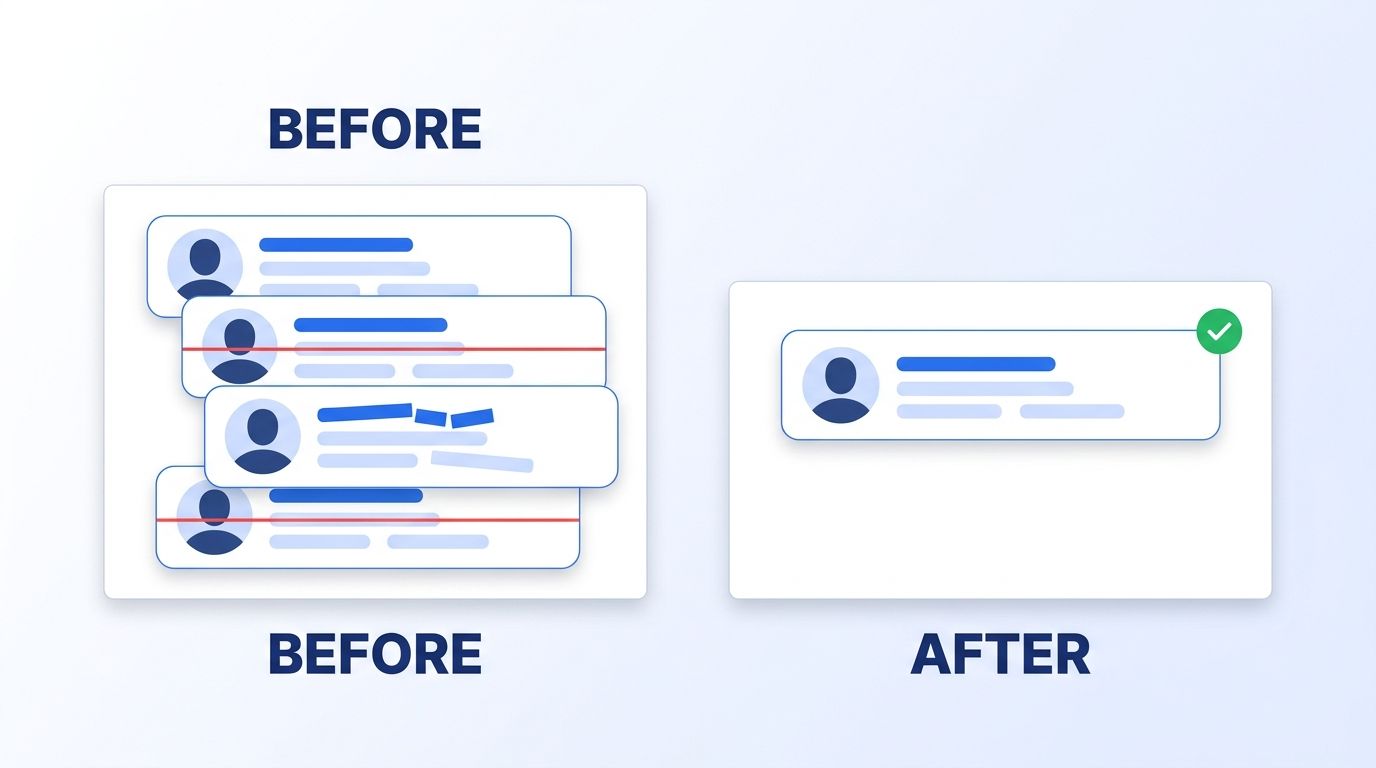
Enrichment can indirectly reduce duplicate creation going forward — if a rep pulls a verified, standardized record from an API instead of hand-typing a new contact, there's less garbage entering the pipeline in the first place. But it won't retroactively merge the 40,000 duplicate contacts already sitting in a five-year-old CRM. That's a cleansing job, full stop.
Verdict: cleansing owns error correction; enrichment only helps prevent new errors at the point of entry.
Which One Adds the Firmographic and Contact Data You're Missing?
Data enrichment wins on filling gaps — it's the only one of the two designed to bring in information that never existed in your CRM. A cleansing pass can perfect a record's format, but it can't manufacture a job title, company revenue band, or verified email that was never captured.
Enrichment APIs take a minimal signal — a name, a domain, a LinkedIn URL — and return structured detail: current employer, seniority, department, headcount, industry, and often a verified professional email. This is the mechanism that turns a bare lead into something a rep can actually qualify and personalize outreach around.
When we look at enrichment requests coming through Datamagnet's own company profile endpoint, the fields customers query most aren't exotic — headcount, industry, and recent hiring signals dominate. That's a strong signal the gap most teams are actually closing isn't obscure firmographic trivia, it's the basics their CRM was never populated with at signup.
Verdict: enrichment owns the "we never had this data" problem; cleansing can't fix a field that was always blank.
Which One Stops Your CRM From Decaying Over Time?
Neither one alone stops decay — this is the category where the two processes have to work together on a loop. B2B contact data decays at roughly 2.1% per month, which compounds to about 22.5% per year (HubSpot, 2025). People change jobs, get promoted, or leave the workforce, and every one of those events makes a previously accurate record wrong.
Cleansing catches decay after the fact — a bounced email, a duplicate created when someone re-enters at a new company, an outdated title flagged during an audit. It's reactive by design; it can't know a contact changed jobs until something in the data breaks. Enrichment, especially when it runs continuously against live signals, can catch the change closer to the moment it happens — refreshing a job title or company field before the old value ever causes a bounce or a misdirected campaign.
track when your champions and contacts change jobs
Verdict: this is a tie by design — enrichment slows the rate of new decay, cleansing catches what decay already got through.
Which One Actually Improves Sales Rep Productivity?
Enrichment wins here, because the productivity drain is a data-access problem, not a data-accuracy problem. Sales reps spend less than 30% of their time actually selling, with the rest absorbed by admin work, manual research, and CRM upkeep (Salesforce, 2023). That gap closes when a rep can pull a full account profile automatically instead of hand-searching LinkedIn and company websites between calls.
Cleansing contributes here too, just indirectly — a rep who trusts their CRM data spends less time double-checking a contact before reaching out. But the bulk of that lost 70% isn't spent fixing typos; it's spent hunting for information the CRM never had. That's squarely an enrichment problem.
The two processes actually compound each other's ROI here. Enrichment without cleansing means a rep gets a rich profile attached to a contact who may have already bounced or left the company — wasted enrichment spend on a dead record. Cleansing without enrichment means a rep gets a confirmed-accurate contact with no context to open a conversation. Run separately, each one caps the other's ceiling.
Poor deliverability compounds this same problem from the email side. Validity's 2025 benchmark research found inbox placement rates declined through 2024 (Validity, 2025), a trend directly tied to lists carrying stale, unmaintained contacts — the exact records a cleansing pass is built to catch before a campaign goes out.
see how real-time enrichment compares to static contact databases
Verdict: enrichment wins on rep-facing productivity; cleansing wins on protecting sender reputation.
Do You Need Both, and What Does It Cost to Run Them Together?
For any team running outbound at scale, yes — you need both, and the combined cost is lower than the cost of running neither. A standalone cleansing tool typically runs a flat monthly fee regardless of usage; enrichment APIs are usually usage-based, priced per successful match or per credit consumed.
The hidden cost isn't the subscription — it's what happens when you skip one leg. Skipping cleansing means enrichment spend gets wasted refreshing contacts who've already gone stale or bounced. Skipping enrichment means a perfectly clean CRM full of bare-minimum records that give reps nothing to work with. Neither failure shows up on an invoice; both show up in pipeline.
<!-- [PERSONAL EXPERIENCE] -->Teams that adopt Datamagnet as their enrichment layer typically pair it with whatever native deduplication and validation rules already exist in their CRM (HubSpot, Salesforce, or similar) rather than buying a second standalone cleansing suite — enrichment runs at point of capture via the People Profile endpoint, and cleansing rules run on the schedule the CRM already supports.
Adoption data backs this pairing: HubSpot found that AI-driven enrichment properties were auto-populating for the vast majority of its 2025 customer base, the same year it rolled out dedicated cleansing tooling alongside enrichment (HubSpot, 2025) — evidence the market itself now treats these as one combined workflow, not a choice between two vendors.
check your current API credit usage before adding enrichment volume
Who Should Prioritize Which First?
If your CRM is full of duplicates and bounces, cleanse first. If your CRM is full of bare, context-free records, enrich first. Most teams have some of both problems, but the dominant symptom usually points to a clear starting move.
Teams with an old, unmaintained CRM (5+ years of manual entry): Cleanse first. You likely have thousands of duplicates and dead contacts inflating your record count, and enriching garbage data just makes better-formatted garbage.
Teams generating a high volume of new leads with thin data: Enrich first. A fast-growing pipeline with bare name-and-email records needs firmographic context before reps can prioritize anything.
Teams running ABM or outbound at scale: Run both continuously, in that order — cleanse on a monthly cadence, enrich at the point a new account or contact enters the pipeline.
If neither problem is acute — you're a small team with a young CRM — start with enrichment alone and add scheduled cleansing once your contact volume passes a few thousand records.
build an ICP-qualified account list before you enrich it
Frequently Asked Questions
Is data enrichment better than data cleansing?
Neither is "better" — they solve different problems. Enrichment adds missing data (firmographics, verified contacts); cleansing fixes existing data (duplicates, errors, stale records). A 2026 RevOps stack needs both, since fixing bad data doesn't create data you never had, and adding new data doesn't fix what's already broken.
Can I clean my CRM without also enriching it?
Yes, but the value plateaus fast. Cleansing removes noise and duplicates, which improves deliverability and rep trust in the data. It won't, however, fill gaps in firmographic or contact fields that were never populated — that's enrichment's job, and skipping it leaves reps working clean but context-free records.
Does enrichment automatically clean my existing bad data?
No. Enrichment appends new fields to a record; it doesn't merge duplicates or correct existing errors already in your CRM. Some enrichment providers offer standardization on the new fields they add, but that's not the same as auditing and cleaning your legacy database — that still requires a dedicated cleansing pass.
How often should I run data cleansing versus enrichment?
Cleansing typically runs on a scheduled cadence — weekly or monthly — since it's auditing data you already collected. Enrichment works best continuously, triggered at the moment a new lead or account enters your CRM, so records start rich rather than getting enriched in a later batch.
Is combining enrichment and cleansing worth it for a small sales team?
It depends on contact volume more than team size. Below a few thousand contacts, prioritize enrichment to make sure new leads carry usable context. Once contact volume grows enough that duplicates and stale records start appearing regularly, add scheduled cleansing on top rather than replacing enrichment with it.
The Verdict: Category Winners
| Category | Winner |
|---|---|
| Duplicate & Error Correction | Data Cleansing |
| Filling Missing Firmographic Data | Data Enrichment |
| Stopping CRM Decay | Tie (both, running together) |
| Sales Rep Productivity | Data Enrichment |
| Deliverability & Sender Reputation | Data Cleansing |
| Overall | Both — enrichment fills the gaps, cleansing catches what still breaks |
Enrichment and cleansing aren't competing purchases; they're two halves of the same maintenance loop. Skip enrichment and your CRM stays accurate but thin. Skip cleansing and your enrichment budget gets spent refreshing contacts who already bounced. Run them together, on a recurring cycle, and each one covers exactly the gap the other leaves open.
read the full guide to real-time B2B people enrichment
