
Disclosure: This article is published by Datamagnet. Vendor claims are self-reported unless otherwise noted.
ChatGPT for Sales Prospecting: Connect Live B2B Data With an MCP Connector (2026 Guide)
ChatGPT can write a great cold email. It can't tell you whether your prospect still works at the company it "remembers." In 2026, Salesforce's State of Sales report found that 87% of sales organizations use some form of AI (Salesforce, "Salesforce Announces State of Sales Report for 2026", February 2026), yet reps still spend most of their week outside selling. The fix is to give ChatGPT a live data source through an MCP connector. This guide shows you how, in six steps.
Key Takeaways
- In 2026, Salesforce reported that the average seller spends 40% of their time selling, so research is the best place to save hours.
- ChatGPT alone guesses at people facts. A connector lets it call a live data API instead.
- Datamagnet's API introduction describes an HTTP API and doesn't mention MCP, so you wrap it in a small server of your own.
- A typical prospecting run costs about 35 credits: one search page plus 25 profiles.
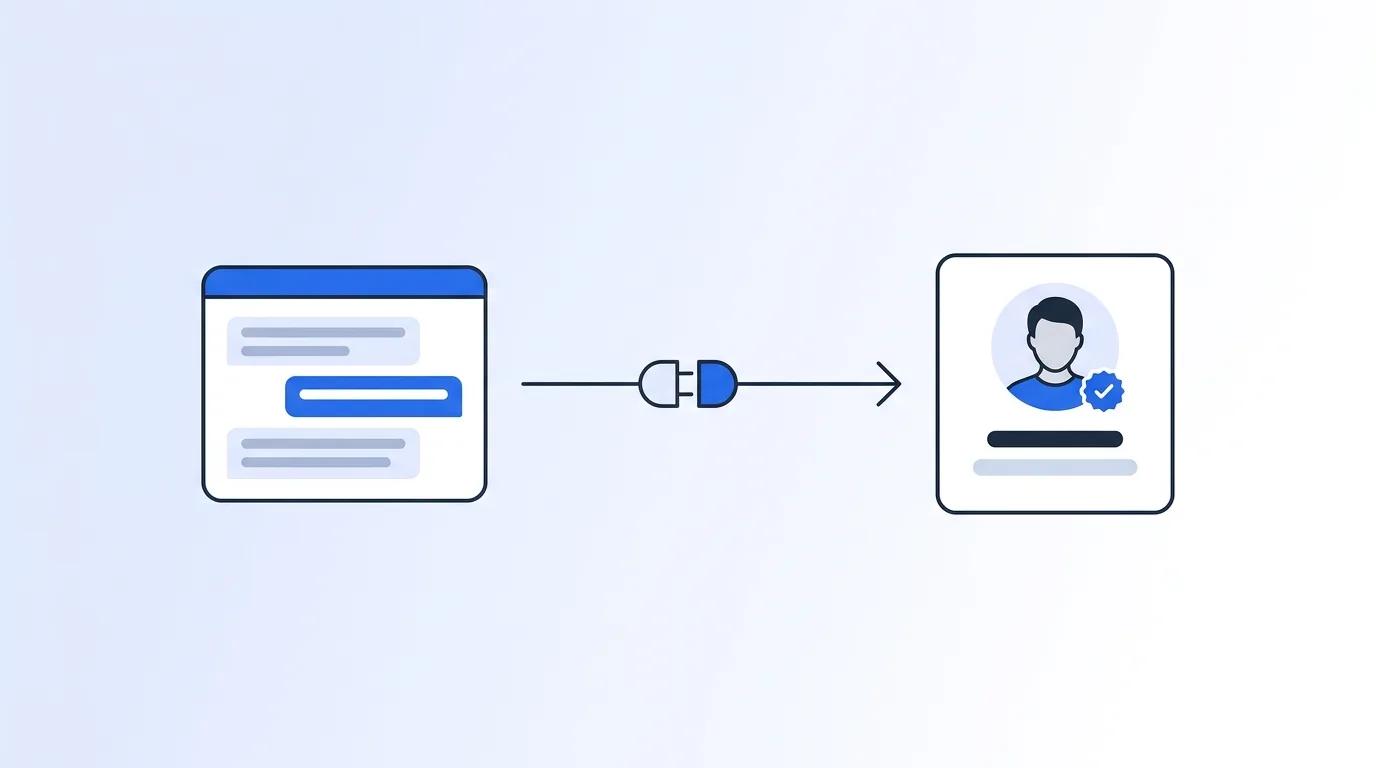
Why does ChatGPT need live data for prospecting?
In 2026, Salesforce's State of Sales report, based on a survey of 4,050 sales professionals, found that 55% of sellers use AI for prospecting, and the average seller spends just 40% of their time selling (Salesforce, "Salesforce Announces State of Sales Report for 2026", February 2026). ChatGPT speeds up the writing. It can't verify who someone works for today.
That gap matters. A model answers from training data, and training data ages. Ask it for the VP of Marketing at a mid-size SaaS company, and it will often sound sure and be wrong.
OpenAI has measured a version of this. In April 2025, its o-series system card reported PersonQA hallucination rates of 16% for o1, 33% for o3 and 48% for o4-mini on questions about people (OpenAI, "OpenAI o3 and o4-mini System Card", April 2025). That's OpenAI's own internal benchmark, and it covers older models. Treat it as a warning about the failure type, not a score for today's ChatGPT.
The practical lesson: don't ask ChatGPT facts about named people. Ask it to fetch them. Let the model reason, draft and rank, and let an API supply every job title, company and start date.
If you've never worked with people data APIs, the People API page shows what a profile lookup returns.
What is an MCP connector (and why use one)?
The Model Context Protocol (MCP) is "an open-source standard for connecting AI applications to external systems" (modelcontextprotocol.io, "What is the Model Context Protocol (MCP)?", current docs). Anthropic introduced it in November 2024 as a standard way to build two-way connections between data sources and AI tools (Anthropic, "Introducing the Model Context Protocol", November 25, 2024).
Think of it as a USB-C port for AI, which is the comparison the project's own docs use. You build one server that exposes "tools," such as get_linkedin_profile. Any client that speaks MCP, including ChatGPT, can then call them.
You have two ways to get live data into a chat. You can paste it in by hand, or you can let ChatGPT call a tool when it needs a fact. The second way scales, and it keeps the data fresh.
One honest note first. Datamagnet's API introduction describes an HTTP API, and that page doesn't mention MCP. So the plan is simple: you write a thin MCP server that calls the HTTP API, and ChatGPT talks to that server.
What do you need before you start?
You need a Datamagnet API key, a place to run a small Python server, and access to custom MCP servers in ChatGPT. The key comes from the dashboard under API Keys, and new accounts get 10 free credits (Datamagnet, Pricing). That's enough to run the whole tutorial.
What you'll need:
- A Datamagnet account and API key (10 free credits to start)
- Python 3.10+ and the official
mcp(pinned to 1.30.0) andhttpxpackages - A public HTTPS address for the server, or a tunnel for local testing
- A ChatGPT account where Add custom MCP server appears in the Plugins menu
- Time: about 45 minutes
- Difficulty: Intermediate
Plan availability is the one thing to check yourself. OpenAI's docs don't publish a clear plan matrix for custom MCP servers, and the help-center page wasn't readable when we researched this. If the option isn't in your menu, your workspace admin may control it.
Step 1: How do you get your API key and test one profile?
By the end of this step, you'll have a working API key and one successful profile call. Test the data source before you build anything on top of it. If this call fails, nothing downstream will work, and you'll waste time debugging the wrong layer. A single profile lookup costs one credit, so the check is cheap.
Datamagnet uses bearer-token auth. The Authentication docs explain how to generate and rotate keys. The Quickstart walks through a first request.
- Create an account and generate a key in the dashboard.
- Store it as an environment variable. Never paste it into ChatGPT or commit it to a repo.
- Call the person endpoint with a public profile URL.
export DATAMAGNET_API_KEY="your-key-here"

curl -X POST https://api.datamagnet.co/api/v1/person \
  -H "Authorization: Bearer $DATAMAGNET_API_KEY" \
  -H "Content-Type: application/json" \
  -d '{"url": "https://www.linkedin.com/in/example-profile/", "use_cache": "never"}'
You should get JSON back with fields such as job_title, job_started_on, job_still_working and current_company_name. A successful profile call costs 1 credit (Datamagnet, Pricing). The People endpoint docs list every field.
Watch the use_cache parameter. Its default is if-present, which can return a stored copy. For prospecting, where a stale title is the exact problem you're solving, set never, or if-recent (data fresh within 29 days, best effort). The server in Step 2 does this for you.
Step 2: How do you wrap the API in an MCP server?
By the end of this step, you'll have a local server exposing one read-only tool. One tool is enough to start, and a small tool surface is easier for ChatGPT to use correctly. The server below exposes a single profile lookup, keeps your API key out of the chat, and returns only the four fields a prospecting prompt actually needs.
The official Python SDK v1 includes a helper called FastMCP. Install the pinned version first: pip install "mcp==1.30.0" httpx. We checked that these imports load on 1.30.0. If you upgrade to a different major version of the SDK, check its release notes and re-test the imports before you run this code.
import os
import httpx
from mcp.server.fastmcp import FastMCP
from mcp.types import ToolAnnotations

mcp = FastMCP("datamagnet-prospecting")

API = "https://api.datamagnet.co/api/v1"
HEADERS = {
    "Authorization": f"Bearer {os.environ['DATAMAGNET_API_KEY']}",
    "Content-Type": "application/json",
}
KEEP = ["job_title", "job_started_on", "job_still_working", "current_company_name"]

@mcp.tool(annotations=ToolAnnotations(readOnlyHint=True))
def get_profile(linkedin_url: str, fresh: bool = True) -> dict:
    """Return the current role of a person from their public LinkedIn URL."""
    body = {"url": linkedin_url, "use_cache": "never" if fresh else "if-recent"}
    resp = httpx.post(f"{API}/person", json=body, headers=HEADERS, timeout=60)
    resp.raise_for_status()
    data = resp.json()
    return {k: data.get(k) for k in KEEP}

if __name__ == "__main__":
    mcp.run(transport="streamable-http")
Three design choices are worth copying. The tool returns only four fields, which keeps ChatGPT's context small. The readOnlyHint tells ChatGPT the tool doesn't change anything. And the API key stays on your server, never in the chat.
This server has no authentication. It's fine for local testing or behind a private tunnel. Before you expose it on a public URL, you have to add auth yourself (see Step 4). The code above doesn't include it.
Verify it by running python server.py and checking that it listens locally. If the response keys differ from the list above, adjust KEEP to match the People endpoint docs.
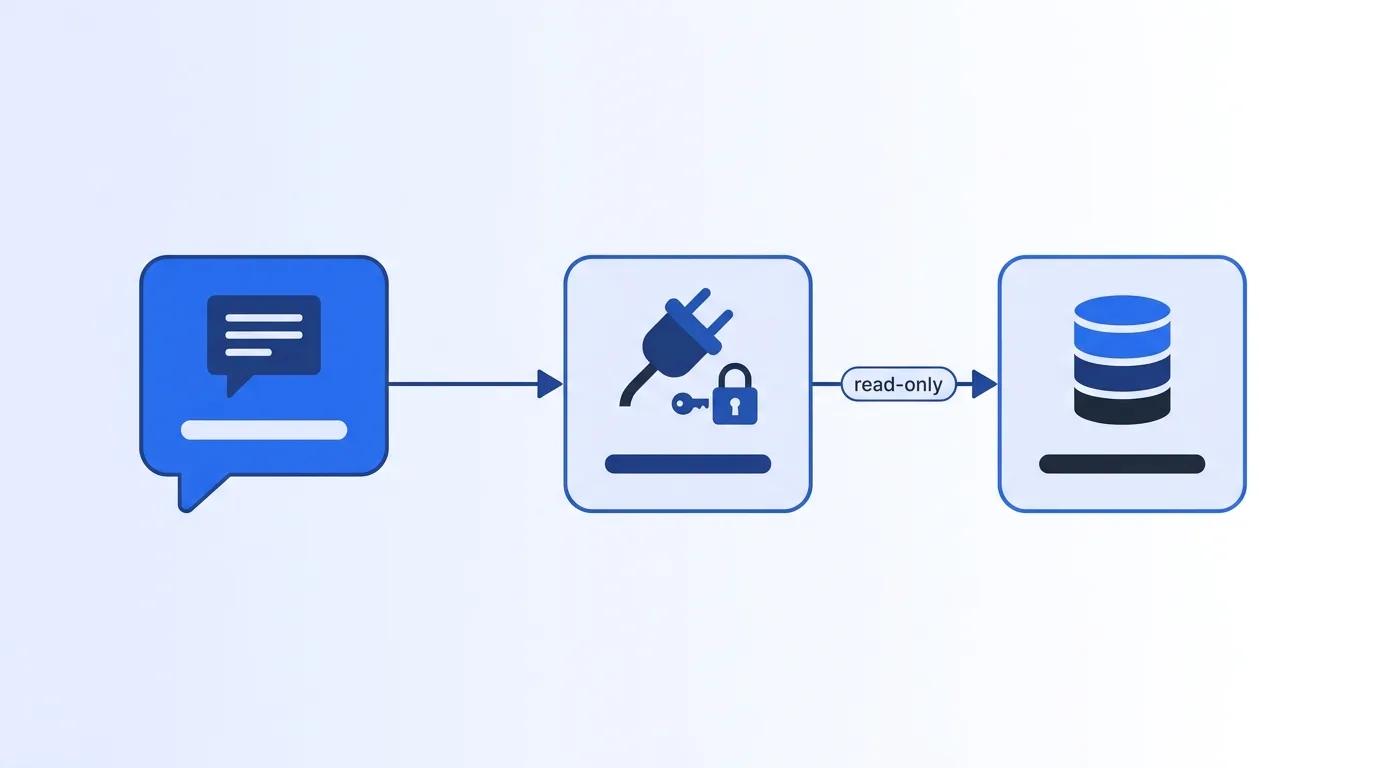
Step 3: How do you make the server reachable by ChatGPT?
By the end of this step, you'll have a public HTTPS URL that ChatGPT can reach. OpenAI's connection guide says the server needs a public HTTPS endpoint, or a Secure MCP Tunnel, and the endpoint should support streamable HTTP, typically at /mcp (OpenAI, "Connect and test your plugin", 2026).
You have two options:
- Deploy it. Put the server on any host that gives you HTTPS, and note the full URL, ending in
/mcp. - Tunnel it. For local testing, use a tunnel tool or the Secure MCP Tunnel option that ChatGPT offers in the setup form.
Here's the risk most tutorials skip. A public MCP URL with no login is a public way to spend your credits. Anyone who finds it can call your tool, and each call bills your account. Plan for authentication in Step 4, or keep the server behind a tunnel while you test.
Verify with a quick request to the URL from outside your network. If it times out, check firewall rules and the path before you touch ChatGPT.
Step 4: How do you add the connector in ChatGPT?
By the end of this step, ChatGPT will list your server as an installed plugin. OpenAI's current docs describe the path in six clicks (OpenAI, "Add custom MCP server", 2026). The docs say to use ChatGPT on the web. Have your server URL (or tunnel choice) ready before you start, since the form asks for it in the fourth click.
- Open ChatGPT Plugins at chatgpt.com/plugins and select the plus button.
- Choose Add custom MCP server.
- Enter a name and an optional description.
- Under Connection, paste your Server URL, or choose Tunnel.
- Pick the authentication mode: OAuth, no authentication, or either.
- Read the risk warning, select "I understand and want to continue," then Create as a plugin and install it.
Pick OAuth if you deploy publicly. "No authentication" is fine for a short test behind a tunnel, but not for an open URL that spends credits.
One catch: the Step 2 server doesn't implement OAuth, and this guide doesn't build it for you. For a public deployment, you need to add an OAuth layer to the server yourself (the MCP Python SDK documents its authorization support) or put it behind an authenticating gateway. Until you do, keep it on a tunnel.
Older guides describe a "Developer Mode" toggle. OpenAI's current docs no longer list it for this path, so don't be surprised if you can't find it. Also note OpenAI states that custom MCP servers aren't developed or verified by OpenAI. You're responsible for what yours does.
Step 5: How do you prompt ChatGPT to prospect with it?
By the end of this step, you'll have a repeatable prompt that returns verified prospect notes. ChatGPT treats a tool without readOnlyHint as a write action and asks you to confirm each call. Because your tool is marked read-only, that friction mostly disappears, according to OpenAI's custom MCP guidance (OpenAI, "Add custom MCP server", 2026).
Start each chat by telling the model what the tool is for and what to do when data conflicts. Here's a template:
I'm preparing outreach for these LinkedIn URLs: [paste 3-5 URLs]. For each one, call the Datamagnet profile tool. Report current title, company and start date. If
job_still_workingis false, flag the person as "moved" and don't draft an email. For the rest, write a three-sentence opener that references their start date. Never state a job fact that didn't come from the tool.
That last sentence is the guardrail. It turns ChatGPT from a guesser into a reader of your data.
To find the right people first, use ICP search. The ICP People Search docs list filters for title, seniority, company, headcount, industry and location, and the ICP Search API page explains the product. Add it as a second read-only tool when you're ready.
Verify by checking one output against the live profile. If the title matches, the connector works.
Step 6: How do you control cost and keep it compliant?
By the end of this step, you'll know your credit spend and the rules around the data. Every tool call costs credits, so a loop can get expensive fast. Datamagnet charges 1 credit per profile and 10 credits per search page, and it charges only for successful requests (Datamagnet, Pricing).
| Call | Credits | Source |
|---|---|---|
| Person profile | 1 | Datamagnet, Pricing |
| ICP People Search (per page) | 10 | Datamagnet, Pricing |
| Company funding rounds | 5 | Datamagnet, Pricing |
| Credit balance check | Free | Datamagnet, Pricing |
Datamagnet's plans are Starter at $39 per month, Pro at $99 and Scale at $199, with pay-as-you-go starting at $10, which its pricing data lists as 200 credits (Datamagnet, Pricing). One page of ICP search plus 25 profile lookups is 35 credits. At that $10-for-200-credits rate ($0.05 per credit), that's about $1.75, by our arithmetic.
Add a cap to your server. A simple counter that refuses calls after, say, 200 per day protects you from a runaway chat. You can also check your balance with the credit balance endpoint.
Compliance deserves a plain statement. LinkedIn's User Agreement (effective November 3, 2025) lists as prohibited conduct using software, scripts or bots to scrape or copy its services, and its help page on prohibited software says accounts that violate the rules may be restricted (LinkedIn, "User Agreement"; LinkedIn, "Prohibited software and extensions"). Never connect your personal LinkedIn login to any tool. Datamagnet states that it uses public sources only (Datamagnet, Security & Data Practices, self-reported). This is a summary of the terms, not legal advice. Ask your counsel about your own use.
What mistakes should you avoid?
The most common mistake is trusting the model to remember anything. Reps paste a name, ask for a job title, and get a confident answer with no tool call. Force the tool call in your prompt, and check the response for evidence that it ran.
1. Letting the tool return everything. Large responses burn context and tempt the model to wander. Return the four fields you need and nothing else.
2. Leaving the server unauthenticated. It's an open credit tap. Add OAuth (you have to build it, as the Step 2 code has none), or keep it behind a tunnel.
3. Using cached data for job-change checks.
The default use_cache is if-present, which can return stored data. For "is this person still there?", use never.
4. Skipping a spend cap. A prompt that says "check my whole list" can fire hundreds of calls. Cap daily calls in code.
5. Copying old setup guides. Menu names and plan rules have changed more than once. Trust OpenAI's current docs, and check your own Plugins menu.
Mistakes 2 and 4 share a root cause: an MCP server turns a chat into a billing surface. Treat it like any internal API, with auth, rate limits and logging.
What does success look like?
If everything worked, you can paste five prospect URLs and get back current titles, flagged job changes and personalized openers, all sourced from live calls. The whole run should cost about 5 credits for the profiles. In 2026, Salesforce reported that sellers expect AI agents to cut prospect research time by 34% (Salesforce, "Salesforce Announces State of Sales Report for 2026", February 2026). That's an expectation, not a measured result, so time your own before and after.
Your stretch goal: add a second tool for ICP search, then pair the connector with job-change alerts. The Signal API can push job-change events by webhook. The champion-tracking cookbook shows the pattern.
Frequently Asked Questions
Can ChatGPT do sales prospecting on its own?
ChatGPT can draft emails, summarize accounts and brainstorm angles, but it can't reliably look up current facts about people. OpenAI's own PersonQA benchmark recorded hallucination rates of 16% to 48% on o-series models in April 2025. Connect a live data source and make the tool call mandatory in your prompt.
Does Datamagnet have a native MCP server?
We found no native MCP server. Datamagnet's API introduction describes an HTTP API and doesn't mention MCP. You wrap the API in a small MCP server of your own, as shown in Step 2. The API takes a bearer token, and the quickstart lists the person endpoint and its parameters for building the wrapper.
How much does it cost to run this connector?
Datamagnet charges 1 credit per profile and 10 credits per search page. New accounts get 10 free credits, plans run $39, $99 and $199 per month, and pay-as-you-go starts at $10 for 200 credits. A search page plus 25 profiles is 35 credits, or about $1.75 at that rate.
Is it safe to use LinkedIn data in ChatGPT?
Use public profile data only, and never give a tool your personal LinkedIn login. LinkedIn's User Agreement prohibits using bots or scripts to scrape its services, and its help page says violating accounts may be restricted. This is a factual summary, not legal advice, so check your plans with counsel.
Can I get emails or phone numbers this way?
Not phone numbers. The People endpoint docs list a phone_number key but state "Phone numbers are not returned," so the field is always null. The tutorial server's KEEP list returns only role and company fields. If you add contact fields such as email, check the People endpoint docs for what's returned, and clear it with your compliance rules first.
Sources
Retrieved 2026-11-18 unless noted.
- Salesforce, "Salesforce Announces State of Sales Report for 2026," February 3, 2026: https://www.salesforce.com/news/stories/state-of-sales-report-announcement-2026/
- OpenAI, "OpenAI o3 and o4-mini System Card," April 2025: https://openai.com/index/o3-o4-mini-system-card/
- modelcontextprotocol.io, "What is the Model Context Protocol (MCP)?": https://modelcontextprotocol.io/introduction
- Anthropic, "Introducing the Model Context Protocol," November 25, 2024: https://www.anthropic.com/news/model-context-protocol
- OpenAI, "Add custom MCP server": https://developers.openai.com/api/docs/guides/custom-mcp-server
- OpenAI, "Connect and test your plugin": https://developers.openai.com/plugins/deploy/connect-chatgpt
- LinkedIn, "User Agreement," effective November 3, 2025: https://www.linkedin.com/legal/user-agreement
- LinkedIn, "Prohibited software and extensions": https://www.linkedin.com/help/linkedin/answer/a1341387
- Datamagnet, "Pricing": https://www.datamagnet.co/pricing/
- Datamagnet, "Security & Data Practices": https://www.datamagnet.co/security/
Ready to try it? See pricing and the 10 free starter credits, then follow the quickstart to make your first profile call.
