
Disclosure: This article is published by Datamagnet. Vendor claims are self-reported unless otherwise noted.
How to Build an ICP List From Scratch: Company Search to Contact List
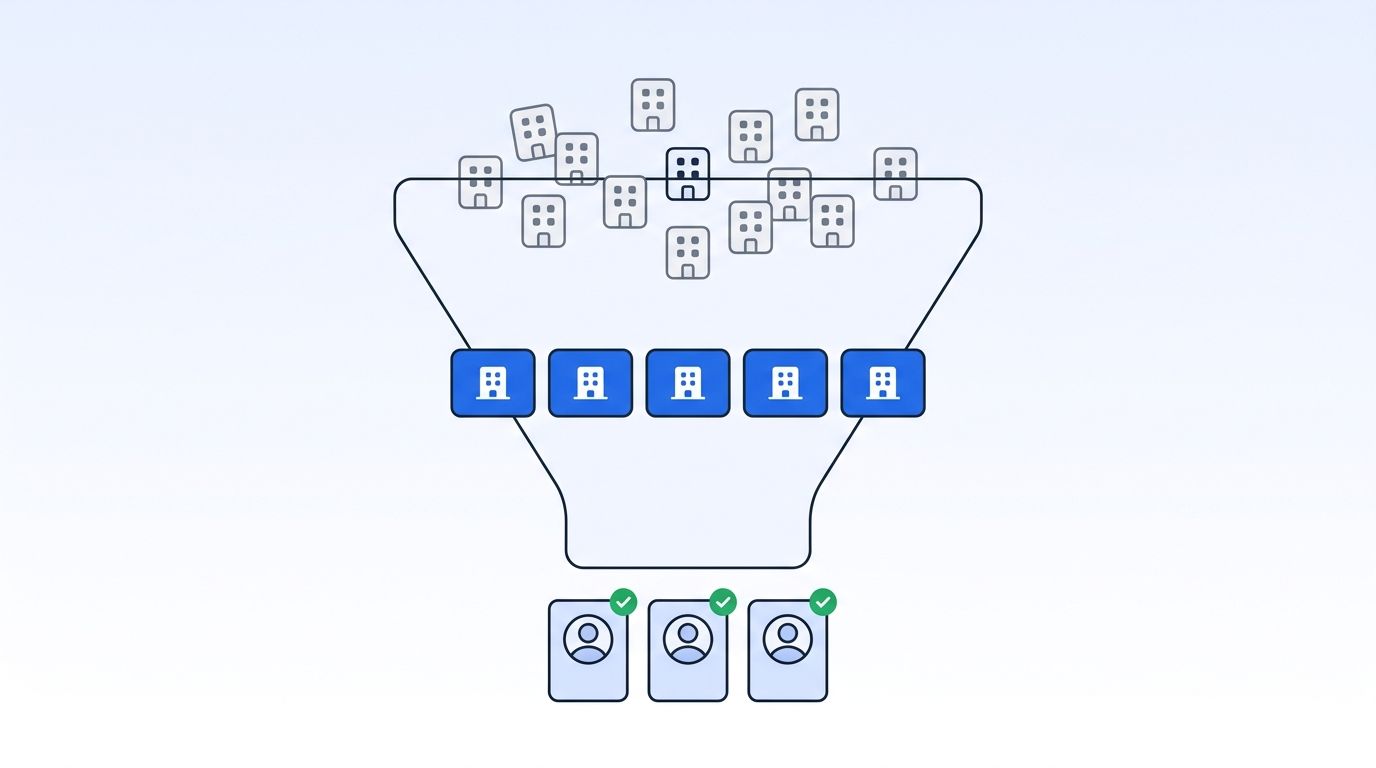
You build an ICP list by doing two searches in order, not one: first a company search that filters accounts by industry, headcount, revenue, and tech stack, then a people search inside only the accounts that passed, filtered by job title and seniority. Skip the order and you end up with a spreadsheet of logos and no one to call.
That's the gap this guide closes. We'll walk through defining your criteria, running the company search, running the people search, scoring what comes back, and keeping the list from going stale the moment you're done building it.
TL;DR
- Sales reps spend only 40% of their time actually selling, and Gen Z reps spend just 35% (Salesforce, State of Sales Report, 2026) — much of the rest goes to manual list-building.
- Multi-threading into accounts lifts win rates by 130% on deals over $50,000 (Gong Labs, 2025 deal analysis).
- B2B contact data decays roughly 2.1% a month — about 22.5% a year — so a list you build today needs a refresh cadence, not a one-time export (ZoomInfo decay benchmarks).
- Build the list in two passes: a company search for firmographic fit, then a people search inside those accounts for the right titles.
What Is an ICP List, and Why Build One Instead of Buying One?
An ICP list is a set of accounts that match your ideal customer profile, each one paired with the right contacts inside it — not a static list you buy once and work forever. In 2026, Salesforce's State of Sales Report found that sales reps spend only 40% of their work time actually selling, and Gen Z reps spend even less, at 35%, with manual data work eating the rest (Salesforce, State of Sales Report, 2026).
That stat matters here because most of the "non-selling" time goes to exactly the work this guide replaces: hunting for companies that fit, then hunting again for the right person inside each one. [UNIQUE INSIGHT] Treating this as two separate, sequential filters — company first, people second — is the part most teams skip. They build one blended list and end up with accounts that fit and contacts that don't, or contacts that fit at companies that shouldn't be on the list at all.
Datamagnet's ICP Search API is built around that same two-step logic: a company search endpoint and a people search endpoint, both using plain filter values instead of internal IDs you'd have to look up first.
Step 1: What ICP Criteria Should You Define Before You Search?
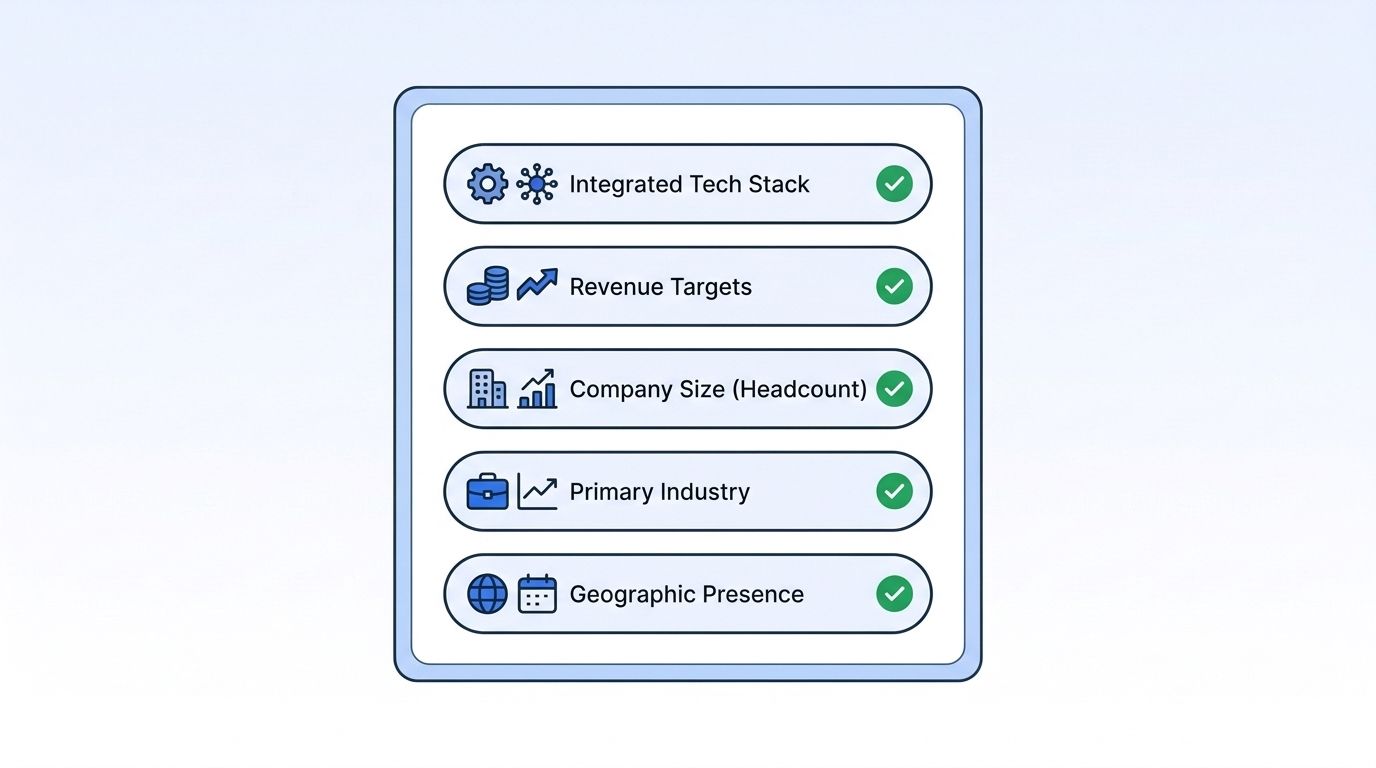
Write down five filters before you open any tool: industry, headcount range, revenue range, technology used, and location. Skipping this step is why so many "ICP lists" are really just lists of recognizable logos. A real ICP is specific enough that you could reject a company for being one filter off.
Keep the list short on purpose. Four or five firmographic filters are usually enough to separate a strong-fit account from a weak one — more than that, and you start excluding good accounts over criteria that don't actually predict whether they'll buy. Datamagnet's ICP Search filter reference lists every filter available across industry, headcount, revenue, technology, and location, so you can see what's filterable before you commit to criteria you can't actually query.
Why does this step come before any actual searching? Because a company search is only as good as the filters you feed it — fix the criteria first, and the search does the narrowing for you instead of the other way around.
Step 2: How Do You Run a Company Search to Find the Accounts That Fit?
A company search takes your ICP filters and returns the accounts that match, before you've spent a single minute looking at individual people. This is the step most "building an ICP list from scratch" guides gloss over, even though it's the one that determines everything downstream — a people search inside the wrong accounts just gives you well-matched contacts at companies you didn't actually want.
Datamagnet's ICP Company Search endpoint runs this filter pass using human-readable values — "healthcare," "201-500 employees," "Series B" — instead of requiring you to look up internal taxonomy IDs first. That matters more than it sounds: the market for this exact category of tooling is growing fast enough that doing it by hand is becoming the exception, not the norm. The sales intelligence market is on track to grow from $3.95 billion in 2025 to $4.52 billion in 2026, a 14.3% jump, heading toward $7.68 billion by 2030 (The Business Research Company, Sales Intelligence Global Market Report, 2026).
The output of this step should be a clean account list — company name, domain, headcount, industry, and whatever else you filtered on — with nothing about individual contacts yet. Resist the urge to mix in people data here. Keep company search and people search as genuinely separate passes, and you'll be able to re-run either one independently when your criteria change.
Step 3: How Do You Run a People Search Inside Your Matched Accounts?
A people search filters by job title, seniority, and function, but only within the account list the company search already produced — not across the open web. This is the step that turns a list of logos into a list of names you can actually call, and it's where most outbound campaigns quietly fail before they start.
Here's why that failure happens so often: the most senior title at a company isn't automatically the best person to contact. Belkins' 2026 analysis of 7.53 million cold emails found founders and owners reply at a 0.57% rate, beating C-level executives at 0.42% and VPs at 0.32% (Belkins, B2B Cold Email Response Rates, 2026 Study). Chasing the biggest title on the org chart, instead of the person who actually owns the problem you solve, costs reply rate.
Title alone isn't the whole story, either. In its 2025 deal analysis of 1.8 million opportunities, Gong Labs found that multi-threading — engaging multiple stakeholders instead of one — lifts win rates by 130% on deals over $50,000, and that winning deals average roughly twice as many engaged contacts as losing ones (Gong Labs, The Best Sales Insights of 2025). [PERSONAL EXPERIENCE] Across the accounts we see built on Datamagnet, the common failure mode isn't a bad company search — it's stopping at one contact per account because the people search felt "done" after the first good match.
Datamagnet's ICP People Search endpoint filters by job title, seniority, function, and company — scoped to the account list from Step 2 — so you can pull three or four contacts per account instead of one. If you're not sure which values a filter accepts, the ICP Search Suggest endpoint returns autocomplete suggestions for job titles, industries, and locations so you're not guessing at exact filter strings.
Step 4: Score and Prioritize the List You Just Built
Not every matched account deserves the same amount of attention, so score them before you start outreach. A simple score combining firmographic fit (how closely the account matches your Step 1 criteria) with activity signals (recent funding, hiring surges, leadership changes) tells you which accounts to work first and which can wait.
Teams that run this kind of structured, account-first process consistently post steadier results than teams working lead-by-lead. As of 2024, 64% of B2B marketing teams run an active account-based marketing practice, and those programs show a roughly 6-point performance edge over non-ABM teams, with notably less swing from quarter to quarter — a variance of 15% versus 21% (6sense, 2024 Account-Based Marketing Benchmark). The predictability, not just the win rate, is the part worth copying.
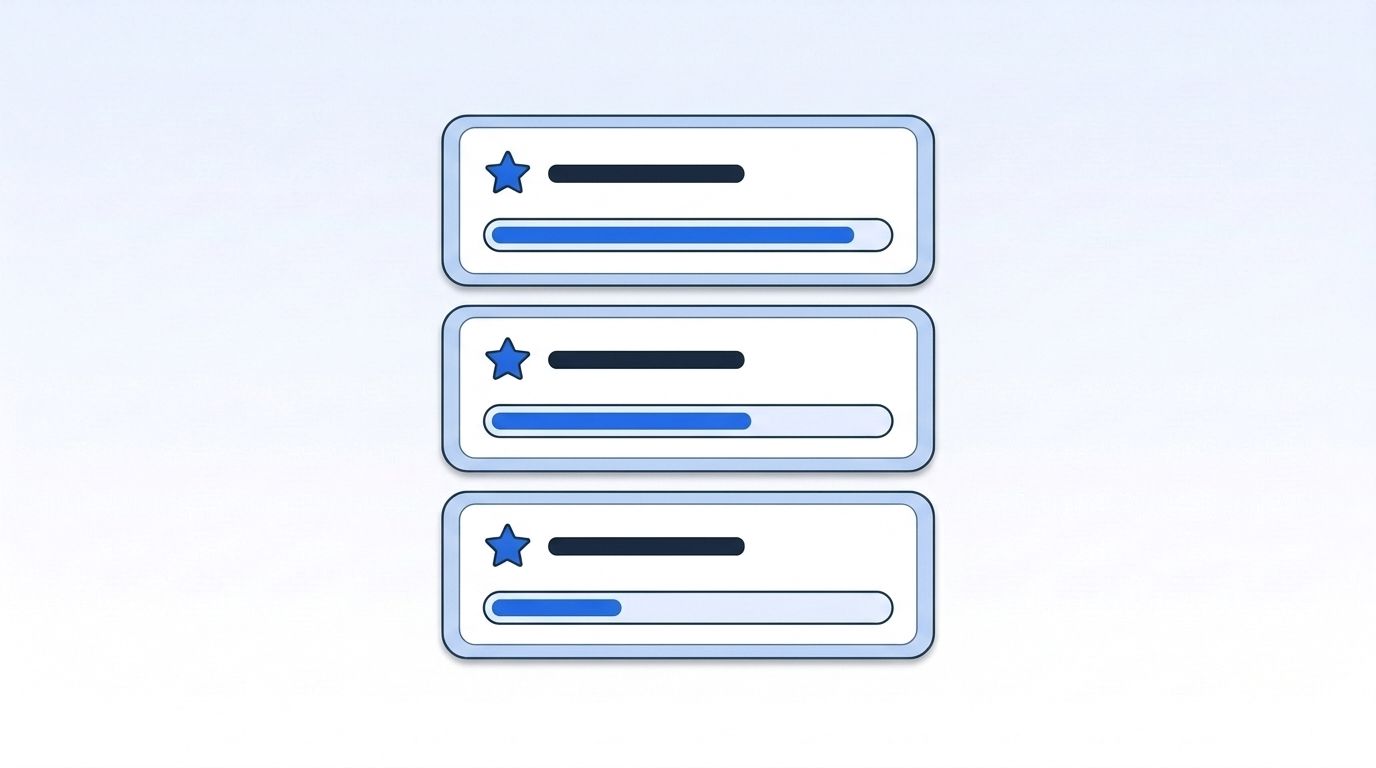
Should every signal weigh the same? No — a company that just raised a funding round and a company that just posted ten new job openings are both "active," but they're active for different reasons, so score them separately rather than folding every signal into one number.
Step 5: Keep the List Fresh, Because the Data Decays Fast
An ICP list is a snapshot, not a permanent record, so plan to refresh it on a schedule from the moment you build it. Industry benchmarks tracked by ZoomInfo put B2B contact data decay at roughly 2.1% a month, compounding to about 22.5% a year — meaning a list you build in January is nearly a quarter stale by the following January if nobody touches it (ZoomInfo, B2B Data Decay: Rates, Costs, and How to Stop It).
Job titles and email addresses tend to go stale first, usually within months of a promotion or a company move. Company-level attributes like headcount and industry drift more slowly. That split is exactly why a one-time export isn't enough: pair your quarterly company-search refresh with an ongoing signal that flags changes as they happen, rather than waiting to discover them the next time you re-run the whole search.
Datamagnet's champion tracking cookbook covers setting up job-change monitoring on your contact list, and the webhooks reference covers delivering those change events to your CRM or Slack in real time instead of checking manually.
Putting the Company Search and People Search Together
Both searches run through the same authentication and the same account, which is the point — you shouldn't need two separate tools glued together with a spreadsheet in between. Start with the quickstart guide to generate an API key and make your first company search call, then chain the people search call against the account list that comes back.
The adjacent data enrichment market is growing even faster in relative terms than sales intelligence overall, from $2.88 billion in 2025 to $3.24 billion in 2026 — a 12.4% CAGR heading toward $5.13 billion by 2030 (The Business Research Company, Data Enrichment Solutions Global Market Report, 2026). That growth is the market telling you the same thing this guide has been arguing: a list you build once by hand doesn't scale, and the teams investing in it know that already.
Frequently Asked Questions
What's the difference between an ICP and a buyer persona?
An ICP describes the company you want as a customer — industry, headcount, revenue, tech stack. A buyer persona describes the person inside that company — job title, seniority, priorities. You need both: the ICP narrows your company search, and the persona tells you who to find once you run a people search inside each matched account.
How many accounts should an ICP list start with?
Start smaller than you think — a pilot batch of a few hundred matched accounts beats scraping an entire market in one pass. Gong Labs' 2025 deal analysis found winning opportunities average roughly twice as many engaged contacts as losing ones, so a focused list you can actually multi-thread beats a sprawling one you can only reach once (Gong Labs, The Best Sales Insights of 2025).
How often should you refresh an ICP list?
B2B contact data decays at roughly 2.1% a month, compounding to about 22.5% a year, per decay-rate benchmarks tracked by ZoomInfo. That pace means a list built in January is nearly a quarter stale by the next January. Refresh your firmographic filters quarterly, and layer in continuous job-change or funding signals so promotions and moves don't fall through the cracks.
What data goes stale fastest in an ICP list?
Job titles and email addresses change first, often within months of a promotion, a role switch, or a company move. Headcount and industry drift more slowly at the company level. That's why pairing a one-time company search with an ongoing signal, like a job-change alert, keeps a contact list closer to current than a static export ever stays.
Can ICP list building be automated end-to-end?
Mostly, yes. A company search applies your firmographic filters first, and a people search then runs inside the matched accounts to surface contacts by title and seniority — both callable through an API instead of done by hand. The sales intelligence market's growth to $4.52 billion in 2026 reflects more teams automating exactly this handoff (The Business Research Company, Sales Intelligence Global Market Report, 2026).
Sources
- Salesforce, State of Sales Report, 2026, retrieved 2026-10-01, https://www.salesforce.com/news/stories/state-of-sales-report-announcement-2026/
- Gong Labs, The Best Sales Insights of 2025, retrieved 2026-10-01, https://www.gong.io/blog/the-best-sales-insights-of-2025
- 6sense, 2024 Account-Based Marketing Benchmark, retrieved 2026-10-01, https://6sense.com/science-of-b2b/2024-account-based-marketing-benchmark/
- ZoomInfo, B2B Data Decay: Rates, Costs, and How to Stop It, retrieved 2026-10-01, https://pipeline.zoominfo.com/marketing/b2b-data-decay
- Belkins, B2B Cold Email Response Rates, 2026 Study, retrieved 2026-10-01, https://belkins.io/blog/cold-email-response-rates
- The Business Research Company, Sales Intelligence Global Market Report 2026, retrieved 2026-10-01, https://www.thebusinessresearchcompany.com/report/sales-intelligence-global-market-report
- The Business Research Company, Data Enrichment Solutions Global Market Report 2026, retrieved 2026-10-01, https://www.thebusinessresearchcompany.com/report/data-enrichment-solutions-global-market-report
