
Disclosure: This article is published by Datamagnet. Vendor claims are self-reported unless otherwise noted.
9 Best Workflow Automation Tools for RevOps in 2026
In 2026, 46% of RevOps teams still run processes that are mostly or entirely manual, even at the largest enterprises (Rattle, The State of RevOps 2025, retrieved 2026-07-31). That's not a small-team problem — it's a stack problem. Most teams already own an automation tool. They just picked one that doesn't fit how their revenue org actually moves data between marketing, sales, and CS.
We compared 9 workflow automation tools across iPaaS platforms, GTM-specific orchestration, CRM-native builders, and dedicated RevOps tools, ranking each by fit, pricing transparency, and independently verified G2 ratings. Here's what actually held up.
Key Takeaways
- 40% of enterprise RevOps teams run 16+ tools, and a third of that stack is shelfware nobody uses (Rattle, 2025).
- Zapier wins on ease of setup; Workato and Tray.io win on enterprise scale; Clay and n8n win on GTM-specific, data-heavy workflows.
- Only 26% of RevOps leaders fully trust the data their own reps enter into the CRM — pick automation that reduces manual entry, not tools that add another system to babysit.
- Pricing transparency varies wildly: Make and Zapier publish self-serve rates; Workato, Tray.io, and LeanData are sales-led and custom-quoted.
Why Does RevOps Automation Matter More in 2026?
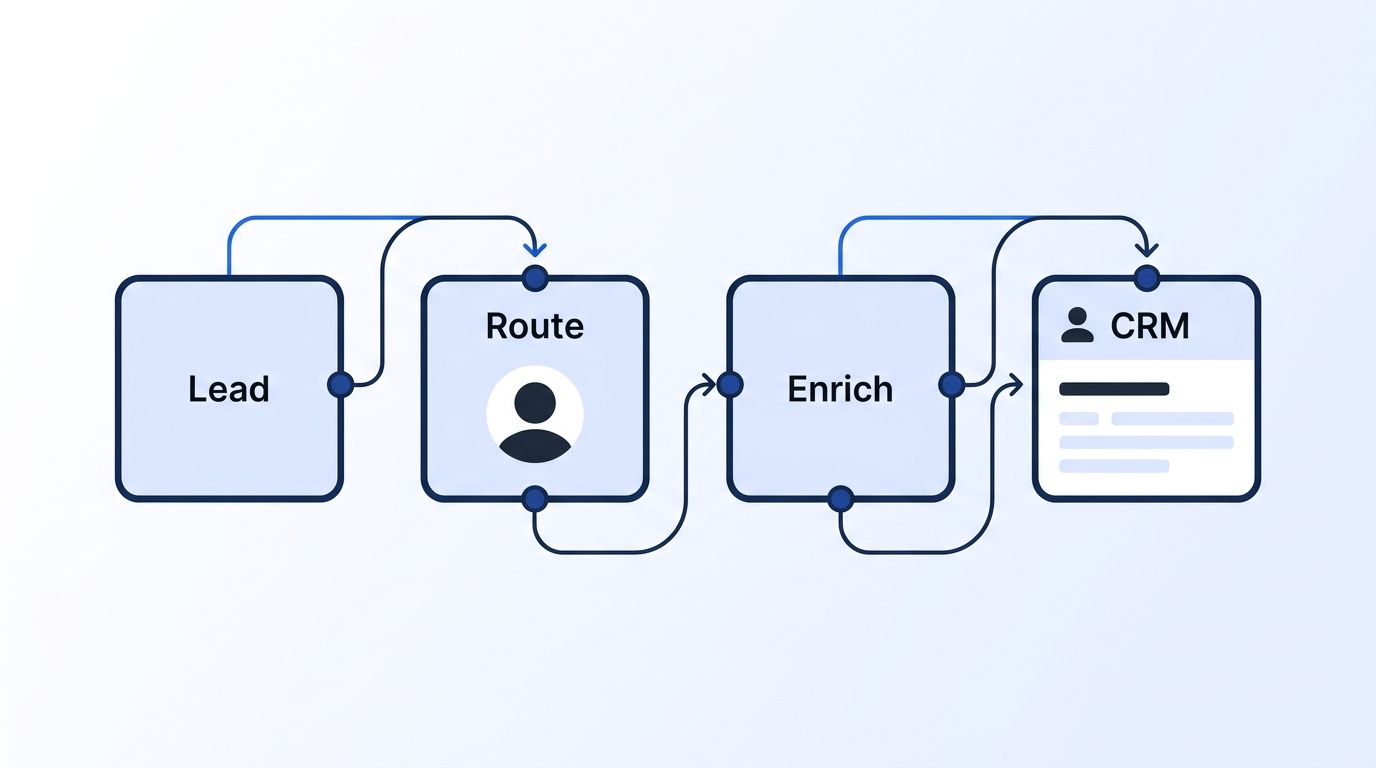
Revenue leaks through handoffs, not through bad reps. In 2026, 99% of RevOps professionals agree their company loses revenue to process and handoff gaps, and 72% say that loss exceeds 10% of total revenue (Rattle, 2025). Workflow automation exists to close exactly that gap — the seconds between a form fill and a rep's first touch, or between a signed contract and a CS handoff.
Speed compounds. Companies that contact a web lead within an hour are roughly 7 times more likely to qualify it than those who wait a day, yet the average B2B lead still waits 42-47 hours for a response (Harvard Business Review, "The Short Life of Online Sales Leads", retrieved 2026-07-31). Automation doesn't just save headcount — it closes the exact window where a lead goes cold.
<!-- [UNIQUE INSIGHT] -->Here's the pattern most "best automation tools" lists miss: adding a 17th tool to a stack that already has 16 doesn't fix the handoff problem — it usually makes the shelfware number worse. The tools below earned their spot because they replace manual steps or consolidate existing ones, not because they add another dashboard. Many of the workflows below work best when triggered by a real event — a job change or engagement signal — rather than a scheduled batch upload.
1. Why Is Zapier the Best Overall Tool for Getting Started Fast?
Zapier connects more apps than anything else on this list, with over 8,000 integrations and a setup flow non-technical ops hires can build in an afternoon. It carries a 4.5/5 rating across 1,806 G2 reviews, with especially strong scores for autonomous task execution (G2 Zapier reviews, retrieved 2026-07-31).
Why it's great: Zapier's trigger-action model needs no code and almost no ramp-up time. Multi-step "Zaps" can branch on conditions, format data, and write to a CRM in one pass.
Best for: Small-to-mid RevOps teams automating lead routing, Slack alerts, and CRM field updates without an engineer on staff.
Key feature: Built-in formatter steps clean and reshape data mid-workflow, so a messy form submission can land in your CRM already normalized.
Pricing: Free tier for basic single-step zaps; paid plans scale by task volume, with overage costs commonly reported at $500-$2,000/month once usage clears 100,000 tasks. If a Zap calls an enrichment API mid-workflow, check your credit balance before scaling task volume so a stalled Zap doesn't burn through a batch silently.
2. Why Is n8n the Best Choice for Technical Teams Who Want Full Code Control?
n8n is the pick for GTM engineers who want to own their automation infrastructure instead of renting it by the task. It's open-source and self-hostable, which means no per-task ceiling once you outgrow the cloud tier.
Why it's great: Every node can drop into raw JavaScript or Python when the visual builder hits a wall — a rare combination of no-code speed and full-code flexibility.
Best for: RevOps and GTM engineering teams building custom enrichment pipelines who don't want vendor lock-in on pricing or data residency.
Key feature: Self-hosting means your workflow data never leaves your own infrastructure, which matters for teams with strict data-handling requirements.
Pricing: Cloud plans start around $24/month (Starter) up to $800/month (Business); self-hosted is free aside from your own server costs.
<!-- [UNIQUE INSIGHT] -->Teams that connect n8n directly to a live LinkedIn data source instead of a static list avoid the most common self-hosted failure mode: workflows that run perfectly but act on stale company data.
3. Why Is Clay the Best Tool for AI-Driven Data Enrichment and Outbound Orchestration?
Clay isn't a general iPaaS — it's built specifically for GTM teams chaining 150+ data providers with conditional, waterfall logic to enrich and route leads. It holds a strong 4.9/5 on G2 across 312 reviews, though a smaller sample on Trustpilot flags credit consumption as a common complaint (G2 Clay reviews, retrieved 2026-07-31).
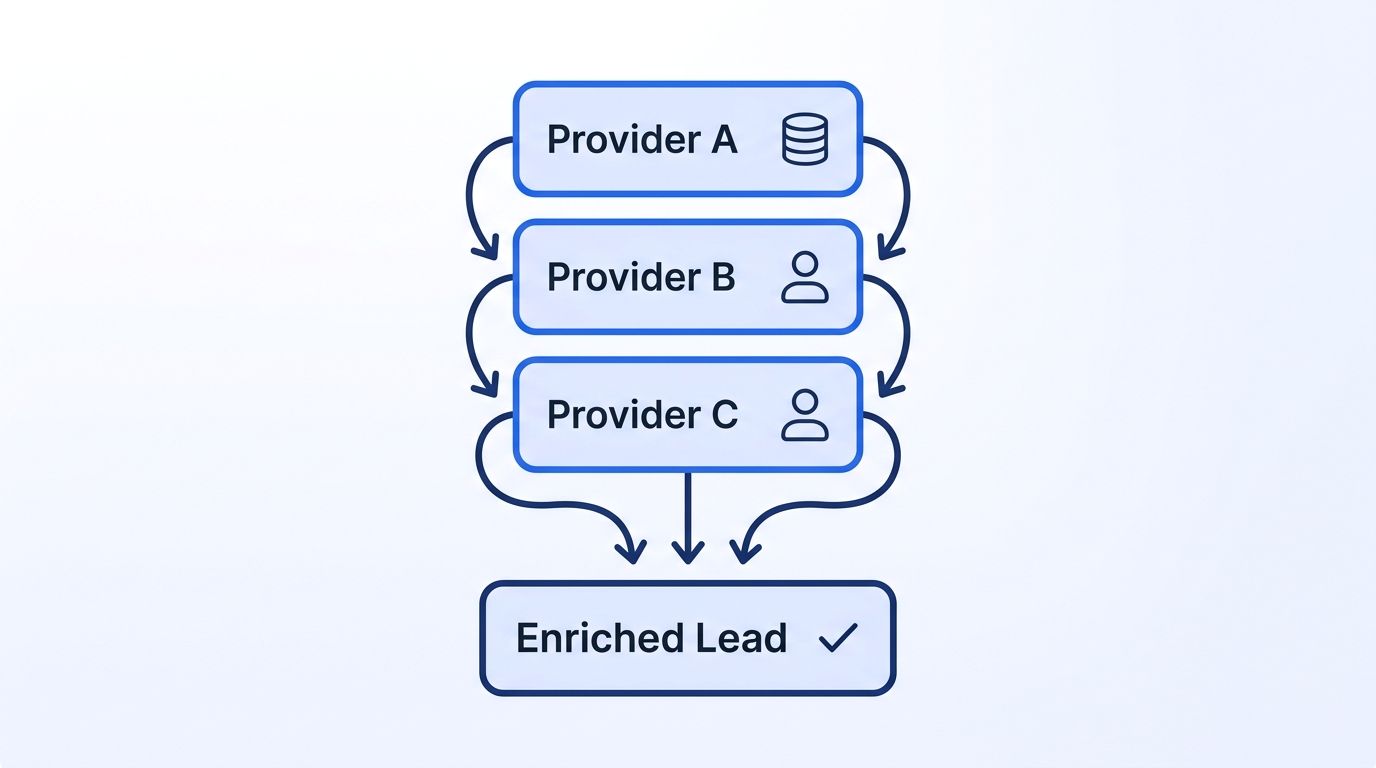
Why it's great: Clay's waterfall enrichment automatically falls through multiple data sources until a field gets filled, instead of failing silently on the first provider miss.
Best for: Outbound-heavy GTM engineering teams who need enrichment and list-building baked directly into their automation, not bolted on afterward.
Key feature: AI agent columns let you write a prompt once and apply it across thousands of rows — think auto-drafted personalized openers per lead.
Pricing: Repriced in March 2026 — Starter around $143/month, Explorer around $314/month, Pro around $720/month, with CRM integrations gated to the Pro tier. If you want another node in that waterfall, Datamagnet's Clay integration pulls live LinkedIn profile and company data straight into an enrichment table.
4. Why Is Workato the Best Enterprise-Grade iPaaS at Scale?
Workato is what RevOps teams graduate to once Zapier and Make can't handle the volume or the compliance requirements. It's a Gartner Magic Quadrant iPaaS Leader for the eighth consecutive year as of March 2026, and holds a 4.7/5 rating across 757 G2 reviews (G2 Workato reviews; Workato Gartner MQ announcement, retrieved 2026-07-31).
Why it's great: Workato handles high-volume, multi-system orchestration with enterprise-grade governance — audit logs, role-based access, and API management baked in, not bolted on.
Best for: Larger RevOps orgs consolidating dozens of point-to-point integrations into a single governed platform.
Key feature: "Recipes" (Workato's term for workflows) support enterprise SSO and granular permissions, which matters once IT security gets involved in your automation stack.
Pricing: Starts around $25,000/year; reviewers consistently flag pricing as opaque until you're deep into a sales cycle.
5. Why Is Make the Best Visual, Power-User Automation Tool on a Budget?
Make (formerly Integromat) sits between Zapier's simplicity and Workato's enterprise weight. It's the choice for RevOps builders who want routers, data mapping, and error-handling logic without an enterprise price tag, holding a 4.6/5 rating across 275 G2 reviews (G2 Make pricing, retrieved 2026-07-31).
Why it's great: The visual scenario builder exposes every data transformation step, so debugging a broken workflow doesn't mean guessing which black box failed.
Best for: Technical RevOps builders who want Zapier-level accessibility with meaningfully more power under the hood.
Key feature: Router modules let a single scenario branch into multiple conditional paths, avoiding the duplicate-workflow sprawl that plagues simpler tools.
Pricing: Core plan starts around $9/month; free tier includes 1,000 operations per month, generous enough for early testing.
Where Do RevOps Teams Actually Lose Time? A 2026 Reality Check
Manual work and tool sprawl aren't opposite problems — they're the same problem twice. A team can have 20 tools and still hand-enter CRM data because none of those tools actually talk to each other. That's the gap the next four tools target directly.
6. Why Is LeanData the Best Tool for Lead Routing and Buying-Group Orchestration?
LeanData has been named a G2 category leader in lead-to-account matching for five consecutive years, and it holds a 4.6/5 rating across 1,004 reviews (G2 LeanData reviews; LeanData 2026 G2 award, retrieved 2026-07-31).
Why it's great: LeanData's matching engine handles the messy reality of B2B accounts — multiple contacts, multiple domains, and buying groups that span departments.
Best for: Enterprise RevOps teams whose speed-to-lead problem is specifically about routing the right lead to the right rep, not general workflow orchestration.
Key feature: Buying-group orchestration tracks every stakeholder touching a deal, not just the one contact who filled out the form.
Pricing: Budgets typically run $25,000-$120,000+ per year; mid-market teams land around $30,000-$60,000 for matching, routing, and scheduling combined. Pair that routing logic with a company engagement signal to catch buying-group activity that CRM-based matching alone won't see.
7. Why Is HubSpot Data Hub the Best Choice for HubSpot-Native Teams?
If your CRM is already HubSpot, Data Hub's native automation avoids the sync-lag and field-mapping headaches that come with a third-party tool bolted on top. It holds a 4.5/5 rating across 567 G2 reviews under its prior "Operations Hub" name — worth noting since HubSpot is mid-rebrand as of 2026 (G2 HubSpot Data Hub reviews, retrieved 2026-07-31).
Why it's great: Programmable automation runs directly against live HubSpot data, so there's no export-import lag between your automation and your source of truth.
Best for: Mid-market teams fully committed to HubSpot who want data-quality automation without adding an external integration layer.
Key feature: Custom-coded workflow actions let ops teams write JavaScript or Python snippets directly inside a HubSpot workflow.
Pricing: Starter around $20/month; Professional (adds programmable automation) around $800/month; Enterprise around $2,000/month.
8. Why Is Salesforce Flow the Best Choice for Salesforce-Native Automation?
Flow is Salesforce's built-in low-code automation builder, and it doesn't have a standalone G2 listing — it's bundled with Salesforce Sales Cloud, which itself sits at 4.4/5 across 25,415 reviews (G2 Salesforce Platform reviews, retrieved 2026-07-31). We won't invent a Flow-only score that doesn't exist.
Why it's great: Flow reads and writes directly against Salesforce's object model, so there's zero sync delay between an automation firing and the record updating.
Best for: Salesforce-native RevOps teams who need drag-and-drop automation without paying for a separate integration platform.
Key feature: Record-triggered flows can fire in real time on any field change, which is how most native lead-assignment rules get built inside Salesforce today.
Pricing: Bundled into existing Salesforce Sales Cloud or Platform licensing — no separate SKU. Feeding a record-triggered Flow with a live job-change signal keeps a champion-tracking rule current without a nightly data refresh.
9. Why Is Tray.io the Best Tool for Complex Enterprise Integration Projects?
Tray.io (rebranded Tray.ai) sits between Workato's enterprise weight and Zapier's simplicity, with a 4.5/5 rating across 158 G2 reviews (G2 Tray.io, retrieved 2026-07-31).
Why it's great: Tray.io is built for orchestrating deeply custom, multi-system workflows — the kind that don't fit a template because no two enterprise tech stacks look alike.
Best for: Enterprise teams with complex, bespoke integration needs and an in-house team to own the build.
Key feature: A universal API layer abstracts away individual system quirks, so one workflow logic can survive a future CRM migration.
Pricing: No public pricing; sales-led custom quotes typically start around $12,000/year, with reported average time-to-ROI near 10 months.
Comparison Table: 9 RevOps Workflow Automation Tools
| Tool | Best For | Starting Price | Deployment | G2 Rating |
|---|---|---|---|---|
| Zapier | Getting started fast | Free tier, paid scales by task | Cloud | 4.5/5 (1,806) |
| n8n | Technical/self-hosted control | Free (self-hosted) / $24/mo cloud | Cloud or self-hosted | 4.5-4.8/5 (~233) |
| Clay | AI enrichment & outbound | ~$143/mo | Cloud | 4.9/5 (312) |
| Workato | Enterprise iPaaS at scale | ~$25,000/yr | Cloud | 4.7/5 (757) |
| Make | Visual power-user automation | ~$9/mo | Cloud | 4.6/5 (275) |
| LeanData | Lead routing & matching | ~$25,000-$120,000/yr | Cloud | 4.6/5 (1,004) |
| HubSpot Data Hub | HubSpot-native teams | ~$20/mo (Starter) | Cloud | 4.5/5 (567) |
| Salesforce Flow | Salesforce-native teams | Bundled in Sales Cloud | Cloud | No standalone score |
| Tray.io | Custom enterprise integration | ~$12,000/yr | Cloud | 4.5/5 (158) |
n8n's G2 rating varies between 4.5 and 4.8 depending on the source page — verify directly on G2 before quoting a single figure in an internal deck.
How Did We Select These Tools?
We started from the category leaders named across G2's iPaaS, workflow automation, and RevOps orchestration grids, cross-referenced against the tool-sprawl and process-gap data in Rattle's 2025 RevOps survey. Four criteria drove the ranking:
- Tool-sprawl fit — does it reduce or add to the 33%-shelfware problem most stacks already carry?
- Data-trust impact — does it reduce manual CRM entry, the root of the 26%-trust problem?
- Pricing transparency — self-serve rate cards scored higher than sales-led custom quoting.
- Category fit — does it solve a specific handoff (routing, enrichment, CRM-native automation) rather than promising to do everything?
Every G2 rating cited above came from search-indexed snippets of the G2 product page, since G2 blocks direct automated page fetches. Where we found conflicting numbers, like n8n's rating varying by source page, we flagged it rather than presenting a guess as fact. No tool on this list paid for placement.
Frequently Asked Questions
What's the best workflow automation tool for RevOps overall in 2026?
Zapier wins for most teams starting out, thanks to its 8,000+ integrations and near-zero setup time. But "best overall" depends on your bottleneck — Clay wins for enrichment-heavy outbound, and LeanData wins if lead routing is your specific pain point.
Is Zapier good enough for a RevOps team, or do we need something more powerful?
Zapier handles most small-to-mid team workflows well, but task-based pricing gets expensive past roughly 100,000 tasks/month, where overage costs commonly reach $500-$2,000. Teams hitting that ceiling typically graduate to Make for more power per dollar or Workato for enterprise governance.
What's the difference between an iPaaS like Workato and a GTM-specific tool like Clay?
Workato connects and governs data flow across dozens of enterprise systems generically. Clay is purpose-built for one job: chaining data providers to enrich and qualify leads with AI-driven waterfall logic. Most GTM engineering teams use both, not one instead of the other.
Do we need a dedicated lead-routing tool if our CRM already has automation?
If your CRM handles simple, single-object automation fine, you may not need LeanData. But 99% of RevOps professionals report losing revenue to handoff gaps (Rattle, 2025), and native CRM automation rarely handles multi-contact buying-group matching well.
How often should we re-evaluate our RevOps automation stack?
Review your stack at least twice a year, and any time headcount, CRM, or a major GTM motion changes. With 40% of enterprise teams already running 16+ tools, an annual "does this tool still earn its seat" audit is the single fastest way to cut shelfware before it compounds. Our API quickstart is a fast way to see what a live data source could replace in your current stack before you sign another annual contract.
Conclusion
Zapier is the right starting point for most RevOps teams building their first automated workflows, and Workato or Tray.io are the right upgrade once you outgrow it. If enrichment and outbound orchestration are your bottleneck, Clay earns its price tag; if lead routing is, LeanData does. Pick based on the handoff that's actually costing you revenue, not the tool with the loudest marketing. See how real-time company data can feed any of the workflows above, from lead routing to enrichment.
