
Disclosure: This article is published by Datamagnet. Vendor claims are self-reported unless otherwise noted.
AI Sales Prospecting With Claude and MCP: A 2026 Step-by-Step Workflow
In 2026, Salesforce found that the average seller spends only 40% of their time selling (Salesforce, "The Productivity Gap" State of Sales report, February 2026). The rest goes to research, data entry, and admin. AI sales prospecting fixes part of that. You connect Claude to live data through the Model Context Protocol (MCP), then let it search, research, and rank leads while you write the outreach.
This guide shows the full workflow in about 60 minutes. You'll wire up a data connection, write a prospecting prompt, and run a repeatable loop.
TL;DR
- Sellers spend 40% of their time selling; 87% of sales teams already use AI somewhere (Salesforce, 2026).
- MCP lets Claude call your data API as a tool, so it works from live records instead of guesses.
- The loop is: define ICP, search, enrich, score, review. Total cost for 25 leads is about 35 credits.
- Keep a human on the send button.
What Do You Need Before You Start?
Salesforce also reports that 87% of sales organizations use AI for tasks like prospecting, forecasting, and lead scoring, and 54% of sellers have used agents (Salesforce, State of Sales, February 2026). So the tooling is mainstream. What's left is setup, and it's short.
What you'll need:
- A Claude account with MCP support (Claude Desktop or Claude Code).
- Python 3.10+ and the official MCP SDK (
pip install "mcp[cli]"). - A Datamagnet API key. New accounts get 10 free credits, which is enough to test the whole loop on a few leads.
- A written ideal customer profile (ICP): titles, industries, headcount range, location.
- Time: about 60 minutes. Difficulty: intermediate.
If you've never called the API, the Datamagnet quickstart walks through creating a key and making a first request.
What Is MCP, and Why Use It for Prospecting?
Anthropic introduced the Model Context Protocol on November 25, 2024, as an open standard for connecting AI assistants to the systems where data lives (Anthropic, "Introducing the Model Context Protocol"). By December 2025, Anthropic reported more than 10,000 active public MCP servers (Anthropic, "Donating the Model Context Protocol," December 9, 2025).
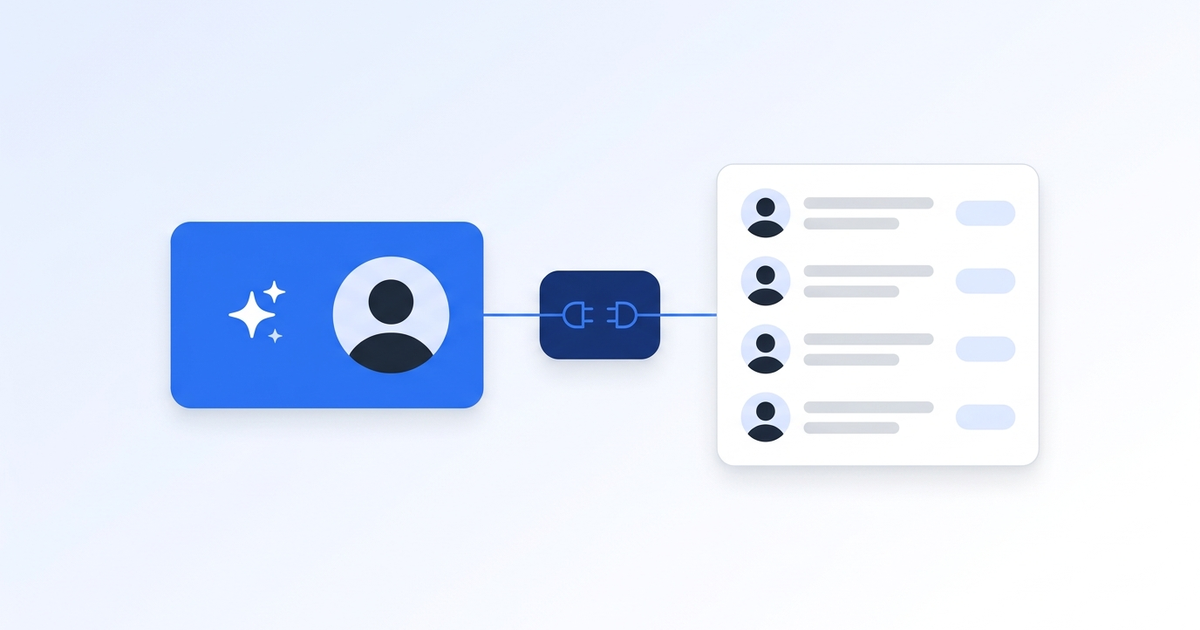
In plain English: MCP is a standard plug. You describe a few functions ("search people," "get profile"), and Claude can call them mid-conversation.
Why does that matter for prospecting? A model alone can't know who changed jobs last week. It will happily invent a plausible VP of Sales. With a tool, Claude pulls the real record and reasons over it.
The biggest quality jump we see isn't a better prompt. It's forcing every claim about a person to come from a tool result. If a field is missing, Claude says so instead of filling the gap.
Step 1: How Do You Define Your ICP as a Structured Brief?
By the end of this step, you'll have a one-page brief Claude can reuse on every run. Salesforce's survey says sellers expect agents to cut prospect research time by 34% (Salesforce, February 2026). That only happens if the agent knows exactly who counts as a fit.
- Write down 2-3 target job titles and the seniority level.
- List industries and a headcount range.
- Add one disqualifier (for example, "agencies" or "under 20 employees").
- Add one buying trigger you care about, like a recent funding round or a new hire in the role.
Save it as icp.md. Be specific enough that two people would pick the same leads. You'll know it works when a colleague can read the brief and name a company that fits and one that doesn't.
Step 2: How Do You Build a Small MCP Server Around the Data API?
By the end of this step, Claude will have two tools: one to search for people and one to fetch a full profile. Keep the server tiny. Fewer tools means fewer wrong calls, and a two-tool server is easy to read, test, and debug in a single sitting before you trust it with real credits.
Datamagnet's API uses bearer-token authentication (Authentication docs). The search tool maps to the ICP People Search endpoint, which filters by job title, seniority, function, company, location, and industry. The profile tool maps to the People Profile endpoint. To look up valid filter values before you search, see the ICP Search filter reference.
Here's the skeleton using the official Python SDK. The base URL and the profile path come from the quickstart. The search path follows the /api/v1/people-search route shown in the ICP People Search docs.
import os
import httpx
from mcp.server.fastmcp import FastMCP

mcp = FastMCP("datamagnet-prospecting")
BASE_URL = "https://api.datamagnet.co/api/v1"
HEADERS = {
    "Authorization": f"Bearer {os.environ['DATAMAGNET_API_KEY']}",
    "Content-Type": "application/json",
}

@mcp.tool()
def search_people(
    job_title: str | None = None,
    seniority: str | None = None,
    function: str | None = None,
    company_name: str | None = None,
    location: str | None = None,
    industry: str | None = None,
    page: int = 1,
) -> dict:
    """Find decision-makers matching ICP filters (10 credits per page of 25)."""
    filters = {
        "job_title": job_title,
        "seniority": seniority,
        "function": function,
        "company_name": company_name,
        "location": location,
        "industry": industry,
    }
    body = {k: v for k, v in filters.items() if v}  # drop unused filters
    body["page"] = page
    r = httpx.post(f"{BASE_URL}/people-search", headers=HEADERS,
                   json=body, timeout=60)
    r.raise_for_status()
    return r.json()

@mcp.tool()
def get_profile(linkedin_url: str) -> dict:
    """Fetch one public LinkedIn profile as structured JSON (1 credit)."""
    r = httpx.post(f"{BASE_URL}/person", headers=HEADERS,
                   json={"url": linkedin_url}, timeout=60)
    r.raise_for_status()
    return r.json()

if __name__ == "__main__":
    mcp.run()
Then register the server in Claude Desktop's MCP config (or run claude mcp add in Claude Code), pointing at this script. Restart Claude. You'll see both tools listed. Ask "what tools do you have?" to confirm.
Step 3: What Should the Prospecting Prompt Say?
By the end of this step, you'll have a prompt that runs the same way every time. A vague prompt gives you a vague list, so be explicit about the steps, the scoring scale, and the exact output columns. The prompt below does all three and keeps Claude tied to tool results.
Paste this into a Claude project, with icp.md attached:
You are a prospecting analyst. Use only tool results for facts about people.
1. Call search_people once using the ICP in icp.md.
2. Pick the 10 best matches. Call get_profile for each.
3. Score each lead 1-5 against the ICP. Show the reason in one sentence,
   citing a field from the profile (title, tenure, company size).
4. If a field is missing, write "not in data". Never guess.
5. Output a table: name, title, company, score, reason, suggested opener.
Three details make this work:
- Cap the count. "Best 10" keeps credit spend predictable.
- Demand a cited reason. A score with no evidence is a vibe.
- Ban guessing. The "not in data" rule is the guardrail that stops invented details.
Step 4: How Do You Run the Search and Enrich Loop?
By the end of this step, you'll have a scored table of real prospects. One search page costs 10 credits and returns up to 25 results. Each profile costs 1 credit (Datamagnet pricing), so a full run is cheap and the spend is easy to predict.
Here's the math for one run:
| Action | Volume | Credits |
|---|---|---|
| ICP search page | 1 page (25 results) | 10 |
| Profile enrichment | 25 profiles | 25 |
| Total | 25 enriched leads | 35 |
Pay-as-you-go starts at $10 for 200 credits, or $0.05 per credit, so one 25-lead run costs about $1.75. If you run this weekly, plans start at $39 a month for 1,000 credits, with $99 and $199 tiers above that. Check the pricing page for what's in each plan.
When we test this loop, we usually enrich only the top 10 from each search page, not all 25. The title and company fields in search results are often enough to drop the obvious misses. That cuts the bill by more than half.
Verify the run: the table should have 10 rows, every score should cite a field, and any gaps should say "not in data."
Step 5: How Do You Add Triggers to Reach Out at the Right Time?
By the end of this step, Claude will flag who to contact now, not just who fits. A static list ages quickly. People change jobs, and a new role is a classic buying moment, so timing signals turn a good list into a prioritized one that tells you who to contact first.
Datamagnet's Signal API monitors LinkedIn for job changes, new posts, and engagement, and delivers events by email or signed webhook (Create Signal docs, Webhooks docs). Point a webhook at a small script that hands each event to Claude with icp.md.
Two ideas that work well:
- Champion tracking. Watch past users and buyers for job changes, then re-engage them at the new company. The Champion Tracker cookbook shows the setup, and the champion tracking overview explains the use case.
- Competitor engagement. Flag people who comment on posts about problems you solve. The Competitor Hijack cookbook walks through it.
For a wider comparison of job-change data sources, see our guide to real-time intent signal APIs for job changes.
If you'd rather not build the plumbing, the AI SDR data engine page covers how teams feed live signals into agents.
Step 6: How Should You Review and Send the Outreach?
By the end of this step, you'll have outreach that's yours. Gartner reported in May 2026 that AI saves sellers about 4.8 hours a week, yet 72% of sales organizations fail to reinvest that time in high-value activities (Gartner, press release, May 19, 2026). The point of this workflow is to give you the hours back for real conversations.
Review checklist:
- Read each "reason" and open two or three profiles to spot-check it.
- Edit the opener so it sounds like you.
- Send from your own email tool. Keep the human in that last step.
Datamagnet doesn't provide email or phone lookup, so you'll bring your own approach for contact details. It's a gap worth planning around.
Is This Allowed? A Note on LinkedIn's Rules
LinkedIn's User Agreement says members may not use software, scripts, robots, or other automated means to scrape or copy the service, or use bots to access it (LinkedIn User Agreement, Section 8.2, effective November 3, 2025). LinkedIn can restrict or close accounts that break its terms. That's the account-ban risk of running your own scrapers through a logged-in profile.
This isn't legal advice, and you should read the terms yourself. This workflow only touches public profile data through an API. It never logs in as you, so your personal account isn't part of the loop. Don't build workarounds that use personal logins or evade blocks. If compliance matters at your company, ask your counsel and review the Datamagnet security page.
What Mistakes Should You Avoid?
Most prospecting workflows fail for the same few reasons, and nearly all of them are cheap to avoid once you know them. These five mistakes show up most often when teams first connect an AI model to live data, and each one has a simple fix.
1. Giving Claude too many tools. More tools means more wrong picks. Start with two.
2. Letting it guess. Without the "not in data" rule, models fill gaps with plausible fiction. Put the rule in the prompt.
3. Enriching every search result. You pay a credit per profile. Shortlist first.
4. Skipping a spot-check. Always open a few profiles. A scored table looks authoritative even when one row is off.
5. Automating the send. Auto-sending AI drafts at volume burns your domain and your reputation.
What Does Success Look Like?
If everything worked, you now have a prompt that turns an ICP into a scored, evidence-backed table of 10 leads for about 20 to 35 credits. A first run usually takes minutes, not an afternoon. As a stretch goal, add the Signal API so the table refreshes itself when a champion changes jobs.
Frequently Asked Questions
Do I need to code to use Claude and MCP for prospecting?
Light Python helps. The server in Step 2 is about 30 lines. If you don't code, use a no-code tool such as Clay or n8n to call the API, and use Claude for the scoring and drafting steps. Salesforce found 87% of sales teams already use AI somewhere, so most teams have someone who can help.
How much does AI sales prospecting cost with this setup?
A 25-lead run costs about 35 credits: 10 for one search page and 25 for profiles. Pay-as-you-go starts at $10 for 200 credits ($0.05 per credit), so that's about $1.75. Datamagnet's plans are $39, $99, and $199, and new accounts get 10 free credits to test. Claude usage is billed separately by Anthropic.
Can I use a different AI model instead of Claude?
Yes. MCP is an open standard that Anthropic introduced in November 2024 and later donated to the Agentic AI Foundation. Many AI apps now support it, so the same server can work elsewhere. The prompt rules (use tool facts only, cite fields, say "not in data") carry over to any model.
What if Claude returns wrong or missing details?
Check the tool result first. If the field wasn't in the API response, Claude should say "not in data." If it still guesses, tighten the prompt and lower the number of leads per run. Spot-checking two or three profiles per batch catches most errors before they reach a prospect.
Can Datamagnet find email addresses or phone numbers?
No. Datamagnet returns structured public LinkedIn profile and company data, plus search and signals. It has no email or phone lookup and no job-listings endpoint. Pair it with your own contact-data source or your CRM's existing records for outreach details.
Start Your First Run
You've got the pieces: a brief, a small MCP server, a strict prompt, and a human review. Grab your 10 free credits, run one search page, and see who comes back. Start with the People API or compare the ICP Search API for deeper filters.
